
How to Use MAKER SOIL MOISTURE SENSOR: Examples, Pinouts, and Specs
 Design with MAKER SOIL MOISTURE SENSOR in Cirkit Designer
Introduction
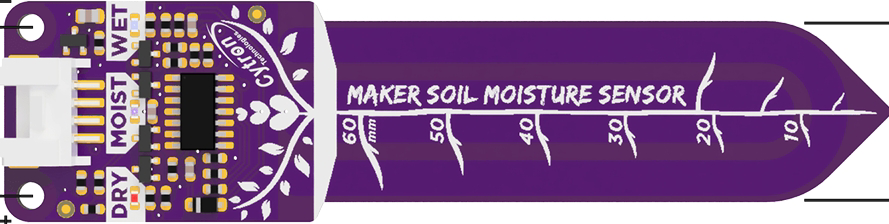
The Maker Soil Moisture Sensor by Cytron Technologies Sdn Bhd is a reliable and easy-to-use sensor designed to measure the moisture level in soil. It provides analog and digital outputs, making it suitable for a wide range of applications, from simple gardening projects to advanced agricultural automation systems. This sensor helps users monitor soil conditions and optimize irrigation, ensuring healthy plant growth and efficient water usage.
Explore Projects Built with MAKER SOIL MOISTURE SENSOR
 Open Project in Cirkit Designer
 Open Project in Cirkit Designer
 Open Project in Cirkit Designer
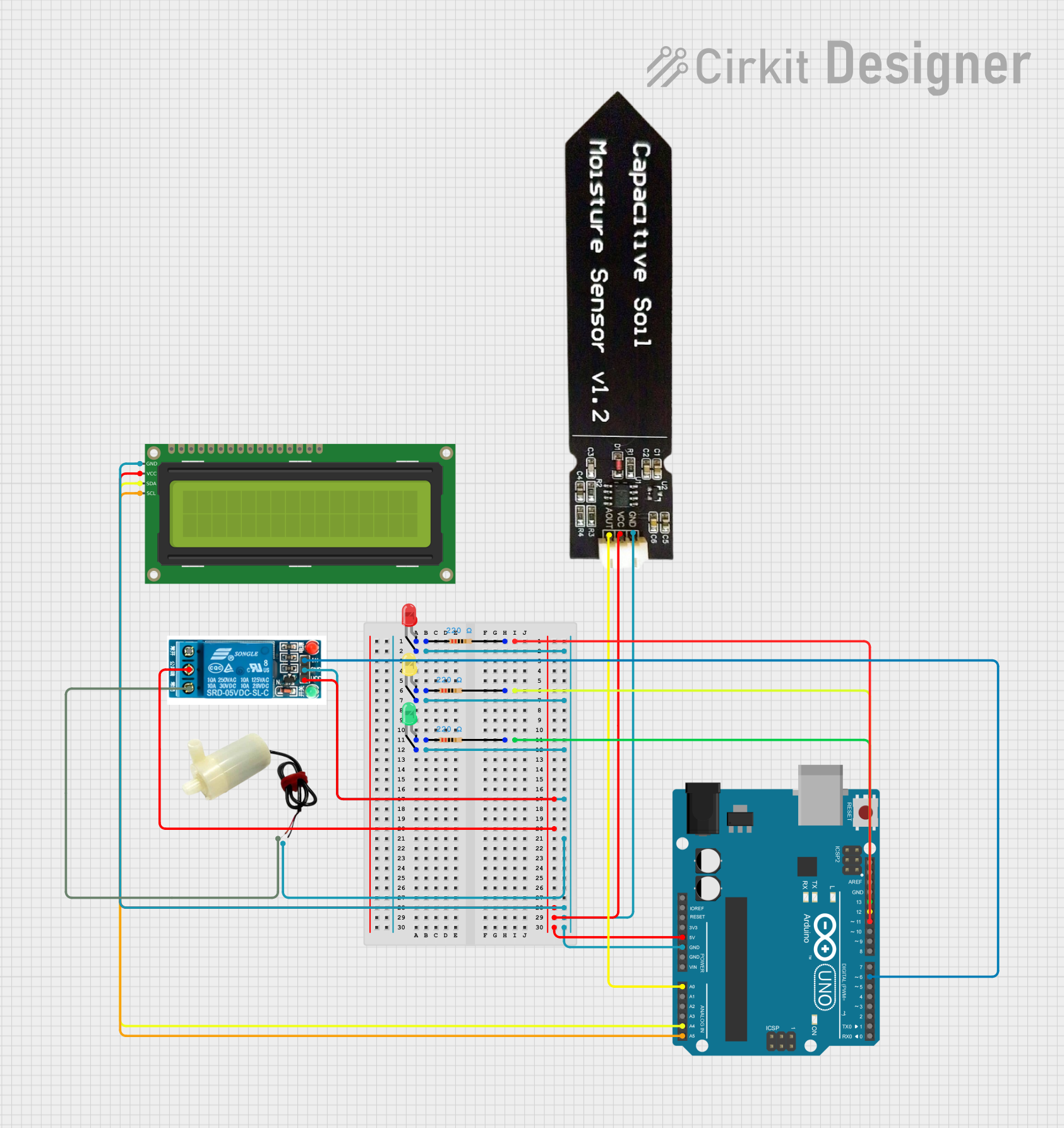 Open Project in Cirkit Designer
Explore Projects Built with MAKER SOIL MOISTURE SENSOR
Open Project in Cirkit DesignerOpen Project in Cirkit DesignerOpen Project in Cirkit DesignerOpen Project in Cirkit DesignerCommon Applications and Use Cases
- Automated irrigation systems
- Smart gardening projects
- Agricultural monitoring
- Environmental research
- Educational projects involving soil and plant health
Technical Specifications
Below are the key technical details of the Maker Soil Moisture Sensor:
| Parameter | Specification |
|---|---|
| Manufacturer | Cytron Technologies Sdn Bhd |
| Part ID | Maker Soil Moisture Sensor |
| Operating Voltage | 3.3V to 5V DC |
| Output Type | Analog and Digital |
| Analog Output Range | 0V (dry soil) to 3.3V/5V (wet soil) |
| Digital Output | High (wet) or Low (dry) |
| Current Consumption | < 20mA |
| Dimensions | 60mm x 20mm x 8mm |
| Interface | 3-pin header (VCC, GND, OUT) |
Pin Configuration and Descriptions
The Maker Soil Moisture Sensor has a 3-pin interface. Below is the pin configuration:
| Pin | Name | Description |
|---|---|---|
| 1 | VCC | Power supply pin (3.3V to 5V DC) |
| 2 | GND | Ground connection |
| 3 | OUT | Output pin (analog or digital signal based on soil moisture) |
Usage Instructions
How to Use the Sensor in a Circuit
Connect the Sensor:
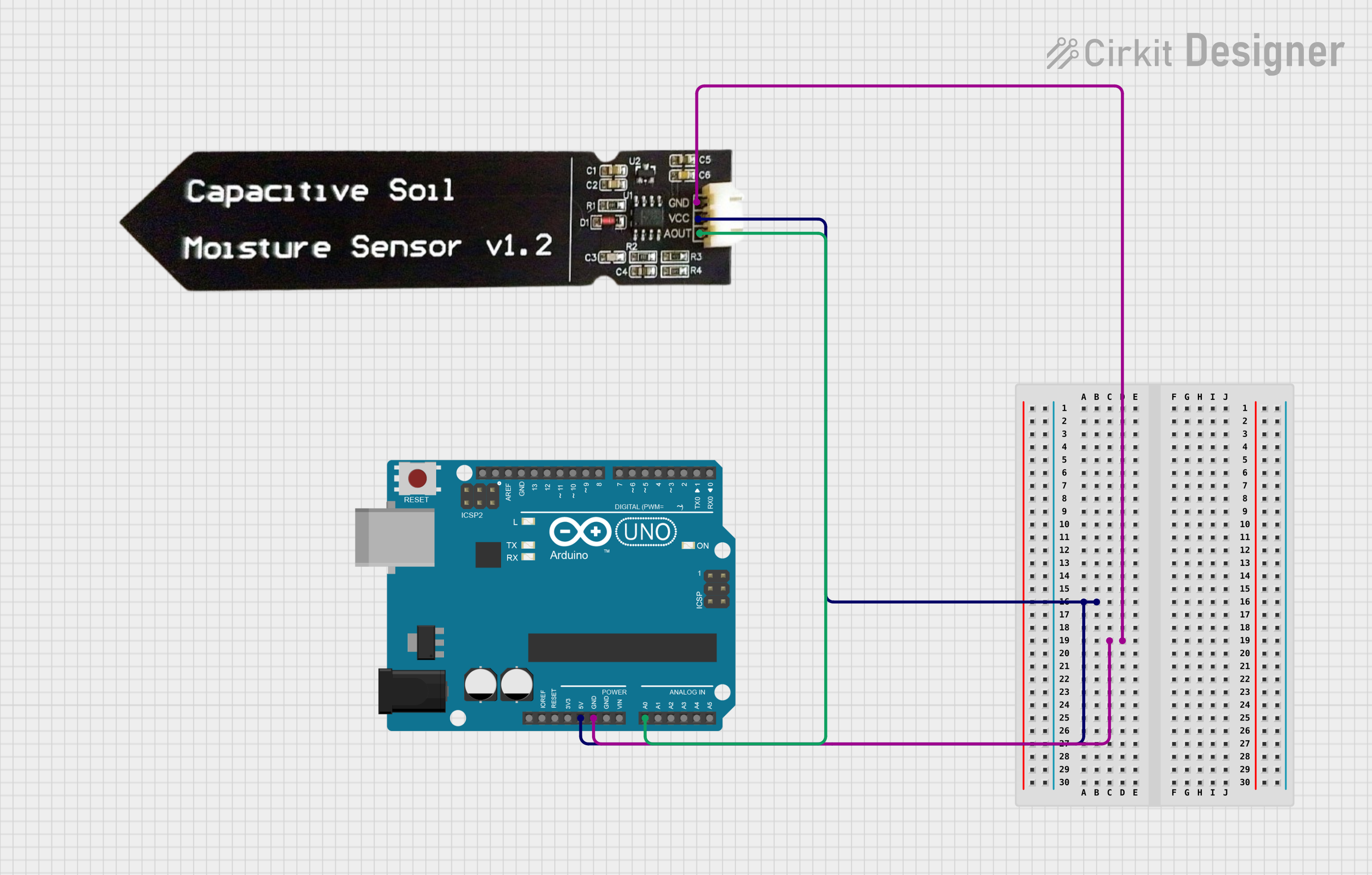
- Connect the VCC pin to the 3.3V or 5V pin of your microcontroller or power source.
- Connect the GND pin to the ground (GND) of your circuit.
- Connect the OUT pin to an analog or digital input pin of your microcontroller.
Select Output Mode:
- Use the onboard potentiometer to adjust the threshold for the digital output. This determines the moisture level at which the digital output switches between HIGH and LOW.
Place the Sensor in Soil:
- Insert the sensor probes into the soil at the desired depth. Ensure the probes are clean and free of debris for accurate readings.
Read the Output:
- For analog output, read the voltage from the OUT pin using an analog input pin on your microcontroller.
- For digital output, monitor the HIGH or LOW signal from the OUT pin.
Important Considerations and Best Practices
- Avoid prolonged exposure of the sensor to water or highly moist environments, as this may cause corrosion or damage.
- Clean the sensor probes after use to prevent residue buildup.
- Use the sensor in non-corrosive soil for longer lifespan.
- If using with an Arduino UNO, ensure the sensor's output voltage does not exceed the microcontroller's input voltage range.
Example Code for Arduino UNO
Below is an example code snippet to read both analog and digital outputs from the Maker Soil Moisture Sensor:
// Define pin connections
const int analogPin = A0;  // Analog pin connected to OUT
const int digitalPin = 2;  // Digital pin connected to OUT

void setup() {
  Serial.begin(9600);       // Initialize serial communication
  pinMode(digitalPin, INPUT); // Set digital pin as input
}

void loop() {
  // Read analog value from the sensor
  int analogValue = analogRead(analogPin);

  // Read digital value from the sensor
  int digitalValue = digitalRead(digitalPin);

  // Print the readings to the Serial Monitor
  Serial.print("Analog Value: ");
  Serial.print(analogValue); // Analog value indicates moisture level
  Serial.print(" | Digital Value: ");
  Serial.println(digitalValue); // Digital value is HIGH or LOW

  delay(1000); // Wait for 1 second before the next reading
}
Troubleshooting and FAQs
Common Issues and Solutions
No Output Signal:
- Ensure the sensor is properly connected to the power supply and ground.
- Verify that the sensor's output pin is correctly connected to the microcontroller.
Inaccurate Readings:
- Clean the sensor probes to remove dirt or residue.
- Check the soil type and ensure it is compatible with the sensor.
- Adjust the potentiometer to fine-tune the digital output threshold.
Corrosion or Damage to Probes:
- Avoid leaving the sensor in wet soil for extended periods.
- Use protective coatings or replace the sensor if corrosion occurs.
Sensor Not Responding to Moisture Changes:
- Verify the power supply voltage is within the specified range (3.3V to 5V).
- Check the connections and ensure the sensor is inserted into the soil properly.
FAQs
Q: Can this sensor be used with a Raspberry Pi?
A: Yes, the sensor can be used with a Raspberry Pi. Use an ADC (Analog-to-Digital Converter) module to read the analog output, as Raspberry Pi does not have built-in analog input pins.
Q: What is the lifespan of the sensor?
A: The lifespan depends on usage and environmental conditions. Proper cleaning and avoiding prolonged exposure to water can extend its life.
Q: Can the sensor measure moisture in liquids?
A: No, the sensor is designed for soil moisture measurement and may not provide accurate readings in liquids.
Q: How do I calibrate the sensor?
A: Use the onboard potentiometer to adjust the digital output threshold. For analog output, you can map the sensor's voltage range to specific moisture levels in your code.