
How to Use Flip Microcontroller: Examples, Pinouts, and Specs
 Design with Flip Microcontroller in Cirkit Designer
Introduction
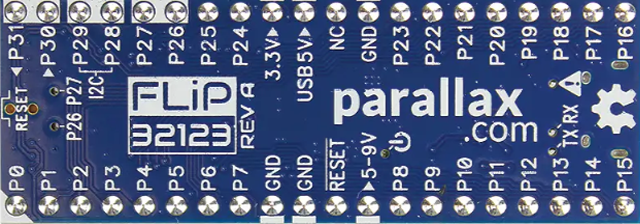
The Flip Microcontroller (Manufacturer Part ID: 32123) by Parallax is a compact and versatile microcontroller designed for low-power applications. It features built-in memory, multiple I/O capabilities, and is ideal for use in embedded systems and Internet of Things (IoT) projects. Its small form factor and efficient design make it a popular choice for developers looking to create compact, energy-efficient devices.
Explore Projects Built with Flip Microcontroller
 Open Project in Cirkit Designer
 Open Project in Cirkit Designer
 Open Project in Cirkit Designer
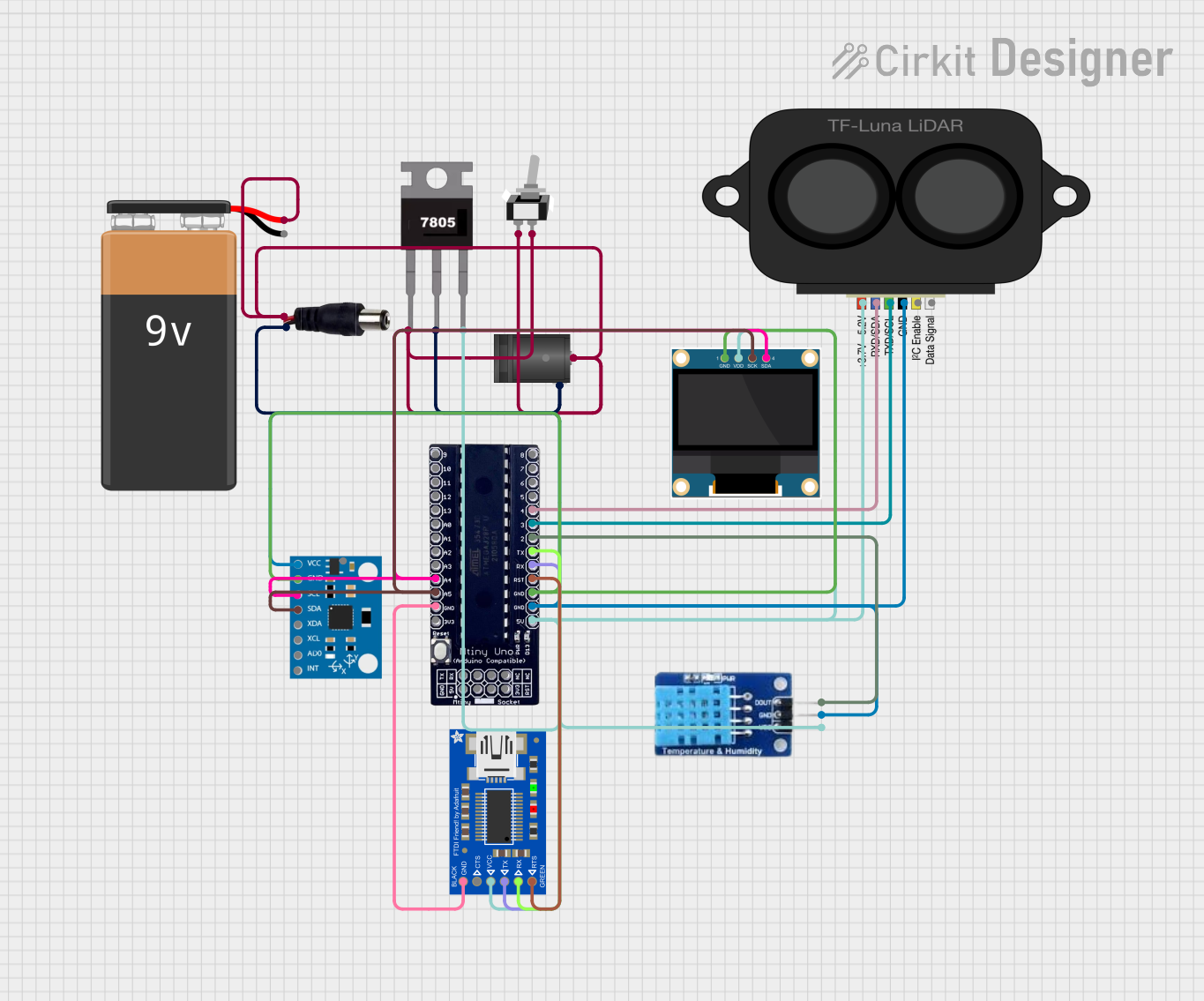 Open Project in Cirkit Designer
Explore Projects Built with Flip Microcontroller
Open Project in Cirkit DesignerOpen Project in Cirkit DesignerOpen Project in Cirkit DesignerOpen Project in Cirkit DesignerCommon Applications and Use Cases
- IoT devices and smart home systems
- Wearable technology
- Robotics and automation
- Data logging and environmental monitoring
- Educational projects and prototyping
Technical Specifications
The Flip Microcontroller is engineered to deliver reliable performance in a variety of applications. Below are its key technical specifications:
| Specification | Details |
|---|---|
| Manufacturer | Parallax |
| Part ID | 32123 |
| Operating Voltage | 3.3V to 5V |
| Power Consumption | Low-power design (<50 mA typical) |
| Clock Speed | 80 MHz |
| Flash Memory | 512 KB |
| RAM | 64 KB |
| GPIO Pins | 20 (configurable as digital/analog) |
| Communication Interfaces | UART, I2C, SPI |
| Dimensions | 1.5" x 0.7" (38mm x 18mm) |
| Operating Temperature Range | -40°C to 85°C |
Pin Configuration and Descriptions
The Flip Microcontroller features a total of 20 General Purpose Input/Output (GPIO) pins, along with power and communication pins. Below is the pinout description:
| Pin Number | Label | Function |
|---|---|---|
| 1 | GND | Ground |
| 2 | 3.3V | 3.3V Power Output |
| 3 | 5V | 5V Power Output |
| 4-13 | GPIO0-9 | General Purpose I/O (Digital/Analog) |
| 14 | TX | UART Transmit |
| 15 | RX | UART Receive |
| 16 | SCL | I2C Clock |
| 17 | SDA | I2C Data |
| 18 | MOSI | SPI Master Out Slave In |
| 19 | MISO | SPI Master In Slave Out |
| 20 | SCK | SPI Clock |
Usage Instructions
The Flip Microcontroller is easy to integrate into a variety of projects. Follow the steps below to use it effectively:
How to Use the Flip Microcontroller in a Circuit
Powering the Microcontroller:
- Connect the GND pin to the ground of your power source.
- Supply 3.3V or 5V to the respective power input pins. Ensure the voltage matches the operating range.
Connecting GPIO Pins:
- Use GPIO pins for digital or analog input/output. Configure them in your code as needed.
- For analog input, ensure the input voltage does not exceed the operating voltage.
Communication Interfaces:
- Use the UART pins (TX and RX) for serial communication.
- For I2C communication, connect the SCL and SDA pins to the corresponding pins on your peripheral device.
- For SPI communication, connect MOSI, MISO, and SCK to the respective pins on your SPI device.
Programming the Microcontroller:
- The Flip Microcontroller can be programmed using the Parallax IDE or other compatible software.
- Connect the microcontroller to your computer via a USB-to-serial adapter for programming.
Important Considerations and Best Practices
- Voltage Levels: Ensure all connected devices operate within the same voltage range (3.3V or 5V).
- Pin Protection: Avoid exceeding the maximum current rating of GPIO pins (20 mA per pin). Use resistors or buffers if necessary.
- Decoupling Capacitors: Place decoupling capacitors (e.g., 0.1 µF) near the power pins to reduce noise.
- Code Optimization: Optimize your code to minimize power consumption, especially for battery-powered applications.
Example: Connecting to an Arduino UNO
The Flip Microcontroller can be used as a peripheral device with an Arduino UNO. Below is an example of using UART communication to send data between the two devices:
// Arduino UNO Code: Communicating with Flip Microcontroller via UART

void setup() {
  Serial.begin(9600); // Initialize UART communication at 9600 baud
  delay(1000);        // Wait for Flip Microcontroller to initialize
}

void loop() {
  Serial.println("Hello, Flip Microcontroller!"); // Send data to Flip
  delay(1000); // Wait 1 second before sending the next message
}
Troubleshooting and FAQs
Common Issues and Solutions
Microcontroller Not Powering On
- Cause: Incorrect power supply voltage or loose connections.
- Solution: Verify the power supply voltage (3.3V or 5V) and ensure all connections are secure.
GPIO Pins Not Responding
- Cause: Incorrect pin configuration in the code.
- Solution: Double-check your code to ensure the pins are configured as input or output as required.
Communication Issues (UART/I2C/SPI)
- Cause: Mismatched baud rate, incorrect wiring, or incompatible devices.
- Solution: Verify the communication settings (e.g., baud rate for UART) and check the wiring.
Overheating
- Cause: Excessive current draw or short circuits.
- Solution: Ensure the current draw does not exceed the microcontroller's limits. Check for short circuits.
FAQs
Q1: Can the Flip Microcontroller operate at 5V?
A1: Yes, the Flip Microcontroller supports both 3.3V and 5V operation. Ensure all connected devices are compatible with the chosen voltage.
Q2: How do I reset the microcontroller?
A2: The Flip Microcontroller has a built-in reset pin. Momentarily connect the reset pin to ground to reset the device.
Q3: Can I use the Flip Microcontroller for battery-powered projects?
A3: Yes, its low-power design makes it suitable for battery-powered applications. Use sleep modes in your code to conserve power.
Q4: What programming languages are supported?
A4: The Flip Microcontroller can be programmed using C, C++, or Parallax's proprietary language, depending on the IDE used.
By following this documentation, you can effectively integrate the Flip Microcontroller into your projects and troubleshoot common issues with ease.