The 3 Phase Terminal by IKM is a robust electrical connector designed for use in three-phase power systems. It enables the efficient distribution of electrical power across three conductors, ensuring reliable connections in industrial and commercial environments. This component is essential for connecting motors, transformers, and other three-phase equipment, making it a critical part of power distribution networks.
Explore Projects Built with 3 phase terminal
Use Cirkit Designer to design, explore, and prototype these projects online. Some projects support real-time simulation. Click "Open Project" to start designing instantly!
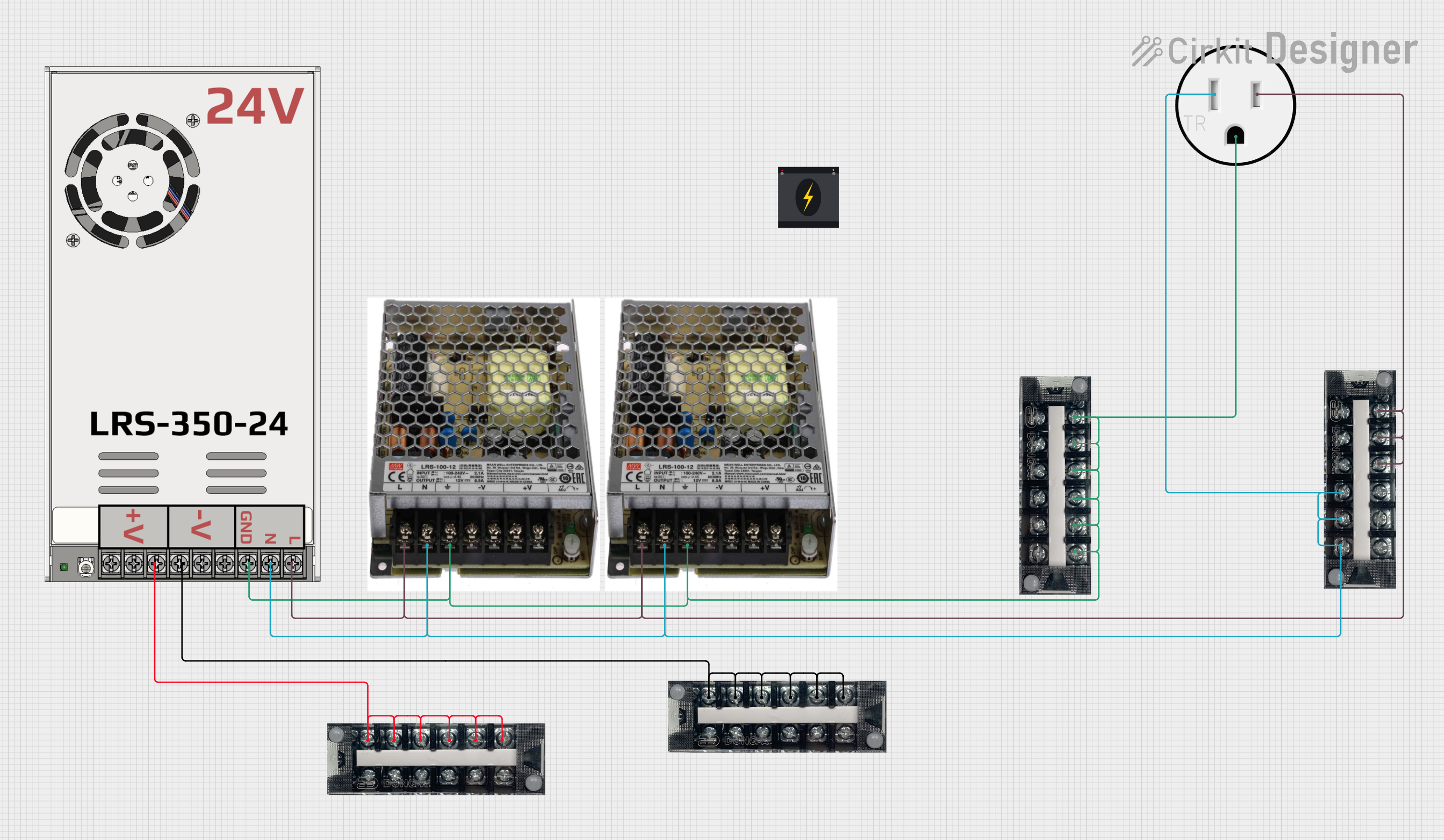
This circuit is designed to convert 240V AC power to both 12V and 24V DC outputs using multiple SMPS units. Terminal blocks are used to organize and distribute the power, while a 120V outlet provides additional AC power access. The circuit is likely used for powering various electronic devices that require different voltage levels.
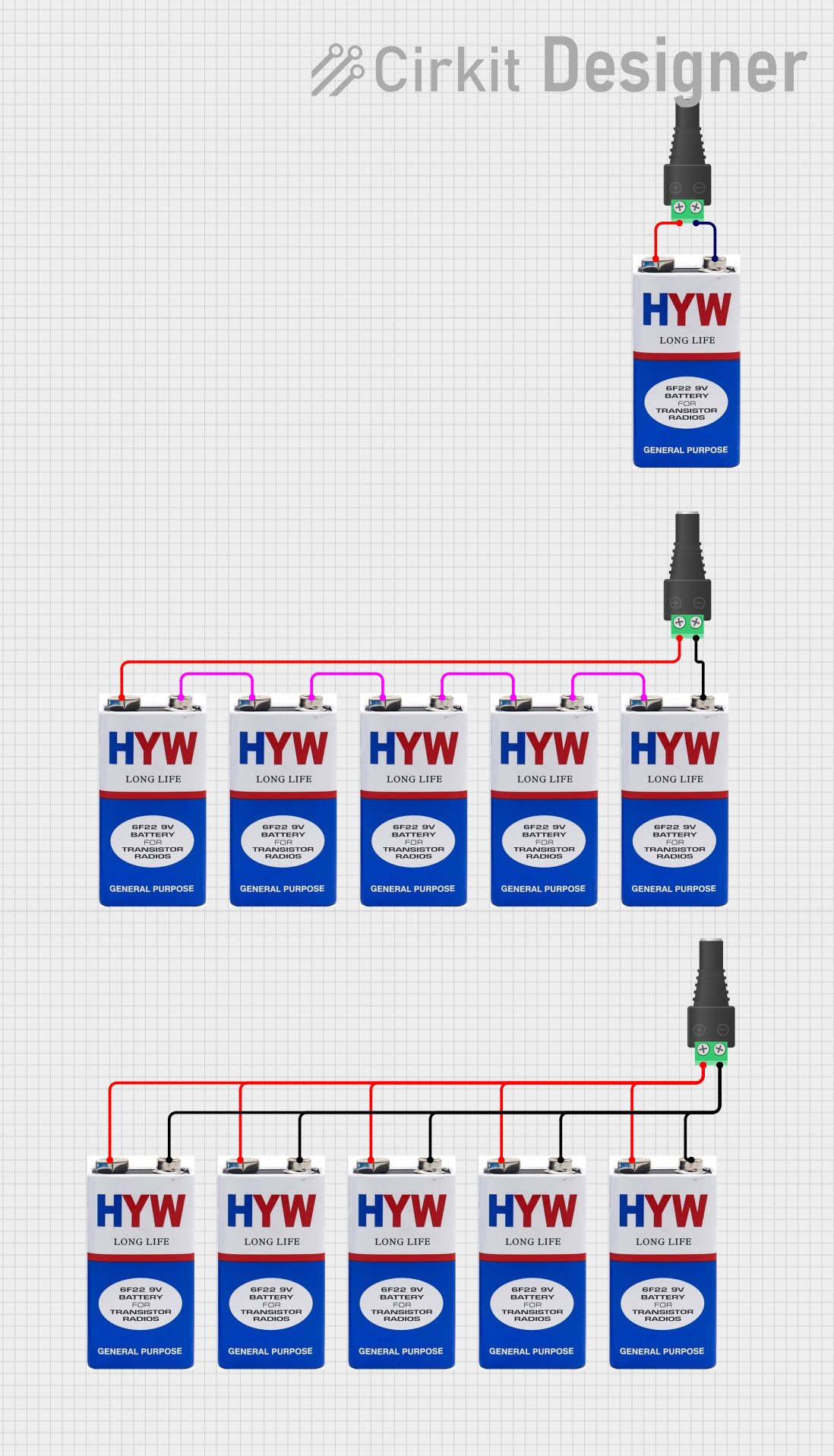
This circuit consists of multiple 9V batteries connected in series and parallel configurations to provide power to three separate 2.1mm barrel jacks. Each barrel jack receives a different combination of series and parallel battery connections to achieve the desired voltage and current levels.
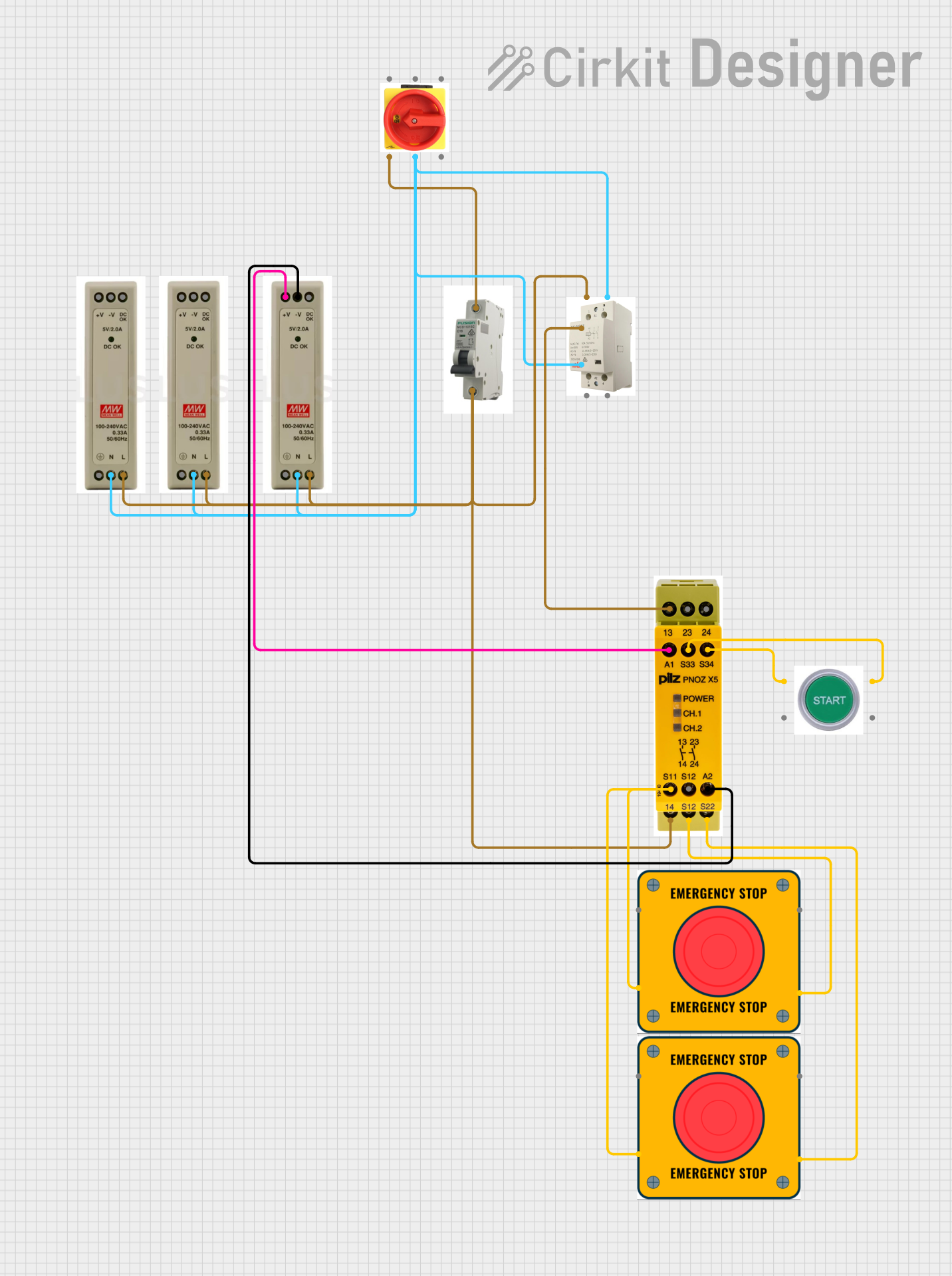
This circuit is designed for power distribution and safety control in an industrial setting. It features a main isolator and circuit breaker for power management, multiple PSUs for 5V, 12V, and 24V outputs, and a safety relay system that interfaces with E-stop buttons and a start switch to control a main contactor, ensuring safe operation and emergency power cut-off capabilities.
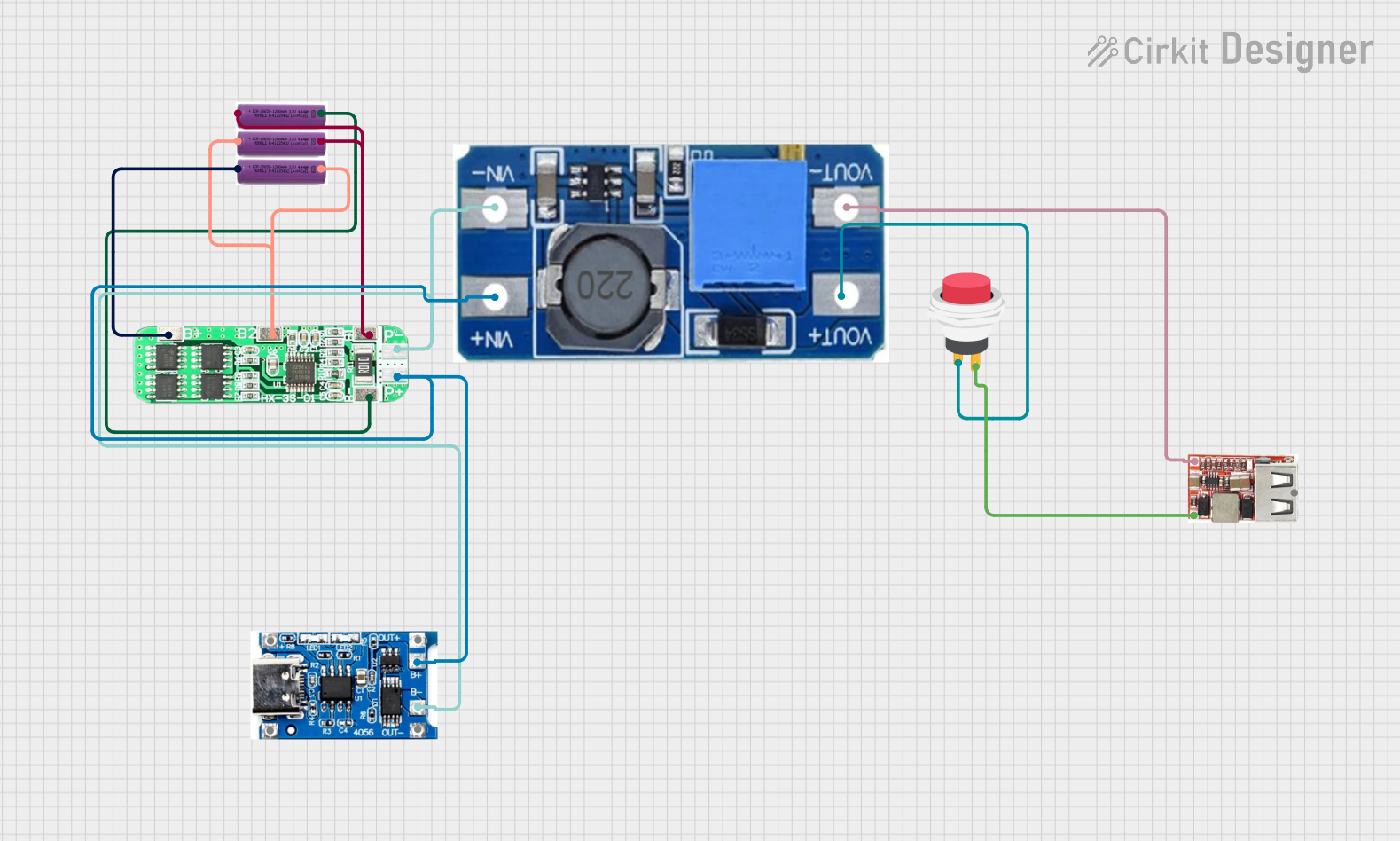
This circuit is a battery management and power supply system that uses three 3.7V batteries connected to a 3S 10A Li-ion 18650 Charger Protection Board Module for balanced charging and protection. The system includes a TP4056 Battery Charging Protection Module for additional charging safety, a Step Up Boost Power Converter to regulate and boost the voltage, and a USB regulator to provide a stable 5V output, controlled by a push switch.
Connecting three-phase motors in industrial machinery
Power distribution in commercial buildings
Integration with transformers in power systems
Use in control panels and switchgear
Electrical connections in renewable energy systems (e.g., wind turbines)
Technical Specifications
The following table outlines the key technical specifications of the IKM 3 Phase Terminal:
Parameter
Value
Voltage Rating
Up to 1000V AC
Current Rating
10A to 250A (varies by model)
Number of Terminals
3 (for three-phase connections)
Material
High-strength thermoplastic
Operating Temperature
-40°C to +85°C
Mounting Type
DIN rail or panel mount
Wire Size Compatibility
1.5mm² to 50mm² (varies by model)
Pin Configuration and Descriptions
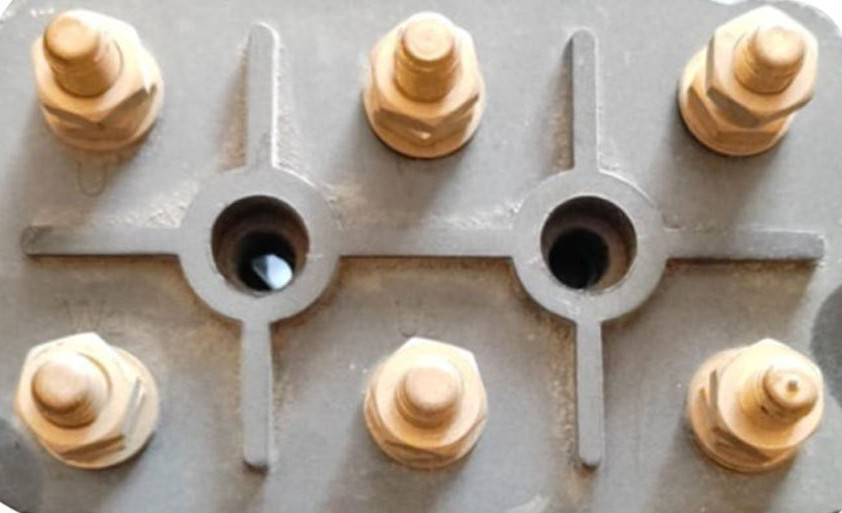
The 3 Phase Terminal typically consists of three main connection points, corresponding to the three phases of the power system. The table below describes the pin configuration:
Pin
Label
Description
1
L1
Connection point for Phase 1 (Line 1)
2
L2
Connection point for Phase 2 (Line 2)
3
L3
Connection point for Phase 3 (Line 3)
-
PE (optional)
Protective Earth connection (if applicable)
Usage Instructions
How to Use the Component in a Circuit
Preparation:
Ensure the power supply is turned off before installation.
Verify that the terminal's voltage and current ratings match the system requirements.
Select appropriate wire sizes compatible with the terminal.
Wiring:
Strip the insulation from the wires to expose the required length of conductor.
Insert the wires into the respective terminals (L1, L2, L3) and tighten the screws securely.
If the terminal includes a protective earth (PE) connection, connect the ground wire to it.
Mounting:
Mount the terminal on a DIN rail or secure it to a panel using screws, depending on the model.
Ensure the terminal is firmly fixed to prevent movement or disconnection.
Testing:
Double-check all connections for tightness and correctness.
Power on the system and verify that the connected equipment operates as expected.
Important Considerations and Best Practices
Always follow local electrical codes and safety standards during installation.
Use insulated tools to avoid accidental short circuits.
Avoid over-tightening screws, as this may damage the terminal or wires.
Periodically inspect the terminal for signs of wear, corrosion, or loose connections.
For high-current applications, ensure proper ventilation to prevent overheating.
Example: Connecting a 3 Phase Terminal to an Arduino UNO
While the 3 Phase Terminal is not directly compatible with low-voltage microcontrollers like the Arduino UNO, it can be used in conjunction with relays or motor drivers to control three-phase equipment. Below is an example of Arduino code to control a relay module for switching a three-phase motor:
// Example Arduino code to control a relay module for a 3-phase motor
const int relayPin1 = 2; // Relay for Phase 1
const int relayPin2 = 3; // Relay for Phase 2
const int relayPin3 = 4; // Relay for Phase 3

void setup() {
  // Set relay pins as outputs
  pinMode(relayPin1, OUTPUT);
  pinMode(relayPin2, OUTPUT);
  pinMode(relayPin3, OUTPUT);

  // Initialize relays to OFF state
  digitalWrite(relayPin1, LOW);
  digitalWrite(relayPin2, LOW);
  digitalWrite(relayPin3, LOW);
}

void loop() {
  // Turn on the 3-phase motor by activating all relays
  digitalWrite(relayPin1, HIGH);
  digitalWrite(relayPin2, HIGH);
  digitalWrite(relayPin3, HIGH);
  delay(5000); // Keep motor running for 5 seconds

  // Turn off the 3-phase motor
  digitalWrite(relayPin1, LOW);
  digitalWrite(relayPin2, LOW);
  digitalWrite(relayPin3, LOW);
  delay(5000); // Wait for 5 seconds before restarting
}
Troubleshooting and FAQs
Common Issues and Solutions
Loose Connections:
Issue: The terminal connections are loose, causing intermittent power delivery.
Solution: Tighten the screws securely and ensure the wires are properly inserted.
Overheating:
Issue: The terminal becomes excessively hot during operation.
Solution: Check for overcurrent conditions or loose connections. Ensure proper ventilation.
Corrosion:
Issue: Terminals show signs of rust or corrosion.
Solution: Replace the terminal and ensure the environment is dry and free from moisture.
Incorrect Wiring:
Issue: Equipment does not operate as expected.
Solution: Verify the wiring matches the phase sequence (L1, L2, L3) and correct any errors.
FAQs
Q1: Can the 3 Phase Terminal be used for single-phase systems?
A1: Yes, it can be used for single-phase systems by connecting only one phase (e.g., L1) and neutral.
Q2: What is the maximum wire size supported?
A2: The terminal supports wire sizes up to 50mm², depending on the specific model.
Q3: Is the terminal suitable for outdoor use?
A3: The terminal is typically designed for indoor use. For outdoor applications, ensure it is housed in a weatherproof enclosure.
Q4: Can I use this terminal for DC systems?
A4: While primarily designed for AC systems, it can be used for DC systems if the voltage and current ratings are within limits.

 Open Project in Cirkit Designer