The SPX29302 is a low-dropout (LDO) voltage regulator integrated circuit (IC) designed to provide a stable and reliable voltage supply. It is particularly useful in power management circuits and portable electronic devices where maintaining a consistent voltage level is critical. The SPX29302 is known for its low dropout voltage, meaning it can regulate output voltage effectively even when the input voltage is very close to the output voltage, making it an efficient choice for battery-powered applications.
Explore Projects Built with SPX29302
Use Cirkit Designer to design, explore, and prototype these projects online. Some projects support real-time simulation. Click "Open Project" to start designing instantly!
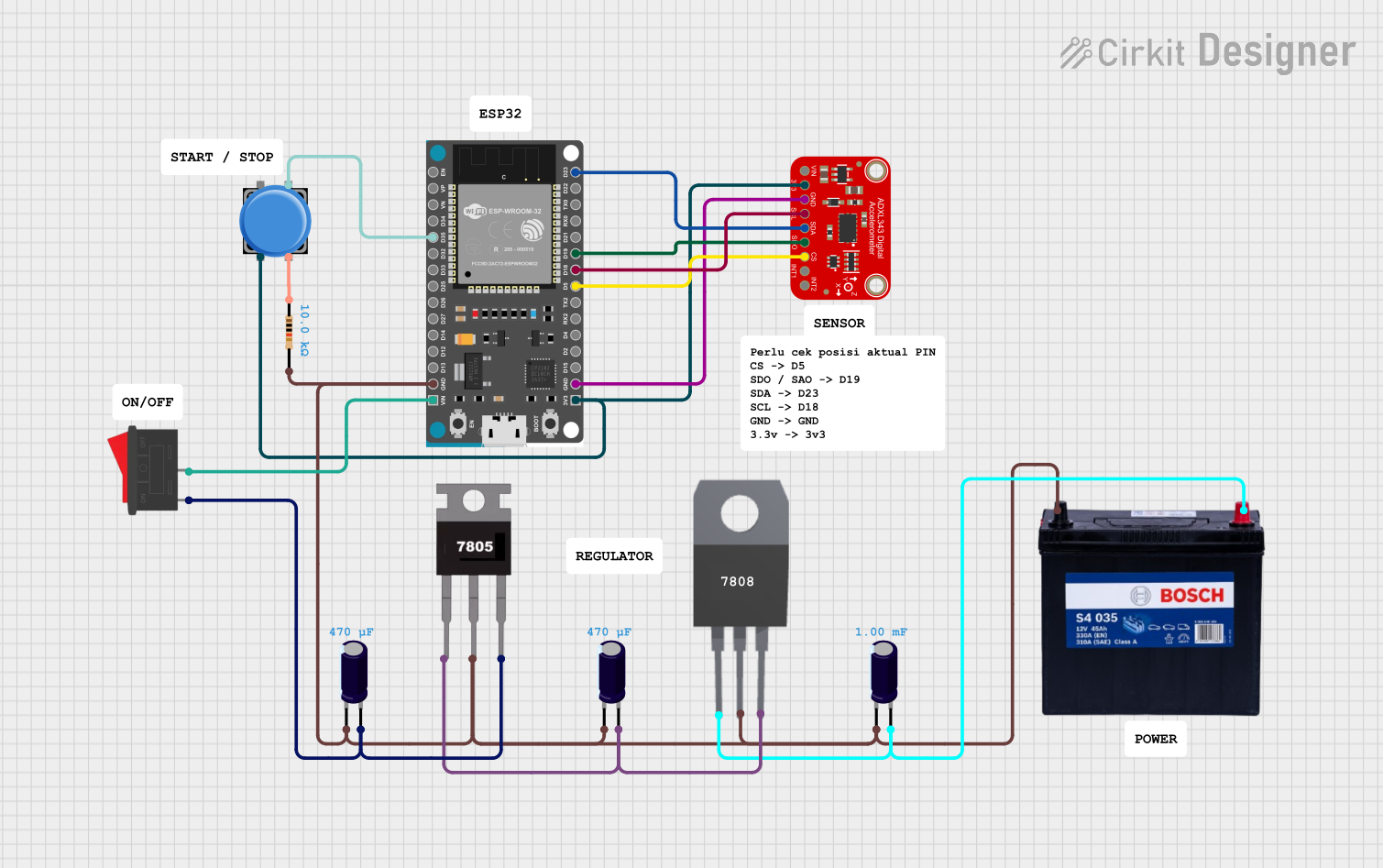
This circuit features an ESP32 microcontroller interfaced with an ADXL343 accelerometer via SPI communication, powered by a 12V battery regulated down to 5V and 8V using 7805 and 7808 voltage regulators. The ESP32 reads accelerometer data and outputs it via serial communication, with additional components including a pushbutton and a rocker switch for user input.
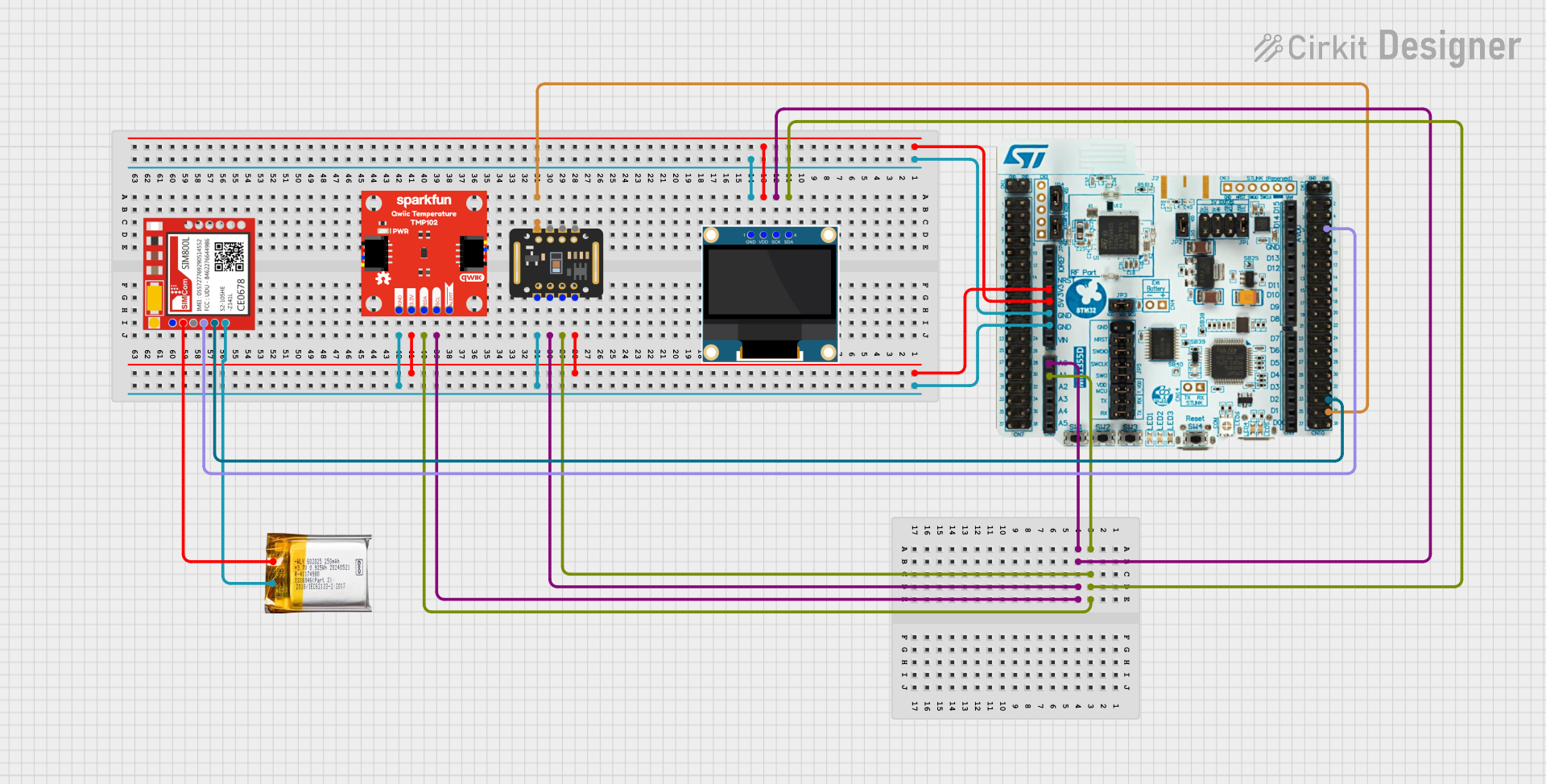
This circuit is a multi-sensor data acquisition system that uses a Nucleo WB55RG microcontroller to interface with a digital temperature sensor (TMP102), a pulse oximeter and heart-rate sensor (MAX30102), and a 0.96" OLED display via I2C. Additionally, it includes a Sim800l module for GSM communication, powered by a 3.7V LiPo battery.
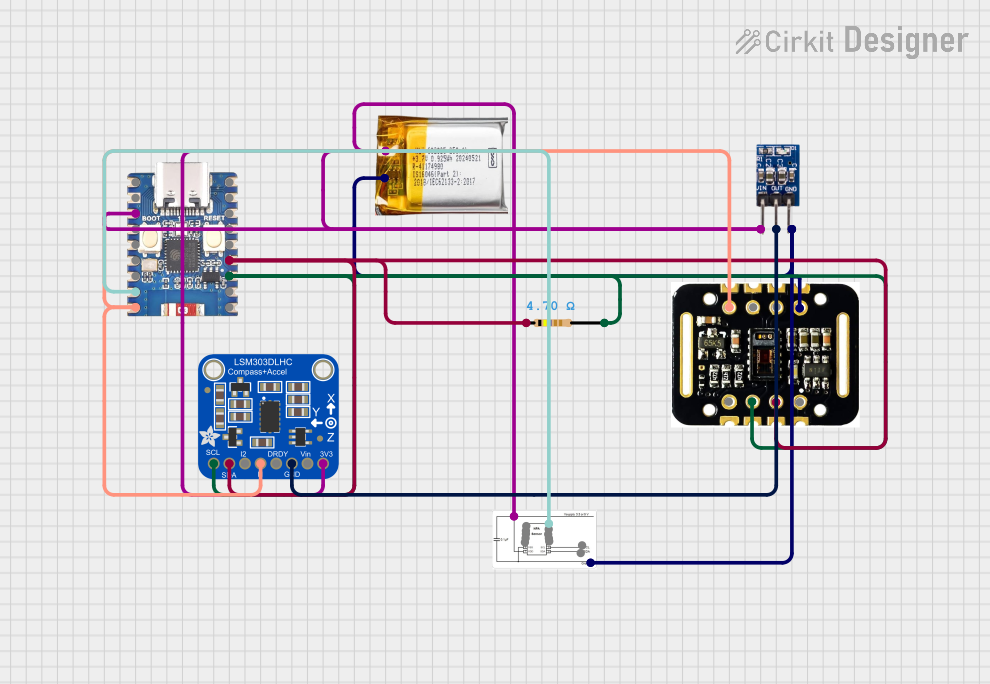
This circuit is designed for health monitoring, featuring an ESP32-C3 Mini microcontroller that collects data from a MAX30102 heart rate and SpO2 sensor, and an Adafruit LSM303DLHC accelerometer and magnetometer. The system is powered by a 3.7V LiPo battery with a 3.3V regulator, and uses I2C communication with pull-up resistors for sensor interfacing.
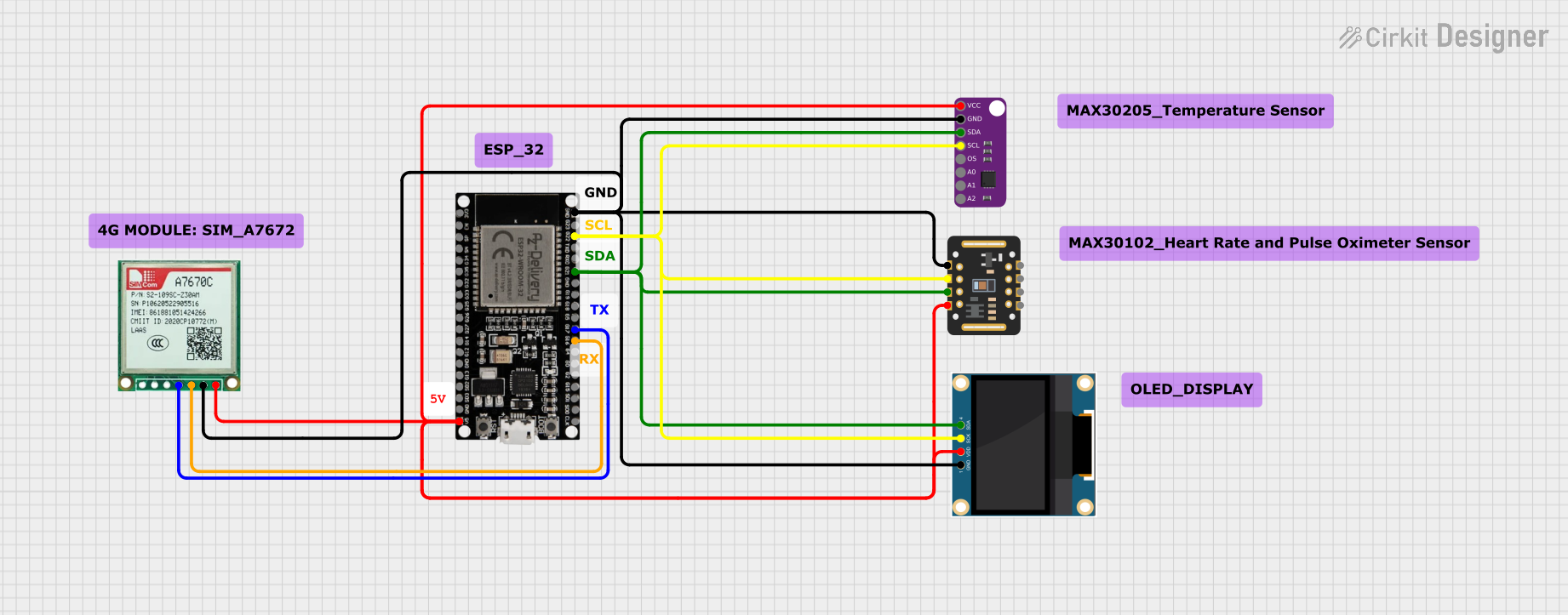
This circuit features an ESP32 microcontroller as the central processing unit, interfacing with a MAX30102 pulse oximeter sensor and a MAX30205 temperature sensor via I2C communication (using GPIOs 21 and 22 for SDA and SCL, respectively). Additionally, it includes a Sim A7670c module for cellular connectivity (connected to GPIOs 16 and 17 for UART communication), and a 0.96" OLED display for data output, also on the I2C bus. All components share a common ground and are powered by a 5V supply connected to the ESP32.
Input Voltage: Ensure that the input voltage (Vin) is within the specified range and at least 1.5V higher than the desired output voltage for optimal performance.
Output Voltage: For adjustable versions, connect a resistor divider from the output to the ADJ pin to set the output voltage. For fixed versions, the ADJ pin is grounded.
Capacitors: Place a capacitor (typically 10µF or greater) close to the IN pin and another capacitor close to the OUT pin to stabilize the voltage and reduce noise.
Heat Dissipation: Consider the power dissipation and ensure adequate heat sinking if the regulator is expected to handle high currents.
Important Considerations and Best Practices
Always consult the datasheet for the specific version of the SPX29302 you are using.
Ensure that the input voltage does not exceed the maximum rating to prevent damage.
Use capacitors with low equivalent series resistance (ESR) for better performance.
Avoid running the regulator at its maximum current rating for extended periods to prevent overheating.
Troubleshooting and FAQs
Common Issues
Output Voltage Fluctuation: Ensure that the input voltage is stable and that the capacitors are of adequate value and quality.
Overheating: Check for proper heat sinking and verify that the current draw is within the specified limits.
Solutions and Tips
If the output voltage is incorrect, check the resistor divider values (for adjustable versions) and ensure they are within tolerance.
For thermal issues, improve airflow, add a heat sink, or reduce the load current.
FAQs
Q: Can the SPX29302 be used with an Arduino UNO?
A: Yes, it can be used to provide a stable voltage supply to an Arduino UNO or any other compatible microcontroller.
Q: What is the maximum input voltage for the SPX29302?
A: The maximum input voltage is 16V. Always verify with the datasheet for the specific version you are using.
Q: How do I adjust the output voltage on the adjustable version?
A: Use a resistor divider connected between the OUT pin, the ADJ pin, and ground. The output voltage is set according to the formula specified in the datasheet.
Example Code for Arduino UNO
// Example code to demonstrate how to power an Arduino UNO using the SPX29302

void setup() {
  // Initialize digital pin LED_BUILTIN as an output.
  pinMode(LED_BUILTIN, OUTPUT);
}

void loop() {
  // Turn the LED on (HIGH is the voltage level)
  digitalWrite(LED_BUILTIN, HIGH);
  // Wait for a second
  delay(1000);
  // Turn the LED off by making the voltage LOW
  digitalWrite(LED_BUILTIN, LOW);
   // Wait for a second
  delay(1000);
}

// Note: This code assumes that the SPX29302 is configured to provide
// the correct voltage to the Arduino UNO (5V for most boards).
// The SPX29302 itself does not require any specific code to operate.
Remember, this code is for demonstration purposes and assumes that the SPX29302 is already configured and supplying power to the Arduino UNO. Always ensure that the voltage levels are appropriate for your specific microcontroller or electronic component.

 Open Project in Cirkit Designer