
How to Use MPPT SCC: Examples, Pinouts, and Specs
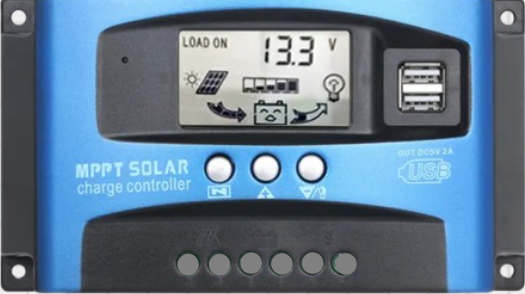
 Design with MPPT SCC in Cirkit Designer
Introduction
A Maximum Power Point Tracking (MPPT) Solar Charge Controller (SCC) is an advanced electronic device designed to optimize the power output from solar panels. By dynamically adjusting the electrical operating point of the solar modules, the MPPT SCC ensures maximum energy harvest under varying environmental conditions, such as changes in sunlight intensity and temperature. Additionally, it regulates the charging process to protect batteries and extend their lifespan.
Explore Projects Built with MPPT SCC
 Open Project in Cirkit Designer
 Open Project in Cirkit Designer
 Open Project in Cirkit Designer
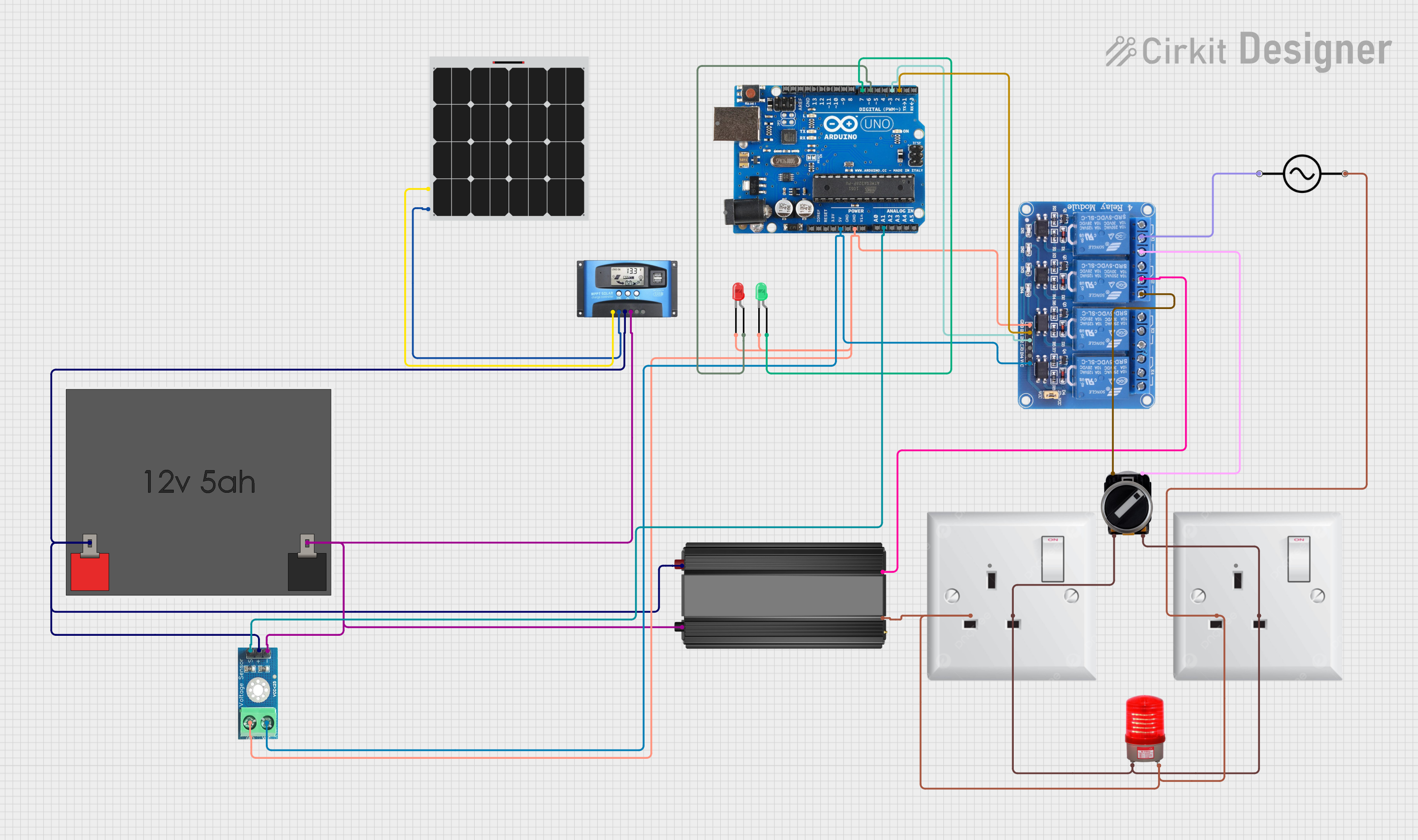 Open Project in Cirkit Designer
Explore Projects Built with MPPT SCC
Open Project in Cirkit DesignerOpen Project in Cirkit DesignerOpen Project in Cirkit DesignerOpen Project in Cirkit DesignerCommon Applications and Use Cases
- Solar power systems for residential, commercial, and industrial applications
- Off-grid solar installations
- Solar-powered battery backup systems
- Recreational vehicles (RVs), boats, and remote monitoring stations
- Hybrid renewable energy systems
Technical Specifications
Below are the key technical details for a typical MPPT SCC. Note that specifications may vary depending on the model and manufacturer.
General Specifications
| Parameter | Value |
|---|---|
| Input Voltage Range | 12V to 150V (varies by model) |
| Output Voltage Range | 12V, 24V, 48V (auto-selectable) |
| Maximum Input Current | 10A to 60A (varies by model) |
| Efficiency | Up to 98% |
| Maximum Power Point Tracking Efficiency | 99% |
| Operating Temperature Range | -20°C to 60°C |
| Communication Interfaces | RS485, CAN, Bluetooth (optional) |
Pin Configuration and Descriptions
The MPPT SCC typically has the following input/output terminals:
| Pin/Terminal Name | Description |
|---|---|
| PV+ | Positive terminal for solar panel input |
| PV- | Negative terminal for solar panel input |
| BAT+ | Positive terminal for battery connection |
| BAT- | Negative terminal for battery connection |
| LOAD+ | Positive terminal for DC load connection |
| LOAD- | Negative terminal for DC load connection |
| COM | Communication port for monitoring/control |
Usage Instructions
How to Use the MPPT SCC in a Circuit
- Connect the Solar Panel:
- Connect the positive terminal of the solar panel to the
PV+input. - Connect the negative terminal of the solar panel to the
PV-input.
- Connect the positive terminal of the solar panel to the
- Connect the Battery:
- Attach the positive terminal of the battery to the
BAT+output. - Attach the negative terminal of the battery to the
BAT-output.
- Attach the positive terminal of the battery to the
- Connect the Load (Optional):
- If powering a DC load directly, connect the load's positive terminal to
LOAD+and the negative terminal toLOAD-.
- If powering a DC load directly, connect the load's positive terminal to
- Power On:
- Ensure all connections are secure and turn on the MPPT SCC. The device will automatically detect the battery voltage and begin tracking the maximum power point of the solar panel.
- Monitor Performance:
- Use the built-in display or communication interface (e.g., RS485 or Bluetooth) to monitor real-time performance metrics such as input voltage, output current, and battery status.
Important Considerations and Best Practices
- Battery Compatibility: Ensure the MPPT SCC is compatible with your battery type (e.g., lead-acid, lithium-ion).
- Solar Panel Voltage: Verify that the solar panel's open-circuit voltage (Voc) is within the SCC's input voltage range.
- Wire Sizing: Use appropriately sized wires to handle the current without excessive voltage drop or overheating.
- Fuses and Protection: Install fuses or circuit breakers on both the input and output sides for safety.
- Ventilation: Place the MPPT SCC in a well-ventilated area to prevent overheating.
- Firmware Updates: Check for firmware updates from the manufacturer to ensure optimal performance and compatibility.
Example Code for Arduino UNO Monitoring
If the MPPT SCC supports communication via RS485, you can use an Arduino UNO to monitor its performance. Below is an example code snippet:
#include <ModbusMaster.h> // Include Modbus library for RS485 communication

ModbusMaster node; // Create ModbusMaster object

void setup() {
  Serial.begin(9600); // Initialize serial communication for debugging
  node.begin(1, Serial); // Set Modbus slave ID to 1 and use Serial for communication
}

void loop() {
  uint8_t result;
  uint16_t data[2];

  // Read input voltage (register address may vary by manufacturer)
  result = node.readInputRegisters(0x3100, 2); // Read 2 registers starting at 0x3100
  if (result == node.ku8MBSuccess) {
    data[0] = node.getResponseBuffer(0); // First register (e.g., voltage high byte)
    data[1] = node.getResponseBuffer(1); // Second register (e.g., voltage low byte)
    float inputVoltage = (data[0] << 8 | data[1]) / 100.0; // Convert to volts
    Serial.print("Input Voltage: ");
    Serial.print(inputVoltage);
    Serial.println(" V");
  } else {
    Serial.println("Failed to read input voltage");
  }

  delay(1000); // Wait 1 second before next reading
}
Note: Consult the MPPT SCC's communication protocol documentation for the correct register addresses and data formats.
Troubleshooting and FAQs
Common Issues and Solutions
No Output Power:
- Cause: Incorrect wiring or loose connections.
- Solution: Double-check all connections and ensure polarity is correct.
Battery Overcharging:
- Cause: Incorrect battery type or settings.
- Solution: Configure the MPPT SCC for the correct battery type and voltage.
Low Efficiency:
- Cause: Solar panel shading or mismatch.
- Solution: Ensure the solar panels are clean and receive unobstructed sunlight.
Overheating:
- Cause: Poor ventilation or excessive load.
- Solution: Improve ventilation and ensure the load does not exceed the SCC's rated capacity.
FAQs
Q: Can I use the MPPT SCC with a wind turbine?
A: No, MPPT SCCs are specifically designed for solar panels. Wind turbines require a different type of charge controller.
Q: How do I update the firmware?
A: Refer to the manufacturer's instructions. Typically, firmware updates are performed via a USB or Bluetooth connection.
Q: What happens if the battery is disconnected while the solar panel is connected?
A: Most MPPT SCCs are designed to handle this scenario safely, but it is recommended to avoid disconnecting the battery during operation to prevent potential damage.
Q: Can I connect multiple MPPT SCCs in parallel?
A: Yes, but ensure each SCC is configured correctly and connected to separate solar panel arrays to avoid interference.