
How to Use Adafruit MLX90632 FIR Remote Temperature Sensor: Examples, Pinouts, and Specs
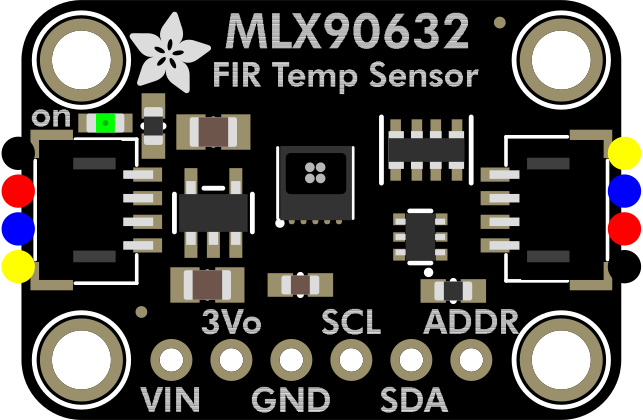
 Design with Adafruit MLX90632 FIR Remote Temperature Sensor in Cirkit Designer
Introduction
The Adafruit MLX90632 FIR Remote Temperature Sensor is a compact, non-contact infrared temperature sensor designed to measure the temperature of objects from a distance using Far Infrared (FIR) technology. This sensor provides highly accurate readings and is ideal for applications requiring precise temperature monitoring without physical contact. Its small form factor and I2C interface make it easy to integrate into a variety of projects.
Explore Projects Built with Adafruit MLX90632 FIR Remote Temperature Sensor
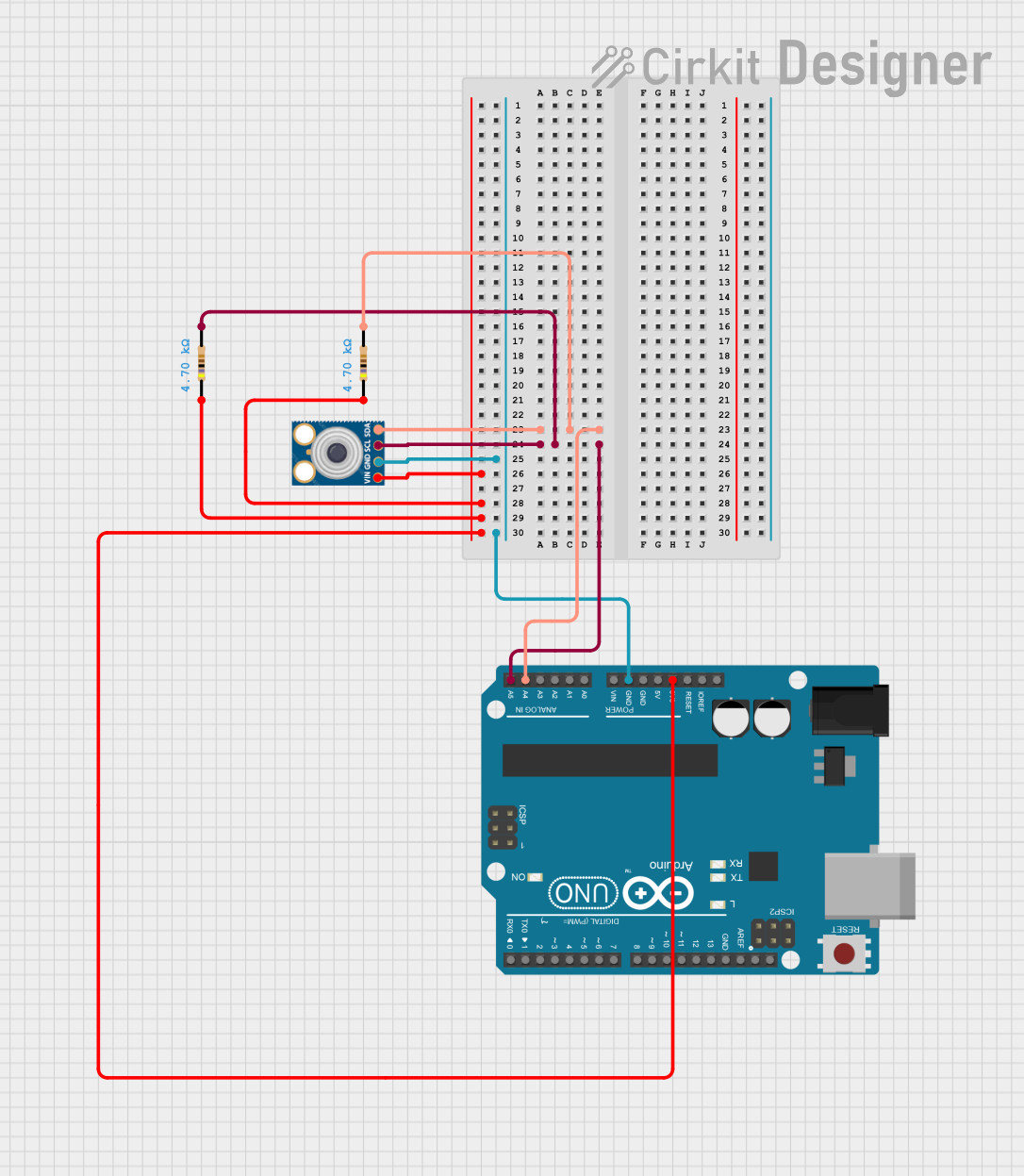 Open Project in Cirkit Designer
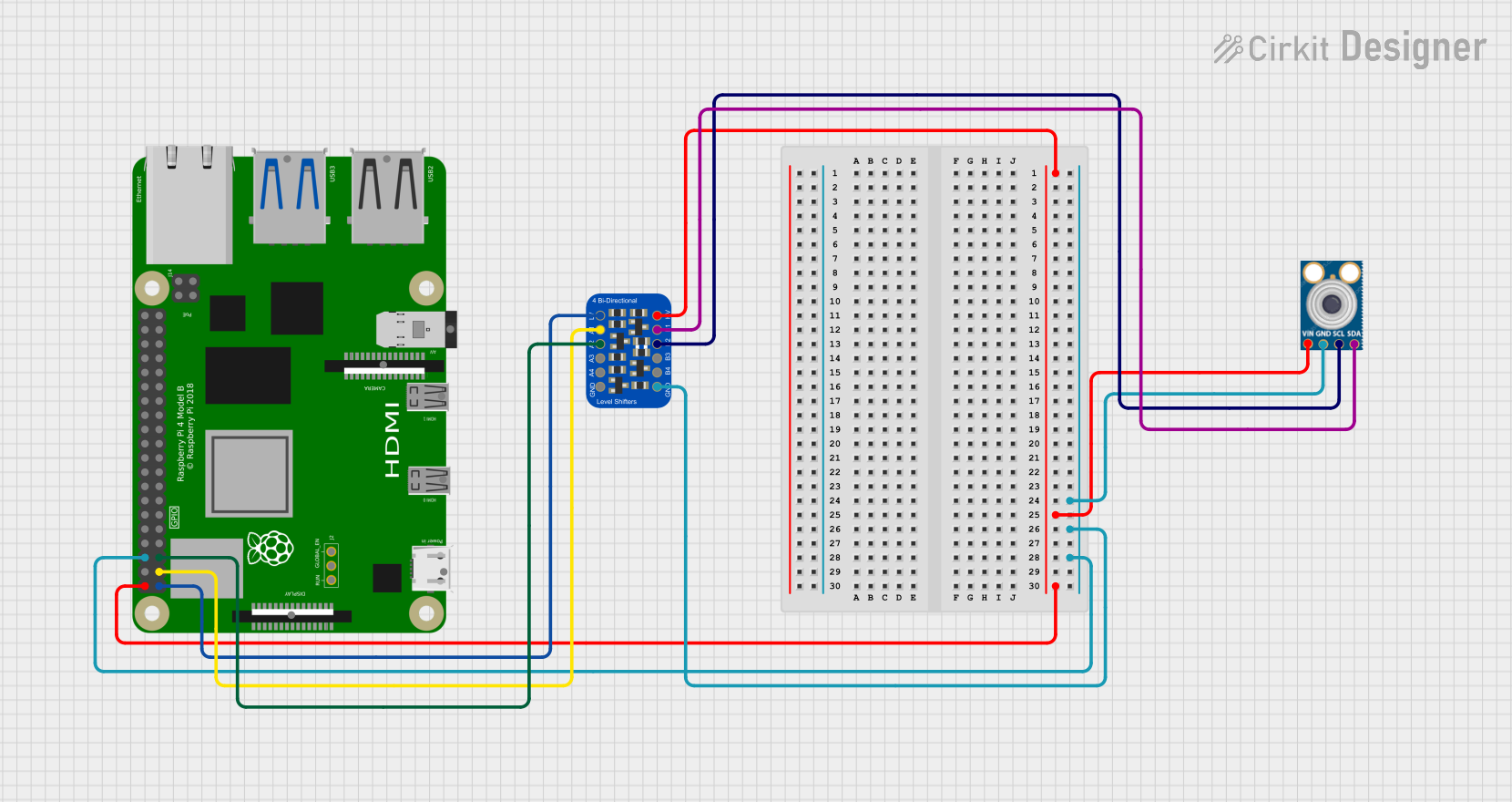 Open Project in Cirkit Designer
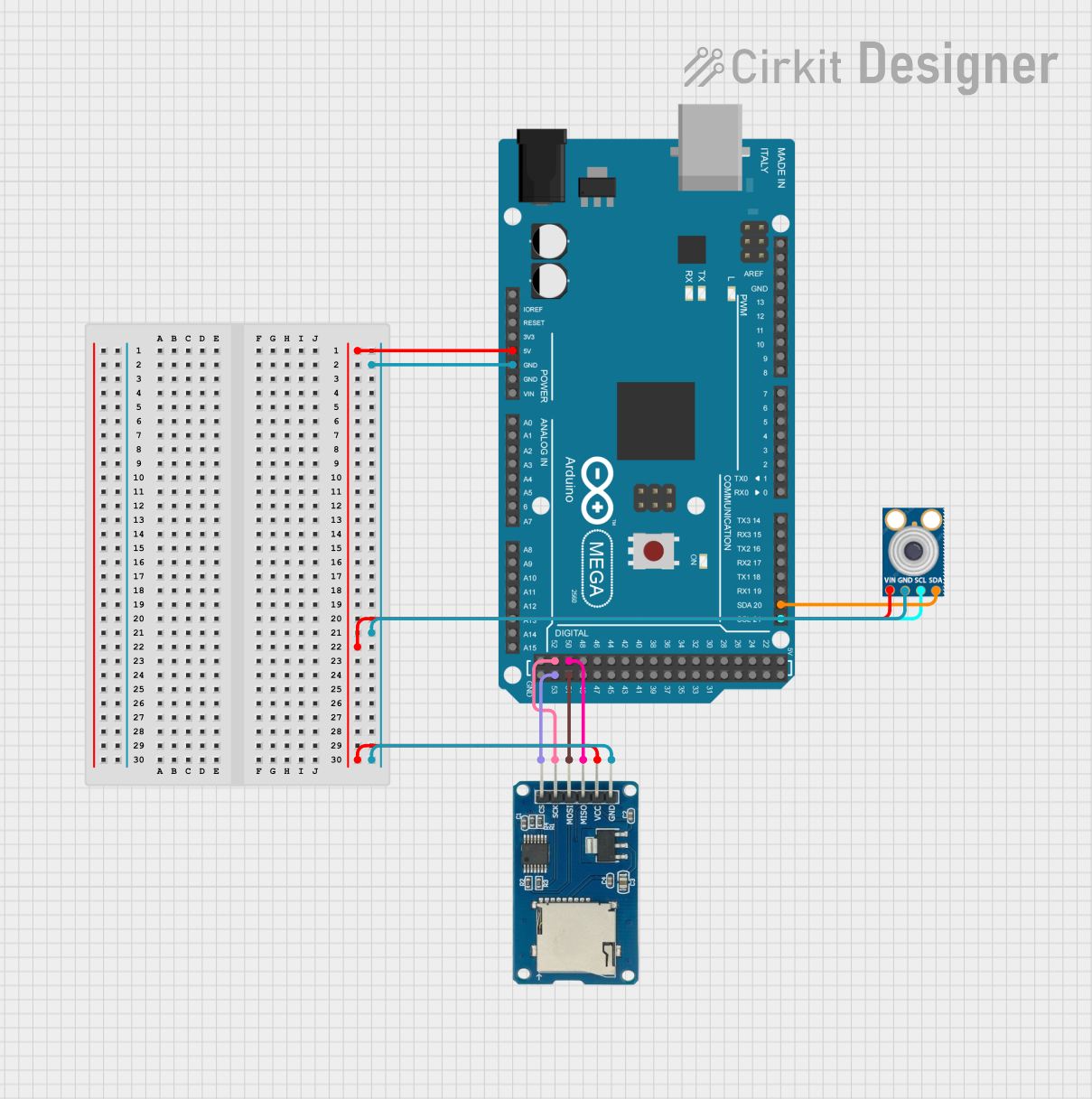 Open Project in Cirkit Designer
 Open Project in Cirkit Designer
Explore Projects Built with Adafruit MLX90632 FIR Remote Temperature Sensor
Open Project in Cirkit DesignerOpen Project in Cirkit DesignerOpen Project in Cirkit DesignerOpen Project in Cirkit DesignerCommon Applications and Use Cases
- Medical devices (e.g., non-contact thermometers)
- Industrial temperature monitoring
- Consumer electronics (e.g., smart home devices)
- Environmental monitoring
- Robotics and automation systems
Technical Specifications
The Adafruit MLX90632 sensor is built for precision and ease of use. Below are its key technical details:
| Parameter | Value |
|---|---|
| Operating Voltage | 3.3V to 5V |
| Communication Interface | I2C |
| Temperature Range | -40°C to +85°C (ambient) |
| Object Temperature Range | -70°C to +380°C |
| Accuracy | ±1°C |
| Field of View (FOV) | 50° |
| Current Consumption | ~2mA |
| Dimensions | 16mm x 16mm x 3mm |
Pin Configuration and Descriptions
The Adafruit MLX90632 sensor has the following pinout:
| Pin Name | Description |
|---|---|
| VIN | Power supply input (3.3V to 5V) |
| GND | Ground |
| SCL | I2C clock line |
| SDA | I2C data line |
Usage Instructions
The Adafruit MLX90632 is straightforward to use, especially with microcontrollers like the Arduino UNO. Below are the steps to get started:
Connecting the Sensor
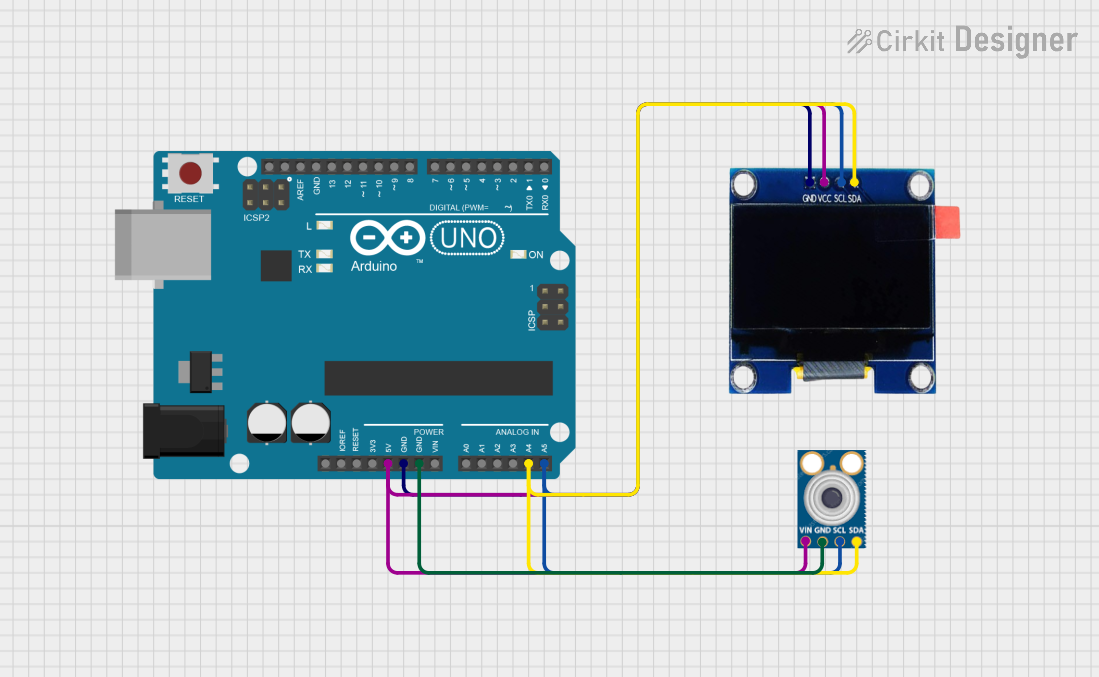
- Power the Sensor: Connect the VIN pin to the 3.3V or 5V pin on your microcontroller and the GND pin to ground.
- I2C Communication: Connect the SCL pin to the I2C clock line (A5 on Arduino UNO) and the SDA pin to the I2C data line (A4 on Arduino UNO).
- Install Required Libraries: Use the Adafruit MLX90632 library, which can be installed via the Arduino Library Manager.
Sample Arduino Code
The following example demonstrates how to read temperature data from the MLX90632 sensor:
#include <Wire.h>
#include <Adafruit_MLX90632.h>

// Create an instance of the MLX90632 sensor
Adafruit_MLX90632 mlx;

void setup() {
  Serial.begin(115200);
  while (!Serial) {
    delay(10); // Wait for Serial Monitor to open
  }

  Serial.println("Adafruit MLX90632 Test");

  // Initialize the sensor
  if (!mlx.begin()) {
    Serial.println("Failed to find MLX90632 sensor! Check wiring.");
    while (1) {
      delay(10); // Halt execution if sensor is not found
    }
  }
}

void loop() {
  // Read object temperature in Celsius
  float objectTemp = mlx.readObjectTempC();
  // Read ambient temperature in Celsius
  float ambientTemp = mlx.readAmbientTempC();

  // Print the temperature readings to the Serial Monitor
  Serial.print("Object Temperature: ");
  Serial.print(objectTemp);
  Serial.println(" °C");

  Serial.print("Ambient Temperature: ");
  Serial.print(ambientTemp);
  Serial.println(" °C");

  delay(1000); // Wait 1 second before the next reading
}
Important Considerations and Best Practices
- Field of View (FOV): Ensure the object being measured is within the sensor's 50° FOV for accurate readings.
- Ambient Temperature: Avoid placing the sensor near heat sources that could affect its ambient temperature readings.
- I2C Pull-Up Resistors: If your microcontroller does not have built-in pull-up resistors on the I2C lines, add external 4.7kΩ resistors between the SDA/SCL lines and the power supply.
- Calibration: The sensor is factory-calibrated, but for critical applications, additional calibration may be required.
Troubleshooting and FAQs
Common Issues and Solutions
Sensor Not Detected
- Cause: Incorrect wiring or I2C address mismatch.
- Solution: Double-check the wiring and ensure the I2C address matches the one in the code (default is
0x3A).
Inaccurate Temperature Readings
- Cause: Object is outside the sensor's FOV or environmental interference.
- Solution: Ensure the object is within the 50° FOV and avoid reflective surfaces or heat sources near the sensor.
No Data Output
- Cause: Library not installed or incorrect initialization.
- Solution: Verify that the Adafruit MLX90632 library is installed and the
mlx.begin()function is called in the setup.
FAQs
Q: Can the MLX90632 measure multiple objects at once?
A: No, the sensor measures the average temperature of all objects within its 50° FOV.
Q: What is the maximum distance for accurate readings?
A: The sensor's accuracy depends on the size of the object and its distance. For small objects, keep the distance short to ensure they occupy the majority of the FOV.
Q: Can I use this sensor with a 3.3V microcontroller?
A: Yes, the MLX90632 is compatible with both 3.3V and 5V systems.
By following this documentation, you can effectively integrate the Adafruit MLX90632 FIR Remote Temperature Sensor into your projects for reliable and accurate temperature measurements.