The 4.8V 2000mAh Lithium Ion Battery is a rechargeable power source designed to deliver a nominal voltage of 4.8 volts and a capacity of 2000 milliamp hours (mAh). Manufactured by Lithium Ion Battery, this component is ideal for powering a wide range of electronic devices, including portable gadgets, robotics, and backup power systems. Its compact size and reliable performance make it a popular choice for both hobbyists and professionals.
Explore Projects Built with 4.8V 2000mAh Lithium Ion Battery
Use Cirkit Designer to design, explore, and prototype these projects online. Some projects support real-time simulation. Click "Open Project" to start designing instantly!
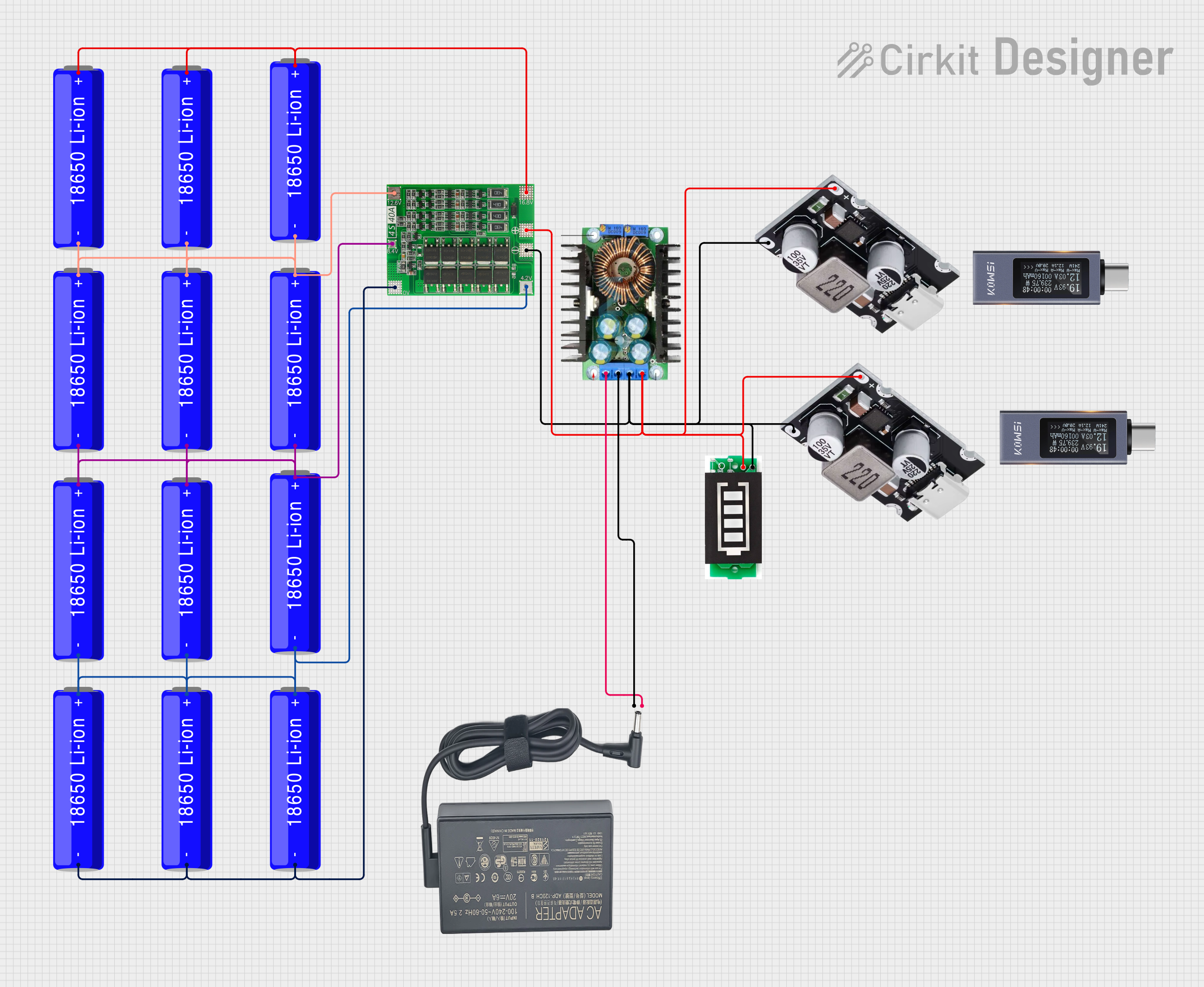
This circuit is a battery management and charging system for a 4S Li-ion battery pack. It includes multiple 18650 Li-ion batteries connected to a 4S40A BMS for balancing and protection, a battery indicator for monitoring charge status, and an XL4016 module for voltage regulation. The system is designed to be charged via a 20V input from a charger.
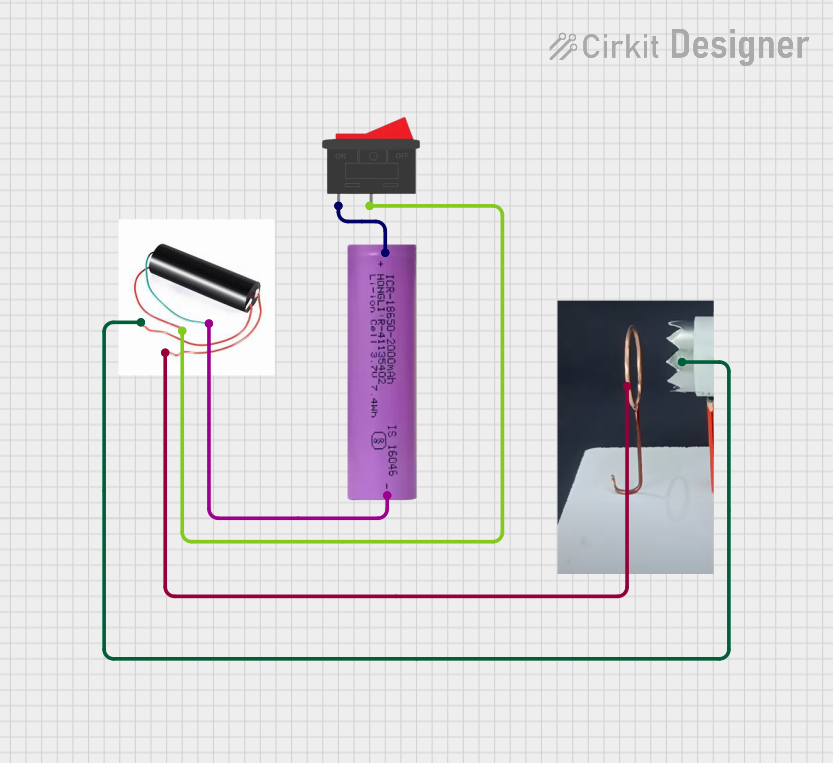
This circuit consists of a Li-ion battery connected to a step-up power module through a rocker switch, which boosts the voltage to power a ring of copper gauge with an aluminum frame. The rocker switch allows the user to control the power flow from the battery to the step-up module, which then supplies the boosted voltage to the copper ring.
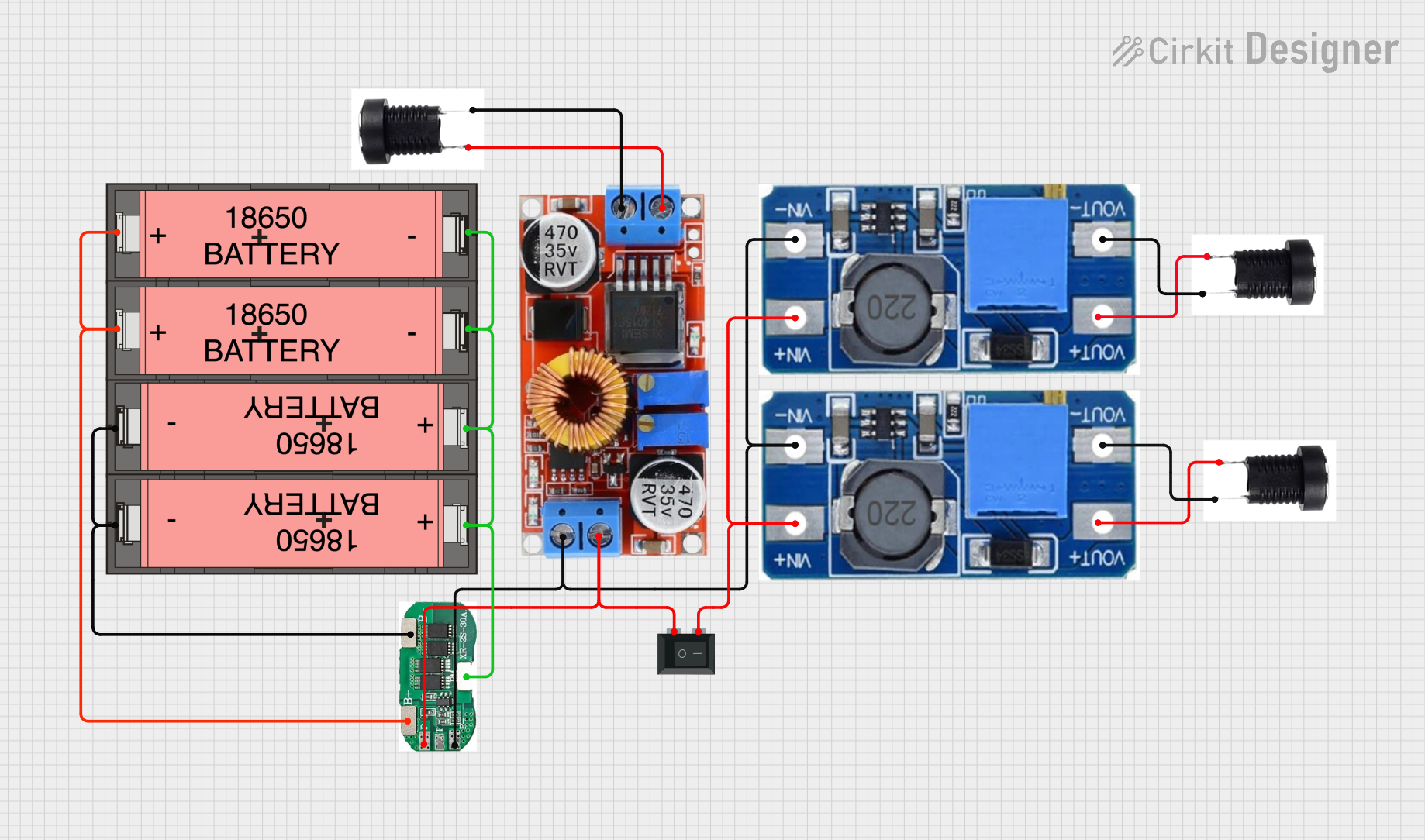
This circuit is a power management system that uses four Li-ion 18650 batteries connected to a 2S 30A BMS for battery management and protection. The system includes step-up and step-down voltage regulators to provide adjustable output voltages, controlled by a rocker switch, and multiple DC jacks for power input and output.
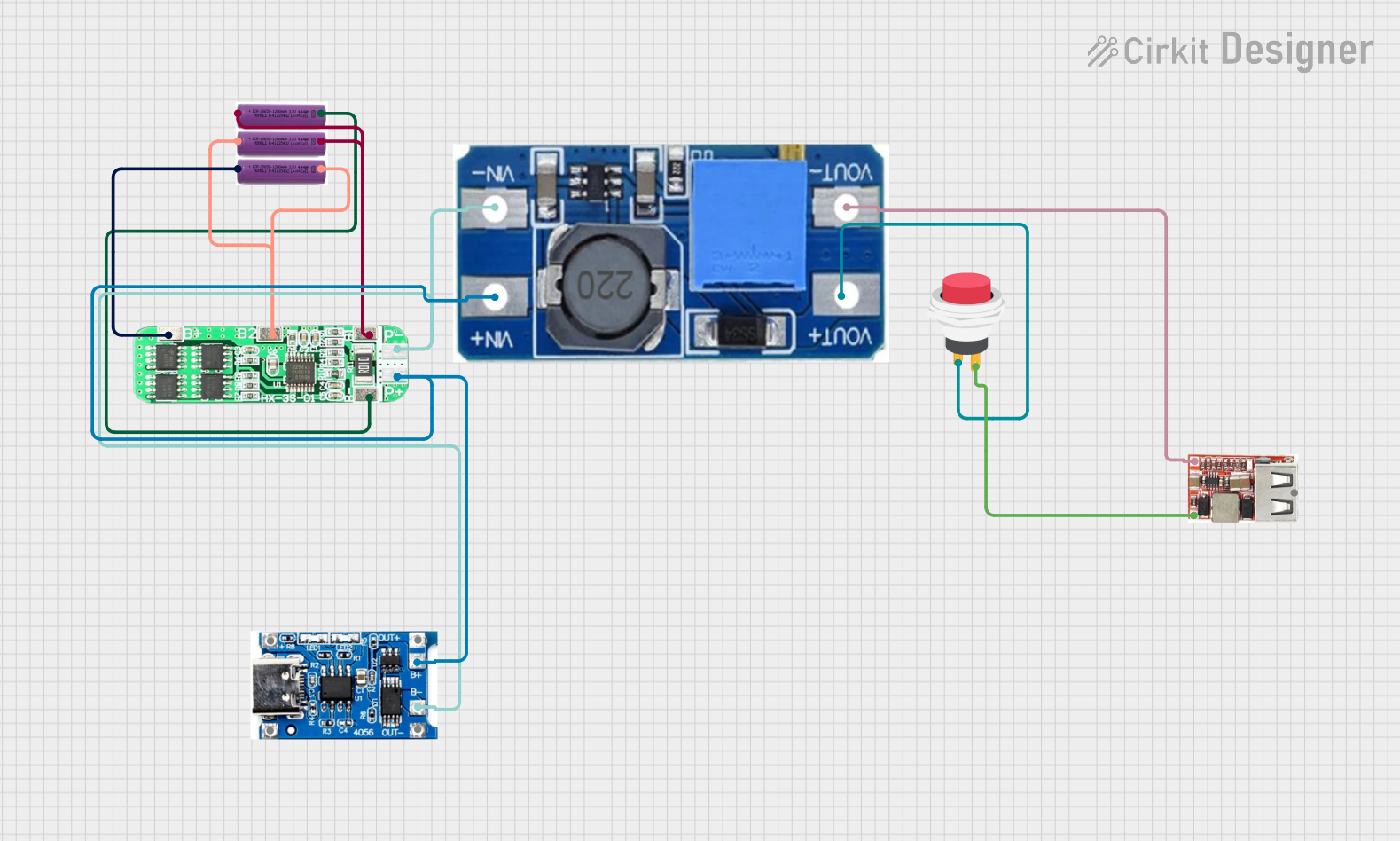
This circuit is a battery management and power supply system that uses three 3.7V batteries connected to a 3S 10A Li-ion 18650 Charger Protection Board Module for balanced charging and protection. The system includes a TP4056 Battery Charging Protection Module for additional charging safety, a Step Up Boost Power Converter to regulate and boost the voltage, and a USB regulator to provide a stable 5V output, controlled by a push switch.
Powering small electronic devices such as remote controls, toys, and handheld tools.
Providing backup power for microcontroller-based systems like Arduino or Raspberry Pi.
Used in robotics projects for motors and sensors.
Suitable for portable medical devices and emergency lighting systems.
Technical Specifications
Below are the key technical details and pin configuration for the 4.8V 2000mAh Lithium Ion Battery:
Key Technical Details
Parameter
Specification
Nominal Voltage
4.8V
Capacity
2000mAh
Chemistry
Lithium-Ion
Charging Voltage
5.0V ± 0.1V
Charging Current
0.5C (1A recommended)
Discharge Current
Max 2C (4A)
Operating Temperature
-20°C to 60°C
Dimensions
50mm x 30mm x 15mm (approx.)
Weight
~50g
Cycle Life
≥ 500 charge/discharge cycles
Pin Configuration and Descriptions
Pin Number
Pin Name
Description
1
Positive (+)
Positive terminal for power output
2
Negative (-)
Negative terminal for power output
Usage Instructions
How to Use the Component in a Circuit
Connection: Connect the positive terminal of the battery to the positive rail of your circuit and the negative terminal to the ground rail. Ensure proper polarity to avoid damage to the circuit or battery.
Charging: Use a compatible Lithium-Ion battery charger with a charging voltage of 5.0V and a current limit of 1A. Avoid overcharging or deep discharging the battery.
Load Considerations: Ensure the connected load does not exceed the maximum discharge current of 4A to prevent overheating or damage.
Protection Circuit: For safety, use a Battery Management System (BMS) to protect against overcharging, over-discharging, and short circuits.
Important Considerations and Best Practices
Avoid Overcharging: Disconnect the battery from the charger once fully charged to prevent overheating.
Storage: Store the battery in a cool, dry place when not in use. Avoid exposure to extreme temperatures.
Disposal: Dispose of the battery responsibly at a certified recycling facility.
Arduino Usage: When using this battery with an Arduino UNO, ensure the voltage is regulated to 5V using a step-up converter if needed.
Example Arduino Connection Code
Below is an example of how to monitor the battery voltage using an Arduino UNO:
// Example code to monitor battery voltage using Arduino UNO
const int batteryPin = A0; // Connect battery positive terminal to analog pin A0
float batteryVoltage = 0.0;

void setup() {
  Serial.begin(9600); // Initialize serial communication
}

void loop() {
  int sensorValue = analogRead(batteryPin); // Read analog value from battery
  batteryVoltage = (sensorValue / 1023.0) * 5.0;
  // Convert analog value to voltage (assuming 5V reference)

  Serial.print("Battery Voltage: ");
  Serial.print(batteryVoltage);
  Serial.println(" V");

  delay(1000); // Wait for 1 second before next reading
}
Note: Use a voltage divider circuit if the battery voltage exceeds the Arduino's input voltage range.
Troubleshooting and FAQs
Common Issues and Solutions
Battery Not Charging:
Cause: Faulty charger or incorrect charging voltage.
Solution: Verify the charger output is 5.0V and the current is within the recommended range.
Battery Drains Quickly:
Cause: Excessive load or aging battery.
Solution: Reduce the load current or replace the battery if it has reached the end of its cycle life.
Overheating During Use:
Cause: Load current exceeds the maximum discharge current.
Solution: Ensure the connected load does not draw more than 4A.
No Output Voltage:
Cause: Battery is deeply discharged or damaged.
Solution: Recharge the battery immediately or replace it if it fails to hold a charge.
FAQs
Q1: Can I use this battery to power a 5V device directly?
A1: No, the nominal voltage is 4.8V, which may not be sufficient for a 5V device. Use a step-up converter to regulate the voltage to 5V.
Q2: How long will the battery last on a 1A load?
A2: The battery has a capacity of 2000mAh, so it can theoretically last for 2 hours on a 1A load (2000mAh ÷ 1000mA = 2 hours).
Q3: Is it safe to leave the battery connected to the charger overnight?
A3: It is not recommended to leave the battery connected to the charger for extended periods. Use a charger with overcharge protection for added safety.
Q4: Can I use this battery in series or parallel configurations?
A4: Yes, but ensure proper balancing and use a BMS to manage the cells safely in such configurations.


 Open Project in Cirkit Designer