
How to Use Baterai 48V 40Ah: Examples, Pinouts, and Specs
 Design with Baterai 48V 40Ah in Cirkit Designer
Introduction
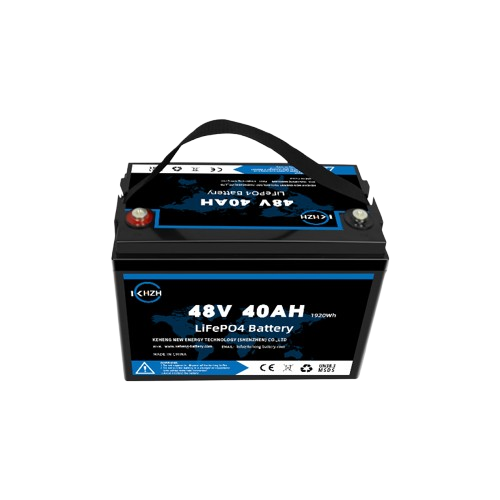
The Baterai 48V 40Ah is a high-capacity rechargeable battery designed to deliver reliable power for demanding applications. With a nominal voltage of 48 volts and a capacity of 40 amp-hours, this battery is ideal for use in electric vehicles (EVs), renewable energy storage systems, uninterruptible power supplies (UPS), and other high-power devices. Its robust design ensures long-lasting performance and efficiency, making it a popular choice for both industrial and personal projects.
Explore Projects Built with Baterai 48V 40Ah
 Open Project in Cirkit Designer
 Open Project in Cirkit Designer
 Open Project in Cirkit Designer
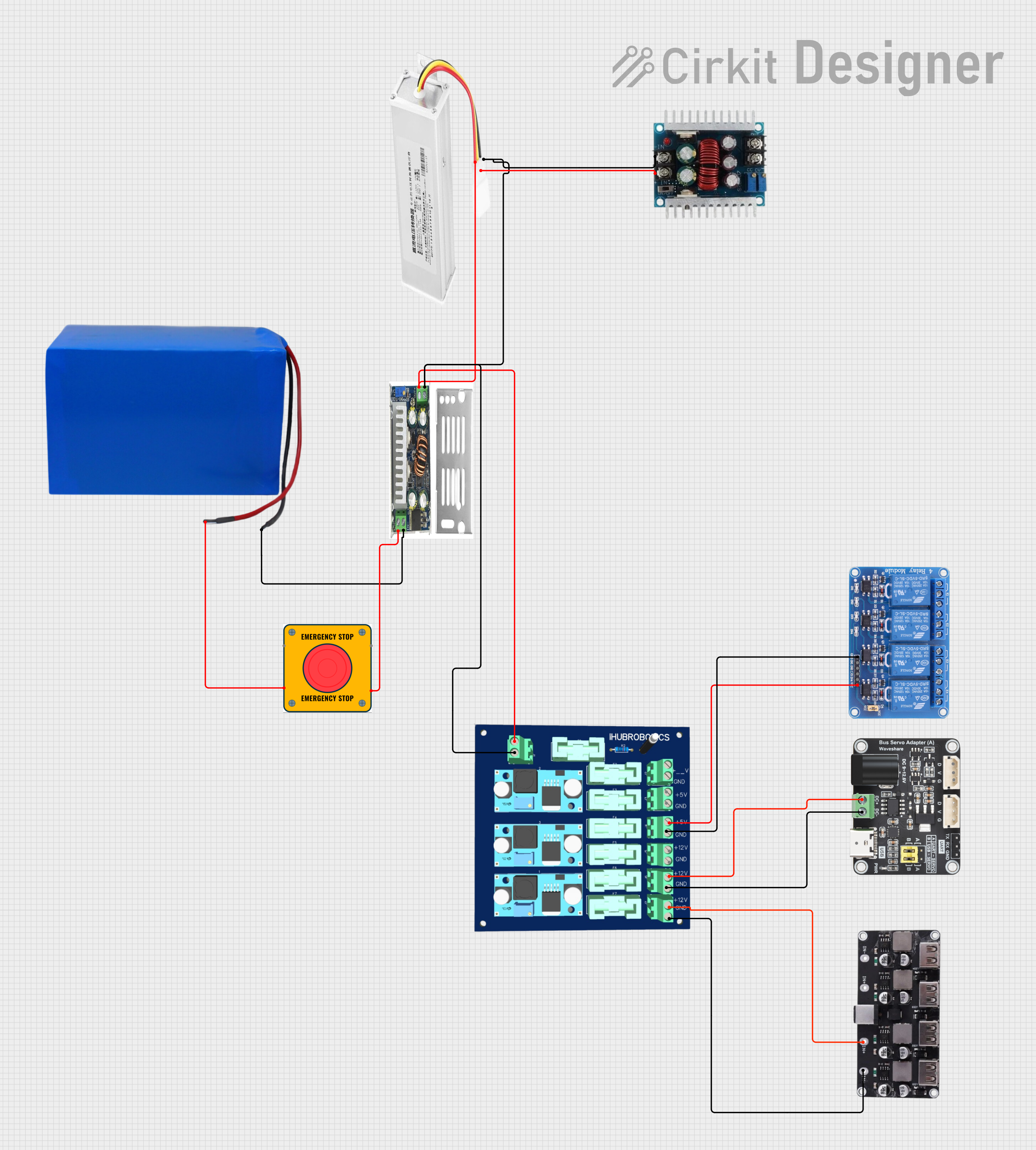 Open Project in Cirkit Designer
Explore Projects Built with Baterai 48V 40Ah
Open Project in Cirkit DesignerOpen Project in Cirkit DesignerOpen Project in Cirkit DesignerOpen Project in Cirkit DesignerCommon Applications
- Electric vehicles (e-bikes, e-scooters, and small EVs)
- Solar and wind energy storage systems
- Backup power supplies (UPS systems)
- Industrial equipment and robotics
- Portable power stations
Technical Specifications
The following table outlines the key technical details of the Baterai 48V 40Ah:
| Parameter | Specification |
|---|---|
| Nominal Voltage | 48V |
| Capacity | 40Ah |
| Energy | 1920Wh (48V × 40Ah) |
| Chemistry | Lithium-ion (Li-ion) or LiFePO4* |
| Maximum Continuous Current | 50A |
| Peak Discharge Current | 100A (for 10 seconds) |
| Charging Voltage | 54.6V (for Li-ion) / 58.4V (LiFePO4) |
| Charging Current | 10A (recommended) |
| Cycle Life | 1000+ cycles (at 80% depth of discharge) |
| Operating Temperature | -20°C to 60°C (discharge) |
| Weight | ~12-15 kg (varies by manufacturer) |
| Dimensions | ~330mm × 170mm × 220mm (varies) |
*Note: The exact chemistry (Li-ion or LiFePO4) depends on the manufacturer. LiFePO4 offers better safety and longer cycle life, while Li-ion provides higher energy density.
Pin Configuration and Descriptions
The Baterai 48V 40Ah typically includes the following terminals:
| Pin/Terminal | Description |
|---|---|
| Positive (+) | Main positive terminal for power output |
| Negative (-) | Main negative terminal for power output |
| BMS Port | Connection for Battery Management System (optional) |
| Charging Port | Dedicated port for charging the battery |
Usage Instructions
How to Use the Baterai 48V 40Ah in a Circuit
Connecting the Battery:
- Identify the positive (+) and negative (-) terminals of the battery.
- Use appropriately rated wires (e.g., 10 AWG or thicker) to connect the battery to your load or power system.
- Ensure all connections are secure to prevent voltage drops or overheating.
Charging the Battery:
- Use a compatible charger with the correct charging voltage (54.6V for Li-ion or 58.4V for LiFePO4).
- Connect the charger to the dedicated charging port or directly to the terminals, as specified by the manufacturer.
- Avoid overcharging by using a charger with built-in overcharge protection.
Battery Management System (BMS):
- Many 48V 40Ah batteries come with an integrated BMS to protect against overcharging, over-discharging, and short circuits.
- If your battery does not include a BMS, consider adding one to ensure safe operation.
Load Connection:
- Ensure the load does not exceed the maximum continuous current rating (50A).
- For high-power applications, use a fuse or circuit breaker to protect the battery and connected devices.
Important Considerations and Best Practices
- Safety First: Always handle the battery with care. Avoid shorting the terminals or exposing the battery to water or extreme temperatures.
- Storage: Store the battery in a cool, dry place when not in use. For long-term storage, maintain a charge level of 40-60% to preserve battery health.
- Ventilation: Ensure proper ventilation during charging and discharging to prevent overheating.
- Compatibility: Verify that your devices and chargers are compatible with the battery's voltage and current ratings.
Example: Connecting to an Arduino UNO
While the Baterai 48V 40Ah is not directly compatible with an Arduino UNO due to its high voltage, you can use a DC-DC step-down converter to safely power the Arduino. Below is an example setup:
- Use a DC-DC converter to step down the 48V to 5V.
- Connect the output of the converter to the Arduino's 5V and GND pins.
// Example Arduino code to read a sensor powered by the Baterai 48V 40Ah
// Ensure a DC-DC converter is used to step down the voltage to 5V.

const int sensorPin = A0;  // Analog pin connected to the sensor
int sensorValue = 0;       // Variable to store the sensor reading

void setup() {
  Serial.begin(9600);  // Initialize serial communication
  pinMode(sensorPin, INPUT);  // Set the sensor pin as input
}

void loop() {
  sensorValue = analogRead(sensorPin);  // Read the sensor value
  Serial.print("Sensor Value: ");
  Serial.println(sensorValue);  // Print the sensor value to the Serial Monitor
  delay(1000);  // Wait for 1 second before the next reading
}
Warning: Never connect the battery directly to the Arduino UNO without a step-down converter, as the high voltage will damage the board.
Troubleshooting and FAQs
Common Issues and Solutions
Battery Not Charging:
- Cause: Incorrect charger or damaged charging port.
- Solution: Verify the charger specifications and ensure proper connection to the charging port.
Battery Drains Quickly:
- Cause: Excessive load or degraded battery capacity.
- Solution: Check the load current and ensure it is within the battery's rated capacity. If the battery is old, consider replacing it.
Overheating During Use:
- Cause: High discharge current or poor ventilation.
- Solution: Reduce the load or improve ventilation around the battery.
No Output Voltage:
- Cause: BMS protection triggered due to over-discharge or short circuit.
- Solution: Recharge the battery to reset the BMS or check for short circuits.
FAQs
Q: Can I connect multiple batteries in series or parallel?
- A: Yes, you can connect batteries in series to increase voltage or in parallel to increase capacity. Ensure all batteries are of the same type, capacity, and charge level.
Q: How long does it take to charge the battery?
- A: With a 10A charger, it takes approximately 4-5 hours to fully charge the battery.
Q: Is the battery waterproof?
- A: Most 48V 40Ah batteries are not waterproof. Avoid exposing the battery to water or moisture.
Q: Can I use this battery for off-grid solar systems?
- A: Yes, the Baterai 48V 40Ah is suitable for off-grid solar systems. Ensure the solar charge controller is compatible with the battery's voltage and chemistry.
This concludes the documentation for the Baterai 48V 40Ah. Always refer to the manufacturer's datasheet for specific details and recommendations.