
How to Use Würth Elektronik 629105150521 Horizontal Micro-USB B Receptacle: Examples, Pinouts, and Specs
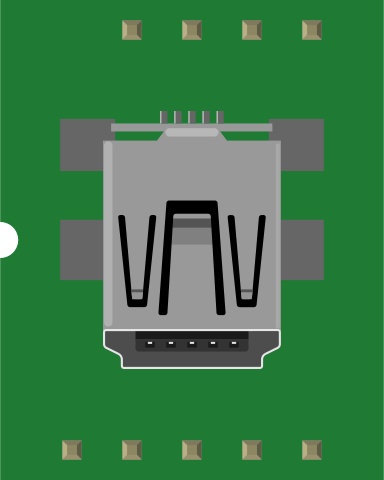
 Design with Würth Elektronik 629105150521 Horizontal Micro-USB B Receptacle in Cirkit Designer
Introduction
The Würth Elektronik 629105150521 is a horizontal Micro-USB B receptacle designed for reliable power delivery and data transfer in compact electronic devices. Its robust design and small form factor make it ideal for applications where space is limited, such as portable electronics, IoT devices, and embedded systems. This component is widely used in consumer electronics, industrial equipment, and prototyping projects.
Explore Projects Built with Würth Elektronik 629105150521 Horizontal Micro-USB B Receptacle
 Open Project in Cirkit Designer
 Open Project in Cirkit Designer
 Open Project in Cirkit Designer
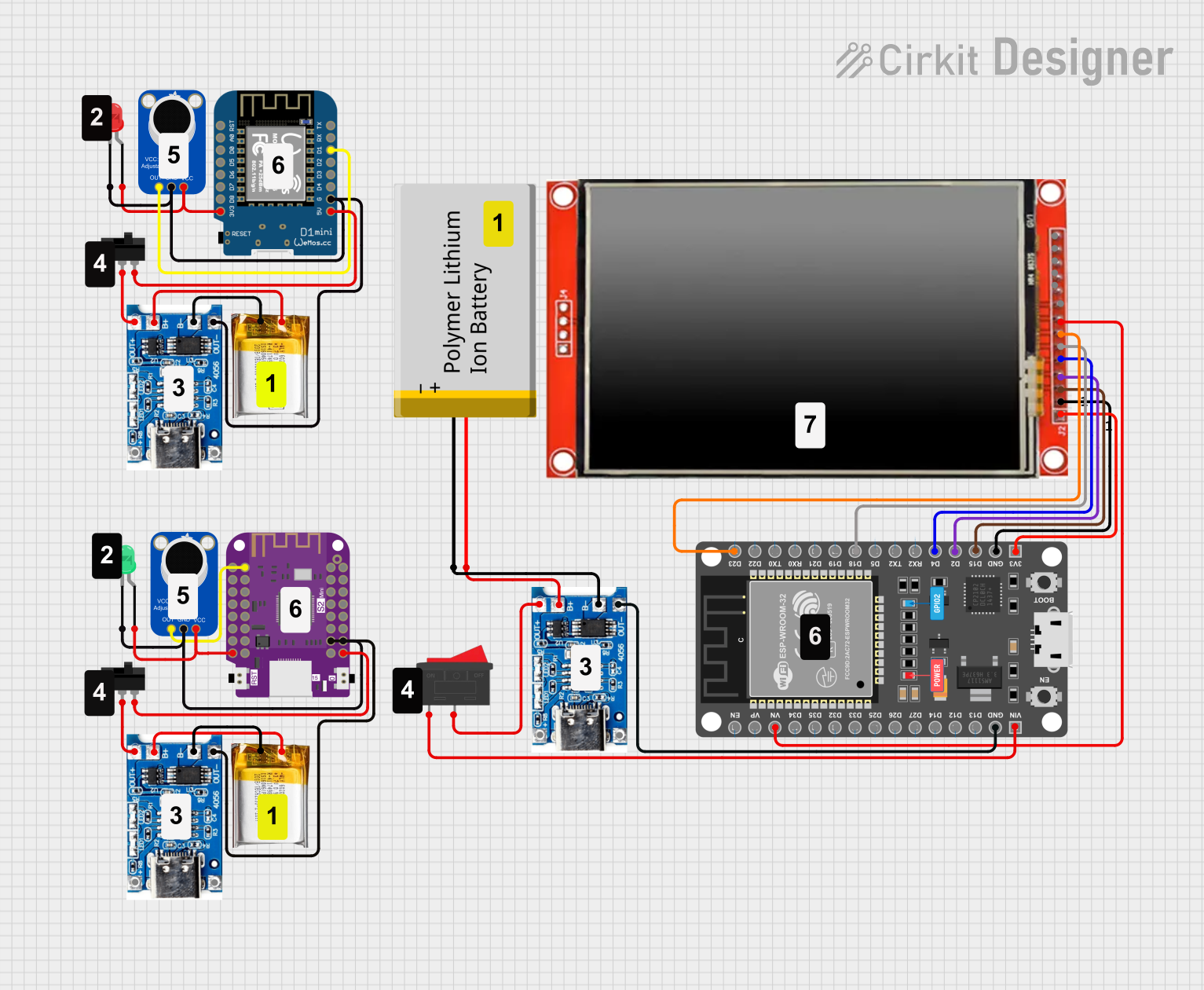 Open Project in Cirkit Designer
Explore Projects Built with Würth Elektronik 629105150521 Horizontal Micro-USB B Receptacle
Open Project in Cirkit DesignerOpen Project in Cirkit DesignerOpen Project in Cirkit DesignerOpen Project in Cirkit DesignerCommon Applications
- Charging and data transfer for portable devices (e.g., smartphones, tablets, and wearables)
- Embedded systems and IoT devices
- Prototyping with microcontrollers (e.g., Arduino, Raspberry Pi)
- Industrial equipment requiring USB connectivity
- Compact consumer electronics
Technical Specifications
Key Technical Details
| Parameter | Value |
|---|---|
| Manufacturer | Würth Elektronik |
| Part Number | 629105150521 |
| Connector Type | Micro-USB B Receptacle |
| Mounting Style | Surface Mount (Horizontal) |
| Number of Contacts | 5 |
| Current Rating | 1.8 A (Power Pins) |
| Voltage Rating | 30 V DC |
| Operating Temperature Range | -40°C to +85°C |
| Contact Resistance | ≤ 50 mΩ |
| Insulation Resistance | ≥ 100 MΩ |
| Durability | 10,000 mating cycles |
| Housing Material | Thermoplastic, UL94 V-0 flame retardant |
| Contact Material | Copper alloy with gold plating |
Pin Configuration and Descriptions
The Würth Elektronik 629105150521 Micro-USB B receptacle has five pins, as described in the table below:
| Pin Number | Name | Description |
|---|---|---|
| 1 | VBUS | Power supply (4.75–5.25 V DC) |
| 2 | D- | Data line (-) for USB communication |
| 3 | D+ | Data line (+) for USB communication |
| 4 | ID | Identification pin (used in OTG applications) |
| 5 | GND | Ground |
Usage Instructions
How to Use the Component in a Circuit
PCB Design and Mounting:
- Ensure the PCB layout matches the footprint of the 629105150521 receptacle.
- Use appropriate soldering techniques for surface-mount components.
- Place the receptacle near the edge of the PCB for easy access.
Power and Data Connections:
- Connect the VBUS pin to a regulated 5V power source.
- Connect the D+ and D- pins to the corresponding data lines of your microcontroller or USB interface IC.
- Ground the GND pin to the system ground.
- The ID pin can be left unconnected for standard USB devices or used for OTG (On-The-Go) functionality.
Mechanical Considerations:
- Ensure the receptacle is securely mounted to prevent mechanical stress during repeated insertions and removals.
- Use a proper enclosure to protect the connector from dust and physical damage.
Important Considerations and Best Practices
- Avoid exceeding the rated current (1.8 A) and voltage (30 V DC) to prevent damage.
- Ensure proper ESD protection on the data lines to safeguard against electrostatic discharge.
- Use decoupling capacitors near the VBUS pin to stabilize the power supply.
- For high-speed data transfer, minimize the trace length and impedance mismatch on the D+ and D- lines.
Example: Connecting to an Arduino UNO
The Micro-USB B receptacle can be used to power an Arduino UNO or transfer data via a USB-to-serial converter. Below is an example of Arduino code for basic serial communication:
// Example: Serial communication via USB
// This code sends a message to the serial monitor every second.

void setup() {
  Serial.begin(9600); // Initialize serial communication at 9600 baud
  while (!Serial) {
    // Wait for the serial port to connect (for native USB boards)
  }
  Serial.println("Micro-USB B Receptacle Connected!");
}

void loop() {
  Serial.println("Hello from Arduino!"); // Send a message to the serial monitor
  delay(1000); // Wait for 1 second
}
Troubleshooting and FAQs
Common Issues and Solutions
No Power or Data Transfer:
- Cause: Poor soldering or loose connections.
- Solution: Inspect the solder joints and ensure all pins are properly connected.
Overheating:
- Cause: Exceeding the current or voltage rating.
- Solution: Verify the power supply and ensure it is within the rated limits.
Intermittent Connectivity:
- Cause: Mechanical stress or worn-out connector.
- Solution: Check for physical damage and ensure the connector is securely mounted.
Data Transfer Errors:
- Cause: Signal integrity issues on the D+ and D- lines.
- Solution: Use proper PCB design practices, such as minimizing trace length and maintaining impedance matching.
FAQs
Q1: Can this receptacle be used for USB 3.0 applications?
A1: No, the Würth Elektronik 629105150521 is designed for USB 2.0 applications and does not support the additional pins required for USB 3.0.
Q2: Is the connector compatible with OTG devices?
A2: Yes, the ID pin can be used for OTG functionality when properly configured.
Q3: What is the recommended soldering temperature?
A3: Follow the manufacturer's guidelines for reflow soldering, typically around 240–260°C.
Q4: How many mating cycles can the connector withstand?
A4: The connector is rated for up to 10,000 mating cycles, ensuring long-term durability.
By following this documentation, users can effectively integrate the Würth Elektronik 629105150521 Micro-USB B receptacle into their designs for reliable power and data connectivity.