
How to Use 5000mah power bank: Examples, Pinouts, and Specs
 Design with 5000mah power bank in Cirkit Designer
Introduction
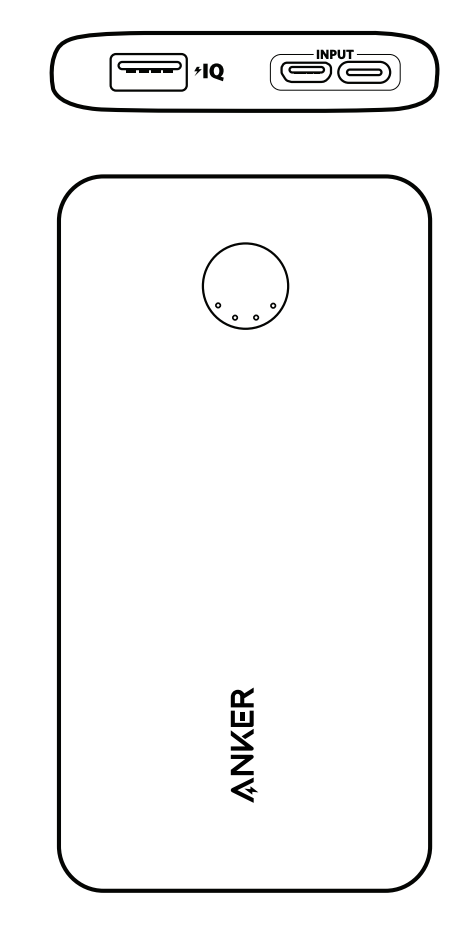
The Anker 5000mAh Power Bank is a portable battery pack designed to store electrical energy and provide convenient charging for devices on the go. With a capacity of 5000 milliampere-hours (mAh), it is ideal for charging smartphones, small electronics, and other USB-powered devices. Its compact design and reliable performance make it a popular choice for users who need a lightweight and efficient power source while traveling or during emergencies.
Explore Projects Built with 5000mah power bank
 Open Project in Cirkit Designer
 Open Project in Cirkit Designer
 Open Project in Cirkit Designer
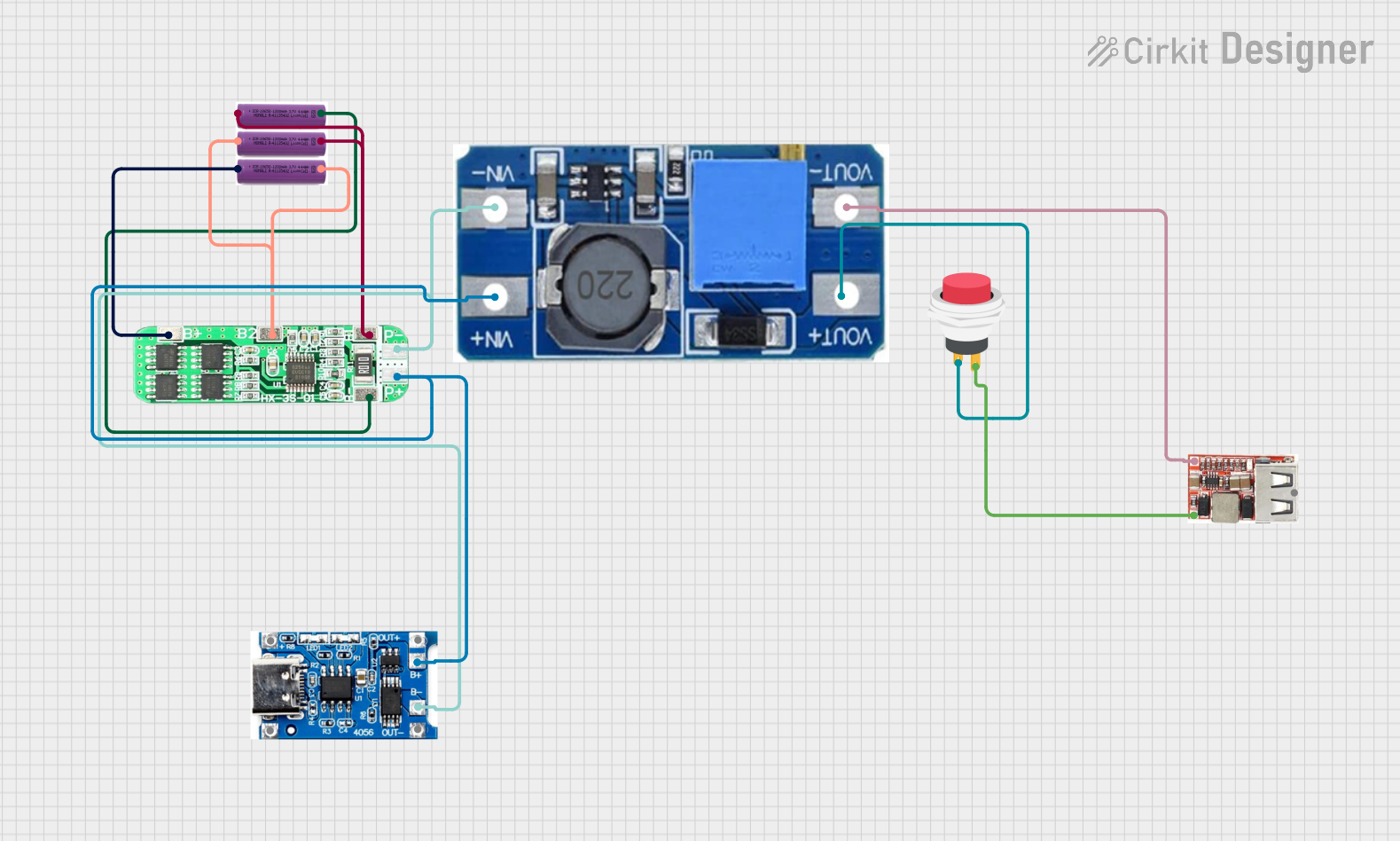 Open Project in Cirkit Designer
Explore Projects Built with 5000mah power bank
Open Project in Cirkit DesignerOpen Project in Cirkit DesignerOpen Project in Cirkit DesignerOpen Project in Cirkit DesignerCommon Applications and Use Cases
- Charging smartphones, smartwatches, and wireless earbuds.
- Providing backup power for small USB-powered devices such as Bluetooth speakers or LED lights.
- Emergency power supply during power outages or outdoor activities like camping and hiking.
- Portable charging solution for students, professionals, and travelers.
Technical Specifications
Key Technical Details
| Specification | Value |
|---|---|
| Battery Capacity | 5000mAh |
| Input Voltage/Current | 5V / 2A |
| Output Voltage/Current | 5V / 2.4A |
| Battery Type | Lithium-ion |
| Charging Port Type | Micro-USB (Input) |
| Output Port Type | USB-A |
| Dimensions | 92 x 60 x 22 mm |
| Weight | ~120g |
| Operating Temperature Range | 0°C to 40°C |
| Storage Temperature Range | -10°C to 45°C |
Pin Configuration and Descriptions
| Pin/Port Name | Type | Description |
|---|---|---|
| Micro-USB Port | Input | Used to charge the power bank itself. Accepts 5V/2A input. |
| USB-A Port | Output | Provides 5V/2.4A output for charging connected devices. |
| LED Indicators | Status | Displays the remaining battery level (typically 4 LEDs for 25% increments). |
| Power Button | Control | Turns the power bank on/off and activates the LED indicators. |
Usage Instructions
How to Use the Power Bank
Charging the Power Bank:
- Connect the Micro-USB input port of the power bank to a USB wall adapter or computer using a Micro-USB cable.
- Ensure the adapter provides a 5V/2A output for optimal charging speed.
- The LED indicators will blink to show the charging progress. When all LEDs are solid, the power bank is fully charged.
Charging Devices:
- Connect your device to the USB-A output port using a compatible charging cable.
- Press the power button to start charging. The LED indicators will light up to show the remaining battery level.
- Disconnect your device once it is fully charged to conserve the power bank's energy.
Checking Battery Level:
- Press the power button briefly to activate the LED indicators. Each LED represents approximately 25% of the battery capacity.
Important Considerations and Best Practices
- Use only high-quality charging cables and adapters to prevent damage to the power bank or connected devices.
- Avoid exposing the power bank to extreme temperatures, moisture, or direct sunlight.
- Do not attempt to disassemble or modify the power bank, as this may void the warranty and pose safety risks.
- Charge the power bank at least once every three months if not in regular use to maintain battery health.
- Disconnect the power bank from the charger once it is fully charged to prevent overcharging.
Arduino UNO Compatibility
While the Anker 5000mAh Power Bank is not a direct electronic component, it can be used to power an Arduino UNO or similar microcontroller projects. Below is an example of how to connect and use the power bank with an Arduino UNO:
Example Code for Arduino UNO
/* Example: Using the Anker 5000mAh Power Bank to power an Arduino UNO
   This code blinks an LED connected to pin 13 of the Arduino UNO.
   Ensure the Arduino is powered via the USB port using the power bank.
*/

void setup() {
  pinMode(13, OUTPUT); // Set pin 13 as an output for the LED
}

void loop() {
  digitalWrite(13, HIGH); // Turn the LED on
  delay(1000);            // Wait for 1 second
  digitalWrite(13, LOW);  // Turn the LED off
  delay(1000);            // Wait for 1 second
}
Troubleshooting and FAQs
Common Issues and Solutions
| Issue | Possible Cause | Solution |
|---|---|---|
| Power bank does not charge devices | Low battery or faulty cable | Ensure the power bank is charged and use a high-quality charging cable. |
| LED indicators do not light up | Power bank is off or battery is drained | Press the power button or recharge the power bank. |
| Slow charging of devices | Incompatible cable or high device load | Use a cable that supports fast charging and avoid charging multiple devices. |
| Power bank does not charge itself | Faulty adapter or cable | Check the adapter and cable for damage and replace if necessary. |
FAQs
How long does it take to fully charge the power bank?
- It typically takes about 2-3 hours to fully charge the power bank using a 5V/2A adapter.
Can I charge the power bank and a device simultaneously?
- No, this model does not support pass-through charging. Charge the power bank and devices separately.
Is it safe to carry the power bank on an airplane?
- Yes, the 5000mAh capacity is well within the limits allowed for carry-on luggage by most airlines.
What should I do if the power bank overheats?
- Stop using the power bank immediately and allow it to cool down. Avoid using it in high-temperature environments.
Can I use the power bank to power a Raspberry Pi or Arduino project?
- Yes, the power bank can provide sufficient power for small electronics like Raspberry Pi or Arduino boards.
This concludes the documentation for the Anker 5000mAh Power Bank. For further assistance, refer to the manufacturer's user manual or contact Anker customer support.