The HW-770B-BT5.0 is a Bluetooth audio receiver module designed for wireless audio streaming. It enables seamless audio transmission from Bluetooth-enabled devices such as smartphones, tablets, and laptops. With its compact design and versatile functionality, the HW-770B-BT5.0 is ideal for integration into DIY audio projects, home audio systems, and portable speaker designs. It supports multiple audio profiles, ensuring compatibility with a wide range of devices and applications.
Explore Projects Built with HW-770B-BT5.0
Use Cirkit Designer to design, explore, and prototype these projects online. Some projects support real-time simulation. Click "Open Project" to start designing instantly!
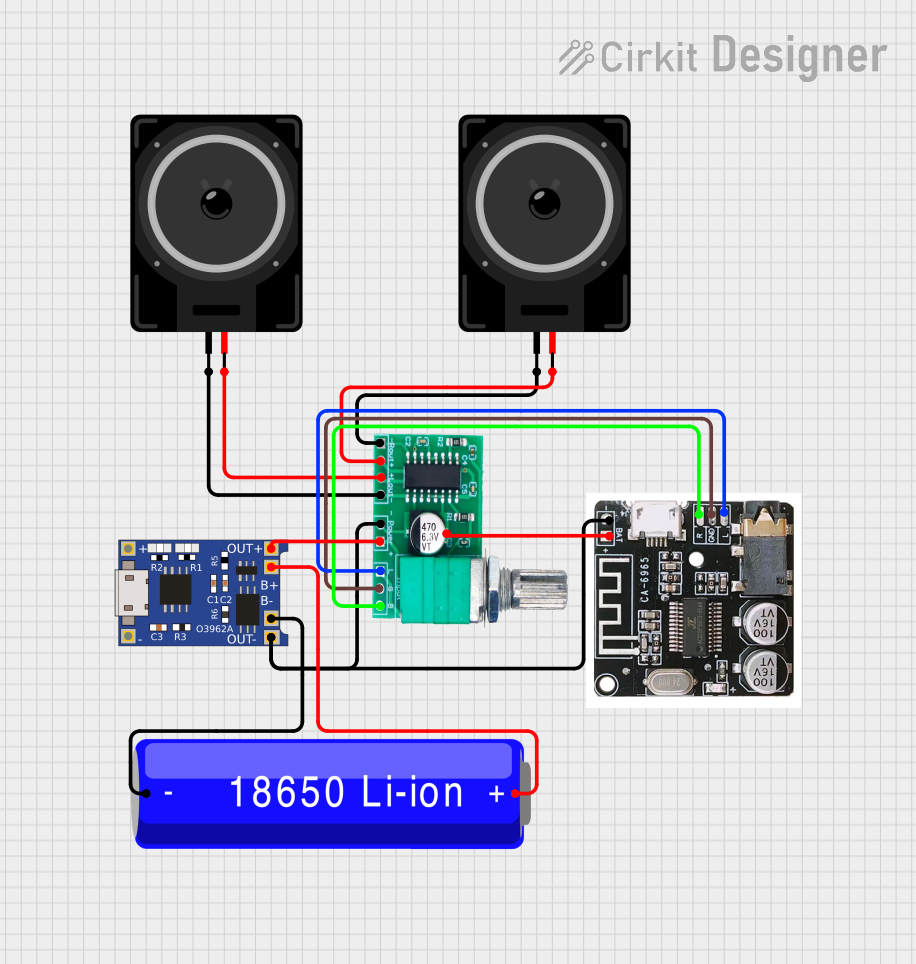
This circuit is a Bluetooth-enabled audio system powered by a rechargeable 18650 Li-ion battery. It includes a TP4056 module for battery charging and protection, a PAM8403 amplifier with volume control to drive two loudspeakers, and a Bluetooth audio receiver to wirelessly receive audio signals.
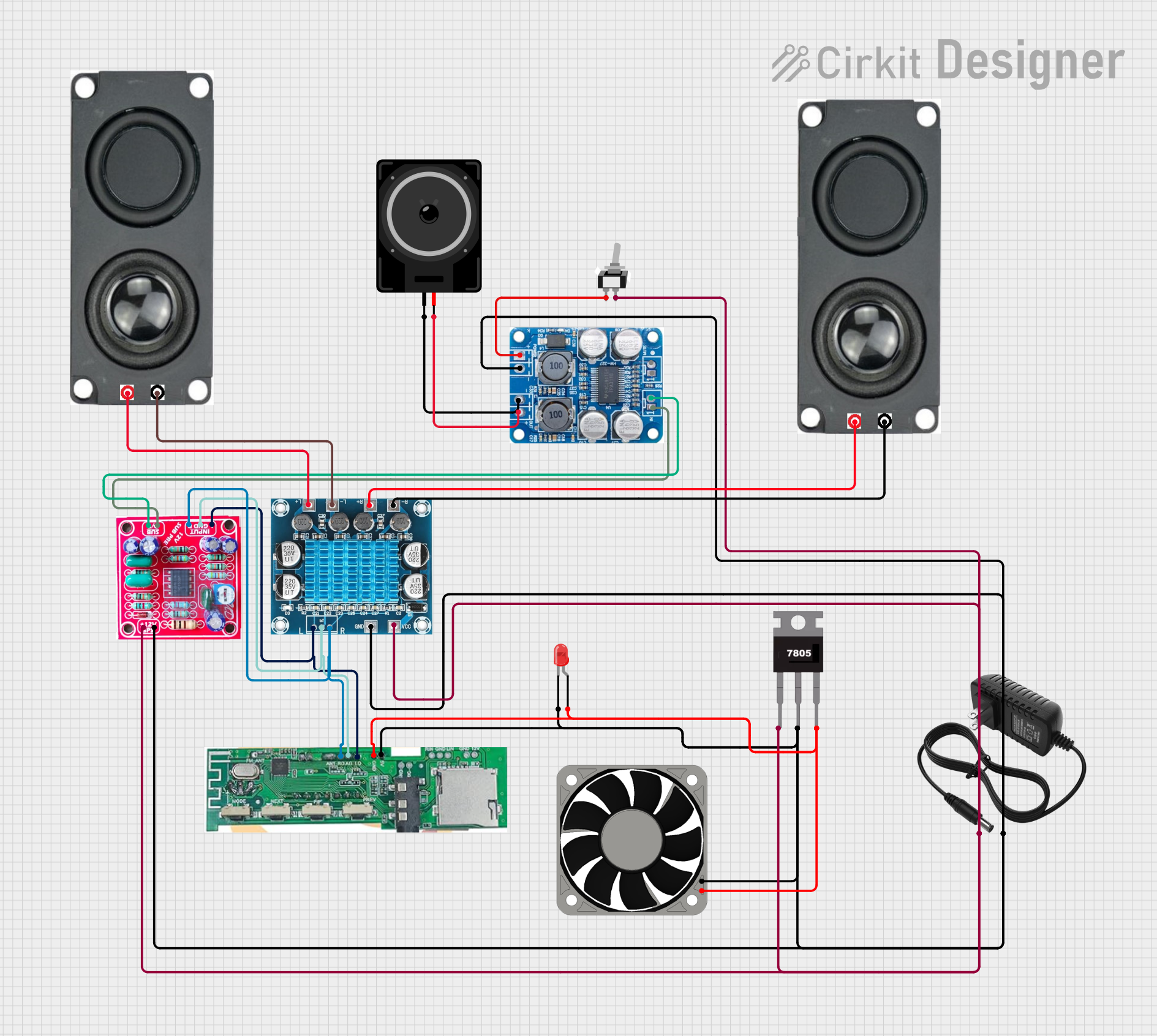
This circuit is a Bluetooth-enabled audio amplifier system with a subwoofer pre-amp and dual 8-ohm speakers. It includes a 12V power supply, a 7805 voltage regulator, and a cooling fan, with a toggle switch to control power. The Bluetooth module provides audio input to the amplifiers, which drive the speakers and subwoofer.
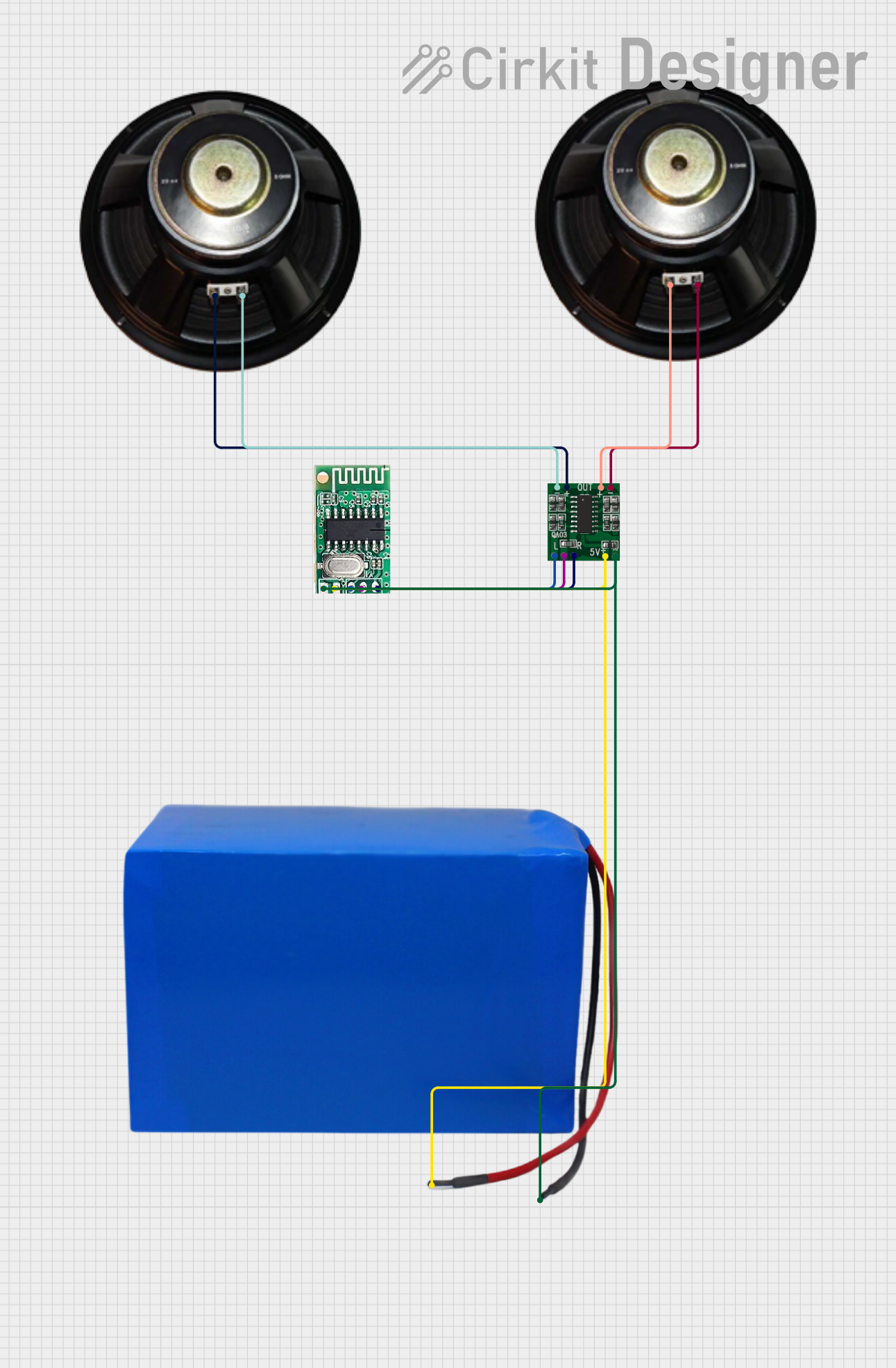
This circuit is a Bluetooth audio amplifier system powered by a 38.5V battery. It uses a 5V Bluetooth audio receiver to receive audio signals, which are then amplified by a PAM8403 amplifier and output to two speakers for stereo sound.
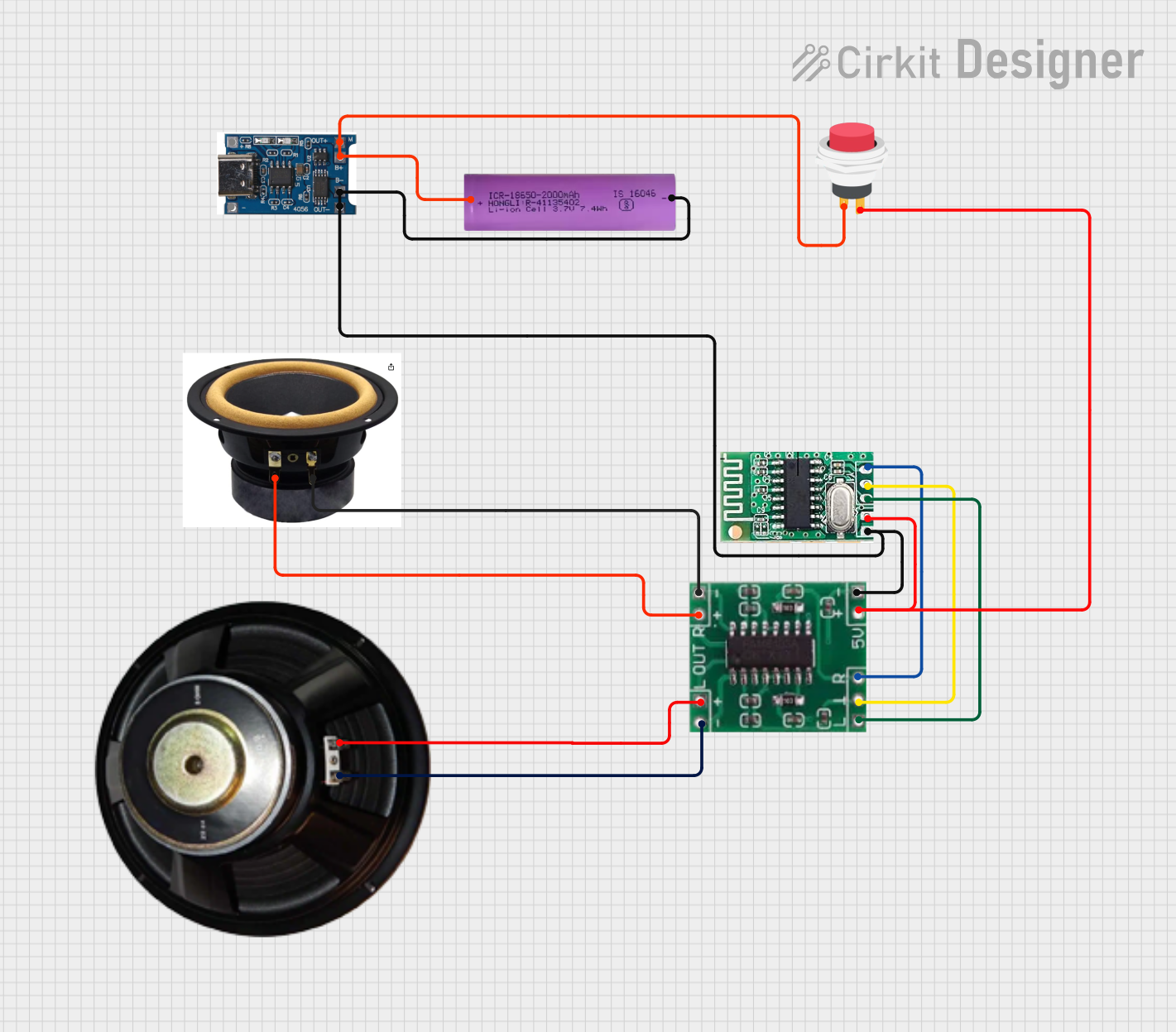
This circuit is a portable Bluetooth audio system powered by a Li-ion battery. It includes a Bluetooth audio receiver that sends audio signals to a 5V amplifier, which then drives a speaker and a tweeter. The system is powered through a battery charger and controlled by a push switch.
The HW-770B-BT5.0 module is designed to deliver reliable performance with the following key specifications:
Parameter
Value
Bluetooth Version
5.0
Operating Voltage
3.7V - 5V DC
Current Consumption
~20mA (idle), ~50mA (active)
Audio Output
Stereo, 3.5mm AUX or solder pads
Supported Profiles
A2DP, AVRCP, HFP, HSP
Transmission Range
Up to 10 meters (line of sight)
Dimensions
~30mm x 20mm x 5mm
Operating Temperature
-20°C to 60°C
Pin Configuration and Descriptions
The HW-770B-BT5.0 module features a simple pinout for easy integration:
Pin
Name
Description
1
VCC
Power input (3.7V - 5V DC)
2
GND
Ground connection
3
L_OUT
Left audio output
4
R_OUT
Right audio output
5
KEY
Control pin for pairing/play/pause (optional)
6
LED
Status indicator output (connect to an LED via resistor)
Usage Instructions
How to Use the HW-770B-BT5.0 in a Circuit
Power the Module: Connect the VCC pin to a 3.7V-5V DC power source and the GND pin to ground.
Audio Output: Connect the L_OUT and R_OUT pins to the left and right channels of your audio amplifier or speaker system. Use the 3.5mm AUX output if available.
Control Pin (Optional): If you want to add a physical button for pairing or play/pause functionality, connect a momentary push button to the KEY pin and ground.
LED Indicator: Connect an LED to the LED pin through a current-limiting resistor (e.g., 220Ω) to monitor the module's status:
Blinking: Ready to pair
Solid: Connected to a device
Pairing: Turn on the module and search for "HW-770B-BT5.0" on your Bluetooth-enabled device. Pair and connect to start streaming audio.
Important Considerations and Best Practices
Power Supply: Ensure a stable power supply within the specified voltage range to avoid damage to the module.
Audio Amplifier: Use a suitable amplifier to drive speakers, as the module itself does not amplify audio signals.
Interference: Avoid placing the module near sources of electromagnetic interference (e.g., high-power motors or Wi-Fi routers) to maintain a stable Bluetooth connection.
Heat Dissipation: Operate the module within the recommended temperature range to prevent overheating.
Arduino Integration Example
The HW-770B-BT5.0 can be used with an Arduino to control pairing or play/pause functionality via the KEY pin. Below is an example code snippet:
// Arduino code to control the HW-770B-BT5.0 module
// This code toggles the KEY pin to simulate a button press for pairing or play/pause

const int keyPin = 7; // Connect the KEY pin of the module to Arduino pin 7

void setup() {
  pinMode(keyPin, OUTPUT); // Set the KEY pin as an output
  digitalWrite(keyPin, HIGH); // Keep the KEY pin high (inactive state)
}

void loop() {
  // Simulate a button press every 10 seconds
  digitalWrite(keyPin, LOW); // Pull the KEY pin low to simulate a button press
  delay(500); // Hold the button press for 500ms
  digitalWrite(keyPin, HIGH); // Release the button
  delay(10000); // Wait for 10 seconds before the next press
}
Troubleshooting and FAQs
Common Issues and Solutions
Module Not Powering On
Cause: Insufficient or incorrect power supply.
Solution: Verify that the VCC pin is receiving 3.7V-5V DC and the GND pin is properly connected.
Bluetooth Device Cannot Find the Module
Cause: Module is not in pairing mode.
Solution: Ensure the module is powered on and the LED is blinking. If not, press the button connected to the KEY pin to enter pairing mode.
Audio Output is Distorted
Cause: Poor connection or interference.
Solution: Check the connections to the L_OUT and R_OUT pins. Ensure the module is not placed near sources of interference.
Short Bluetooth Range
Cause: Obstructions or interference.
Solution: Ensure a clear line of sight between the module and the Bluetooth device. Avoid placing the module near metal objects or other wireless devices.
FAQs
Can I use the HW-770B-BT5.0 with a battery?
Yes, the module can be powered by a 3.7V lithium-ion battery or a 5V USB power source.
Does the module support hands-free calling?
No, the HW-770B-BT5.0 is designed primarily for audio streaming and does not include a microphone for hands-free calling.
Can I connect multiple devices simultaneously?
No, the module supports a single active connection at a time.
What is the maximum audio quality supported?
The module supports standard Bluetooth audio quality (SBC codec) suitable for most applications.


 Open Project in Cirkit Designer