
How to Use PANEL100W: Examples, Pinouts, and Specs
 Design with PANEL100W in Cirkit Designer
Introduction
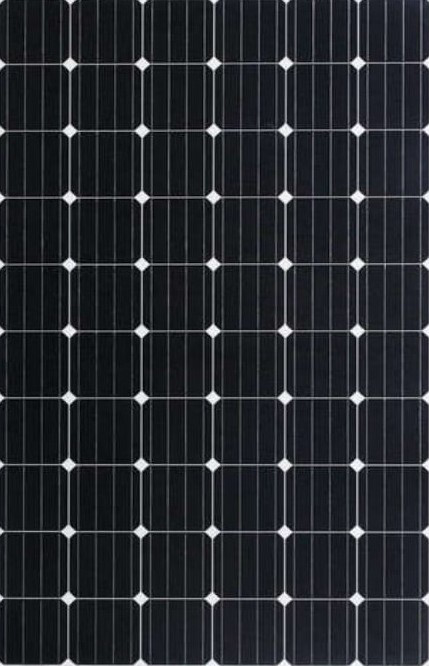
The PANEL100W is a 100-watt solar panel designed to efficiently convert sunlight into electrical energy. It is ideal for a wide range of applications, including off-grid solar systems, battery charging, and powering small electronic devices. With its durable construction and high energy conversion efficiency, the PANEL100W is suitable for both residential and commercial use. Its compact design makes it easy to integrate into portable solar setups or permanent installations.
Common applications include:
- Off-grid solar power systems for cabins, RVs, and boats
- Charging 12V batteries for backup power
- Powering small devices such as lights, fans, and USB chargers
- Supplementing energy needs in hybrid solar systems
Explore Projects Built with PANEL100W
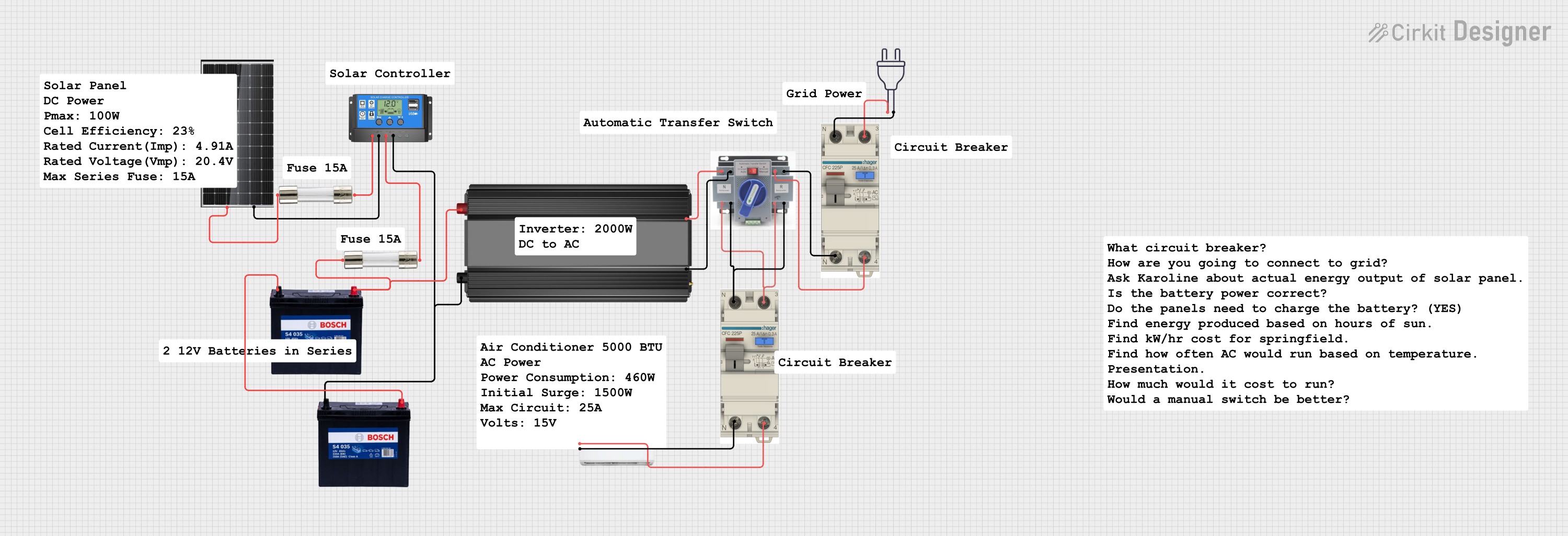 Open Project in Cirkit Designer
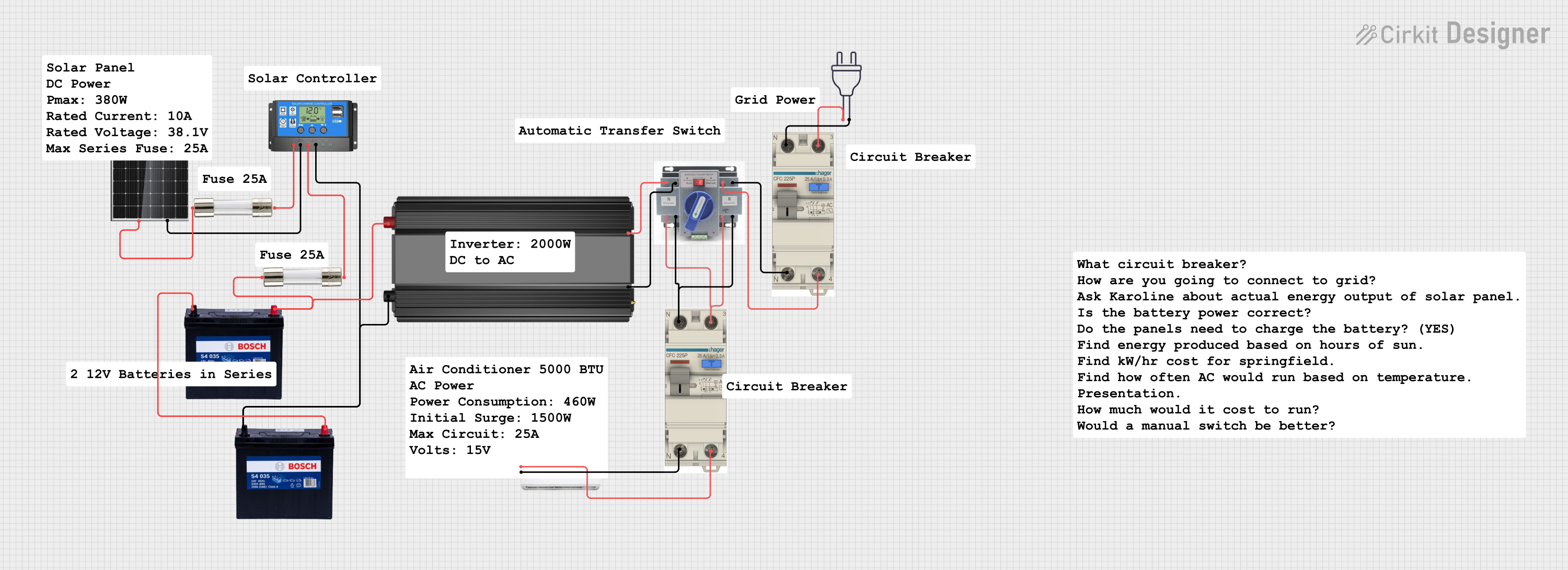 Open Project in Cirkit Designer
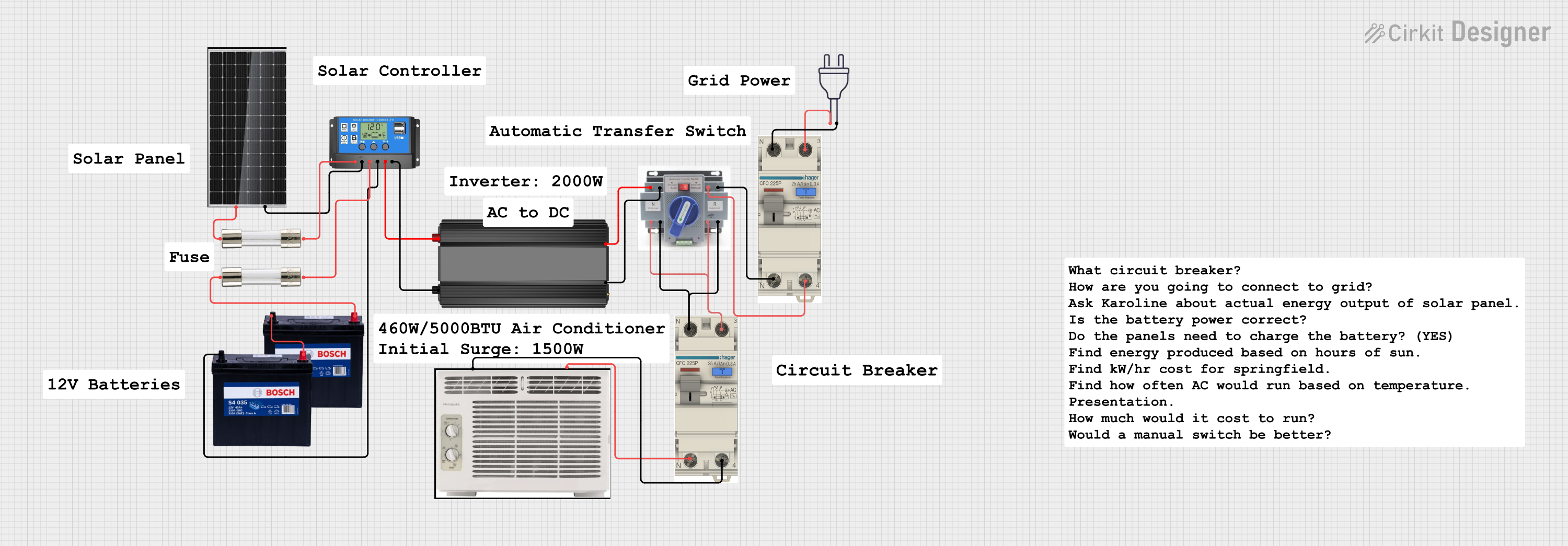 Open Project in Cirkit Designer
 Open Project in Cirkit Designer
Explore Projects Built with PANEL100W
Open Project in Cirkit DesignerOpen Project in Cirkit DesignerOpen Project in Cirkit DesignerOpen Project in Cirkit DesignerTechnical Specifications
The PANEL100W is designed to deliver reliable performance under standard test conditions (STC). Below are the key technical details:
| Parameter | Value |
|---|---|
| Maximum Power (Pmax) | 100 W |
| Voltage at Pmax (Vmp) | 18 V |
| Current at Pmax (Imp) | 5.56 A |
| Open Circuit Voltage (Voc) | 21.6 V |
| Short Circuit Current (Isc) | 5.92 A |
| Maximum System Voltage | 1000 V DC |
| Operating Temperature | -40°C to +85°C |
| Dimensions | 1200 mm x 540 mm x 35 mm |
| Weight | 8.5 kg |
| Connector Type | MC4 |
| Cell Type | Monocrystalline Silicon |
| Efficiency | ~20% |
Pin Configuration and Descriptions
The PANEL100W does not have traditional pins but uses two output cables terminated with MC4 connectors. Below is the description of the connectors:
| Connector | Description |
|---|---|
| Positive (+) | Outputs the positive DC voltage |
| Negative (-) | Outputs the negative DC voltage |
Usage Instructions
How to Use the PANEL100W in a Circuit
- Positioning the Panel: Place the PANEL100W in direct sunlight for optimal performance. Ensure the panel is angled correctly based on your geographic location to maximize sunlight exposure.
- Connecting to a Charge Controller:
- Connect the positive (+) MC4 connector of the panel to the positive input of the charge controller.
- Connect the negative (-) MC4 connector of the panel to the negative input of the charge controller.
- Use a charge controller to regulate the voltage and current output to prevent overcharging connected batteries.
- Connecting to a Battery:
- From the charge controller, connect the battery terminals to the corresponding positive and negative outputs.
- Ensure the battery voltage matches the panel's output (e.g., 12V system).
- Powering Devices:
- Connect your devices to the load terminals of the charge controller or directly to the battery, depending on your setup.
Important Considerations and Best Practices
- Avoid Shading: Even partial shading can significantly reduce the panel's output.
- Use Proper Cables: Ensure the cables used can handle the current output of the panel to avoid overheating.
- Monitor Voltage and Current: Use a multimeter or monitoring system to check the panel's output regularly.
- Protect Against Overvoltage: Always use a charge controller to prevent damage to batteries and connected devices.
- Secure Mounting: Use appropriate mounting brackets to secure the panel and prevent damage from wind or other environmental factors.
Example: Connecting PANEL100W to an Arduino UNO
To use the PANEL100W with an Arduino UNO, you can power the Arduino through a 12V battery charged by the panel. Below is an example setup:
- Connect the PANEL100W to a 12V battery via a charge controller.
- Use a DC-DC step-down converter to regulate the 12V output to 5V for the Arduino UNO.
- Connect the 5V output from the converter to the Arduino's 5V pin and GND.
Here is a sample Arduino code to read voltage from the battery using an analog pin:
// Define the analog pin connected to the voltage divider
const int voltagePin = A0;

// Voltage divider resistor values (in ohms)
const float R1 = 10000.0; // Resistor connected to battery positive
const float R2 = 1000.0;  // Resistor connected to ground

void setup() {
  Serial.begin(9600); // Initialize serial communication
}

void loop() {
  int sensorValue = analogRead(voltagePin); // Read analog value
  float voltage = sensorValue * (5.0 / 1023.0); // Convert to voltage
  voltage = voltage * ((R1 + R2) / R2); // Adjust for voltage divider

  // Print the voltage to the Serial Monitor
  Serial.print("Battery Voltage: ");
  Serial.print(voltage);
  Serial.println(" V");

  delay(1000); // Wait for 1 second before next reading
}
Note: Use a voltage divider to scale down the battery voltage to a safe range for the Arduino's analog input (0-5V).
Troubleshooting and FAQs
Common Issues and Solutions
Low Power Output:
- Cause: Insufficient sunlight or shading.
- Solution: Ensure the panel is in direct sunlight and free from obstructions.
No Output Voltage:
- Cause: Loose or incorrect connections.
- Solution: Check all connections, especially the MC4 connectors, for proper contact.
Overheating:
- Cause: Poor ventilation or excessive current draw.
- Solution: Ensure the panel is well-ventilated and not overloaded.
Battery Not Charging:
- Cause: Faulty charge controller or mismatched voltage.
- Solution: Verify the charge controller is functioning and the battery voltage matches the panel's output.
FAQs
Can I connect the PANEL100W directly to a device? No, it is recommended to use a charge controller to regulate the voltage and current output.
What happens if the panel is partially shaded? Partial shading can significantly reduce the panel's output due to the series connection of solar cells.
Can I use multiple PANEL100W panels together? Yes, you can connect multiple panels in series or parallel to increase voltage or current, respectively. Ensure your charge controller and system components can handle the combined output.
How do I clean the panel? Use a soft cloth and water to clean the surface. Avoid abrasive materials that could scratch the glass.
By following this documentation, you can effectively integrate the PANEL100W into your solar power system and maximize its performance.