
How to Use I2S mic: Examples, Pinouts, and Specs
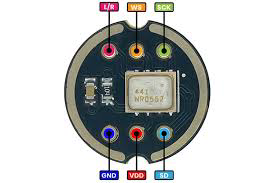
 Design with I2S mic in Cirkit Designer
Introduction
The INMP441ACEZ-R0 is a high-performance, low-power, digital microphone manufactured by TDK InvenSense. It utilizes the I2S (Inter-IC Sound) protocol to transmit audio data in a digital format, eliminating the need for analog-to-digital conversion and reducing noise and interference. This makes it an ideal choice for applications requiring high-quality audio capture.
Explore Projects Built with I2S mic
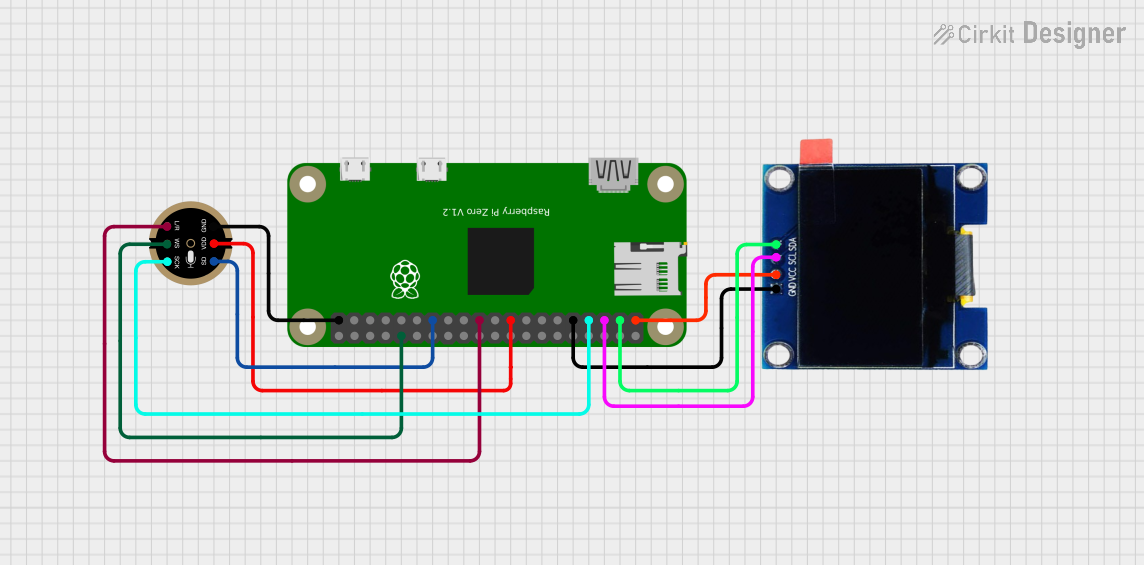 Open Project in Cirkit Designer
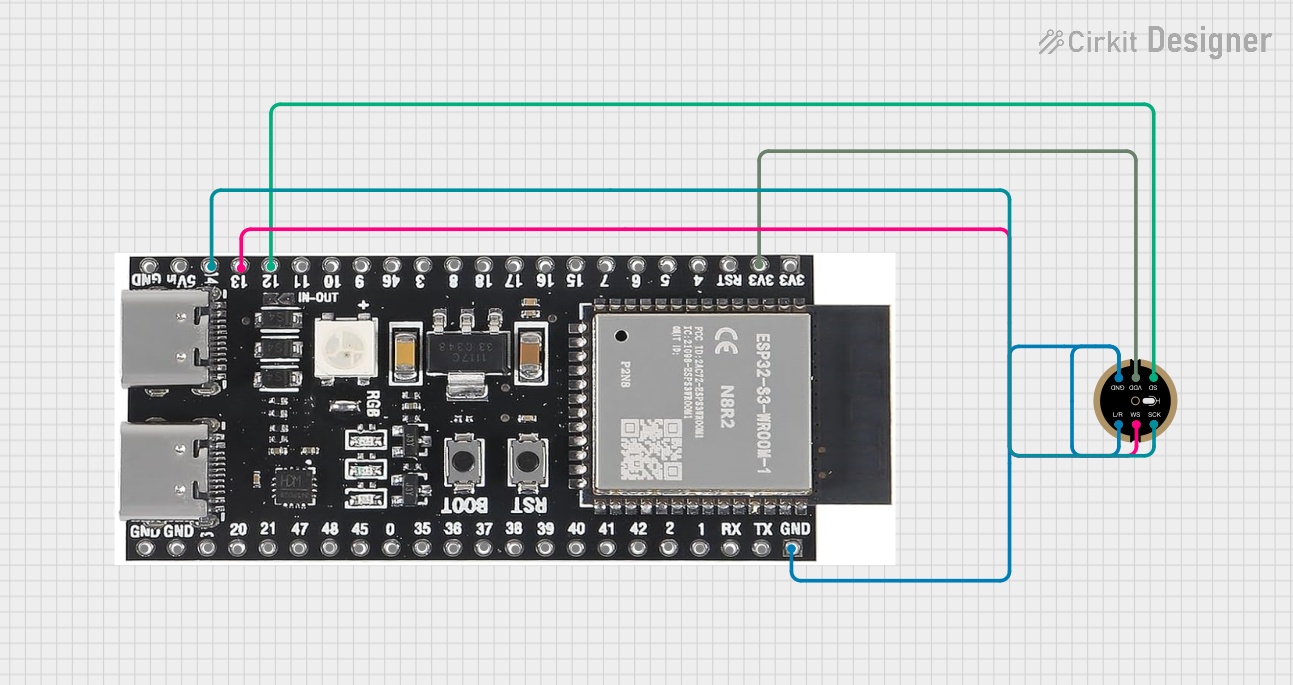 Open Project in Cirkit Designer
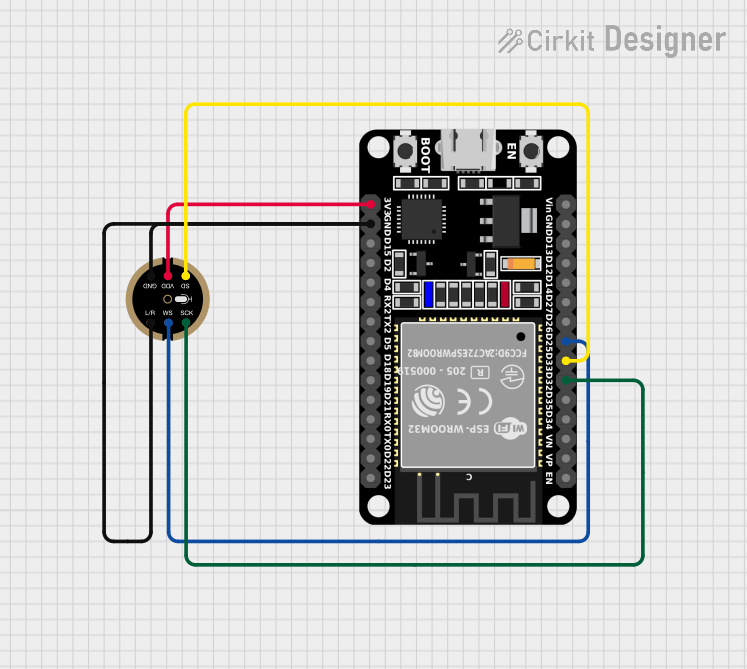 Open Project in Cirkit Designer
 Open Project in Cirkit Designer
Explore Projects Built with I2S mic
Open Project in Cirkit DesignerOpen Project in Cirkit DesignerOpen Project in Cirkit DesignerOpen Project in Cirkit DesignerCommon Applications
- Voice recognition systems
- Smart home devices (e.g., smart speakers, IoT devices)
- Audio recording and streaming
- Noise-canceling systems
- Wearable devices
Technical Specifications
The following table outlines the key technical details of the INMP441ACEZ-R0:
| Parameter | Value |
|---|---|
| Supply Voltage (VDD) | 1.8V to 3.3V |
| Current Consumption | 1.4 mA (typical) |
| Signal-to-Noise Ratio (SNR) | 61 dB |
| Acoustic Overload Point | 120 dB SPL |
| Frequency Response | 60 Hz to 15 kHz |
| Output Format | I2S (24-bit, 2's complement) |
| Sensitivity | -26 dBFS ±1 dB |
| Operating Temperature | -40°C to +85°C |
| Package Dimensions | 3.5 mm × 2.65 mm × 0.98 mm |
Pin Configuration and Descriptions
The INMP441ACEZ-R0 has a 5-pin configuration. The table below describes each pin:
| Pin Name | Pin Number | Description |
|---|---|---|
| VDD | 1 | Power supply input (1.8V to 3.3V). |
| GND | 2 | Ground connection. |
| WS | 3 | Word Select (I2S clock signal for left/right channel selection). |
| SCK | 4 | Serial Clock (I2S clock signal for data synchronization). |
| SD | 5 | Serial Data (I2S data output). Carries the digital audio signal. |
Usage Instructions
How to Use the INMP441ACEZ-R0 in a Circuit
- Power Supply: Connect the VDD pin to a regulated power supply (1.8V to 3.3V) and the GND pin to the ground.
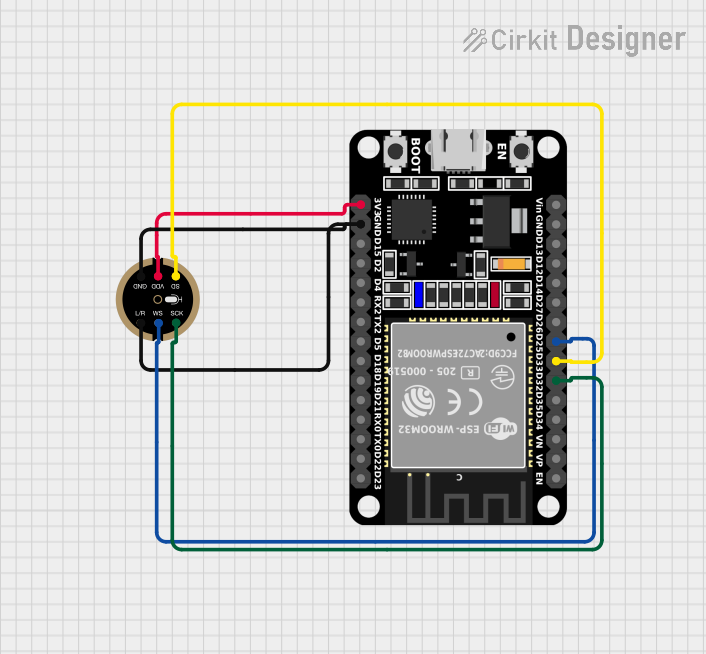
- I2S Interface: Connect the WS, SCK, and SD pins to the corresponding I2S pins on your microcontroller or audio processor.
- Bypass Capacitor: Place a 0.1 µF ceramic capacitor close to the VDD pin to stabilize the power supply.
- Microcontroller Configuration: Configure your microcontroller to operate in I2S mode with a compatible clock frequency and data format (24-bit, 2's complement).
Important Considerations
- Ensure the I2S clock signals (SCK and WS) are stable and within the microphone's operating range.
- Avoid placing the microphone near high-frequency noise sources to minimize interference.
- Use proper PCB layout techniques to ensure clean signal transmission.
Example: Connecting the INMP441ACEZ-R0 to an Arduino UNO
The Arduino UNO does not have native I2S support, but you can use an external I2S interface module or a microcontroller like the ESP32, which supports I2S natively. Below is an example code snippet for using the INMP441ACEZ-R0 with an ESP32:
#include <driver/i2s.h>

// I2S configuration
#define I2S_NUM         I2S_NUM_0  // I2S port number
#define I2S_WS_PIN      25         // Word Select pin (WS)
#define I2S_SCK_PIN     26         // Serial Clock pin (SCK)
#define I2S_SD_PIN      22         // Serial Data pin (SD)

void setup() {
  // Configure I2S
  i2s_config_t i2s_config = {
    .mode = (i2s_mode_t)(I2S_MODE_MASTER | I2S_MODE_RX), // Master mode, receive data
    .sample_rate = 16000,                               // Sampling rate (16 kHz)
    .bits_per_sample = I2S_BITS_PER_SAMPLE_24BIT,       // 24-bit audio
    .channel_format = I2S_CHANNEL_FMT_ONLY_LEFT,        // Single channel (left)
    .communication_format = I2S_COMM_FORMAT_I2S,       // I2S communication format
    .intr_alloc_flags = ESP_INTR_FLAG_LEVEL1,          // Interrupt level
    .dma_buf_count = 8,                                // Number of DMA buffers
    .dma_buf_len = 64                                  // Length of each DMA buffer
  };

  // Install and start I2S driver
  i2s_driver_install(I2S_NUM, &i2s_config, 0, NULL);

  // Configure I2S pins
  i2s_pin_config_t pin_config = {
    .bck_io_num = I2S_SCK_PIN,  // Serial Clock (SCK)
    .ws_io_num = I2S_WS_PIN,    // Word Select (WS)
    .data_out_num = -1,         // Not used (output pin)
    .data_in_num = I2S_SD_PIN   // Serial Data (SD)
  };
  i2s_set_pin(I2S_NUM, &pin_config);
}

void loop() {
  // Buffer to store audio data
  uint8_t audio_data[128];
  size_t bytes_read;

  // Read audio data from the microphone
  i2s_read(I2S_NUM, audio_data, sizeof(audio_data), &bytes_read, portMAX_DELAY);

  // Process or transmit the audio data as needed
}
Notes:
- Replace the pin numbers in the code with the actual GPIO pins used in your setup.
- Ensure the ESP32's I2S clock frequency matches the microphone's requirements.
Troubleshooting and FAQs
Common Issues
No Audio Output:
- Verify the power supply voltage (1.8V to 3.3V) and connections.
- Ensure the I2S clock signals (SCK and WS) are correctly configured.
Distorted Audio:
- Check for noise or interference in the power supply.
- Ensure the sampling rate and bit depth match the microphone's specifications.
Microphone Not Detected:
- Confirm the I2S pins are correctly connected to the microcontroller.
- Verify the microcontroller's I2S configuration.
Tips for Troubleshooting
- Use an oscilloscope to check the I2S clock signals (SCK and WS) for stability.
- Test the microphone with a known working I2S device to isolate the issue.
- Double-check the pin connections and soldering quality.
By following this documentation, you can effectively integrate the INMP441ACEZ-R0 I2S microphone into your projects for high-quality audio capture.