
How to Use DC Board Mount Plug: Examples, Pinouts, and Specs
 Design with DC Board Mount Plug in Cirkit Designer
Introduction
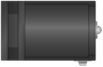
The DC Board Mount Plug is a connector designed for direct mounting on a circuit board. It is commonly used to establish a secure and reliable electrical connection for DC power supply in electronic devices. This component is widely utilized in applications such as power adapters, embedded systems, and consumer electronics. Its robust design ensures durability and consistent performance, making it a popular choice for powering low-voltage devices.
Explore Projects Built with DC Board Mount Plug
 Open Project in Cirkit Designer
 Open Project in Cirkit Designer
 Open Project in Cirkit Designer
 Open Project in Cirkit Designer
Explore Projects Built with DC Board Mount Plug
Open Project in Cirkit DesignerOpen Project in Cirkit DesignerOpen Project in Cirkit DesignerOpen Project in Cirkit DesignerCommon Applications:
- Power input for embedded systems and development boards
- Consumer electronics such as radios, routers, and small appliances
- Prototyping and DIY electronics projects
- Industrial control systems requiring DC power connections
Technical Specifications
Below are the key technical details of the DC Board Mount Plug:
| Parameter | Specification |
|---|---|
| Voltage Rating | 12V to 24V DC (typical) |
| Current Rating | Up to 5A |
| Connector Type | Barrel jack |
| Mounting Style | Through-hole or surface mount |
| Barrel Dimensions | Inner diameter: 2.1mm, Outer diameter: 5.5mm |
| Material | Metal contacts with plastic housing |
| Operating Temperature | -20°C to +70°C |
Pin Configuration and Descriptions
The DC Board Mount Plug typically has two pins for electrical connections:
| Pin | Description |
|---|---|
| Pin 1 | Positive terminal (V+) |
| Pin 2 | Negative terminal (Ground or V-) |
Note: Ensure proper polarity when connecting the plug to avoid damage to the circuit.
Usage Instructions
How to Use the DC Board Mount Plug in a Circuit
Mounting the Plug:
- For through-hole plugs, insert the pins into the corresponding holes on the PCB and solder them securely.
- For surface-mount plugs, align the plug with the PCB pads and solder it in place using appropriate soldering techniques.
Connecting Power:
- Connect the positive terminal of the DC power source to Pin 1 (V+).
- Connect the negative terminal of the DC power source to Pin 2 (Ground or V-).
- Verify the polarity of the connections before powering the circuit.
Testing the Connection:
- Use a multimeter to confirm that the voltage at the plug matches the expected input for your circuit.
- Ensure there are no short circuits between the pins.
Important Considerations and Best Practices
- Polarity Check: Always double-check the polarity of the DC power source before connecting it to the plug.
- Current Rating: Ensure the current drawn by your circuit does not exceed the plug's maximum current rating (5A).
- Soldering: Use high-quality solder and ensure proper solder joints to avoid loose connections.
- Strain Relief: If the plug is subject to frequent plugging and unplugging, consider using strain relief mechanisms to prevent damage to the PCB.
Example: Using the DC Board Mount Plug with an Arduino UNO
The DC Board Mount Plug can be used to power an Arduino UNO by connecting a 9V or 12V DC adapter. Below is an example of how to connect and test the setup:
// Example code to test power input via DC Board Mount Plug on Arduino UNO
// This code blinks the onboard LED to confirm the board is powered correctly.

void setup() {
  pinMode(LED_BUILTIN, OUTPUT); // Set the onboard LED pin as output
}

void loop() {
  digitalWrite(LED_BUILTIN, HIGH); // Turn the LED on
  delay(1000);                     // Wait for 1 second
  digitalWrite(LED_BUILTIN, LOW);  // Turn the LED off
  delay(1000);                     // Wait for 1 second
}
Note: Ensure the DC adapter voltage is within the Arduino UNO's input range (7-12V recommended).
Troubleshooting and FAQs
Common Issues and Solutions
No Power to the Circuit:
- Cause: Incorrect polarity or loose connections.
- Solution: Verify the polarity of the DC power source and ensure all connections are secure.
Overheating of the Plug:
- Cause: Excessive current draw beyond the plug's rating.
- Solution: Check the current requirements of your circuit and ensure they are within the plug's specifications.
Intermittent Power Loss:
- Cause: Poor solder joints or damaged plug.
- Solution: Inspect the solder joints and re-solder if necessary. Replace the plug if it is damaged.
Short Circuit Between Pins:
- Cause: Solder bridges or debris on the PCB.
- Solution: Inspect the PCB for solder bridges or debris and clean it thoroughly.
FAQs
Q: Can I use the DC Board Mount Plug for AC power?
A: No, the plug is designed specifically for DC power connections. Using it for AC power may result in damage or unsafe operation.
Q: What is the maximum voltage the plug can handle?
A: The plug is typically rated for up to 24V DC. Exceeding this voltage may damage the plug or connected devices.
Q: How do I choose the right barrel size for my application?
A: Check the specifications of your DC power adapter and ensure the barrel dimensions (inner and outer diameters) match the plug.
Q: Can I use this plug for high-power applications?
A: The plug is suitable for low to moderate power applications (up to 5A). For higher power requirements, consider using connectors with higher current ratings.
By following this documentation, you can effectively integrate the DC Board Mount Plug into your projects and ensure reliable performance.