Cirkit Designer LogoCirkit DesignerYour all-in-one circuit design IDE Launch Cirkit Designer App

How to Use Camera Module IMX307: Examples, Pinouts, and Specs

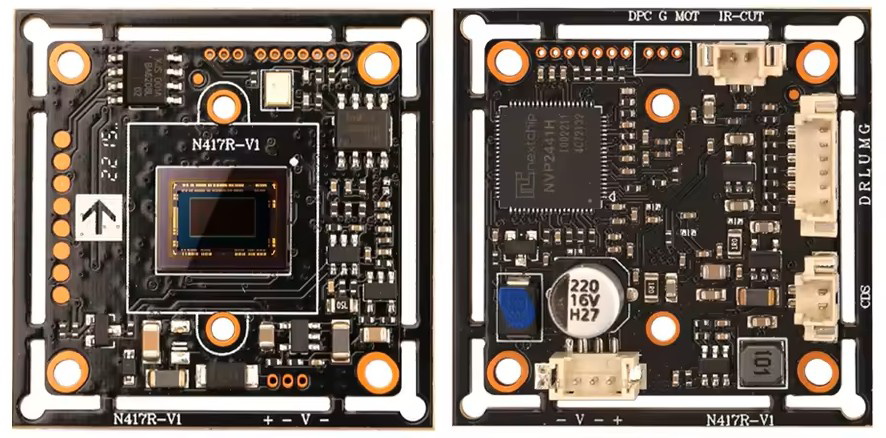
Image of Camera Module IMX307Design with Camera Module IMX307 in Cirkit Designer

Introduction

The IMX307 is a high-performance image sensor module designed for capturing high-quality images and videos, even in low-light conditions. It features a 1/2.8-inch optical format and a resolution of 2.1 megapixels, delivering sharp and detailed visuals. The module incorporates advanced technologies such as HDR (High Dynamic Range) imaging and low noise levels, ensuring excellent performance in challenging lighting environments.

Explore Projects Built with Camera Module IMX307

Use Cirkit Designer to design, explore, and prototype these projects online. Some projects support real-time simulation. Click "Open Project" to start designing instantly!
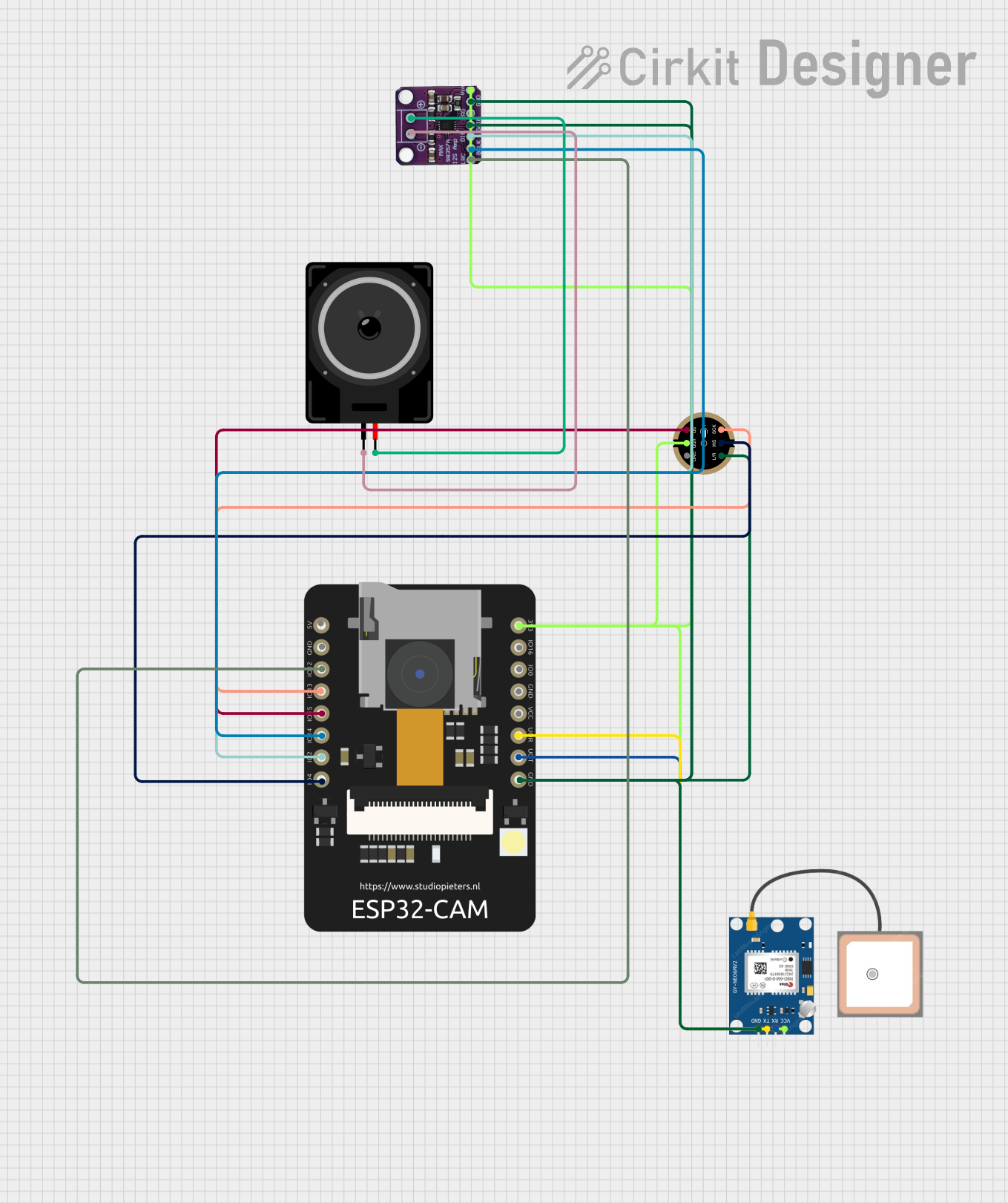
Image of ESP32 CAM-Based Audio-GPS Tracking System: A project utilizing Camera Module IMX307 in a practical application

ESP32 CAM-Based Audio-GPS Tracking System

This circuit features an ESP32 CAM microcontroller as the central processing unit, interfaced with a GPS NEO 6M module for location tracking, an INMP441 microphone for audio input, and a Max98357 audio amplifier connected to a loudspeaker for audio output. The ESP32 CAM facilitates communication with the GPS module via UART (RX/TX pins) and controls the microphone and audio amplifier through I2S (Inter-IC Sound) protocol using GPIO pins for clocking and data transfer. The circuit is designed for applications requiring audio-visual data capture with location tagging, such as surveillance or remote monitoring systems.

Open Project in Cirkit Designer
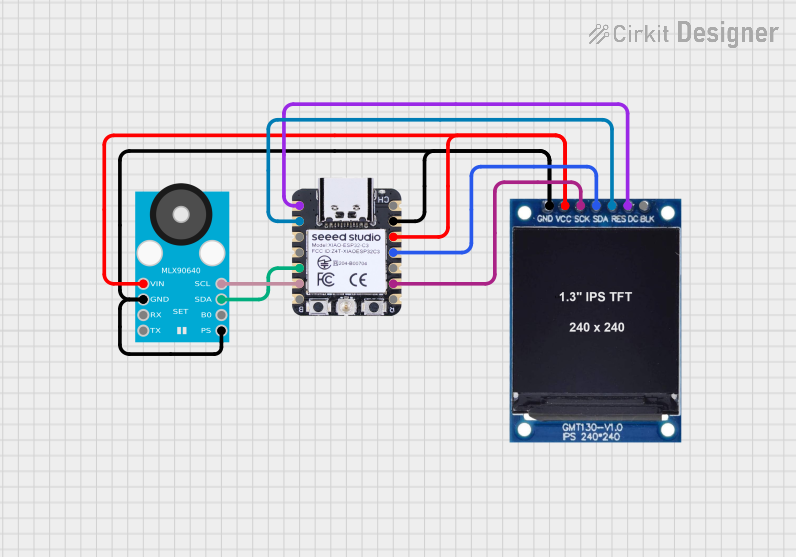
Image of ESP32C3-Based Thermal Imaging Camera with TFT Display: A project utilizing Camera Module IMX307 in a practical application
ESP32C3-Based Thermal Imaging Camera with TFT Display

This circuit connects a 1.3 inch TFT Module 240×240 ST7789 display, a GY-MCU90640 thermal camera module, and a XIAO ESP32C3 microcontroller to create a thermal imaging system. The ESP32C3 microcontroller is programmed to read temperature data from the thermal camera, process it, and display a visual representation of the temperature distribution on the TFT screen. The circuit is designed for applications requiring thermal monitoring, such as detecting heat sources or monitoring temperature variations in an environment.

Open Project in Cirkit Designer
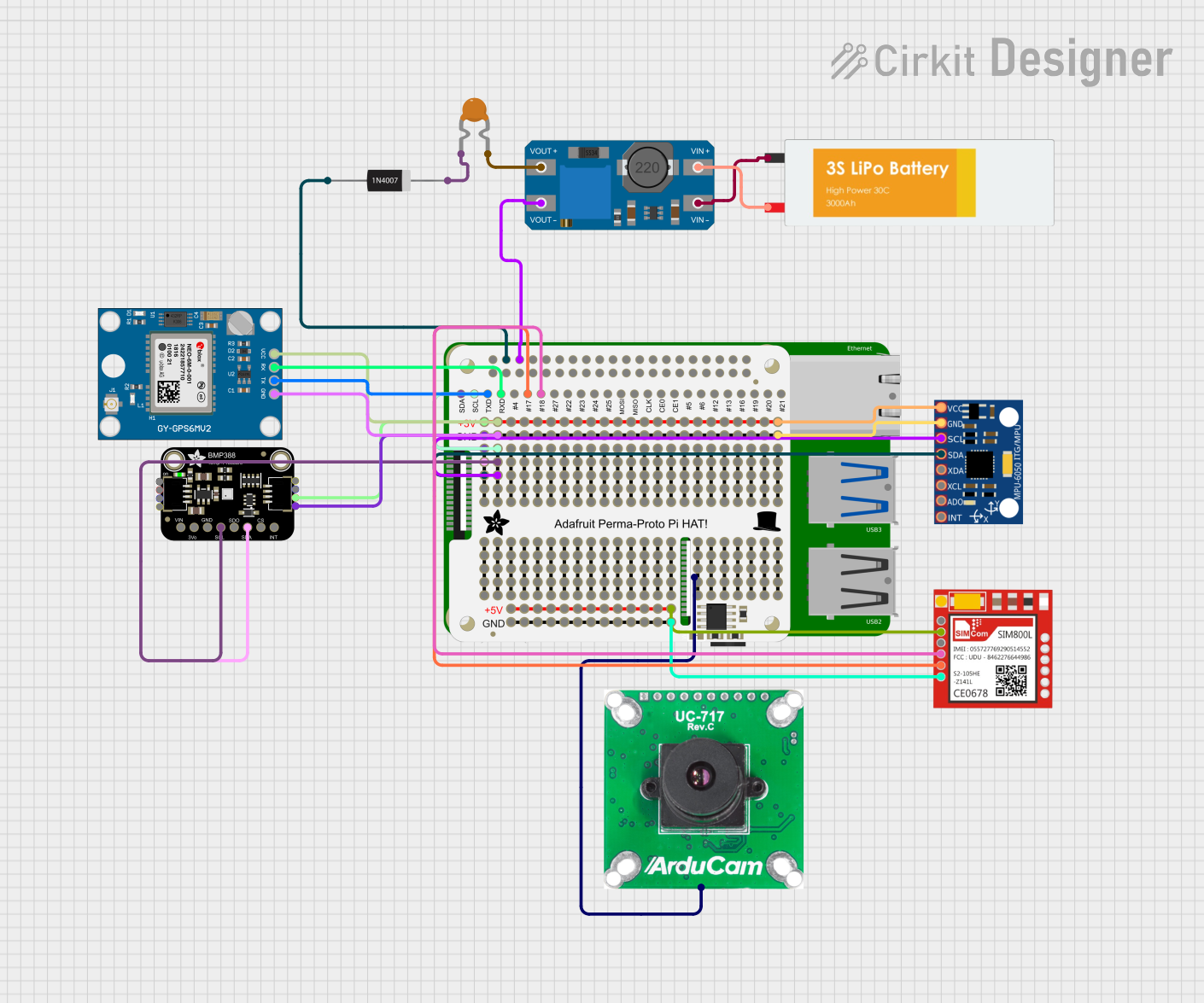
Image of Raspberry Pi 4B-Based Multi-Sensor Interface Hub with GPS and GSM: A project utilizing Camera Module IMX307 in a practical application
Raspberry Pi 4B-Based Multi-Sensor Interface Hub with GPS and GSM

This circuit features a Raspberry Pi 4B interfaced with an IMX296 color global shutter camera, a Neo 6M GPS module, an Adafruit BMP388 barometric pressure sensor, an MPU-6050 accelerometer/gyroscope, and a Sim800l GSM module for cellular connectivity. Power management is handled by an MT3608 boost converter, which steps up the voltage from a Lipo battery, with a resettable fuse PTC and a 1N4007 diode for protection. The Adafruit Perma-Proto HAT is used for organizing connections and interfacing the sensors and modules with the Raspberry Pi via I2C and GPIO pins.

Open Project in Cirkit Designer

Common Applications and Use Cases

Technical Specifications

Key Technical Details

Parameter Value
Optical Format 1/2.8 inch
Resolution 2.1 Megapixels (1920 x 1080)
Pixel Size 2.9 µm x 2.9 µm
Frame Rate Up to 60 fps (Full HD)
Dynamic Range High Dynamic Range (HDR)
Sensitivity Excellent low-light performance
Interface MIPI CSI-2
Supply Voltage 2.8V (Analog), 1.2V (Digital)
Operating Temperature -30°C to +85°C
Shutter Type Rolling Shutter

Pin Configuration and Descriptions

Pin Name Type Description
VDD_ANA Power Analog power supply (2.8V).
VDD_DIG Power Digital power supply (1.2V).
GND Ground Ground connection.
MIPI_D0+ Differential MIPI CSI-2 data lane 0 (positive).
MIPI_D0- Differential MIPI CSI-2 data lane 0 (negative).
MIPI_CLK+ Differential MIPI CSI-2 clock lane (positive).
MIPI_CLK- Differential MIPI CSI-2 clock lane (negative).
SDA I2C Data I2C data line for configuration.
SCL I2C Clock I2C clock line for configuration.
RESET Input Active-low reset signal.
PWDN Input Power-down control (active high).

Usage Instructions

How to Use the IMX307 in a Circuit

  1. Power Supply: Connect the analog power supply (2.8V) to the VDD_ANA pin and the digital power supply (1.2V) to the VDD_DIG pin. Ensure proper decoupling capacitors are used to minimize noise.
  2. Grounding: Connect all ground pins (GND) to a common ground plane to ensure stable operation.
  3. MIPI CSI-2 Interface: Connect the MIPI data and clock lanes (MIPI_D0+, MIPI_D0-, MIPI_CLK+, MIPI_CLK-) to the corresponding MIPI CSI-2 interface on your processor or microcontroller.
  4. I2C Configuration: Use the SDA and SCL pins to configure the sensor via I2C. The default I2C address is typically 0x34 (check the datasheet for confirmation).
  5. Reset and Power-Down: Use the RESET pin to initialize the sensor and the PWDN pin to control power-saving modes.

Important Considerations and Best Practices

Example: Connecting IMX307 to an Arduino UNO

The IMX307 requires a processor with a MIPI CSI-2 interface, which the Arduino UNO does not natively support. However, you can use an external MIPI-to-SPI or MIPI-to-parallel bridge to interface the IMX307 with the Arduino UNO. Below is an example of configuring the IMX307 via I2C using the Arduino Wire library:

#include <Wire.h>

#define IMX307_I2C_ADDRESS 0x34  // Default I2C address of the IMX307

void setup() {
  Wire.begin();  // Initialize I2C communication
  Serial.begin(9600);  // Start serial communication for debugging

  // Reset the IMX307
  pinMode(7, OUTPUT);  // Assume RESET pin is connected to Arduino pin 7
  digitalWrite(7, LOW);  // Hold RESET low
  delay(10);  // Wait for 10ms
  digitalWrite(7, HIGH);  // Release RESET
  delay(100);  // Wait for the sensor to initialize

  // Configure the IMX307 via I2C
  configureIMX307();
}

void loop() {
  // Main loop can include image capture or further configuration
}

void configureIMX307() {
  Wire.beginTransmission(IMX307_I2C_ADDRESS);
  // Example: Write to a hypothetical register (0x01) to enable HDR mode
  Wire.write(0x01);  // Register address
  Wire.write(0x01);  // Data to enable HDR
  Wire.endTransmission();

  Serial.println("IMX307 configured for HDR mode.");
}

Troubleshooting and FAQs

Common Issues and Solutions

  1. No Image Output:

    • Cause: Incorrect MIPI CSI-2 connection or configuration.
    • Solution: Verify the MIPI data and clock connections. Check the I2C configuration to ensure the sensor is initialized correctly.
  2. I2C Communication Failure:

    • Cause: Incorrect I2C address or wiring.
    • Solution: Confirm the I2C address of the IMX307 and ensure proper pull-up resistors are used on the SDA and SCL lines.
  3. Poor Image Quality:

    • Cause: Incorrect lens or improper gain settings.
    • Solution: Use a high-quality lens and adjust the gain and exposure settings via I2C.
  4. Overheating:

    • Cause: Prolonged operation in high-temperature environments.
    • Solution: Add a heat sink or improve ventilation around the module.

FAQs