
How to Use lithium: Examples, Pinouts, and Specs
 Design with lithium in Cirkit Designer
Introduction
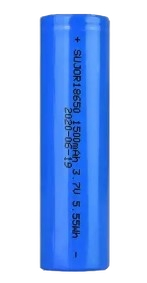
Lithium is a soft, silvery-white alkali metal that plays a critical role in modern electronics. It is primarily used in rechargeable lithium-ion batteries, which power a wide range of devices, including mobile phones, laptops, digital cameras, and electric vehicles. Lithium's high electrochemical potential and energy density make it an ideal material for energy storage applications. Beyond batteries, lithium is also used in specialized applications such as glass and ceramics manufacturing, lubricants, and even in some medical treatments.
Explore Projects Built with lithium
 Open Project in Cirkit Designer
 Open Project in Cirkit Designer
 Open Project in Cirkit Designer
 Open Project in Cirkit Designer
Explore Projects Built with lithium
Open Project in Cirkit DesignerOpen Project in Cirkit DesignerOpen Project in Cirkit DesignerOpen Project in Cirkit DesignerTechnical Specifications
Lithium, as a raw material, is not used directly in circuits but is a key component in lithium-ion batteries. Below are the typical specifications for lithium-ion battery cells, which utilize lithium as a core material:
General Specifications for Lithium-Ion Battery Cells
| Parameter | Value |
|---|---|
| Nominal Voltage | 3.6V to 3.7V |
| Maximum Voltage | 4.2V |
| Minimum Discharge Voltage | 2.5V to 3.0V |
| Capacity Range | 500mAh to 5000mAh (varies by type) |
| Energy Density | 150-250 Wh/kg |
| Operating Temperature | -20°C to 60°C |
| Cycle Life | 300 to 1000 cycles |
Pin Configuration and Descriptions
Lithium-ion battery cells typically have two terminals: positive and negative. Some battery packs may include additional pins for monitoring and protection circuitry.
| Pin Name | Description |
|---|---|
| Positive (+) | The positive terminal (cathode) of the battery. Supplies power to the circuit. |
| Negative (-) | The negative terminal (anode) of the battery. Completes the circuit. |
| BMS Pins (optional) | Pins for Battery Management System (BMS) to monitor voltage, temperature, and current. |
Usage Instructions
Lithium-ion batteries, which rely on lithium, are widely used in electronic circuits. Below are the steps and considerations for using lithium-ion batteries safely and effectively:
How to Use Lithium-Ion Batteries in a Circuit
- Choose the Right Battery: Select a lithium-ion battery with the appropriate voltage and capacity for your application.
- Connect the Terminals:
- Connect the positive terminal of the battery to the positive rail of your circuit.
- Connect the negative terminal to the ground (GND) of your circuit.
- Use a Battery Management System (BMS):
- A BMS is essential to prevent overcharging, over-discharging, and overheating.
- Many lithium-ion battery packs come with an integrated BMS.
- Charging the Battery:
- Use a dedicated lithium-ion battery charger with constant current (CC) and constant voltage (CV) charging modes.
- Ensure the charging voltage does not exceed 4.2V per cell.
- Monitor Temperature: Avoid using the battery in environments exceeding its operating temperature range (-20°C to 60°C).
Important Considerations and Best Practices
- Avoid Short Circuits: Lithium-ion batteries can deliver high currents, which may cause overheating or fire in case of a short circuit.
- Do Not Overcharge or Overdischarge: Overcharging can lead to thermal runaway, while overdischarging can permanently damage the battery.
- Store Safely: Store batteries in a cool, dry place away from flammable materials.
- Recycle Properly: Dispose of used lithium-ion batteries at designated recycling centers to prevent environmental harm.
Example: Using a Lithium-Ion Battery with Arduino UNO
Below is an example of powering an Arduino UNO using a lithium-ion battery and monitoring its voltage:
// Example: Monitor lithium-ion battery voltage with Arduino UNO
const int batteryPin = A0; // Analog pin connected to battery voltage divider
const float voltageDividerRatio = 2.0; // Adjust based on your resistor values
const float referenceVoltage = 5.0; // Arduino UNO reference voltage (5V)

void setup() {
  Serial.begin(9600); // Initialize serial communication
}

void loop() {
  int rawValue = analogRead(batteryPin); // Read analog value from battery pin
  float batteryVoltage = (rawValue / 1023.0) * referenceVoltage * voltageDividerRatio;

  // Print the battery voltage to the Serial Monitor
  Serial.print("Battery Voltage: ");
  Serial.print(batteryVoltage);
  Serial.println(" V");

  delay(1000); // Wait for 1 second before the next reading
}
Note: Use a voltage divider circuit to step down the battery voltage to a safe level for the Arduino's analog input (0-5V). Select resistor values carefully to match the voltage divider ratio.
Troubleshooting and FAQs
Common Issues and Solutions
Battery Not Charging:
- Cause: Faulty charger or damaged battery.
- Solution: Verify the charger output voltage and current. Replace the battery if necessary.
Battery Overheating:
- Cause: Overcharging, high current draw, or environmental factors.
- Solution: Use a BMS and ensure proper ventilation. Avoid exceeding the battery's rated current.
Low Battery Life:
- Cause: Frequent deep discharges or aging.
- Solution: Avoid discharging below the minimum voltage. Replace old batteries.
Arduino Not Powering On:
- Cause: Insufficient battery voltage or incorrect connections.
- Solution: Check the battery voltage and ensure proper wiring.
FAQs
Q1: Can I use a lithium-ion battery without a BMS?
A1: It is not recommended. A BMS protects the battery from overcharging, overdischarging, and overheating, ensuring safe operation.
Q2: How do I calculate the runtime of a lithium-ion battery?
A2: Use the formula:
Runtime (hours) = Battery Capacity (mAh) / Load Current (mA)
Q3: Can I charge a lithium-ion battery with a standard power supply?
A3: No, you must use a dedicated lithium-ion battery charger with CC and CV modes to ensure safe charging.
Q4: What happens if I overdischarge a lithium-ion battery?
A4: Overdischarging can cause irreversible damage to the battery, reducing its capacity and lifespan.
By following the guidelines and best practices outlined in this documentation, you can safely and effectively use lithium-ion batteries in your projects.