
How to Use ESP32: Examples, Pinouts, and Specs
 Design with ESP32 in Cirkit Designer
Introduction
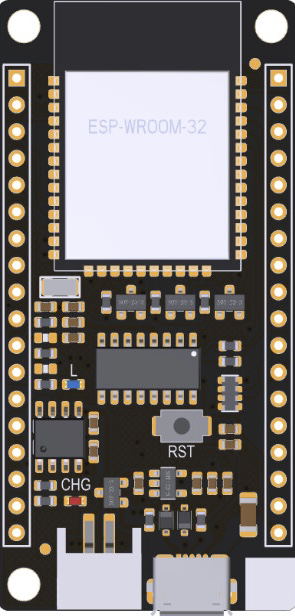
The ESP32, manufactured by Espressif, is a powerful microcontroller module with integrated Wi-Fi and Bluetooth capabilities. The specific model, WROOM-32D, is designed for high-performance IoT applications, offering robust wireless connectivity and versatile functionality. Its dual-core processor, low power consumption, and extensive peripheral support make it a popular choice for developers working on smart devices, home automation, wearables, and industrial IoT systems.
Explore Projects Built with ESP32
 Open Project in Cirkit Designer
 Open Project in Cirkit Designer
 Open Project in Cirkit Designer
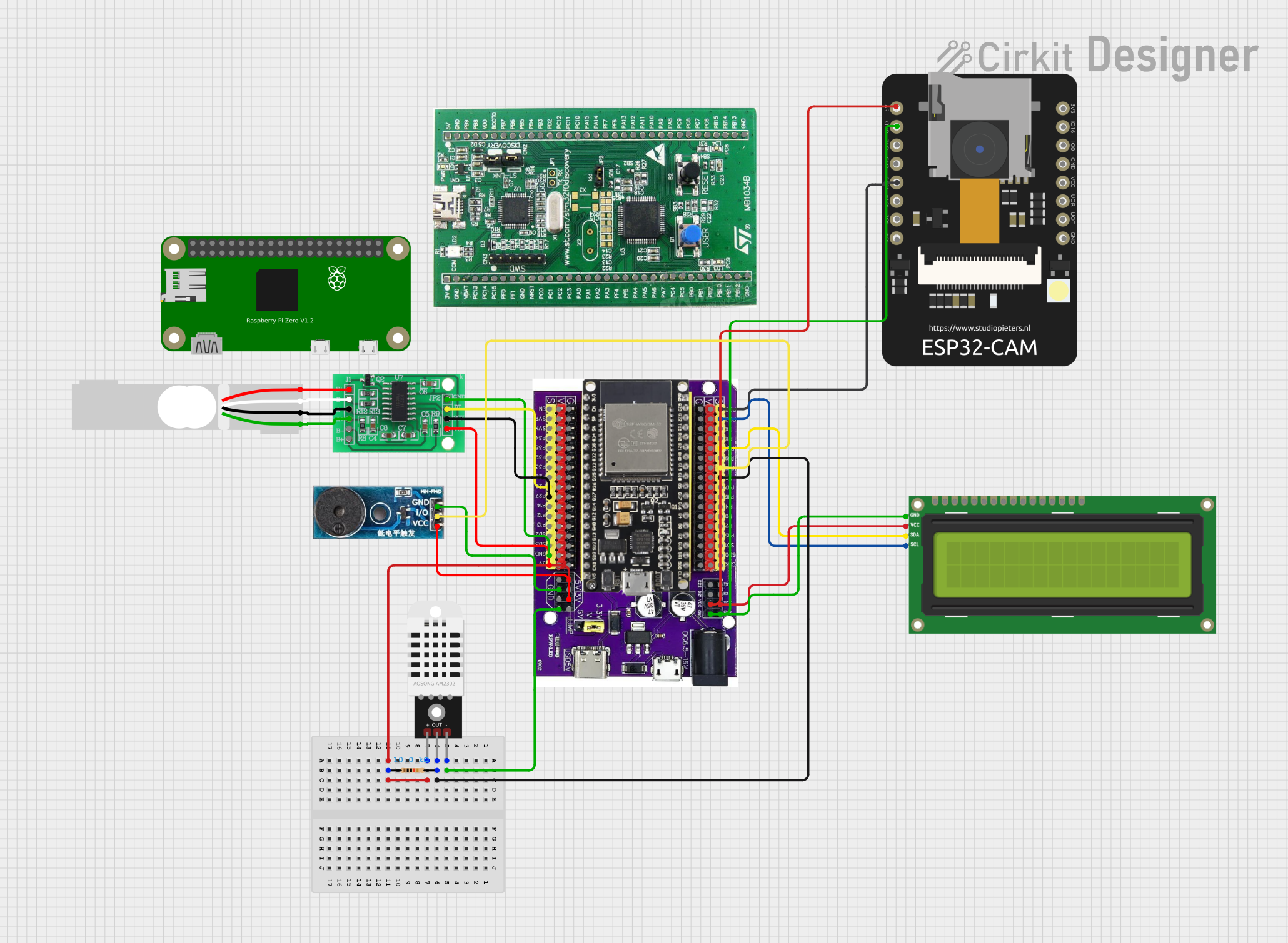 Open Project in Cirkit Designer
Explore Projects Built with ESP32
Open Project in Cirkit DesignerOpen Project in Cirkit DesignerOpen Project in Cirkit DesignerOpen Project in Cirkit DesignerCommon Applications and Use Cases
- IoT Devices: Smart home systems, environmental monitoring, and connected appliances.
- Wearables: Fitness trackers and health monitoring devices.
- Industrial Automation: Wireless sensor networks and machine-to-machine communication.
- Prototyping: Rapid development of wireless-enabled projects.
- Robotics: Remote-controlled robots and drones.
Technical Specifications
The ESP32 WROOM-32D module is packed with features that make it suitable for a wide range of applications. Below are its key technical details:
Key Technical Details
- Processor: Dual-core Xtensa® 32-bit LX6 microprocessor, up to 240 MHz.
- Wireless Connectivity:
- Wi-Fi: 802.11 b/g/n (2.4 GHz).
- Bluetooth: v4.2 BR/EDR and BLE.
- Flash Memory: 4 MB (external SPI flash).
- RAM: 520 KB SRAM.
- Operating Voltage: 3.0V to 3.6V.
- I/O Pins: 34 GPIO pins, configurable for various functions.
- ADC: 12-bit, up to 18 channels.
- DAC: 2 channels, 8-bit resolution.
- Communication Interfaces: UART, SPI, I2C, I2S, CAN, PWM.
- Power Consumption:
- Active mode: ~160 mA.
- Deep sleep mode: ~10 µA.
- Operating Temperature: -40°C to 85°C.
Pin Configuration and Descriptions
The ESP32 WROOM-32D module has 38 pins. Below is a table summarizing the key pin functions:
| Pin Number | Pin Name | Description |
|---|---|---|
| 1 | EN | Enable pin. Active high. Resets the chip when pulled low. |
| 2 | IO0 | GPIO0. Used to enter bootloader mode during programming. |
| 3 | IO2 | GPIO2. General-purpose I/O pin. |
| 4 | IO4 | GPIO4. General-purpose I/O pin. |
| 5 | IO5 | GPIO5. General-purpose I/O pin. |
| 6 | IO12 | GPIO12. Can be used as an ADC or touch sensor input. |
| 7 | IO13 | GPIO13. Can be used as an ADC or touch sensor input. |
| 8 | IO14 | GPIO14. Can be used as an ADC or touch sensor input. |
| 9 | IO15 | GPIO15. Can be used as an ADC or touch sensor input. |
| 10 | IO16 | GPIO16. General-purpose I/O pin. |
| 11 | IO17 | GPIO17. General-purpose I/O pin. |
| 12 | IO18 | GPIO18. SPI clock pin (SCK). |
| 13 | IO19 | GPIO19. SPI data pin (MISO). |
| 14 | IO21 | GPIO21. I2C data pin (SDA). |
| 15 | IO22 | GPIO22. I2C clock pin (SCL). |
| 16 | IO23 | GPIO23. SPI data pin (MOSI). |
| 17 | GND | Ground. |
| 18 | 3V3 | 3.3V power supply input. |
For a complete pinout, refer to the official Espressif datasheet.
Usage Instructions
The ESP32 WROOM-32D is versatile and can be used in a variety of circuits. Below are the steps and best practices for using the module effectively.
How to Use the ESP32 in a Circuit
- Power Supply: Provide a stable 3.3V power supply to the
3V3pin. Avoid exceeding 3.6V to prevent damage. - Boot Mode: To upload code, connect GPIO0 to GND and reset the module. After uploading, disconnect GPIO0 from GND.
- Programming: Use a USB-to-serial adapter to connect the ESP32 to your computer. Common baud rates are 115200 or 9600.
- Peripherals: Connect sensors, actuators, or other devices to the GPIO pins. Use appropriate pull-up or pull-down resistors if required.
- Wi-Fi and Bluetooth: Configure wireless settings in your code to enable connectivity.
Important Considerations and Best Practices
- Voltage Levels: Ensure all connected devices operate at 3.3V logic levels. Use level shifters if interfacing with 5V devices.
- Heat Management: The ESP32 can get warm during operation. Ensure proper ventilation or heat dissipation in your design.
- Antenna Placement: Avoid placing metal objects near the onboard antenna to maintain optimal wireless performance.
- Deep Sleep Mode: Use deep sleep mode to conserve power in battery-operated projects.
Example Code for Arduino UNO Integration
Below is an example of how to use the ESP32 with the Arduino IDE to connect to a Wi-Fi network:
#include <WiFi.h> // Include the Wi-Fi library

// Replace with your network credentials
const char* ssid = "Your_SSID";
const char* password = "Your_PASSWORD";

void setup() {
  Serial.begin(115200); // Initialize serial communication
  delay(1000); // Wait for serial monitor to initialize

  Serial.println("Connecting to Wi-Fi...");
  WiFi.begin(ssid, password); // Start Wi-Fi connection

  while (WiFi.status() != WL_CONNECTED) {
    delay(500); // Wait for connection
    Serial.print(".");
  }

  Serial.println("\nConnected to Wi-Fi!");
  Serial.print("IP Address: ");
  Serial.println(WiFi.localIP()); // Print the assigned IP address
}

void loop() {
  // Add your main code here
}
Troubleshooting and FAQs
Common Issues and Solutions
ESP32 Not Connecting to Wi-Fi:
- Ensure the SSID and password are correct.
- Check for interference or weak signal strength.
- Verify that the router supports 2.4 GHz Wi-Fi (ESP32 does not support 5 GHz).
Code Upload Fails:
- Ensure GPIO0 is connected to GND during programming.
- Check the USB-to-serial adapter connection and drivers.
- Use the correct COM port in the Arduino IDE.
Module Overheating:
- Reduce the operating frequency if possible.
- Ensure proper ventilation or add a heatsink.
Unstable Operation:
- Use a decoupling capacitor (e.g., 10 µF) near the power pins.
- Verify that the power supply provides sufficient current (at least 500 mA).
FAQs
Q: Can the ESP32 operate on battery power?
- A: Yes, the ESP32 can operate on battery power. Use a 3.7V LiPo battery with a voltage regulator to provide 3.3V.
Q: How do I reset the ESP32?
- A: Pull the EN pin low momentarily to reset the module.
Q: Can I use the ESP32 with 5V logic devices?
- A: No, the ESP32 operates at 3.3V logic levels. Use level shifters for 5V devices.
Q: Does the ESP32 support OTA updates?
- A: Yes, the ESP32 supports Over-The-Air (OTA) updates for firmware.
This documentation provides a comprehensive guide to using the ESP32 WROOM-32D module effectively. For further details, refer to the official Espressif documentation.