
How to Use Serial WiFi Module: Examples, Pinouts, and Specs
 Design with Serial WiFi Module in Cirkit Designer
Introduction
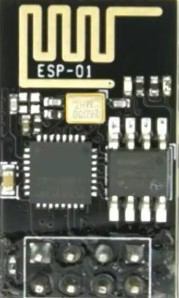
A Serial WiFi Module enables wireless communication in devices by connecting to WiFi networks, allowing for data transmission and reception over the internet. It is commonly used in IoT (Internet of Things) applications, home automation, and wireless data logging. The module typically interfaces with microcontrollers via serial communication protocols such as UART, making it easy to integrate into embedded systems.
Explore Projects Built with Serial WiFi Module
 Open Project in Cirkit Designer
 Open Project in Cirkit Designer
 Open Project in Cirkit Designer
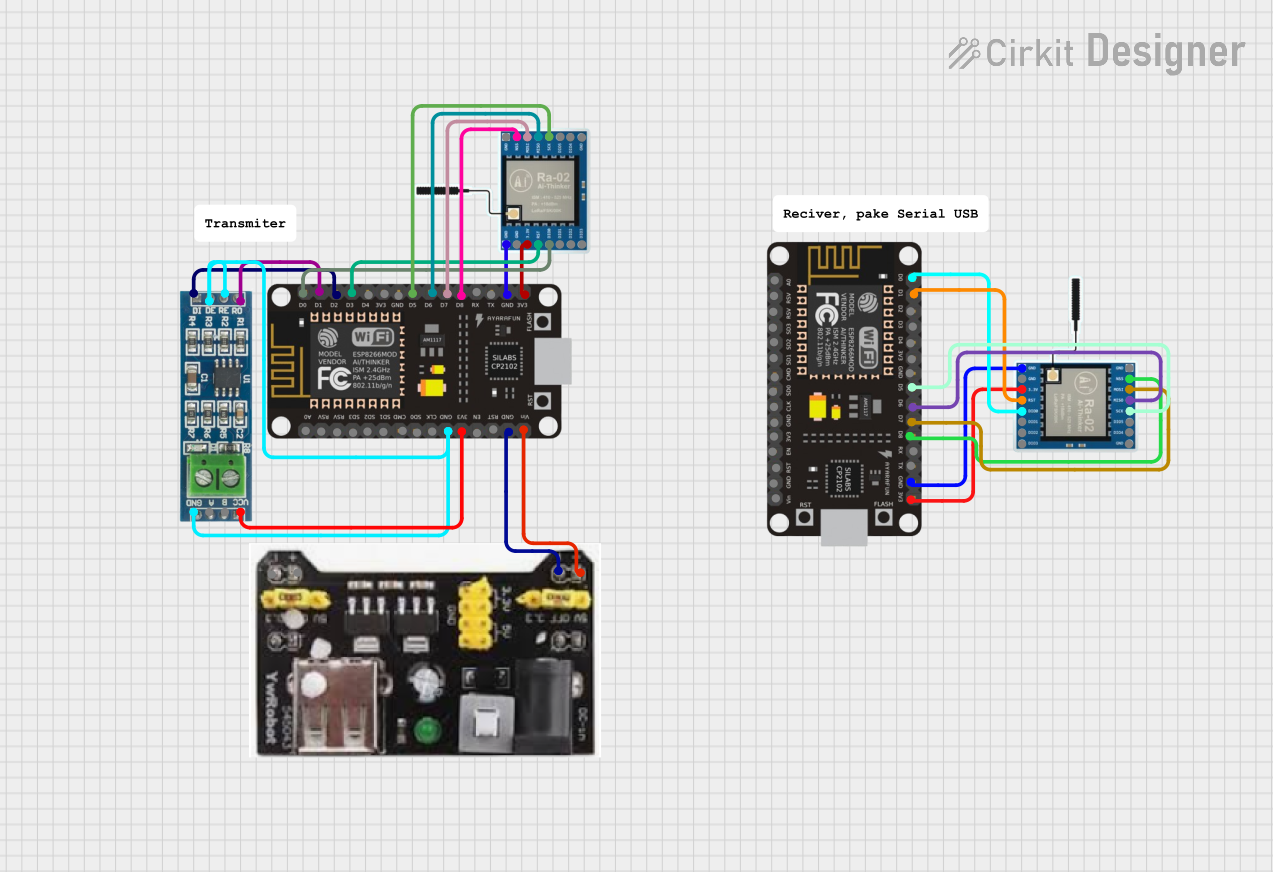 Open Project in Cirkit Designer
Explore Projects Built with Serial WiFi Module
Open Project in Cirkit DesignerOpen Project in Cirkit DesignerOpen Project in Cirkit DesignerOpen Project in Cirkit DesignerCommon Applications and Use Cases
- IoT devices for remote monitoring and control
- Home automation systems
- Wireless data logging and telemetry
- Smart appliances
- Industrial automation and monitoring
- Wireless sensor networks
Technical Specifications
Below are the general technical specifications for a typical Serial WiFi Module (e.g., ESP8266-based modules):
| Parameter | Value |
|---|---|
| Operating Voltage | 3.0V - 3.6V |
| Communication Protocol | UART (Serial) |
| WiFi Standard | IEEE 802.11 b/g/n |
| Frequency Band | 2.4 GHz |
| Data Rate | Up to 72.2 Mbps |
| Power Consumption | 15 µA (Deep Sleep), ~70 mA (Active TX/RX) |
| Operating Temperature | -40°C to 125°C |
| Flash Memory | 512 KB to 4 MB (varies by model) |
Pin Configuration and Descriptions
The pinout for a typical Serial WiFi Module (e.g., ESP8266) is as follows:
| Pin Name | Description |
|---|---|
| VCC | Power supply input (3.3V) |
| GND | Ground |
| TX | UART Transmit pin (connects to RX of microcontroller) |
| RX | UART Receive pin (connects to TX of microcontroller) |
| CH_PD/EN | Chip enable (active HIGH, connect to 3.3V) |
| GPIO0 | General-purpose I/O pin, also used for boot mode |
| GPIO2 | General-purpose I/O pin |
| RST | Reset pin (active LOW) |
Note: Ensure the module is powered with 3.3V. Supplying higher voltages (e.g., 5V) can damage the module.
Usage Instructions
How to Use the Component in a Circuit
- Power Supply: Connect the VCC pin to a 3.3V power source and GND to ground.
- Serial Communication: Connect the TX pin of the module to the RX pin of the microcontroller and the RX pin of the module to the TX pin of the microcontroller.
- Enable Pin: Connect the CH_PD/EN pin to 3.3V to enable the module.
- Reset: Optionally, connect the RST pin to a push-button for manual resets.
- Boot Mode: For programming, GPIO0 may need to be pulled LOW during reset.
Important Considerations and Best Practices
- Use a level shifter or voltage divider if your microcontroller operates at 5V logic levels to avoid damaging the module.
- Ensure a stable power supply with sufficient current (at least 300 mA) to avoid unexpected resets.
- Use decoupling capacitors (e.g., 10 µF and 0.1 µF) near the VCC pin to filter noise.
- Place the module away from sources of electromagnetic interference (EMI) for optimal WiFi performance.
Example: Connecting to an Arduino UNO
Below is an example of how to use a Serial WiFi Module with an Arduino UNO to connect to a WiFi network and send data to a server.
Circuit Diagram
- Connect the module's TX pin to Arduino's RX (pin 0).
- Connect the module's RX pin to Arduino's TX (pin 1) through a voltage divider.
- Connect VCC to 3.3V and GND to ground.
- Connect CH_PD/EN to 3.3V.
Arduino Code
#include <SoftwareSerial.h>

// Define RX and TX pins for software serial communication
SoftwareSerial wifi(2, 3); // RX = pin 2, TX = pin 3

void setup() {
  Serial.begin(9600); // Start serial communication with the PC
  wifi.begin(9600);   // Start serial communication with the WiFi module

  Serial.println("Initializing WiFi Module...");
  wifi.println("AT"); // Send AT command to check communication
  delay(1000);

  // Connect to WiFi network
  wifi.println("AT+CWJAP=\"YourSSID\",\"YourPassword\"");
  delay(5000); // Wait for connection to establish

  Serial.println("WiFi Module Initialized.");
}

void loop() {
  // Send data to a server
  wifi.println("AT+CIPSTART=\"TCP\",\"example.com\",80"); // Connect to server
  delay(2000);

  wifi.println("AT+CIPSEND=18"); // Specify data length
  delay(1000);

  wifi.println("GET / HTTP/1.1"); // Send HTTP GET request
  wifi.println("Host: example.com");
  wifi.println();
  delay(2000);

  // Read response from the server
  while (wifi.available()) {
    char c = wifi.read();
    Serial.print(c);
  }
}
Note: Replace
YourSSIDandYourPasswordwith your WiFi network credentials. Replaceexample.comwith the server address you want to connect to.
Troubleshooting and FAQs
Common Issues and Solutions
Module Not Responding to AT Commands
- Ensure the module is powered with 3.3V and the CH_PD/EN pin is connected to 3.3V.
- Check the serial communication baud rate. Some modules default to 115200 baud.
WiFi Connection Fails
- Verify the SSID and password are correct.
- Ensure the WiFi network is within range and supports 2.4 GHz.
Frequent Resets or Unstable Operation
- Check the power supply for sufficient current and stability.
- Add decoupling capacitors near the module's VCC pin.
No Data Received from Server
- Verify the server address and port are correct.
- Check the server's firewall or access restrictions.
FAQs
Q: Can I use the module with a 5V microcontroller?
A: Yes, but you must use a level shifter or voltage divider for the RX pin to avoid damage.
Q: How do I update the firmware of the module?
A: Use a USB-to-serial adapter and the manufacturer's firmware update tool. Follow the specific instructions for your module.
Q: Can the module operate in standalone mode?
A: Yes, some modules (e.g., ESP8266) can be programmed directly using the Arduino IDE or other tools to operate without an external microcontroller.