
How to Use Smart BMS CL 12/100: Examples, Pinouts, and Specs
 Design with Smart BMS CL 12/100 in Cirkit Designer
Introduction
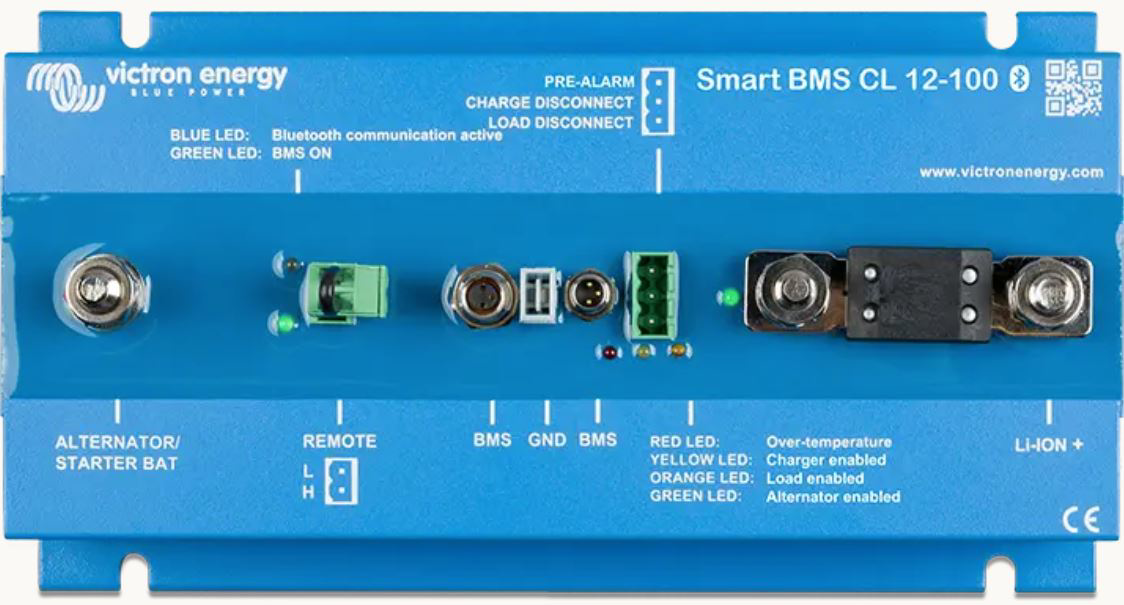
The Smart BMS CL 12/100 (Manufacturer Part ID: BMS110022000) by Victron is a sophisticated Battery Management System (BMS) designed for 12V lithium battery packs. It provides advanced monitoring, protection, and management features to ensure the safe and efficient operation of lithium batteries. This BMS is particularly suited for LiFePO4 (Lithium Iron Phosphate) batteries and is equipped with Bluetooth connectivity for real-time monitoring and configuration via the VictronConnect app.
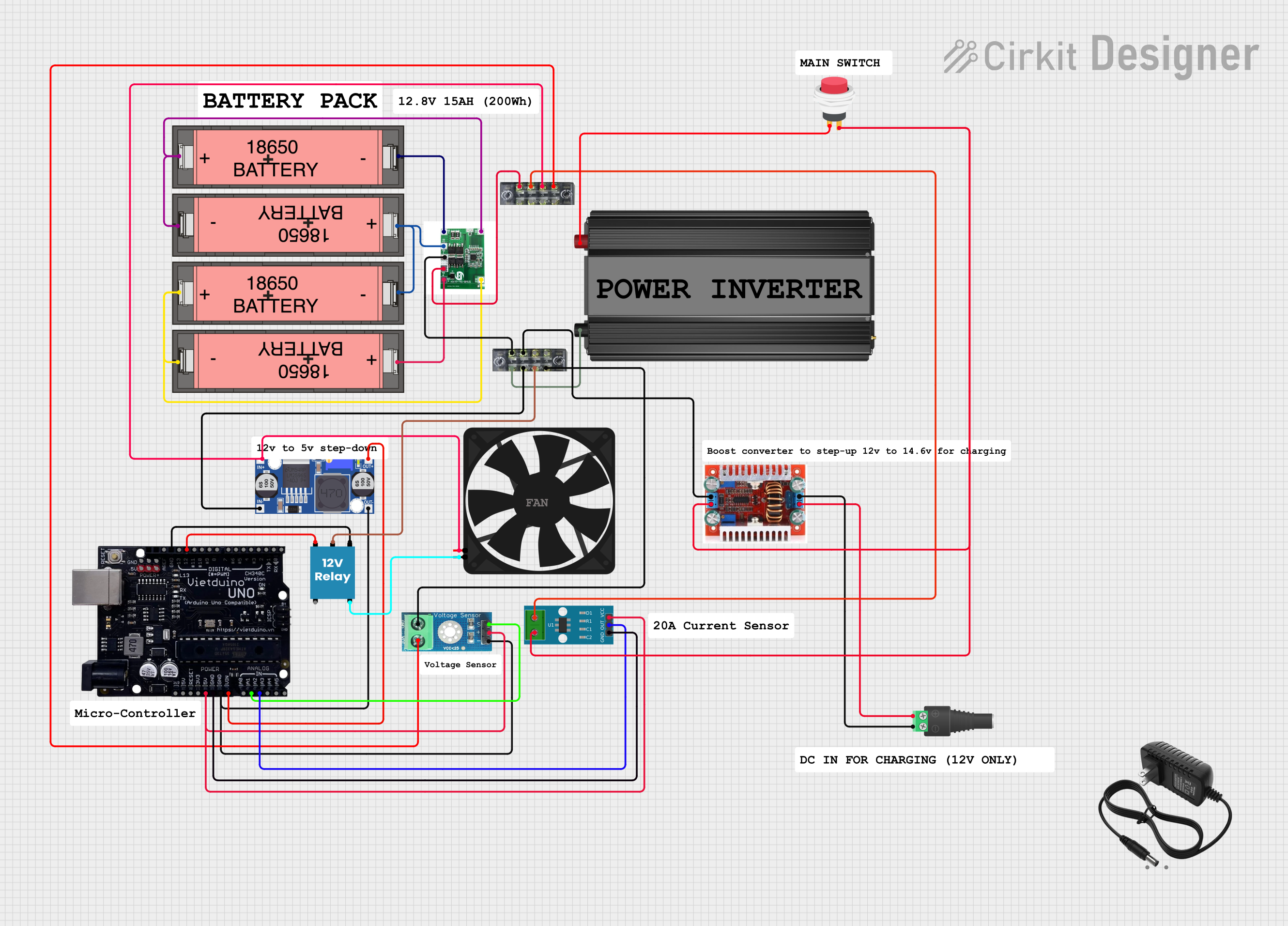
Explore Projects Built with Smart BMS CL 12/100
 Open Project in Cirkit Designer
 Open Project in Cirkit Designer
 Open Project in Cirkit Designer
 Open Project in Cirkit Designer
Explore Projects Built with Smart BMS CL 12/100
Open Project in Cirkit DesignerOpen Project in Cirkit DesignerOpen Project in Cirkit DesignerOpen Project in Cirkit DesignerCommon Applications and Use Cases
- Renewable Energy Systems: Solar, wind, and hybrid energy storage systems.
- Marine Applications: Power management for boats and yachts.
- Off-Grid Systems: Backup power and off-grid energy storage.
- Electric Vehicles (EVs): Battery monitoring and protection for EVs.
- Industrial Applications: Power systems requiring reliable lithium battery management.
Technical Specifications
Key Technical Details
| Parameter | Value |
|---|---|
| Battery Voltage | 12V nominal (LiFePO4 compatible) |
| Maximum Continuous Current | 100A |
| Peak Current | 200A (for 30 seconds) |
| Operating Voltage Range | 9V to 16V |
| Bluetooth Connectivity | Yes (via VictronConnect app) |
| Operating Temperature | -40°C to +60°C |
| Dimensions | 105 x 78 x 32 mm |
| Weight | 0.3 kg |
Pin Configuration and Descriptions
The Smart BMS CL 12/100 features multiple connection terminals for battery management, load, and charging. Below is the pin configuration:
| Pin/Terminal | Label | Description |
|---|---|---|
| 1 | B+ | Positive terminal for the battery connection. |
| 2 | B- | Negative terminal for the battery connection. |
| 3 | LOAD+ | Positive terminal for the load connection. |
| 4 | LOAD- | Negative terminal for the load connection. |
| 5 | CHARGE+ | Positive terminal for the charger connection. |
| 6 | CHARGE- | Negative terminal for the charger connection. |
| 7 | VE.Direct | Communication port for Victron devices and monitoring systems. |
| 8 | Bluetooth | Wireless communication for configuration and monitoring via VictronConnect app. |
Usage Instructions
How to Use the Component in a Circuit
Battery Connection:
- Connect the B+ and B- terminals to the positive and negative terminals of the lithium battery pack, respectively.
- Ensure the connections are secure and polarity is correct to avoid damage.
Load Connection:
- Connect the LOAD+ and LOAD- terminals to the positive and negative terminals of the load (e.g., inverter, DC appliances).
- The BMS will manage the load to prevent over-discharge of the battery.
Charger Connection:
- Connect the CHARGE+ and CHARGE- terminals to the positive and negative terminals of the charger.
- The BMS will regulate charging to prevent overcharging of the battery.
Bluetooth Configuration:
- Download the VictronConnect app on your smartphone or tablet.
- Pair the BMS with your device via Bluetooth to monitor battery status, configure settings, and view real-time data.
VE.Direct Communication:
- Use the VE.Direct port to connect the BMS to other Victron devices or monitoring systems for enhanced functionality.
Important Considerations and Best Practices
- Battery Compatibility: Ensure the BMS is used with 12V lithium battery packs, specifically LiFePO4 chemistry.
- Wiring: Use appropriately rated cables for the current and voltage to prevent overheating or voltage drops.
- Ventilation: Install the BMS in a well-ventilated area to avoid overheating during operation.
- Firmware Updates: Regularly check for firmware updates via the VictronConnect app to ensure optimal performance.
- Safety: Avoid short circuits and ensure all connections are insulated to prevent accidental damage.
Arduino UNO Integration Example
While the Smart BMS CL 12/100 is not directly designed for Arduino integration, you can use the VE.Direct port to interface with an Arduino for custom monitoring. Below is an example of how to read data from the VE.Direct port using an Arduino:
#include <SoftwareSerial.h>

// Define RX and TX pins for VE.Direct communication
SoftwareSerial veDirect(10, 11); // RX = pin 10, TX = pin 11

void setup() {
  Serial.begin(9600); // Initialize Serial Monitor
  veDirect.begin(19200); // Initialize VE.Direct communication at 19200 baud
  Serial.println("Smart BMS VE.Direct Communication Initialized");
}

void loop() {
  // Check if data is available from VE.Direct
  if (veDirect.available()) {
    String data = "";
    while (veDirect.available()) {
      char c = veDirect.read();
      data += c; // Read and store incoming data
    }
    Serial.println("Received Data: " + data); // Print data to Serial Monitor
  }
}
Note: Ensure the VE.Direct port is properly connected to the Arduino using a compatible interface circuit. Refer to Victron's documentation for VE.Direct protocol details.
Troubleshooting and FAQs
Common Issues and Solutions
| Issue | Possible Cause | Solution |
|---|---|---|
| BMS does not power on | Incorrect wiring or loose connections | Verify all connections and ensure correct polarity. |
| Bluetooth not connecting | Device not in range or pairing issue | Ensure the BMS is within Bluetooth range and restart the VictronConnect app. |
| Battery not charging | Charger not connected or configuration issue | Check charger connections and verify settings in the VictronConnect app. |
| Load disconnects unexpectedly | Battery over-discharge protection triggered | Recharge the battery and check load current requirements. |
| VE.Direct communication not working | Incorrect wiring or baud rate mismatch | Verify VE.Direct connections and ensure the baud rate is set to 19200. |
FAQs
Can I use this BMS with other battery chemistries?
- No, the Smart BMS CL 12/100 is specifically designed for 12V LiFePO4 batteries.
What is the maximum Bluetooth range?
- The Bluetooth range is approximately 10 meters in open space.
Does the BMS support multiple battery packs in parallel?
- Yes, but ensure all battery packs are identical and properly balanced before connecting.
How do I update the firmware?
- Use the VictronConnect app to check for and install firmware updates via Bluetooth.
Can I use this BMS in extreme temperatures?
- Yes, the operating temperature range is -40°C to +60°C, but ensure proper ventilation for optimal performance.