
How to Use BTS 7960 Motor Drver 43a: Examples, Pinouts, and Specs
 Design with BTS 7960 Motor Drver 43a in Cirkit Designer
Introduction
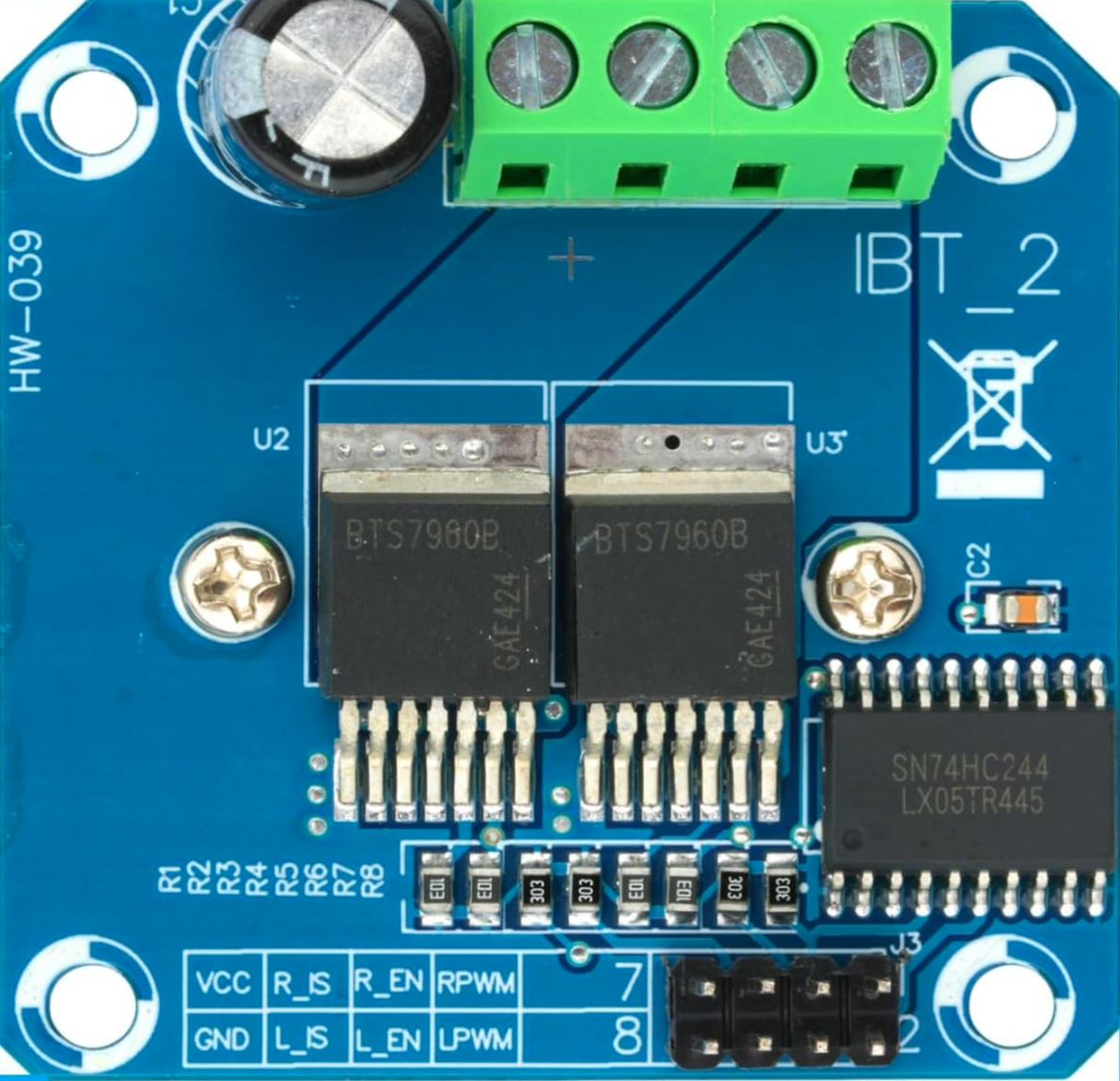
The BTS 7960 Motor Driver, manufactured by Infineon Technologies (Part ID: B0D732VYGZ), is a high-current motor driver designed for controlling DC motors with a maximum continuous current of 43A. This robust H-bridge driver integrates advanced protection features, including overcurrent and thermal overload safeguards, making it ideal for high-power motor control applications.
Explore Projects Built with BTS 7960 Motor Drver 43a
 Open Project in Cirkit Designer
 Open Project in Cirkit Designer
 Open Project in Cirkit Designer
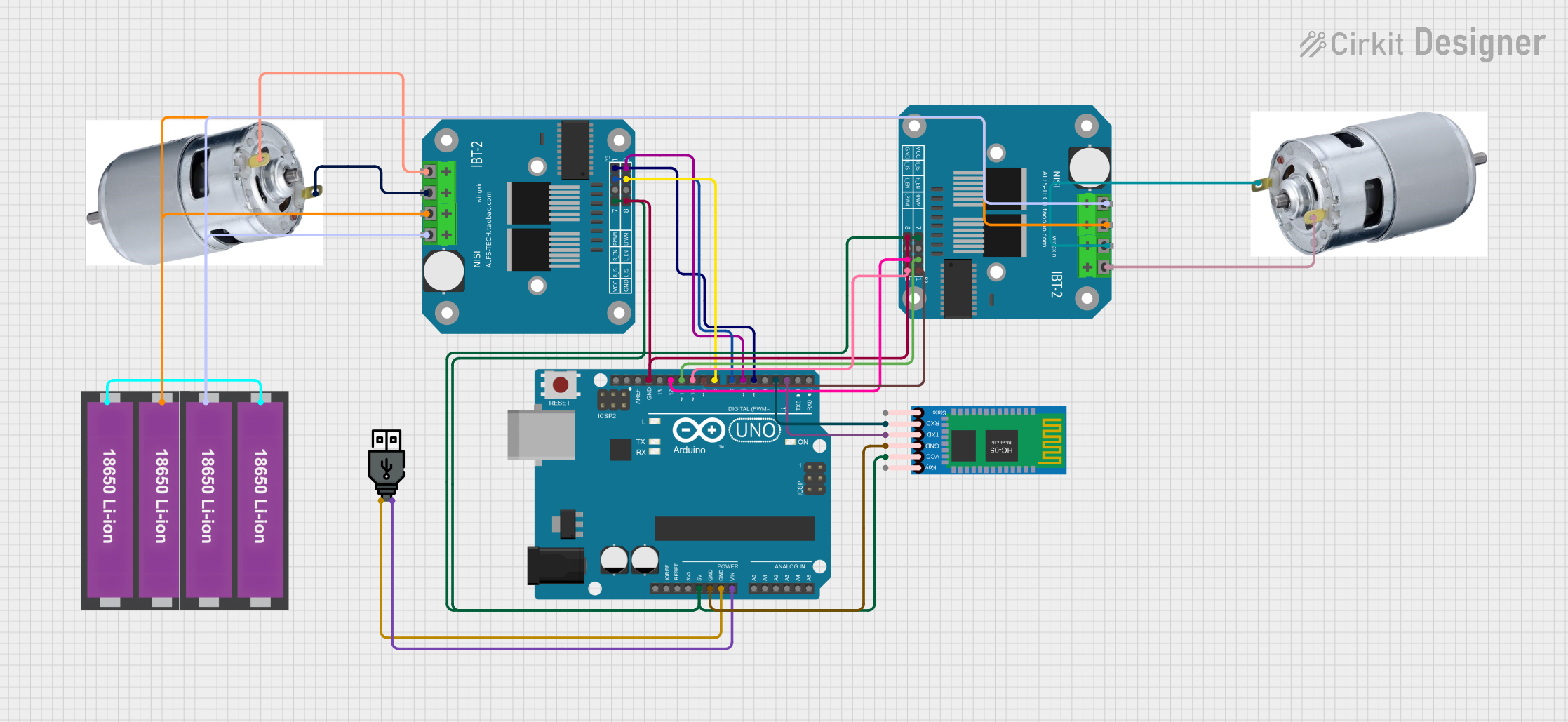 Open Project in Cirkit Designer
Explore Projects Built with BTS 7960 Motor Drver 43a
Open Project in Cirkit DesignerOpen Project in Cirkit DesignerOpen Project in Cirkit DesignerOpen Project in Cirkit DesignerCommon Applications and Use Cases
- Robotics and automation systems
- Electric vehicles and e-bikes
- Conveyor belts and industrial machinery
- High-power RC vehicles
- Smart home devices requiring motorized control
Technical Specifications
The BTS 7960 is a dual high-side and low-side MOSFET driver with integrated protection features. Below are its key technical details:
Key Technical Details
| Parameter | Value |
|---|---|
| Operating Voltage Range | 5.5V to 27V |
| Maximum Continuous Current | 43A |
| Peak Current | 50A |
| PWM Frequency | Up to 25kHz |
| Logic Input Voltage | 3.3V or 5V (TTL compatible) |
| Overcurrent Protection | Yes |
| Thermal Shutdown | Yes |
| Dimensions | 4.5cm x 5.5cm (approx.) |
Pin Configuration and Descriptions
The BTS 7960 module typically features the following pinout:
| Pin Name | Description |
|---|---|
| VCC | Power supply for the motor driver (5.5V to 27V). |
| GND | Ground connection. |
| RPWM | Right PWM input signal for controlling motor direction and speed. |
| LPWM | Left PWM input signal for controlling motor direction and speed. |
| R_EN | Enable pin for the right side of the H-bridge. |
| L_EN | Enable pin for the left side of the H-bridge. |
| IS | Current sensing output (optional, for monitoring motor current). |
| Motor+ | Positive terminal of the motor. |
| Motor- | Negative terminal of the motor. |
Usage Instructions
How to Use the BTS 7960 in a Circuit
- Power Supply: Connect the VCC pin to a power source within the range of 5.5V to 27V. Ensure the power supply can handle the motor's current requirements.
- Motor Connection: Attach the motor terminals to the Motor+ and Motor- pins.
- Logic Inputs: Connect the RPWM and LPWM pins to a microcontroller (e.g., Arduino) to control motor speed and direction using PWM signals.
- Enable Pins: Set the R_EN and L_EN pins HIGH to enable the respective sides of the H-bridge.
- Grounding: Ensure all grounds (GND) are connected to a common ground in the circuit.
Important Considerations and Best Practices
- Use a heat sink or active cooling for the BTS 7960 module when operating at high currents to prevent thermal shutdown.
- Add appropriate decoupling capacitors near the VCC pin to reduce voltage ripple.
- Ensure the motor's stall current does not exceed the module's peak current rating (50A).
- Use fuses or circuit breakers for additional protection in high-current applications.
Example Code for Arduino UNO
Below is an example of how to control a DC motor using the BTS 7960 with an Arduino UNO:
// Define pin connections for the BTS 7960 motor driver
const int RPWM = 5;  // Right PWM pin connected to Arduino pin 5
const int LPWM = 6;  // Left PWM pin connected to Arduino pin 6
const int R_EN = 7;  // Right enable pin connected to Arduino pin 7
const int L_EN = 8;  // Left enable pin connected to Arduino pin 8

void setup() {
  // Set motor driver pins as outputs
  pinMode(RPWM, OUTPUT);
  pinMode(LPWM, OUTPUT);
  pinMode(R_EN, OUTPUT);
  pinMode(L_EN, OUTPUT);

  // Enable both sides of the H-bridge
  digitalWrite(R_EN, HIGH);
  digitalWrite(L_EN, HIGH);
}

void loop() {
  // Rotate motor in one direction
  analogWrite(RPWM, 200);  // Set speed (0-255)
  analogWrite(LPWM, 0);    // Ensure opposite side is off
  delay(2000);             // Run for 2 seconds

  // Stop the motor
  analogWrite(RPWM, 0);
  analogWrite(LPWM, 0);
  delay(1000);             // Pause for 1 second

  // Rotate motor in the opposite direction
  analogWrite(RPWM, 0);
  analogWrite(LPWM, 200);  // Set speed (0-255)
  delay(2000);             // Run for 2 seconds

  // Stop the motor
  analogWrite(RPWM, 0);
  analogWrite(LPWM, 0);
  delay(1000);             // Pause for 1 second
}
Troubleshooting and FAQs
Common Issues and Solutions
Motor Not Spinning:
- Ensure the power supply voltage is within the specified range (5.5V to 27V).
- Verify that the R_EN and L_EN pins are set HIGH to enable the H-bridge.
- Check the PWM signal connections (RPWM and LPWM) from the microcontroller.
Overheating:
- Use a heat sink or active cooling to dissipate heat during high-current operation.
- Reduce the motor's load or duty cycle to lower the current draw.
Erratic Motor Behavior:
- Ensure all ground connections are properly connected.
- Add decoupling capacitors near the VCC pin to stabilize the power supply.
No Current Sensing Output:
- Verify the IS pin connection and ensure it is properly configured for monitoring.
FAQs
Q: Can the BTS 7960 handle brushless DC motors?
A: No, the BTS 7960 is designed for brushed DC motors. For brushless motors, consider using a dedicated brushless motor driver.
Q: What is the maximum PWM frequency supported?
A: The BTS 7960 supports PWM frequencies up to 25kHz.
Q: Can I use the BTS 7960 with a 3.3V microcontroller?
A: Yes, the logic inputs (RPWM, LPWM, R_EN, L_EN) are compatible with both 3.3V and 5V logic levels.
Q: Is reverse polarity protection included?
A: No, the BTS 7960 does not have built-in reverse polarity protection. Use an external diode for protection if needed.