
How to Use Flame: Examples, Pinouts, and Specs
 Design with Flame in Cirkit Designer
Introduction
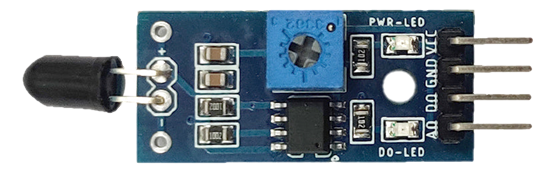
The Flame Sensor, manufactured by Sensor, is a device designed to detect the presence of a flame or fire. It operates by sensing the infrared (IR) light emitted by flames, making it an essential component in fire detection systems, safety equipment, and automation projects. This sensor is widely used in applications such as fire alarms, gas leak detection systems, and robotics for flame tracking.
Its compact design and ease of integration make it suitable for both hobbyist and industrial use. The Flame Sensor is particularly popular in Arduino-based projects due to its straightforward interface and reliable performance.
Explore Projects Built with Flame
 Open Project in Cirkit Designer
 Open Project in Cirkit Designer
 Open Project in Cirkit Designer
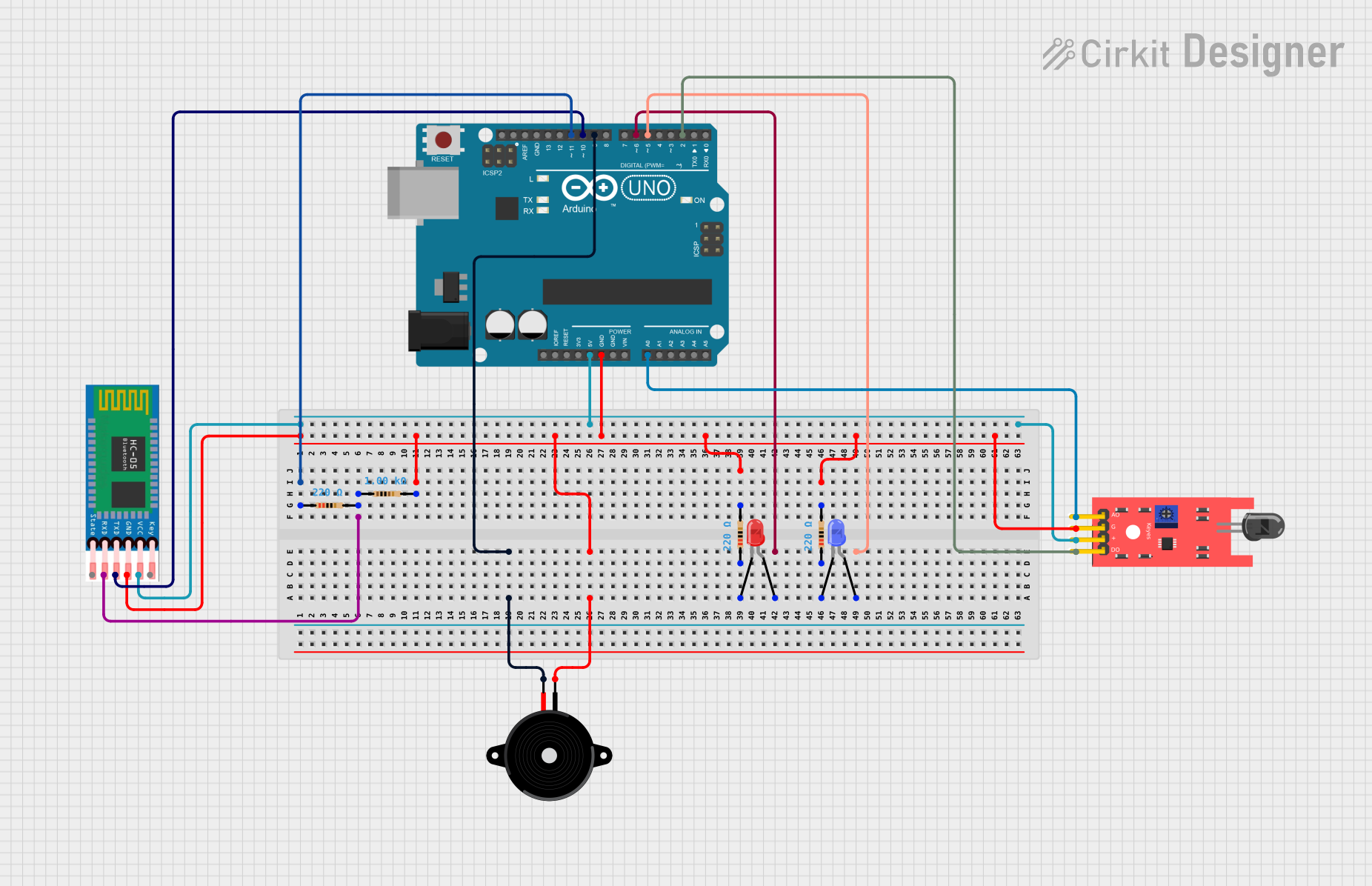 Open Project in Cirkit Designer
Explore Projects Built with Flame
Open Project in Cirkit DesignerOpen Project in Cirkit DesignerOpen Project in Cirkit DesignerOpen Project in Cirkit DesignerTechnical Specifications
The Flame Sensor is designed to detect flames within a specific wavelength range of infrared light. Below are its key technical details:
| Parameter | Value |
|---|---|
| Operating Voltage | 3.3V to 5V |
| Detection Range | 760 nm to 1100 nm (IR wavelength) |
| Detection Angle | 60° |
| Output Signal | Digital (D0) and Analog (A0) |
| Operating Temperature | -25°C to 85°C |
| Dimensions | 30mm x 15mm x 10mm |
Pin Configuration and Descriptions
The Flame Sensor typically has three or four pins, depending on the model. Below is the pin configuration:
| Pin | Name | Description |
|---|---|---|
| 1 | VCC | Power supply pin. Connect to 3.3V or 5V. |
| 2 | GND | Ground pin. Connect to the ground of the circuit. |
| 3 | D0 | Digital output pin. Outputs HIGH when a flame is detected, LOW otherwise. |
| 4 | A0 (optional) | Analog output pin. Provides a variable voltage proportional to flame intensity. |
Usage Instructions
How to Use the Flame Sensor in a Circuit
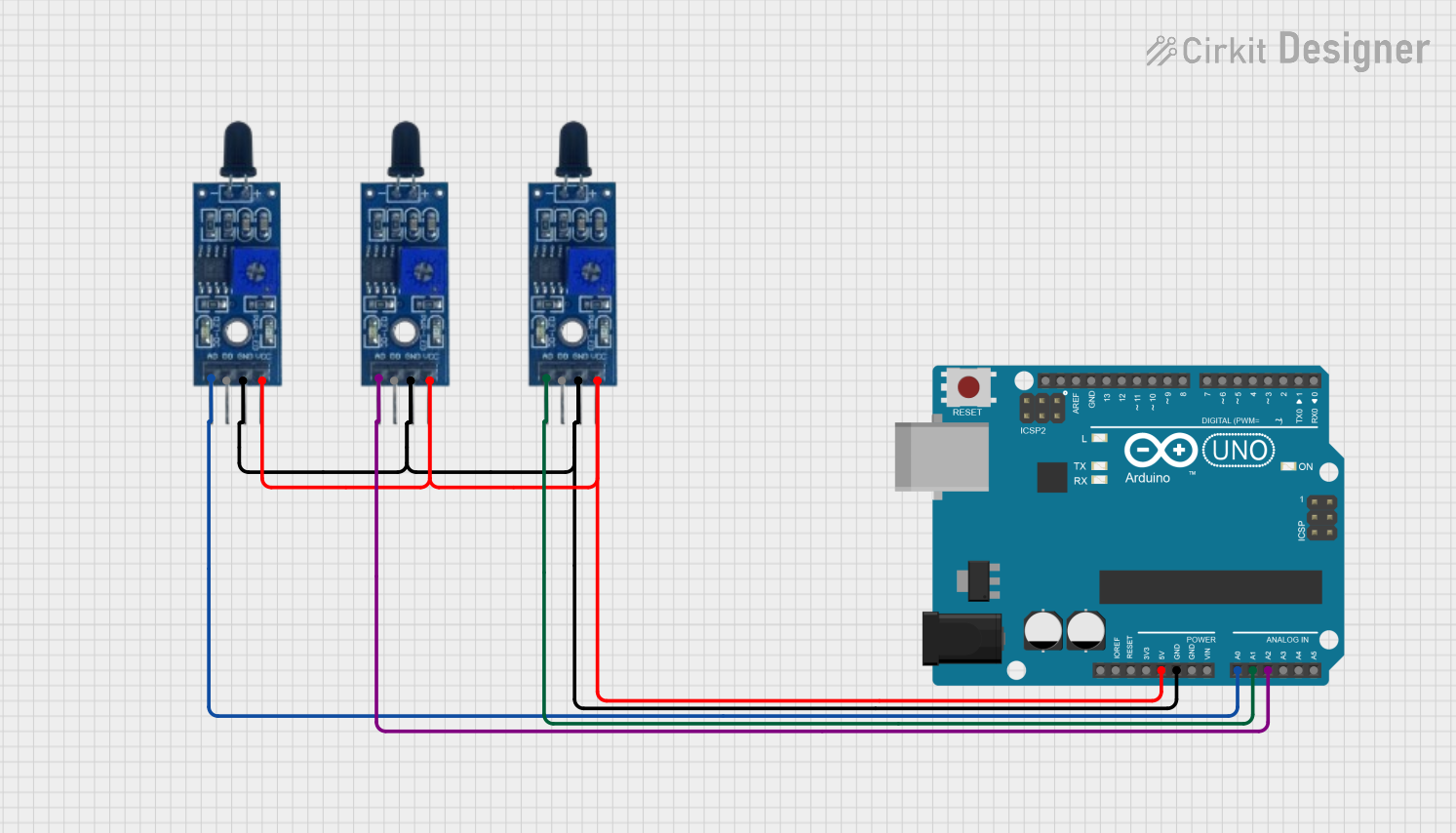
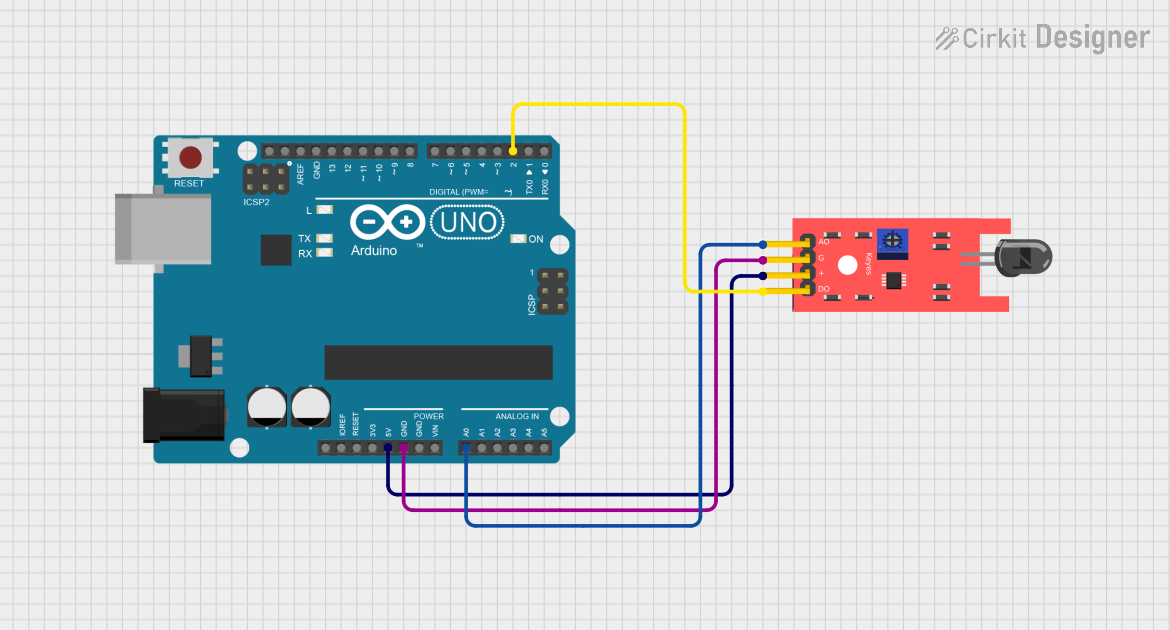
- Power the Sensor: Connect the VCC pin to a 3.3V or 5V power source and the GND pin to the ground.
- Connect the Output:
- For digital output, connect the D0 pin to a digital input pin on your microcontroller.
- For analog output, connect the A0 pin to an analog input pin on your microcontroller.
- Adjust Sensitivity: Use the onboard potentiometer to adjust the sensitivity of the sensor. Turn it clockwise to increase sensitivity and counterclockwise to decrease it.
- Place the Sensor: Position the sensor so that it faces the area where flame detection is required. Ensure there are no obstructions in its line of sight.
Important Considerations and Best Practices
- Avoid exposing the sensor to direct sunlight or other strong light sources, as this may cause false readings.
- Keep the sensor clean and free from dust or debris to maintain accuracy.
- Test the sensor in the intended environment to ensure reliable performance.
- Use appropriate resistors or voltage dividers if interfacing with a 3.3V microcontroller to avoid damage.
Example Code for Arduino UNO
Below is an example of how to use the Flame Sensor with an Arduino UNO:
// Example code for interfacing a Flame Sensor with Arduino UNO
// This code reads both digital and analog outputs from the sensor
// and prints the results to the Serial Monitor.

const int flameDigitalPin = 2; // Digital output pin (D0) connected to Arduino pin 2
const int flameAnalogPin = A0; // Analog output pin (A0) connected to Arduino pin A0

void setup() {
  pinMode(flameDigitalPin, INPUT); // Set digital pin as input
  Serial.begin(9600); // Initialize serial communication at 9600 baud
}

void loop() {
  int flameDigital = digitalRead(flameDigitalPin); // Read digital output
  int flameAnalog = analogRead(flameAnalogPin);   // Read analog output

  // Print the digital and analog values to the Serial Monitor
  Serial.print("Digital Output: ");
  Serial.println(flameDigital);
  Serial.print("Analog Output: ");
  Serial.println(flameAnalog);

  // Check if a flame is detected
  if (flameDigital == HIGH) {
    Serial.println("Flame detected!");
  } else {
    Serial.println("No flame detected.");
  }

  delay(500); // Wait for 500ms before the next reading
}
Troubleshooting and FAQs
Common Issues and Solutions
False Positives in Bright Environments:
- Cause: Strong light sources like sunlight or incandescent bulbs.
- Solution: Shield the sensor from direct light or use it in controlled lighting conditions.
No Detection of Flame:
- Cause: Incorrect positioning or low sensitivity.
- Solution: Adjust the potentiometer to increase sensitivity and ensure the sensor is facing the flame.
Unstable Readings:
- Cause: Electrical noise or loose connections.
- Solution: Use shorter wires, ensure secure connections, and add decoupling capacitors if necessary.
Sensor Not Working:
- Cause: Incorrect wiring or damaged sensor.
- Solution: Double-check the wiring and replace the sensor if needed.
FAQs
Q1: Can the Flame Sensor detect other heat sources?
A1: The sensor is designed to detect IR light emitted by flames. While it may respond to other IR sources, it is optimized for flame detection.
Q2: What is the maximum distance for flame detection?
A2: The detection range depends on the flame size and intensity. Typically, it can detect flames up to 1 meter away.
Q3: Can I use the Flame Sensor outdoors?
A3: Yes, but ensure it is protected from environmental factors like rain, dust, and direct sunlight for accurate performance.
Q4: Is the sensor compatible with 3.3V microcontrollers?
A4: Yes, the sensor works with both 3.3V and 5V systems. Ensure proper wiring to avoid damage.