
How to Use ESP-01S Porgramer-Adapter: Examples, Pinouts, and Specs
 Design with ESP-01S Porgramer-Adapter in Cirkit Designer
Introduction
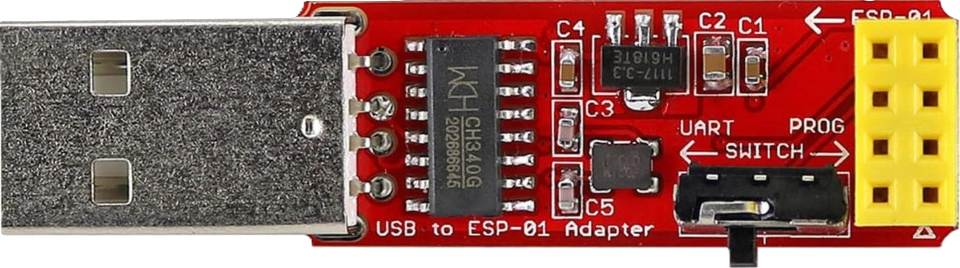
The ESP-01S Programmer-Adapter by Wishiot (Manufacturer Part ID: 747356634557) is a compact and efficient programming adapter designed specifically for the ESP-01S Wi-Fi module. This adapter simplifies the process of connecting the ESP-01S module to a computer for firmware uploading, debugging, and testing. It eliminates the need for additional wiring or external components, making it an essential tool for developers working with ESP-01S modules.
Explore Projects Built with ESP-01S Porgramer-Adapter
 Open Project in Cirkit Designer
 Open Project in Cirkit Designer
 Open Project in Cirkit Designer
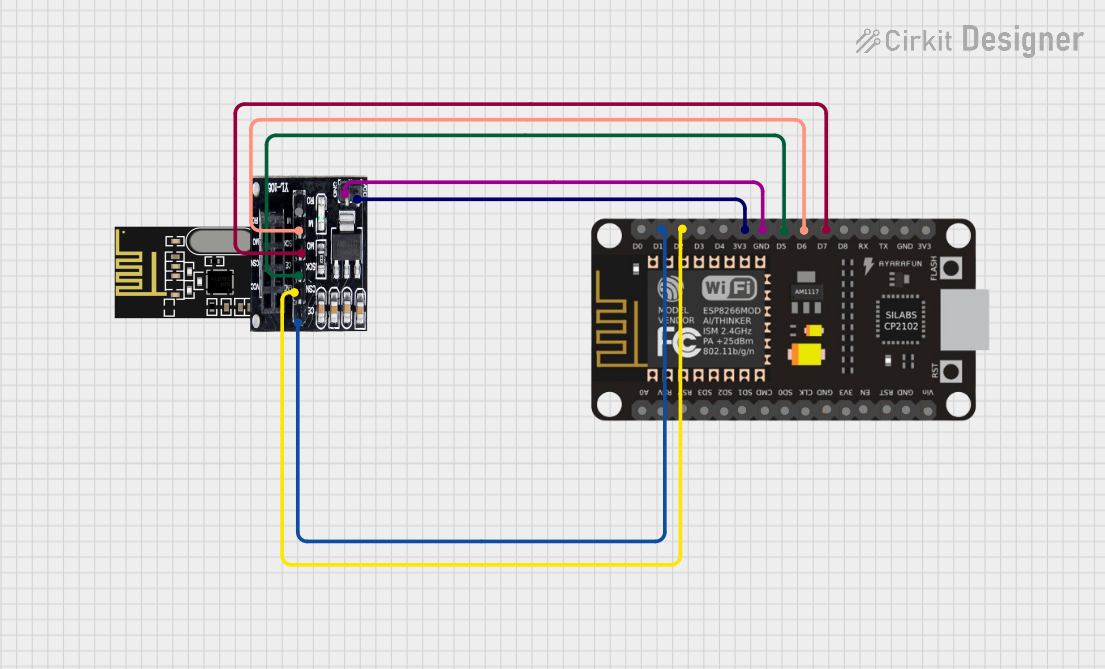 Open Project in Cirkit Designer
Explore Projects Built with ESP-01S Porgramer-Adapter
Open Project in Cirkit DesignerOpen Project in Cirkit DesignerOpen Project in Cirkit DesignerOpen Project in Cirkit DesignerCommon Applications and Use Cases
- Uploading firmware to ESP-01S Wi-Fi modules
- Debugging and testing ESP-01S-based projects
- Rapid prototyping for IoT applications
- Educational purposes for learning about ESP8266-based modules
Technical Specifications
Key Technical Details
| Parameter | Specification |
|---|---|
| Manufacturer | Wishiot |
| Part ID | 747356634557 |
| Input Voltage | 5V (via USB interface) |
| Output Voltage | 3.3V (regulated for ESP-01S module) |
| Interface | USB Type-A |
| Supported Module | ESP-01S Wi-Fi module |
| Dimensions | 48mm x 18mm x 10mm |
| Operating Temperature | -40°C to 85°C |
Pin Configuration and Descriptions
The ESP-01S Programmer-Adapter has a socket for the ESP-01S module and a USB interface for connection to a computer. Below is the pin mapping for the ESP-01S module when inserted into the adapter:
| Pin on ESP-01S Module | Function | Description |
|---|---|---|
| VCC | Power Input | Supplies 3.3V to the ESP-01S module |
| GND | Ground | Common ground connection |
| TXD | Transmit Data | Serial data output from the ESP-01S |
| RXD | Receive Data | Serial data input to the ESP-01S |
| GPIO0 | General Purpose IO | Used for boot mode selection or I/O |
| GPIO2 | General Purpose IO | Used for I/O |
Usage Instructions
How to Use the ESP-01S Programmer-Adapter
Insert the ESP-01S Module:
- Align the pins of the ESP-01S module with the socket on the programmer-adapter.
- Ensure the module is firmly seated in the socket.
Connect to a Computer:
- Plug the USB Type-A connector of the programmer-adapter into a USB port on your computer.
- The adapter will automatically regulate the voltage to 3.3V for the ESP-01S module.
Install Drivers:
- If required, install the appropriate USB-to-serial drivers (e.g., CH340 or CP2102) for your operating system.
Upload Firmware:
- Use an IDE such as Arduino IDE or a dedicated ESP8266 flashing tool.
- Select the correct COM port and board settings for the ESP-01S module.
- Upload your firmware or sketch to the module.
Debug and Test:
- Open the serial monitor in your IDE to view debug messages or interact with the ESP-01S module.
Important Considerations and Best Practices
- GPIO0 Boot Mode: To upload firmware, ensure GPIO0 is pulled LOW (programming mode). The programmer-adapter typically handles this automatically.
- Power Supply: Do not connect an external power source to the ESP-01S module while it is connected to the programmer-adapter, as this may damage the module or adapter.
- Driver Compatibility: Verify that the USB-to-serial driver is correctly installed and compatible with your operating system.
- Avoid Overheating: Prolonged use may cause the adapter or module to heat up. Allow adequate cooling time between operations.
Example Code for Arduino IDE
Below is an example sketch to test the ESP-01S module after uploading firmware using the programmer-adapter:
#include <ESP8266WiFi.h> // Include the ESP8266 Wi-Fi library

// Replace with your network credentials
const char* ssid = "Your_SSID";
const char* password = "Your_PASSWORD";

void setup() {
  Serial.begin(115200); // Initialize serial communication at 115200 baud
  Serial.println("Connecting to Wi-Fi...");

  WiFi.begin(ssid, password); // Connect to the Wi-Fi network

  while (WiFi.status() != WL_CONNECTED) {
    delay(1000); // Wait for connection
    Serial.println("Attempting to connect...");
  }

  Serial.println("Connected to Wi-Fi!");
  Serial.print("IP Address: ");
  Serial.println(WiFi.localIP()); // Print the module's IP address
}

void loop() {
  // Add your main code here
}
Troubleshooting and FAQs
Common Issues and Solutions
ESP-01S Module Not Detected:
- Ensure the module is properly seated in the socket.
- Verify that the USB-to-serial driver is installed and the correct COM port is selected.
Firmware Upload Fails:
- Check that GPIO0 is in programming mode (pulled LOW).
- Ensure the correct board and port settings are selected in the IDE.
No Serial Output:
- Confirm that the baud rate in the serial monitor matches the baud rate in your code.
- Check the TXD and RXD connections for proper alignment.
Overheating:
- Avoid prolonged use without breaks to prevent overheating.
- Ensure adequate ventilation during operation.
FAQs
Q: Can I use this adapter with the original ESP-01 module?
A: Yes, the adapter is compatible with both ESP-01 and ESP-01S modules.
Q: Do I need an external power supply for the ESP-01S module?
A: No, the adapter provides a regulated 3.3V supply to the module via the USB connection.
Q: What should I do if the adapter is not recognized by my computer?
A: Install the appropriate USB-to-serial driver (e.g., CH340 or CP2102) for your operating system.
Q: Can I use this adapter for projects other than programming?
A: While primarily designed for programming, the adapter can also be used for debugging and testing ESP-01S-based projects.