
How to Use LCD 16x2 attached i2c: Examples, Pinouts, and Specs
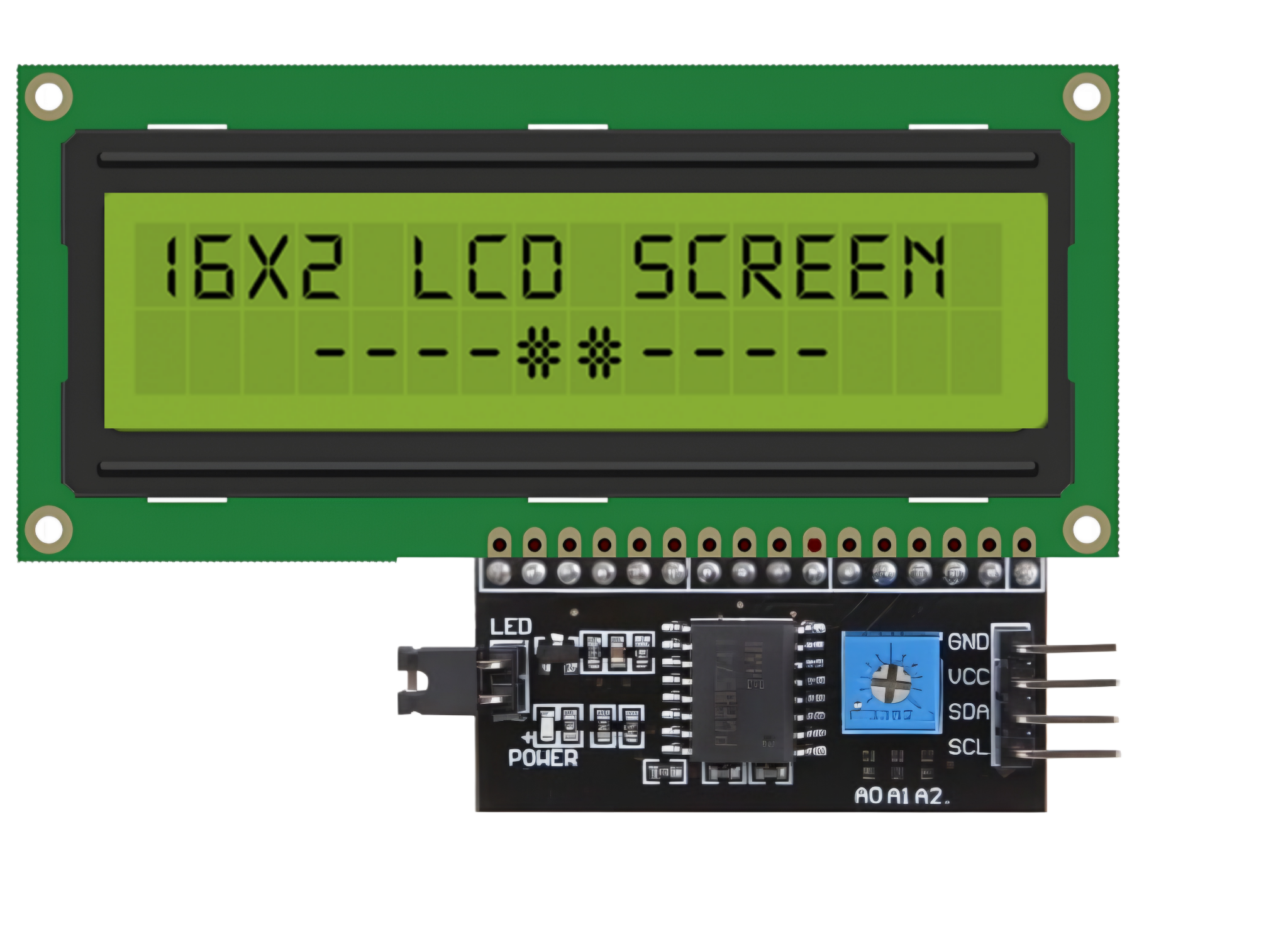
 Design with LCD 16x2 attached i2c in Cirkit Designer
Introduction
The LCD 16x2 with I2C interface is a 16-character by 2-line alphanumeric display module that simplifies communication with microcontrollers by using the I2C (Inter-Integrated Circuit) protocol. This module is widely used in embedded systems and DIY electronics projects due to its ease of use, reduced wiring requirements, and ability to display text and basic symbols.
Explore Projects Built with LCD 16x2 attached i2c
 Open Project in Cirkit Designer
 Open Project in Cirkit Designer
 Open Project in Cirkit Designer
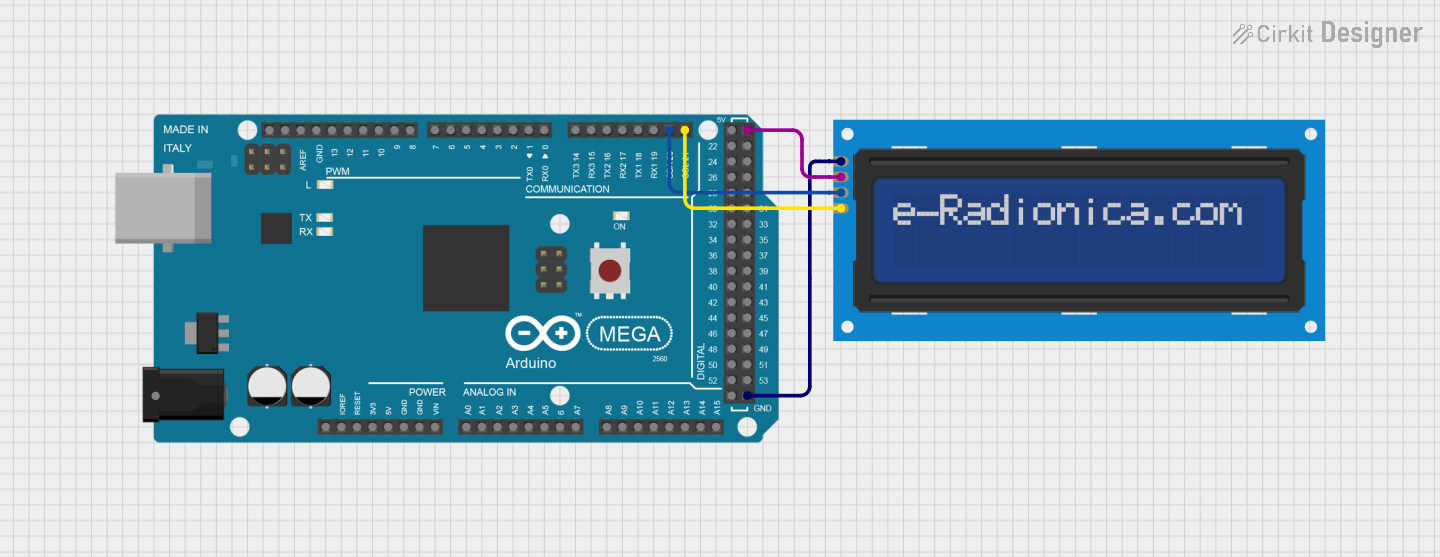 Open Project in Cirkit Designer
Explore Projects Built with LCD 16x2 attached i2c
Open Project in Cirkit DesignerOpen Project in Cirkit DesignerOpen Project in Cirkit DesignerOpen Project in Cirkit DesignerCommon Applications
- Displaying sensor data in real-time
- User interfaces for embedded systems
- Menu systems for microcontroller-based projects
- Educational and prototyping purposes
Technical Specifications
The following table outlines the key technical details of the LCD 16x2 with I2C interface:
| Parameter | Specification |
|---|---|
| Display Type | 16x2 alphanumeric LCD |
| Communication Protocol | I2C (Inter-Integrated Circuit) |
| Operating Voltage | 5V DC |
| Backlight | LED backlight (controllable) |
| Contrast Adjustment | Via onboard potentiometer |
| I2C Address (Default) | 0x27 (can vary, check your module) |
| Dimensions | 80mm x 36mm x 12mm |
| Operating Temperature | -20°C to 70°C |
Pin Configuration
The I2C interface reduces the number of pins required to connect the LCD to a microcontroller. The pin configuration is as follows:
| Pin | Name | Description |
|---|---|---|
| 1 | GND | Ground (0V) |
| 2 | VCC | Power supply (5V DC) |
| 3 | SDA | Serial Data Line for I2C communication |
| 4 | SCL | Serial Clock Line for I2C communication |
Usage Instructions
Connecting the LCD 16x2 with I2C to a Microcontroller
Wiring: Connect the LCD module to your microcontroller as follows:
- GND to the microcontroller's GND pin.
- VCC to the 5V pin of the microcontroller.
- SDA to the microcontroller's SDA pin (e.g., A4 on Arduino UNO).
- SCL to the microcontroller's SCL pin (e.g., A5 on Arduino UNO).
Install Required Libraries:
- Use the
LiquidCrystal_I2Clibrary for Arduino. Install it via the Arduino IDE:- Go to Sketch > Include Library > Manage Libraries.
- Search for
LiquidCrystal_I2Cand install the library by Frank de Brabander.
- Use the
Arduino Code Example: Below is an example code to display "Hello, World!" on the LCD:
// Include the LiquidCrystal_I2C library
#include <Wire.h>
#include <LiquidCrystal_I2C.h>

// Initialize the LCD with I2C address 0x27 and 16x2 dimensions
LiquidCrystal_I2C lcd(0x27, 16, 2);

void setup() {
  lcd.begin(); // Initialize the LCD
  lcd.backlight(); // Turn on the backlight
  lcd.setCursor(0, 0); // Set cursor to the first column, first row
  lcd.print("Hello, World!"); // Print text on the LCD
}

void loop() {
  // No actions in the loop for this example
}
Important Considerations
- I2C Address: The default I2C address is typically
0x27, but it may vary depending on the module. Use an I2C scanner sketch to determine the correct address if needed. - Power Supply: Ensure a stable 5V power supply to avoid flickering or malfunction.
- Contrast Adjustment: Use the onboard potentiometer to adjust the display contrast for optimal visibility.
- Backlight Control: The backlight can be turned on or off programmatically using the
lcd.backlight()andlcd.noBacklight()functions.
Troubleshooting and FAQs
Common Issues and Solutions
The LCD does not display anything:
- Verify the wiring connections, especially SDA and SCL.
- Check the I2C address using an I2C scanner sketch.
- Ensure the contrast is adjusted correctly using the potentiometer.
Flickering or unstable display:
- Ensure the power supply is stable and sufficient (5V DC).
- Avoid long or thin wires for power and I2C connections.
Incorrect or garbled characters:
- Confirm the correct I2C address is used in the code.
- Ensure the
LiquidCrystal_I2Clibrary is properly installed and up to date.
Backlight not working:
- Check the backlight control code (
lcd.backlight()). - Verify the module's backlight jumper or solder connections.
- Check the backlight control code (
FAQs
Q: How do I find the I2C address of my LCD module?
A: Use an I2C scanner sketch to detect the address. Upload the sketch to your microcontroller, and it will print the detected address in the Serial Monitor.
Q: Can I use this module with a 3.3V microcontroller?
A: While the module is designed for 5V operation, some modules may work with 3.3V logic. Use a level shifter if necessary to ensure compatibility.
Q: Can I display custom characters on the LCD?
A: Yes, the LiquidCrystal_I2C library supports custom characters. Refer to the library documentation for details on creating and displaying custom characters.
Q: What is the maximum cable length for I2C communication?
A: The maximum length depends on the pull-up resistors and operating speed, but typically it is recommended to keep the length under 1 meter for reliable communication.
By following this documentation, you can effectively integrate and use the LCD 16x2 with I2C in your projects.