The C1001 mmWave Human Detection Sensor (Manufacturer Part ID: SEN0623) by DFRobot is a highly sensitive sensor that leverages millimeter-wave radar technology to detect human presence and movement. This sensor is capable of detecting subtle motions, such as breathing, and can differentiate between stationary and moving targets. Its robust performance makes it ideal for applications requiring precise human detection.
Explore Projects Built with C1001 mmWave Human Detection Sensor
Use Cirkit Designer to design, explore, and prototype these projects online. Some projects support real-time simulation. Click "Open Project" to start designing instantly!
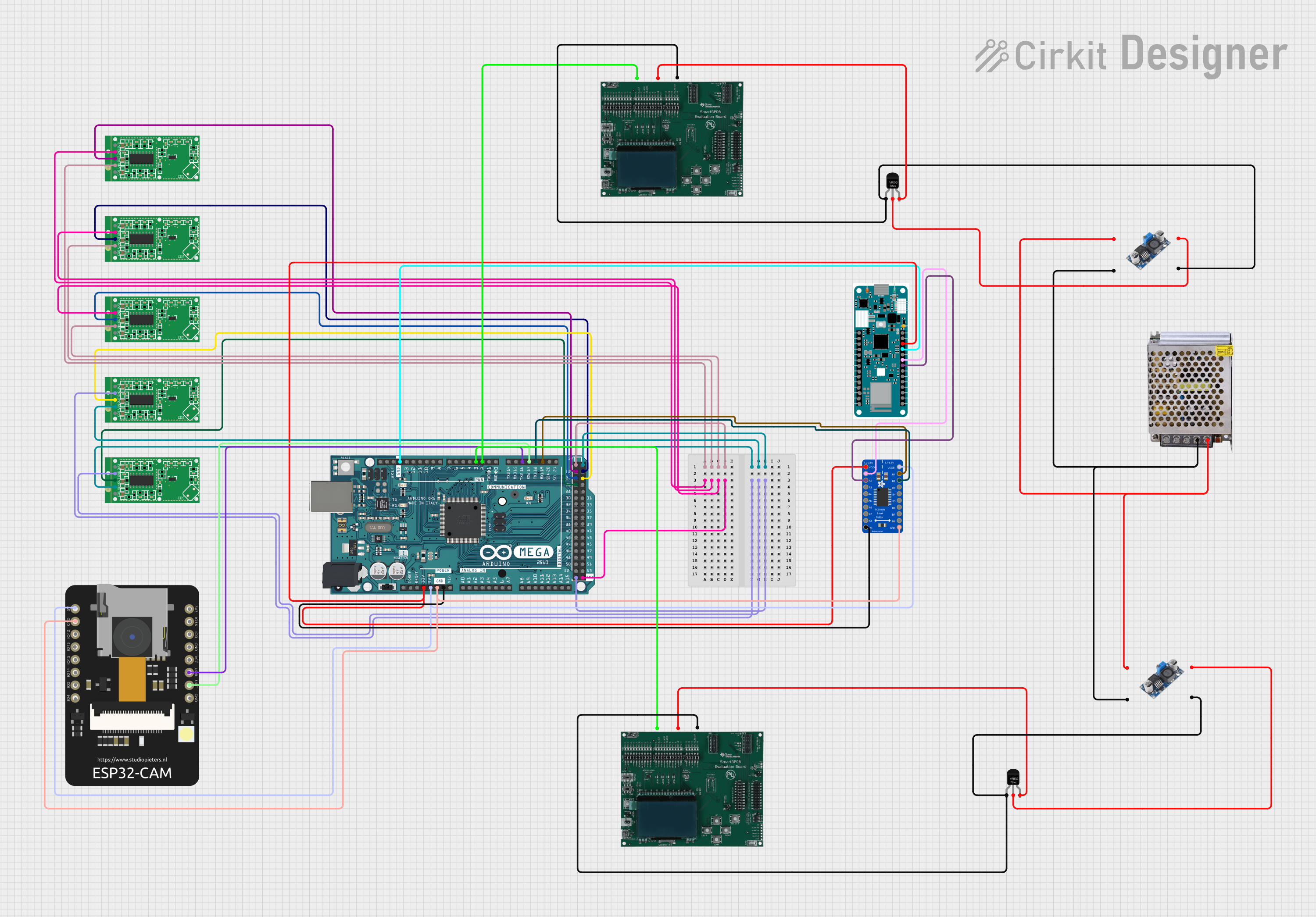
This circuit is designed for a multi-sensor motion detection system with image capture and RFID reading capabilities. It uses an Arduino Mega 2560 as the central processing unit, interfacing with microwave radar motion sensors, an ESP32 CAM, and RFID boards. Power management is handled by voltage regulators and DC-DC converters, and an Arduino MKR WiFi 1010 is included for potential wireless communication.
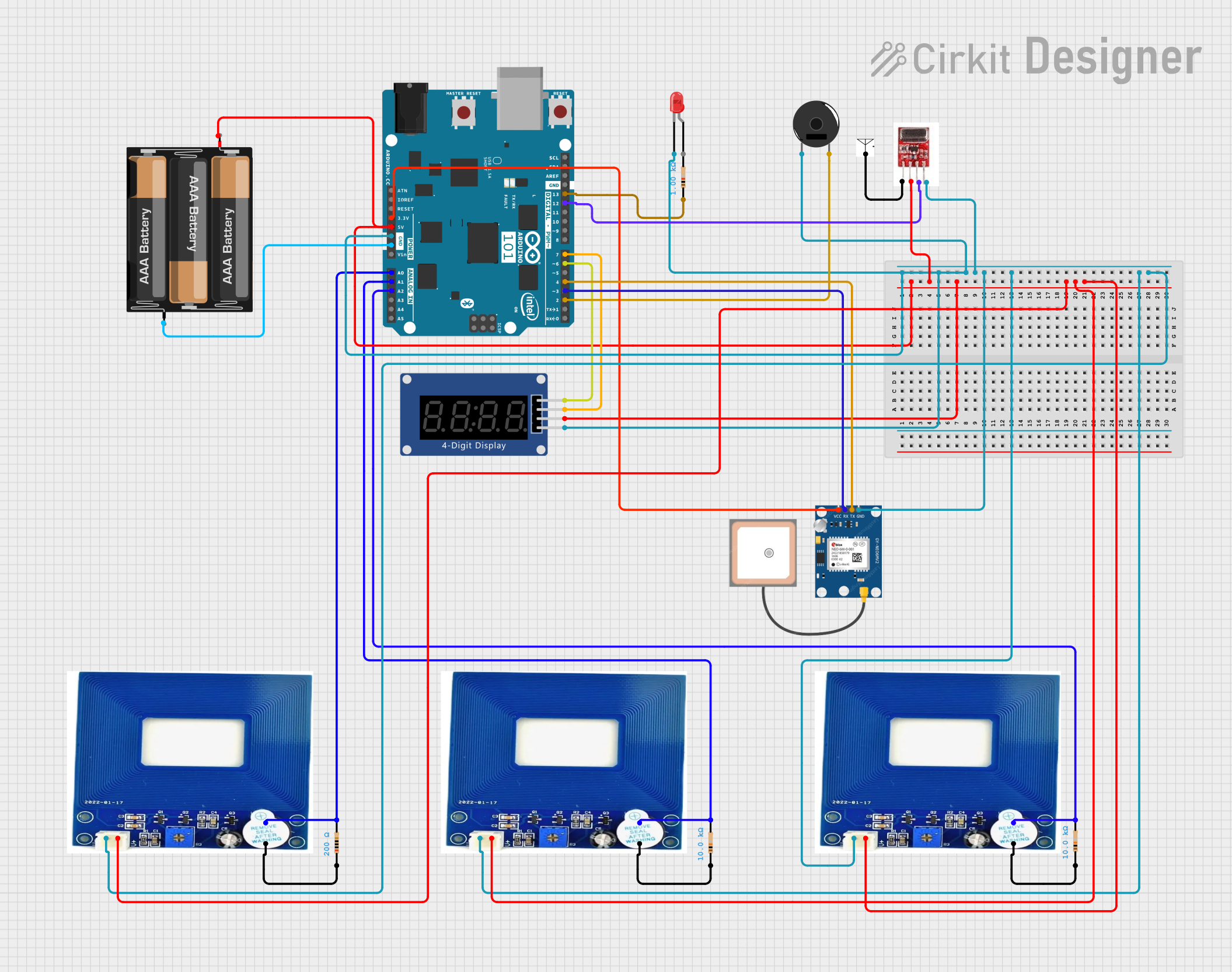
This is a sensor-based monitoring system with an Arduino 101 microcontroller at its core, designed to detect metal, provide visual and audio alerts, transmit data wirelessly, and track GPS location. It is powered by a 3xAA battery pack and includes signal conditioning and current limiting components.
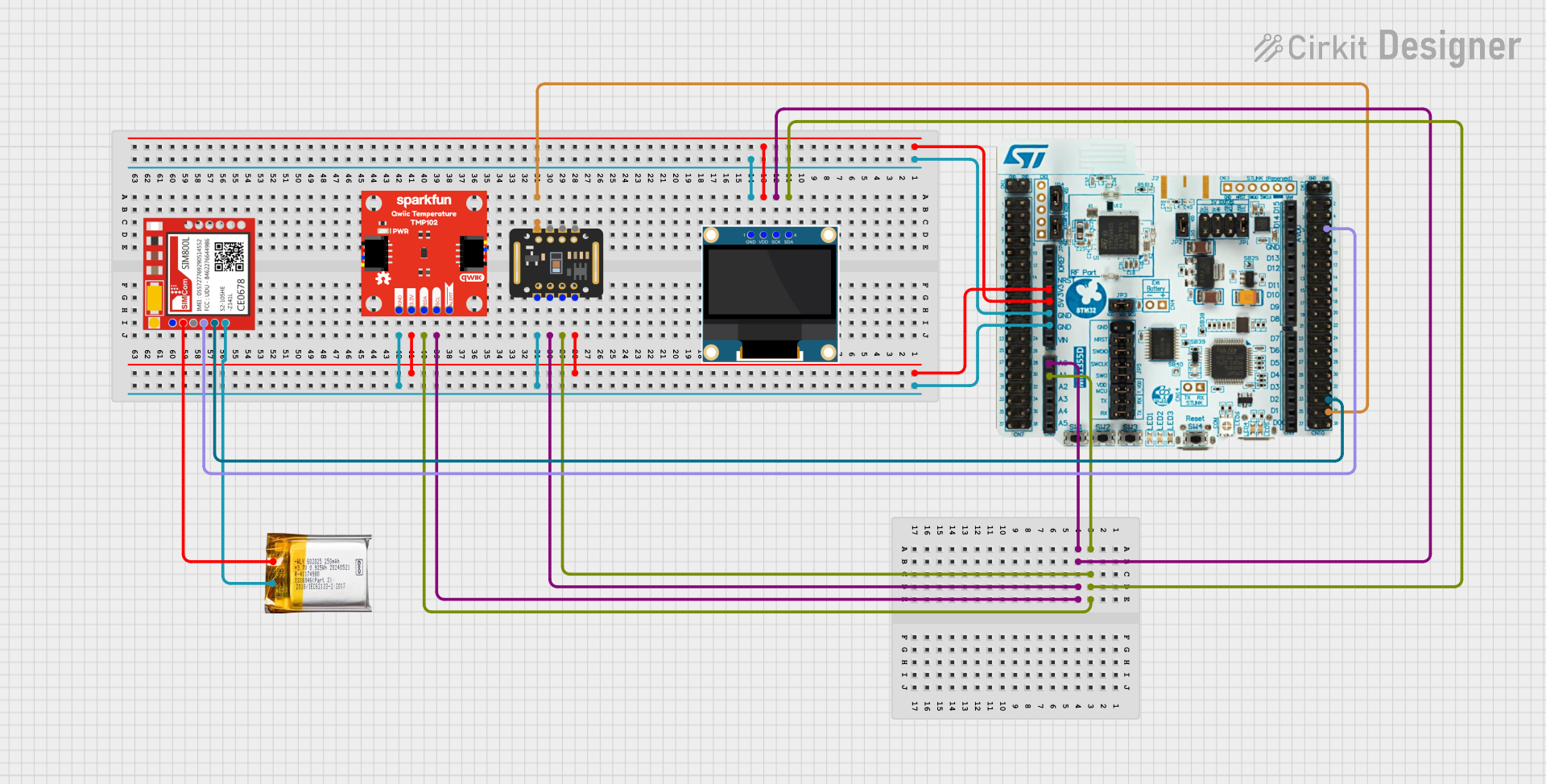
This circuit is a multi-sensor data acquisition system that uses a Nucleo WB55RG microcontroller to interface with a digital temperature sensor (TMP102), a pulse oximeter and heart-rate sensor (MAX30102), and a 0.96" OLED display via I2C. Additionally, it includes a Sim800l module for GSM communication, powered by a 3.7V LiPo battery.
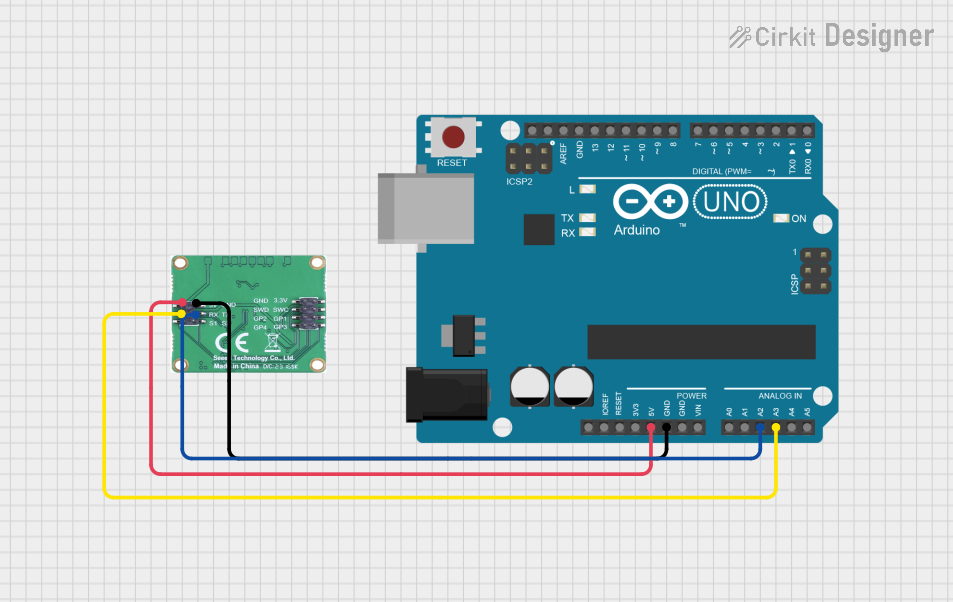
This circuit consists of an Arduino UNO microcontroller connected to a Seeed mmWave 24GHz sensor. The Arduino UNO provides power to the sensor and communicates with it via analog pins A2 and A3, which are connected to the sensor's Tx and Rx pins, respectively.
Smart home automation (e.g., lighting and HVAC control)
Security systems and intrusion detection
Elderly care and health monitoring
Occupancy detection in offices and public spaces
Gesture recognition and interactive systems
Technical Specifications
The following table outlines the key technical details of the C1001 mmWave Human Detection Sensor:
Parameter
Value
Operating Voltage
5V DC
Operating Current
≤ 100mA
Detection Range
0.5m to 9m
Detection Angle
±60° horizontal, ±60° vertical
Communication Interface
UART (3.3V TTL level)
Operating Frequency
24GHz
Operating Temperature
-40°C to 85°C
Dimensions
30mm x 20mm x 5mm
Pin Configuration and Descriptions
The sensor has a 4-pin interface for power and communication. The pinout is as follows:
Pin
Name
Description
1
VCC
Power supply input (5V DC)
2
GND
Ground
3
TX
UART Transmit (3.3V TTL level)
4
RX
UART Receive (3.3V TTL level)
Usage Instructions
How to Use the Sensor in a Circuit
Power the Sensor: Connect the VCC pin to a 5V DC power source and the GND pin to ground.
Connect UART Interface:
Connect the TX pin of the sensor to the RX pin of your microcontroller (e.g., Arduino UNO).
Connect the RX pin of the sensor to the TX pin of your microcontroller.
Install Necessary Libraries: If using an Arduino, install the required libraries for UART communication.
Read Sensor Data: The sensor outputs data via UART, which can be parsed to determine human presence and movement.
Important Considerations and Best Practices
Power Supply: Ensure a stable 5V DC power supply to avoid erratic behavior.
Placement: Install the sensor in a location free from obstructions to maximize detection accuracy.
Interference: Avoid placing the sensor near other devices operating at 24GHz to minimize interference.
UART Voltage Levels: The sensor operates at 3.3V TTL levels. If using a 5V microcontroller, use a level shifter to prevent damage.
Example Code for Arduino UNO
Below is an example Arduino sketch to interface with the C1001 mmWave Human Detection Sensor:
// Include the SoftwareSerial library for UART communication
#include <SoftwareSerial.h>

// Define RX and TX pins for the sensor
#define SENSOR_RX 10  // Connect to the TX pin of the sensor
#define SENSOR_TX 11  // Connect to the RX pin of the sensor

// Create a SoftwareSerial object
SoftwareSerial mmWaveSensor(SENSOR_RX, SENSOR_TX);

void setup() {
  // Initialize serial communication with the sensor
  mmWaveSensor.begin(115200); // Sensor's default baud rate is 115200
  Serial.begin(9600);         // For debugging via Serial Monitor

  Serial.println("C1001 mmWave Sensor Initialized");
}

void loop() {
  // Check if data is available from the sensor
  if (mmWaveSensor.available()) {
    // Read and print the data from the sensor
    String sensorData = mmWaveSensor.readString();
    Serial.println("Sensor Data: " + sensorData);
  }

  delay(100); // Small delay to avoid flooding the Serial Monitor
}
Troubleshooting and FAQs
Common Issues and Solutions
No Data Output from the Sensor
Cause: Incorrect UART connection or baud rate mismatch.
Solution: Verify the TX and RX connections. Ensure the baud rate is set to 115200.
Erratic or Inaccurate Detection
Cause: Interference from nearby devices or improper placement.
Solution: Relocate the sensor to a less cluttered area and ensure no other 24GHz devices are nearby.
Sensor Not Powering On
Cause: Insufficient or unstable power supply.
Solution: Check the power source and ensure it provides a stable 5V DC.
FAQs
Q: Can the sensor detect through walls or glass?
A: The sensor can detect through certain materials like glass or thin walls, but detection accuracy may decrease depending on the material's thickness and composition.
Q: Is the sensor suitable for outdoor use?
A: Yes, the sensor operates in a wide temperature range (-40°C to 85°C), but it should be protected from direct exposure to rain or extreme environmental conditions.
Q: Can the sensor differentiate between humans and objects?
A: The sensor is optimized for human detection based on motion and breathing patterns, but it may not reliably differentiate between humans and objects in all scenarios.
Q: How can I extend the detection range?
A: The detection range is hardware-limited to 9 meters. For longer ranges, consider using a different sensor model with extended capabilities.


 Open Project in Cirkit Designer