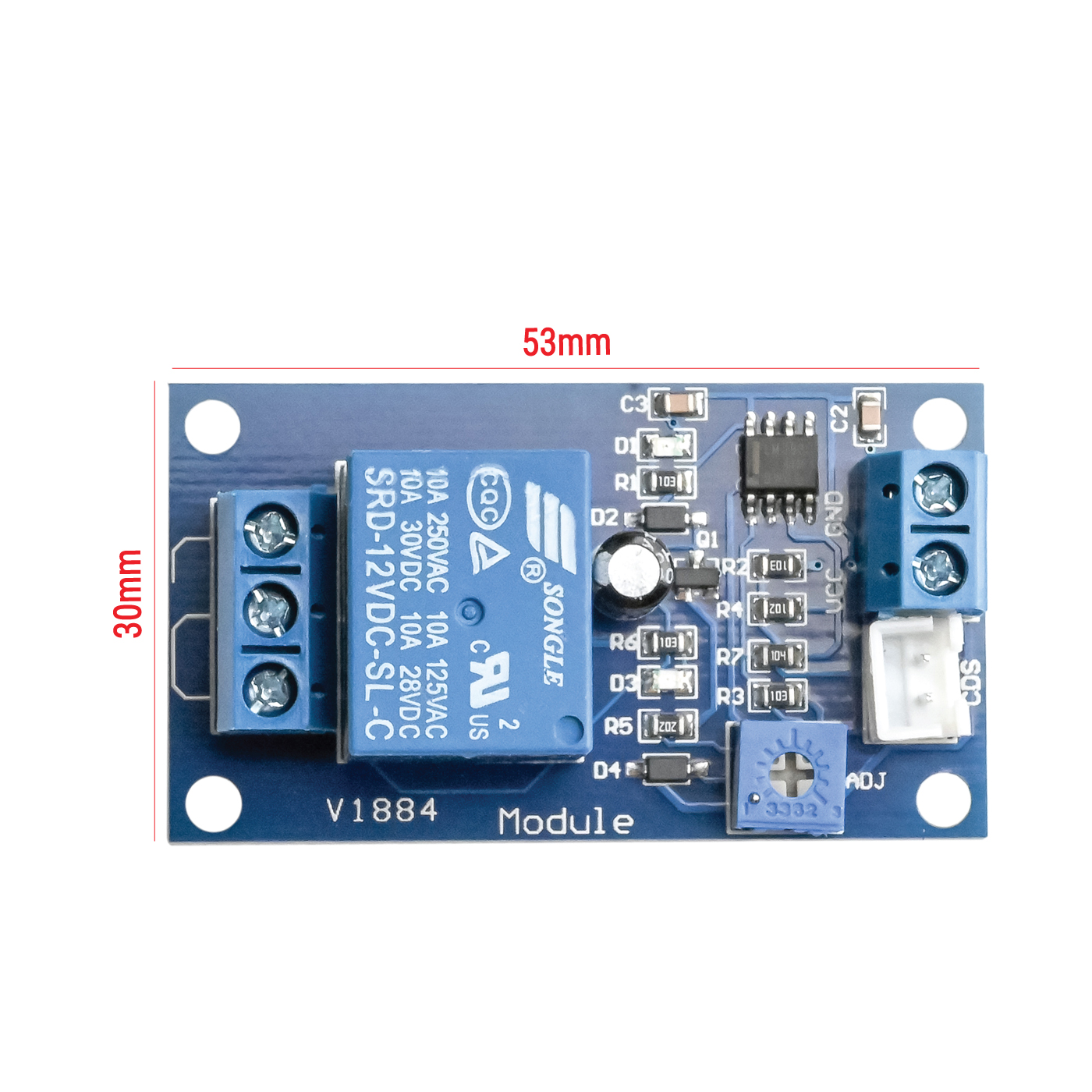
The XH-M131 is a DC-DC buck converter module manufactured by Easyware. It is designed to step down a higher input voltage to a lower, adjustable output voltage, making it ideal for powering devices that require a stable and regulated power supply. The module also features adjustable current limiting, which adds an extra layer of protection for sensitive components.
Explore Projects Built with XH-M131
Use Cirkit Designer to design, explore, and prototype these projects online. Some projects support real-time simulation. Click "Open Project" to start designing instantly!
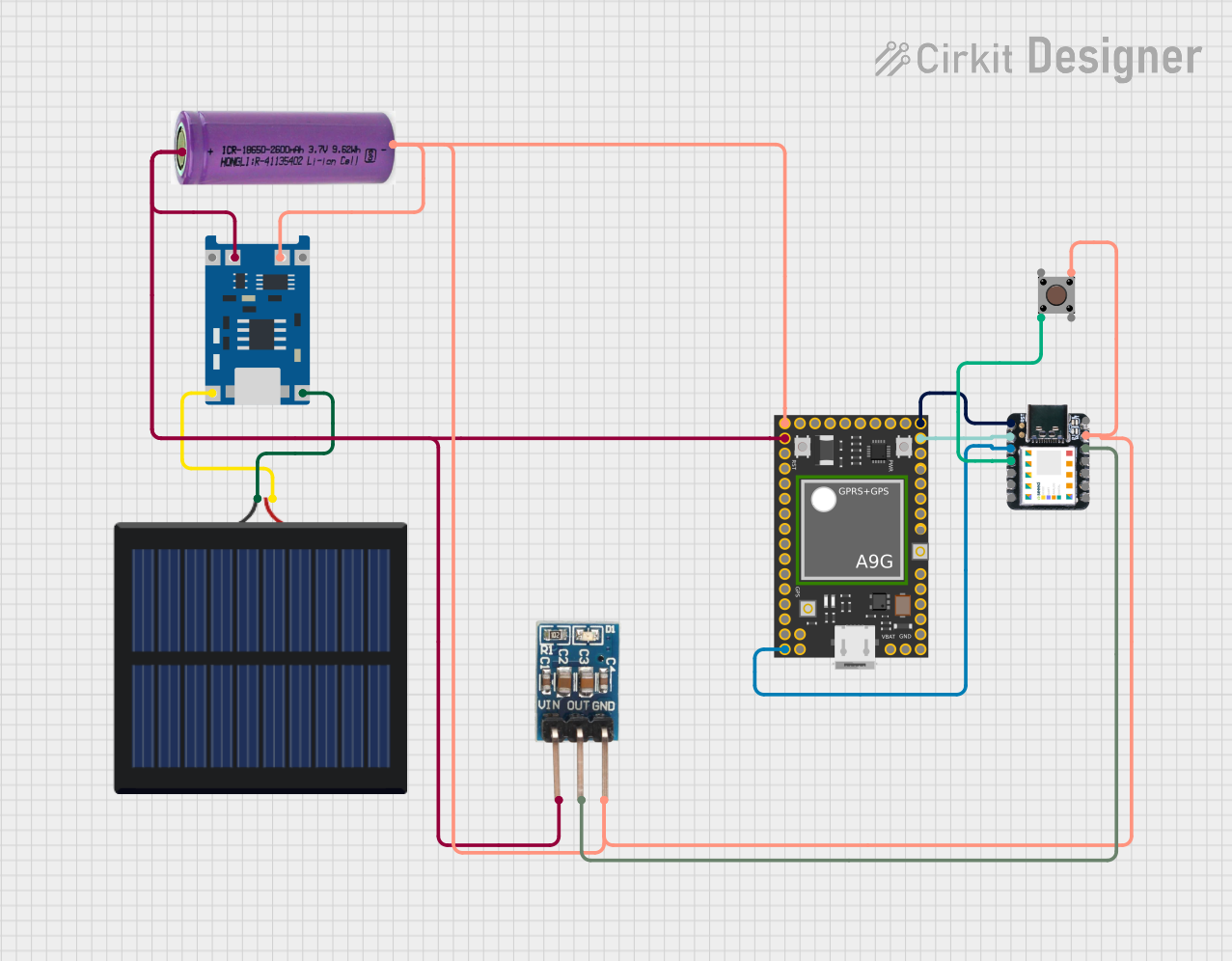
This circuit features an Ai Thinker A9G development board for GSM/GPRS and GPS/BDS connectivity, interfaced with a Seeeduino XIAO microcontroller for control and data processing. A solar cell, coupled with a TP4056 charging module, charges a 3.3V battery, which powers the system through a 3.3V regulator ensuring stable operation. The circuit likely serves for remote data communication and location tracking, with the capability to be powered by renewable energy and interfaced with additional sensors or input devices via the Seeeduino XIAO.
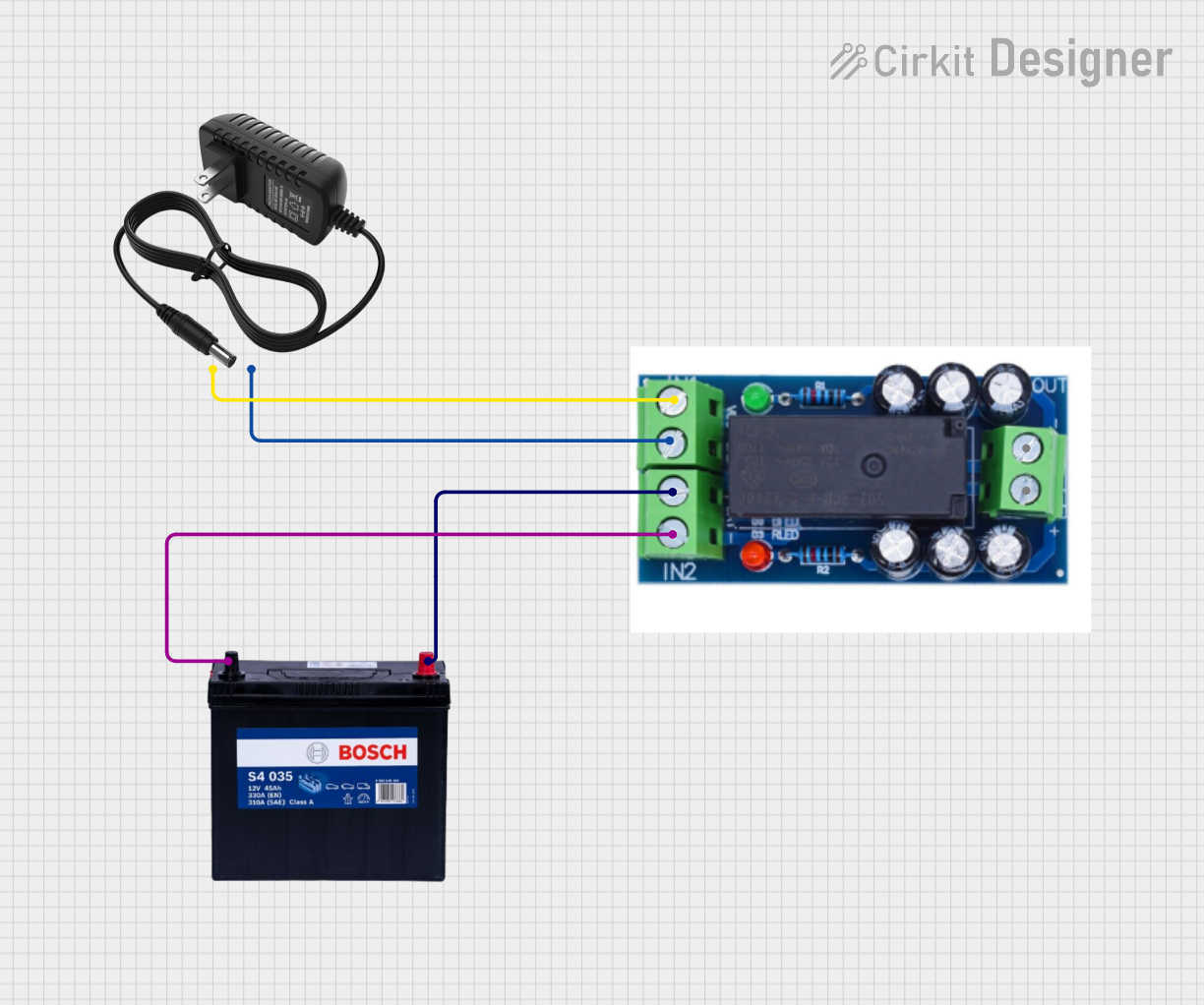
This circuit is designed to provide a backup power solution using a 12V 200Ah battery and a 12V power supply, with the HX-M350 module managing the switching between these power sources. The HX-M350 module automatically switches to the battery power when the main 12V power supply fails or is unavailable, ensuring uninterrupted power to the load. There is no microcontroller or additional control logic involved, indicating that the switching mechanism is likely handled entirely by the HX-M350 module itself.
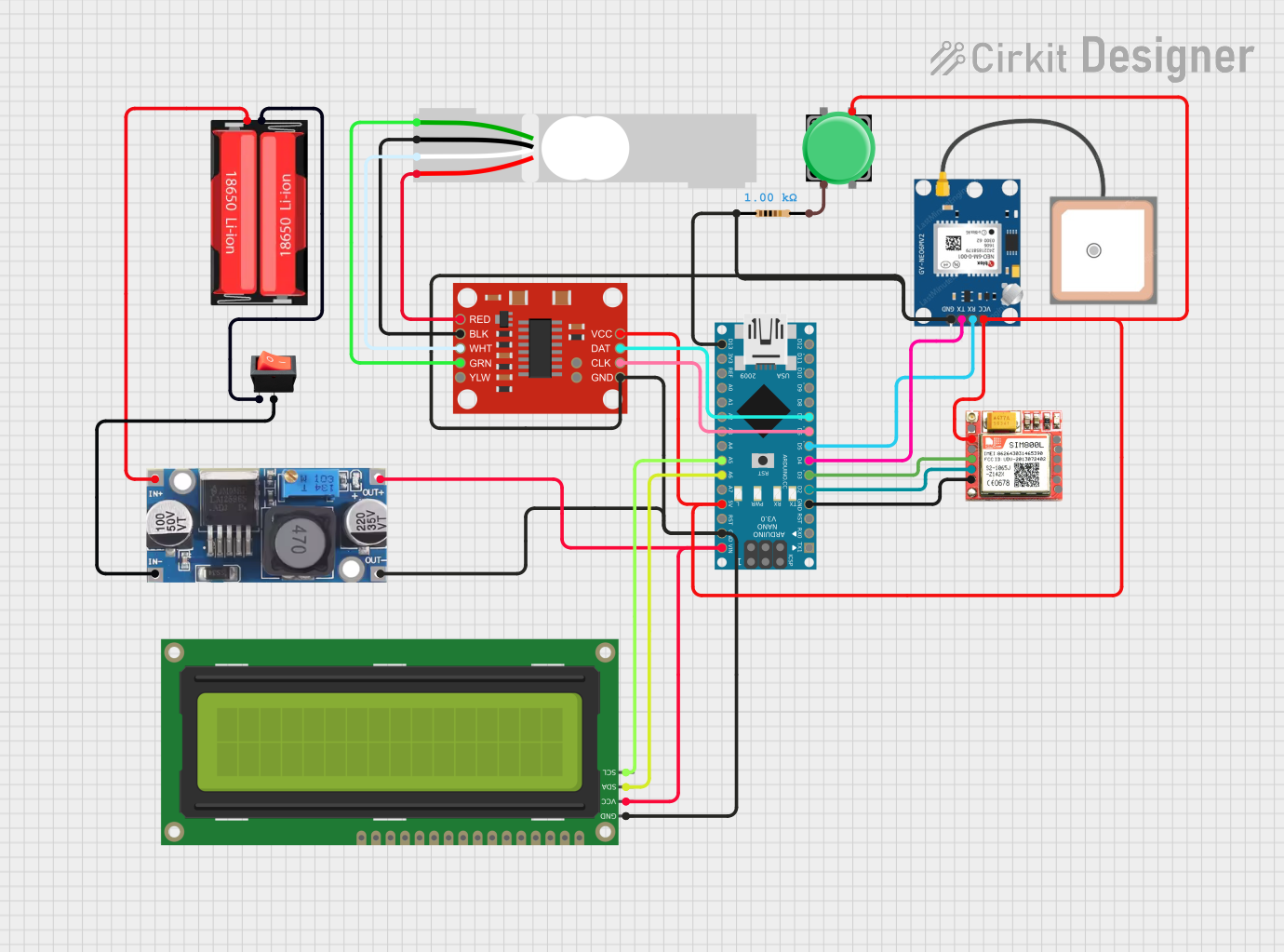
This is a multi-functional circuit designed for location tracking, cellular communication, and weight measurement. It uses an Arduino Nano to interface with a GPS module, a GSM module, and a load cell with an HX711 amplifier, displaying data on an I2C LCD screen. Power is supplied by a Li-Ion battery through a buck converter, with a rocker switch for power control and a pushbutton for user input.
This circuit features an Arduino Mega 2560 microcontroller interfaced with a SIM800L GSM module, two fingerprint scanners, an I2C LCD display, an IR sensor, and a piezo buzzer. Power management is handled by a PowerBoost 1000 Basic Pad USB, a TP4056 charging module, and a Li-ion 18650 battery, with an option to use a Mini AC-DC 110V-230V to 5V 700mA module for direct power supply. The primary functionality appears to be a security system with GSM communication capabilities, biometric access control, and visual/audible feedback.
Powering low-voltage devices from a higher-voltage source (e.g., 12V to 5V).
Battery charging applications with adjustable current control.
LED driver circuits.
DIY electronics projects requiring a regulated power supply.
Arduino and microcontroller-based systems.
Technical Specifications
The XH-M131 module is equipped with robust features to ensure reliable performance in various applications. Below are its key technical specifications:
Parameter
Specification
Input Voltage Range
5V to 36V DC
Output Voltage Range
1.25V to 32V DC (adjustable)
Output Current
Up to 5A (adjustable, with heat sink)
Output Power
Up to 75W
Efficiency
Up to 96%
Ripple Voltage
≤ 50mV
Load Regulation
±0.5%
Voltage Regulation
±0.5%
Dimensions
60mm x 34mm x 12mm
Pin Configuration and Descriptions
The XH-M131 module has the following input and output terminals:
Pin/Terminal
Description
VIN+
Positive input voltage terminal (connect to the higher voltage source).
VIN-
Negative input voltage terminal (connect to the ground of the voltage source).
VOUT+
Positive output voltage terminal (connect to the load or device to be powered).
VOUT-
Negative output voltage terminal (connect to the ground of the load).
Usage Instructions
How to Use the XH-M131 in a Circuit
Connect the Input Voltage:
Connect the VIN+ terminal to the positive terminal of your power source.
Connect the VIN- terminal to the ground of your power source.
Ensure the input voltage is within the range of 5V to 36V DC.
Connect the Output Load:
Connect the VOUT+ terminal to the positive terminal of your load or device.
Connect the VOUT- terminal to the ground of your load.
Adjust the Output Voltage:
Use the onboard potentiometer labeled "CV" (Constant Voltage) to adjust the output voltage.
Turn the potentiometer clockwise to increase the voltage and counterclockwise to decrease it.
Set the Output Current Limit:
Use the potentiometer labeled "CC" (Constant Current) to set the maximum output current.
This is particularly useful for protecting sensitive devices or for battery charging applications.
Power On and Test:
After making all connections, power on the module and measure the output voltage and current using a multimeter to ensure proper settings.
Important Considerations and Best Practices
Heat Dissipation: For currents above 2A, ensure proper heat dissipation by attaching a heat sink to the module.
Input Voltage: Always ensure the input voltage is at least 1.5V higher than the desired output voltage.
Polarity: Double-check the polarity of the input and output connections to avoid damage to the module.
Load Testing: Before connecting sensitive devices, test the output voltage and current with a dummy load.
Example: Using XH-M131 with Arduino UNO
The XH-M131 can be used to power an Arduino UNO from a 12V power source by stepping down the voltage to 5V. Below is an example circuit and code:
Circuit Connections
Connect the VIN+ terminal of the XH-M131 to the positive terminal of a 12V DC power source.
Connect the VIN- terminal to the ground of the power source.
Adjust the output voltage to 5V using the CV potentiometer.
Connect the VOUT+ terminal to the 5V pin of the Arduino UNO.
Connect the VOUT- terminal to the GND pin of the Arduino UNO.
Example Code
// Example code to blink an LED using Arduino UNO powered by XH-M131
// Ensure the XH-M131 output is set to 5V before connecting to the Arduino

const int ledPin = 13; // Pin connected to the onboard LED

void setup() {
  pinMode(ledPin, OUTPUT); // Set the LED pin as an output
}

void loop() {
  digitalWrite(ledPin, HIGH); // Turn the LED on
  delay(1000);                // Wait for 1 second
  digitalWrite(ledPin, LOW);  // Turn the LED off
  delay(1000);                // Wait for 1 second
}
Troubleshooting and FAQs
Common Issues and Solutions
No Output Voltage:
Cause: Incorrect input connections or insufficient input voltage.
Solution: Verify the polarity and ensure the input voltage is within the specified range.
Output Voltage Not Adjustable:
Cause: Faulty potentiometer or incorrect adjustment.
Solution: Check the CV potentiometer and ensure it is not damaged. Turn it slowly to adjust the voltage.
Overheating:
Cause: High output current without proper heat dissipation.
Solution: Attach a heat sink to the module and ensure adequate ventilation.
Load Not Powering On:
Cause: Current limit set too low.
Solution: Adjust the CC potentiometer to increase the current limit.
FAQs
Q: Can the XH-M131 be used to charge batteries?
A: Yes, the module can be used for battery charging applications. Set the output voltage to match the battery's charging voltage and adjust the current limit to prevent overcharging.
Q: What is the maximum input voltage for the XH-M131?
A: The maximum input voltage is 36V DC. Exceeding this limit may damage the module.
Q: Can I use the XH-M131 to power a Raspberry Pi?
A: Yes, you can use the XH-M131 to step down voltage to 5V for powering a Raspberry Pi. Ensure the output voltage is precisely set to 5V and the current limit is sufficient for the Raspberry Pi's requirements.
Q: Is the XH-M131 protected against reverse polarity?
A: No, the module does not have built-in reverse polarity protection. Always double-check the polarity of your connections.

 Open Project in Cirkit Designer