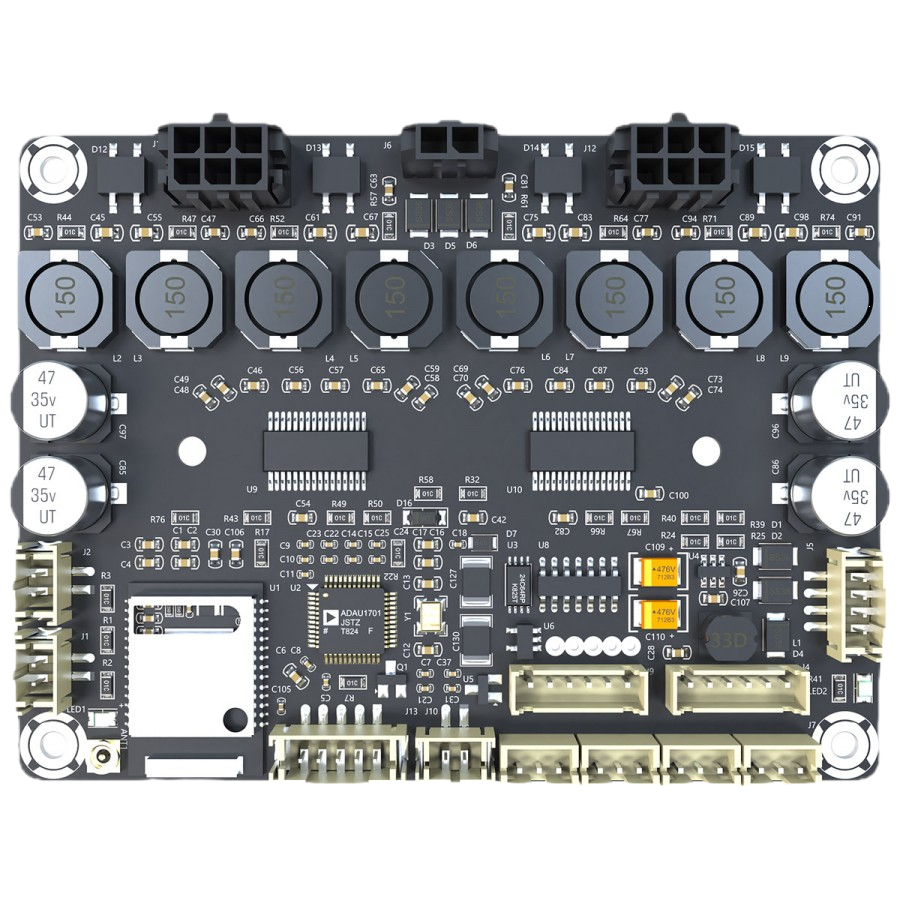
The JAB4 (4x30W Amplifier Board), manufactured by Wondom (Part ID: AA-JA33285), is a compact and efficient amplifier board designed to deliver 4 channels of 30 watts each. This versatile board is ideal for driving speakers in a variety of audio applications, including home audio systems, portable speaker setups, and public address systems. Its small form factor and high performance make it a popular choice for both hobbyists and professional audio engineers.
Explore Projects Built with JAB4 (4x30W Amplifier Board)
Use Cirkit Designer to design, explore, and prototype these projects online. Some projects support real-time simulation. Click "Open Project" to start designing instantly!
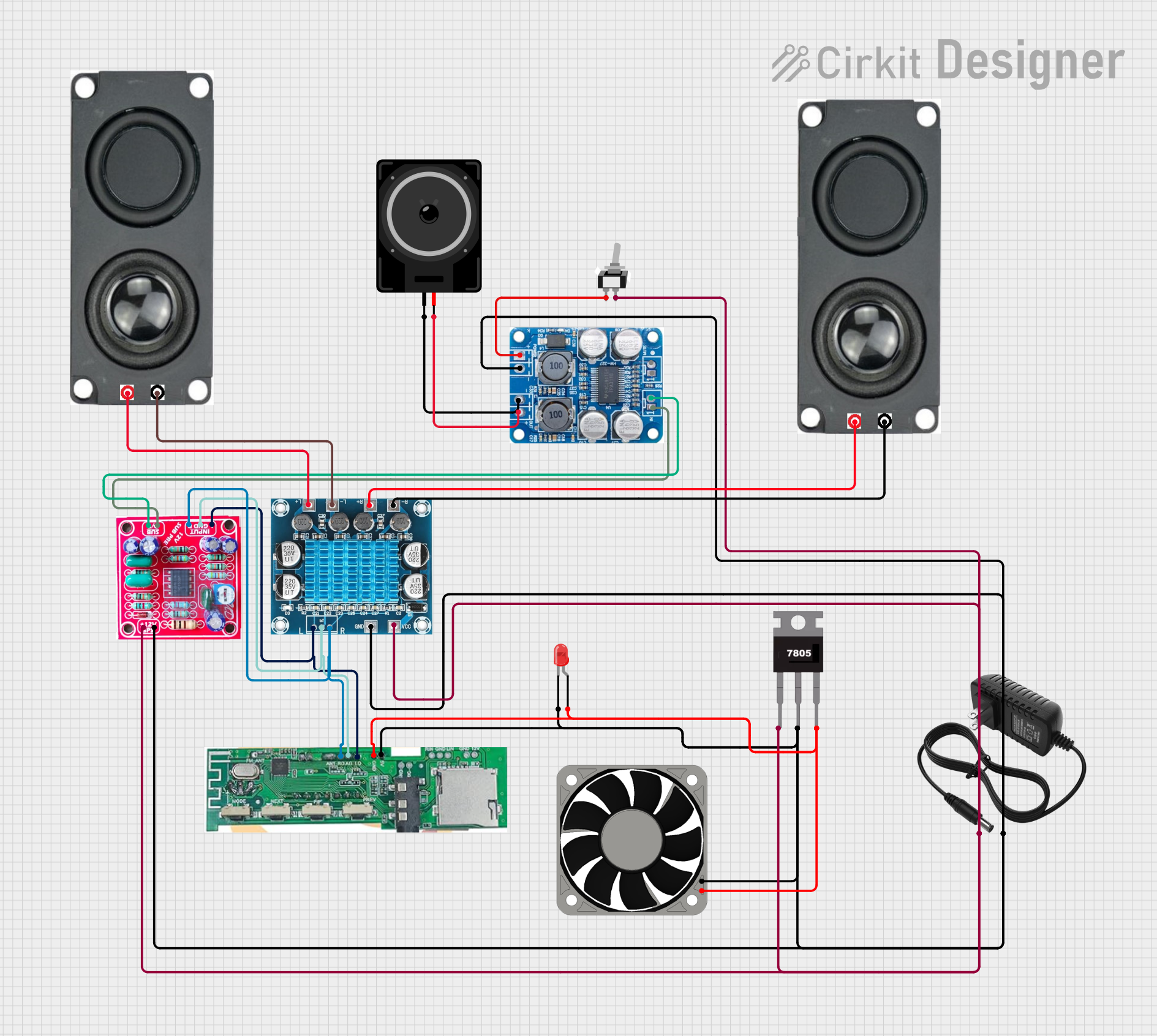
This circuit is a Bluetooth-enabled audio amplifier system with a subwoofer pre-amp and dual 8-ohm speakers. It includes a 12V power supply, a 7805 voltage regulator, and a cooling fan, with a toggle switch to control power. The Bluetooth module provides audio input to the amplifiers, which drive the speakers and subwoofer.
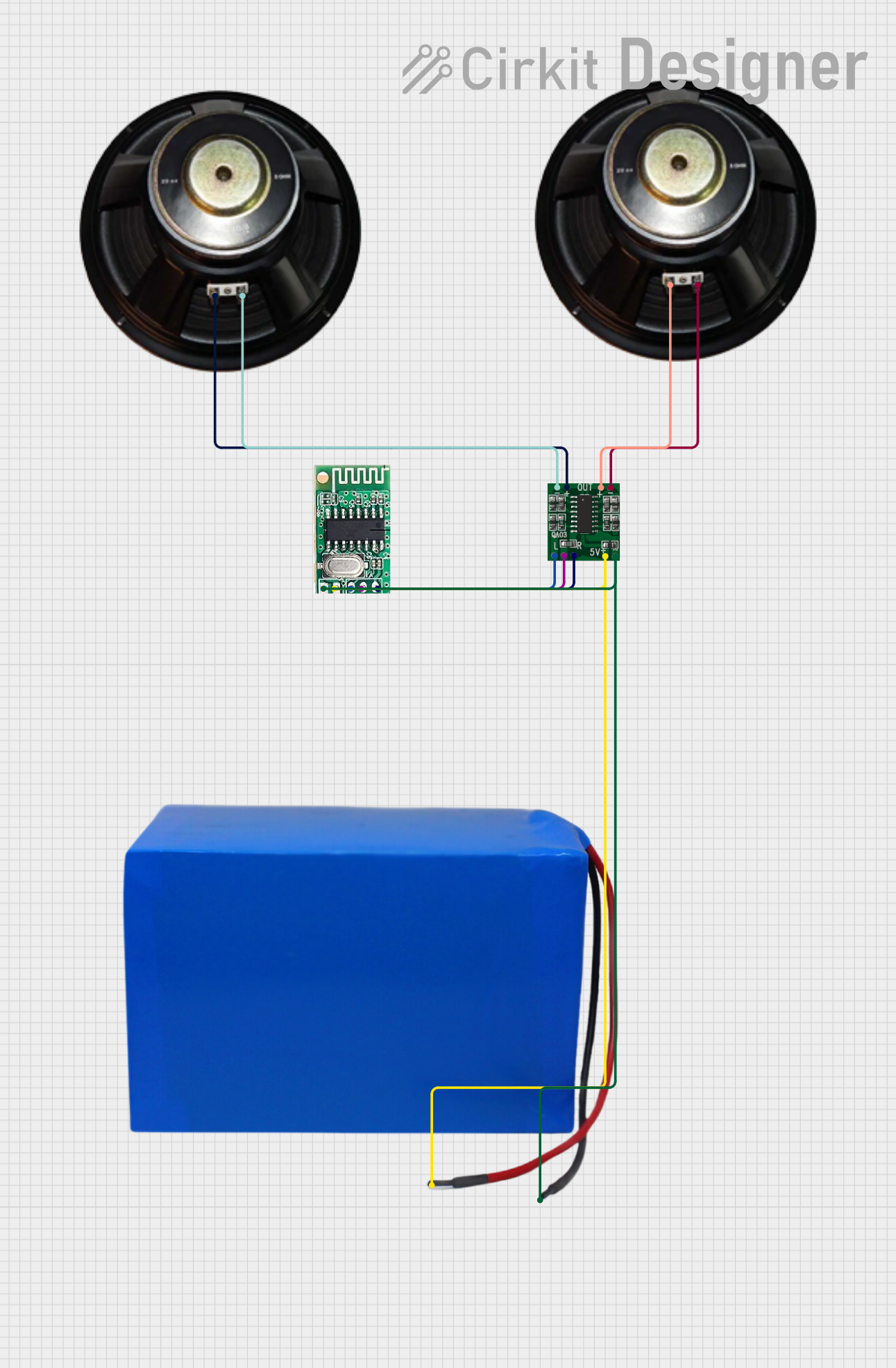
This circuit is a Bluetooth audio amplifier system powered by a 38.5V battery. It uses a 5V Bluetooth audio receiver to receive audio signals, which are then amplified by a PAM8403 amplifier and output to two speakers for stereo sound.
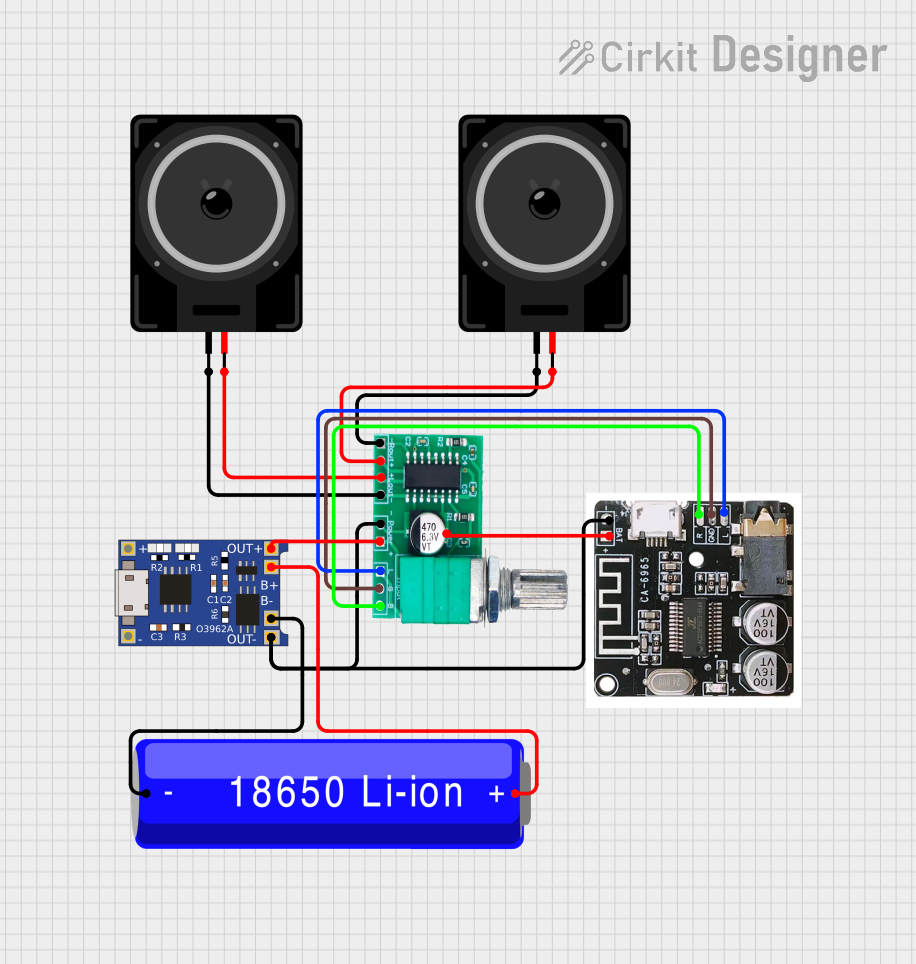
This circuit is a Bluetooth-enabled audio system powered by a rechargeable 18650 Li-ion battery. It includes a TP4056 module for battery charging and protection, a PAM8403 amplifier with volume control to drive two loudspeakers, and a Bluetooth audio receiver to wirelessly receive audio signals.
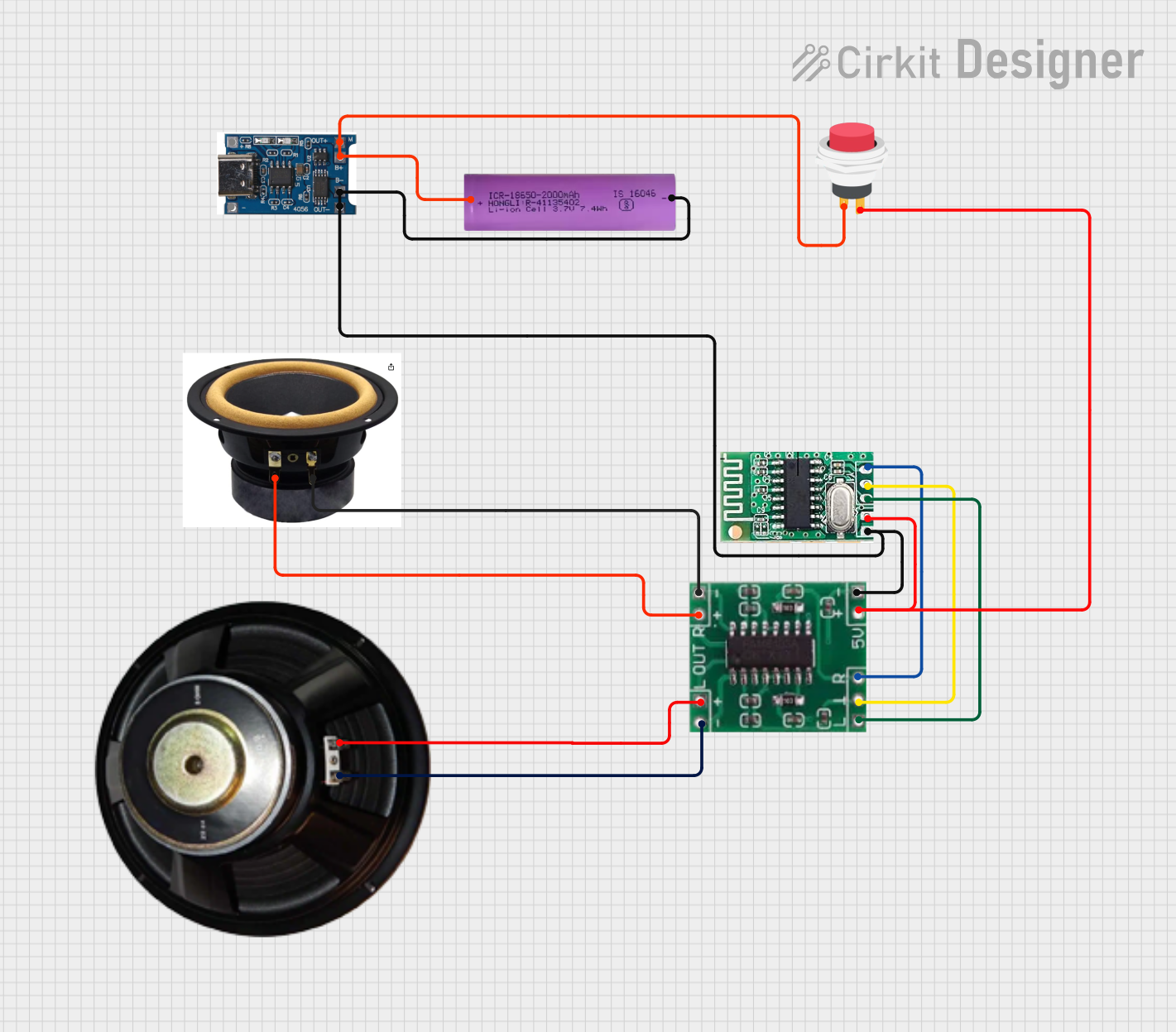
This circuit is a portable Bluetooth audio system powered by a Li-ion battery. It includes a Bluetooth audio receiver that sends audio signals to a 5V amplifier, which then drives a speaker and a tweeter. The system is powered through a battery charger and controlled by a push switch.
The JAB4 board features several key connectors and pins for input, output, and power. Below is a detailed description:
Power and Audio Input
Pin/Connector
Description
DC IN
Power input (10V - 26V DC)
AUX IN
3.5mm stereo jack for audio input
Bluetooth
Built-in Bluetooth module for wireless audio input (optional)
Speaker Output
Pin/Connector
Description
OUT1+ / OUT1-
Positive and negative terminals for Channel 1
OUT2+ / OUT2-
Positive and negative terminals for Channel 2
OUT3+ / OUT3-
Positive and negative terminals for Channel 3
OUT4+ / OUT4-
Positive and negative terminals for Channel 4
Control and Expansion
Pin/Connector
Description
UART
Serial communication interface for control and configuration
I2C
I2C interface for advanced control
LED Indicators
Status LEDs for power and signal
Usage Instructions
How to Use the JAB4 in a Circuit
Power Supply: Connect a DC power supply (10V - 26V) to the DC IN connector. Ensure the power supply can provide sufficient current for the desired output power.
Audio Input:
For wired input, connect an audio source (e.g., smartphone, PC, or audio player) to the AUX IN jack.
For wireless input, pair your Bluetooth-enabled device with the JAB4 (if the Bluetooth module is enabled).
Speaker Connections: Connect speakers to the output terminals (OUT1+/-, OUT2+/-, etc.). Ensure the speakers match the impedance requirements (8Ω recommended).
Control and Configuration: Use the UART or I2C interface for advanced control, if needed. This may require additional software or hardware tools.
Important Considerations and Best Practices
Heat Dissipation: The JAB4 is a Class D amplifier, which is highly efficient, but it may still generate heat during operation. Ensure adequate ventilation or attach a heatsink if necessary.
Speaker Impedance: Use speakers with an impedance of 8Ω for optimal performance. Lower impedance speakers may cause overheating or damage.
Power Supply: Use a regulated DC power supply with sufficient current capacity. For full power output, a 24V DC supply is recommended.
Signal Quality: To minimize noise, use shielded cables for audio input and keep power and signal wires separate.
Example: Connecting JAB4 to an Arduino UNO
The JAB4 can be controlled via UART or I2C. Below is an example of using an Arduino UNO to send commands via UART.
#include <SoftwareSerial.h>

// Define RX and TX pins for SoftwareSerial
SoftwareSerial JAB4Serial(10, 11); // RX = pin 10, TX = pin 11

void setup() {
  // Initialize serial communication with JAB4
  JAB4Serial.begin(9600); // Default baud rate for JAB4 UART
  Serial.begin(9600);     // For debugging via Serial Monitor

  // Send a sample command to JAB4 (e.g., volume control)
  JAB4Serial.println("VOL+"); // Increase volume
  Serial.println("Sent command: VOL+");
}

void loop() {
  // Check for incoming data from JAB4
  if (JAB4Serial.available()) {
    String response = JAB4Serial.readString();
    Serial.println("Response from JAB4: " + response);
  }
}
Notes:
Replace "VOL+" with the appropriate command for your application.
Ensure the JAB4 UART pins are connected to the Arduino's RX and TX pins (via level shifters if necessary).
Troubleshooting and FAQs
Common Issues and Solutions
No Sound Output
Cause: Incorrect speaker connections or insufficient power supply.
Solution: Verify speaker wiring and ensure the power supply meets the voltage and current requirements.
Distorted Audio
Cause: Overdriving the amplifier or using low-impedance speakers.
Solution: Reduce the input signal level and ensure speakers have an impedance of 8Ω.
Overheating
Cause: Prolonged operation at high power levels or inadequate ventilation.
Solution: Improve airflow around the board or attach a heatsink.
Bluetooth Pairing Issues
Cause: Interference or incorrect pairing procedure.
Solution: Ensure the Bluetooth device is in range and follow the pairing instructions.
FAQs
Q: Can I use a 4Ω speaker with the JAB4? A: While possible, using a 4Ω speaker may cause overheating or reduce the lifespan of the board. An 8Ω speaker is recommended.
Q: What is the maximum power supply voltage? A: The JAB4 supports a maximum of 26V DC. Exceeding this voltage may damage the board.
Q: Can I control the JAB4 via I2C? A: Yes, the JAB4 supports I2C communication for advanced control. Refer to the manufacturer's documentation for I2C command details.
Q: Is the Bluetooth module included by default? A: The Bluetooth module is optional. Check your specific JAB4 model to confirm.
By following this documentation, you can effectively integrate the JAB4 (4x30W Amplifier Board) into your audio projects and troubleshoot common issues with ease.

 Open Project in Cirkit Designer