
How to Use DOOR LOCK: Examples, Pinouts, and Specs
 Design with DOOR LOCK in Cirkit Designer
Introduction
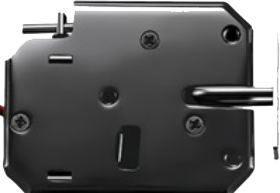
A door lock is a mechanical or electronic device designed to secure a door, preventing unauthorized access and ensuring safety. Door locks are widely used in residential, commercial, and industrial settings. Modern electronic door locks often integrate with smart home systems, allowing remote control and monitoring.
Common applications and use cases include:
- Securing residential doors, offices, and storage rooms.
- Integration with access control systems in commercial buildings.
- Smart home automation for remote locking and unlocking.
- Enhancing security in high-risk areas.
Explore Projects Built with DOOR LOCK
 Open Project in Cirkit Designer
 Open Project in Cirkit Designer
 Open Project in Cirkit Designer
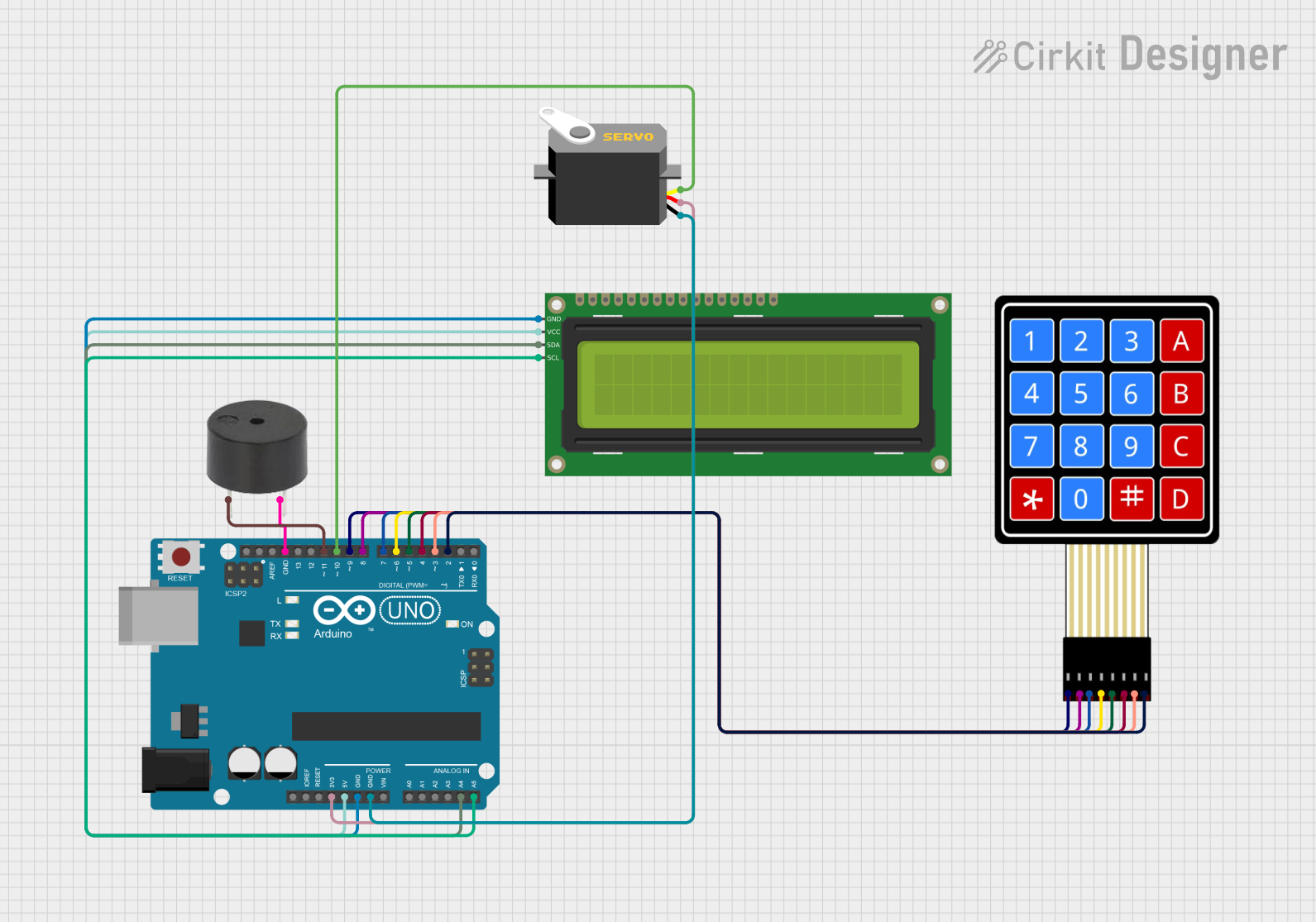 Open Project in Cirkit Designer
Explore Projects Built with DOOR LOCK
Open Project in Cirkit DesignerOpen Project in Cirkit DesignerOpen Project in Cirkit DesignerOpen Project in Cirkit DesignerTechnical Specifications
The technical specifications of a door lock vary depending on its type (mechanical or electronic). Below are the general specifications for an electronic door lock:
General Specifications
| Parameter | Value/Description |
|---|---|
| Operating Voltage | 5V to 12V DC |
| Current Consumption | 100mA to 500mA (depending on lock type) |
| Locking Mechanism | Solenoid-based or motor-driven |
| Material | Stainless steel, zinc alloy, or plastic |
| Communication Interface | Wired (e.g., UART, I2C) or wireless (e.g., Bluetooth, Wi-Fi) |
| Operating Temperature | -20°C to 60°C |
| Dimensions | Varies by model (e.g., 70mm x 40mm x 20mm) |
Pin Configuration (for an electronic door lock module)
| Pin Name | Description |
|---|---|
| VCC | Power supply input (5V or 12V, depending on model) |
| GND | Ground connection |
| IN | Control signal input (e.g., HIGH to unlock) |
| NC/NO | Normally Closed/Normally Open connection for relay control (optional) |
Usage Instructions
How to Use the Component in a Circuit
- Power Supply: Connect the
VCCpin to a 5V or 12V DC power source (as specified by the lock). Connect theGNDpin to the ground of the power source. - Control Signal: Use a microcontroller (e.g., Arduino UNO) to send a control signal to the
INpin. A HIGH signal typically unlocks the door, while a LOW signal locks it. - Relay Connection (if applicable): If the lock includes NC/NO pins, connect them to a relay module for additional control over the locking mechanism.
Important Considerations and Best Practices
- Power Requirements: Ensure the power supply matches the lock's voltage and current requirements to avoid damage.
- Polarity: Double-check the polarity of the connections to prevent short circuits.
- Control Signal: Use a transistor or relay if the microcontroller cannot provide sufficient current to drive the lock.
- Safety: For electronic locks, consider adding a backup power source (e.g., battery) to ensure functionality during power outages.
- Testing: Test the lock mechanism before installation to verify proper operation.
Example Code for Arduino UNO
Below is an example of how to control an electronic door lock using an Arduino UNO:
// Example code to control an electronic door lock with Arduino UNO
const int lockPin = 7; // Pin connected to the IN pin of the door lock

void setup() {
  pinMode(lockPin, OUTPUT); // Set the lock pin as an output
  digitalWrite(lockPin, LOW); // Ensure the lock is initially locked
}

void loop() {
  // Unlock the door for 5 seconds, then lock it again
  digitalWrite(lockPin, HIGH); // Send HIGH signal to unlock
  delay(5000); // Keep the door unlocked for 5 seconds
  digitalWrite(lockPin, LOW); // Send LOW signal to lock
  delay(10000); // Wait for 10 seconds before repeating
}
Note: Use a transistor or relay module if the lock requires more current than the Arduino pin can supply.
Troubleshooting and FAQs
Common Issues and Solutions
The lock does not respond to the control signal.
- Solution: Check the power supply and ensure the voltage matches the lock's requirements. Verify the control signal is being sent correctly from the microcontroller.
The lock gets stuck in the locked or unlocked position.
- Solution: Inspect the locking mechanism for physical obstructions. Ensure the power supply provides sufficient current.
The lock heats up during operation.
- Solution: Prolonged activation of the solenoid or motor can cause overheating. Use a timer to limit activation duration.
The lock does not work during a power outage.
- Solution: Install a backup battery or uninterruptible power supply (UPS) to maintain functionality.
FAQs
Q: Can I use this lock outdoors?
A: Some electronic door locks are weatherproof, but others are designed for indoor use only. Check the manufacturer's specifications for outdoor compatibility.
Q: How do I integrate the lock with a smart home system?
A: Use a lock with wireless communication (e.g., Bluetooth or Wi-Fi) and follow the manufacturer's instructions for pairing with your smart home hub.
Q: Can I manually unlock the door if the electronic lock fails?
A: Many electronic locks include a mechanical key override for manual operation in case of failure.
Q: What is the lifespan of an electronic door lock?
A: The lifespan depends on the quality of the lock and usage frequency. High-quality locks can last several years with proper maintenance.