
How to Use TB6600 DRIVER của Sơn: Examples, Pinouts, and Specs
 Design with TB6600 DRIVER của Sơn in Cirkit Designer
Introduction
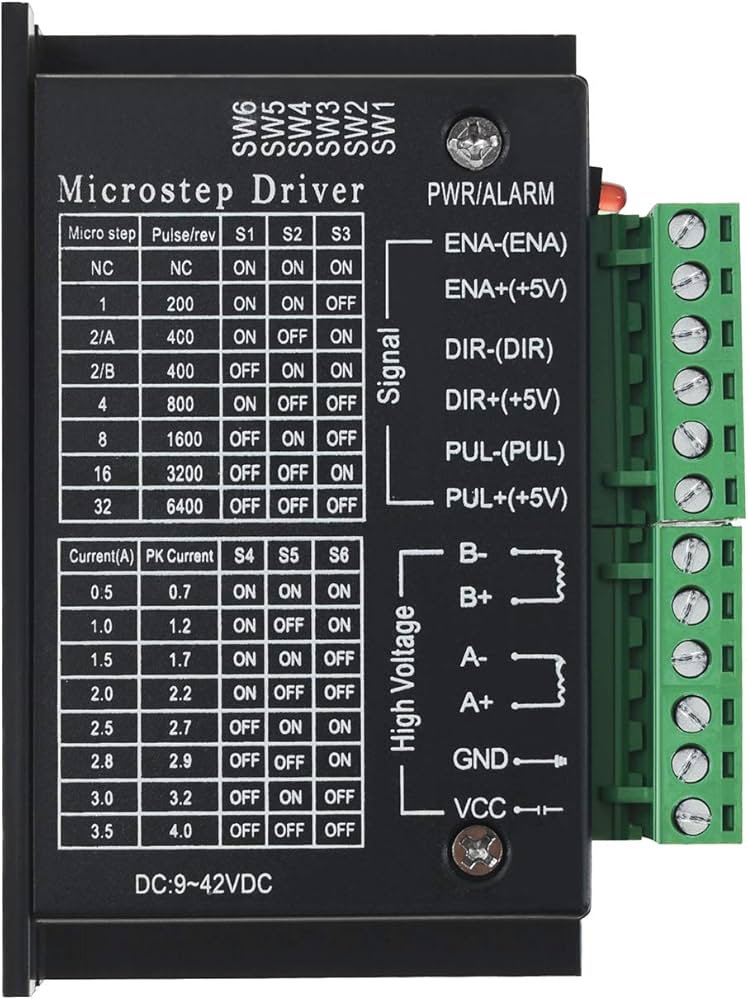
The TB6600 is a high-performance stepper motor driver designed to provide precise control of stepper motors. It is widely used in applications requiring accurate motion control, such as CNC machines, 3D printers, robotics, and automated machinery. The driver supports a wide range of input voltages (up to 42V) and can handle high current outputs (up to 4.5A), making it compatible with various stepper motor types. Its microstepping capability ensures smooth and precise motor operation, while its robust design ensures reliability in demanding environments.
Explore Projects Built with TB6600 DRIVER của Sơn
 Open Project in Cirkit Designer
 Open Project in Cirkit Designer
 Open Project in Cirkit Designer
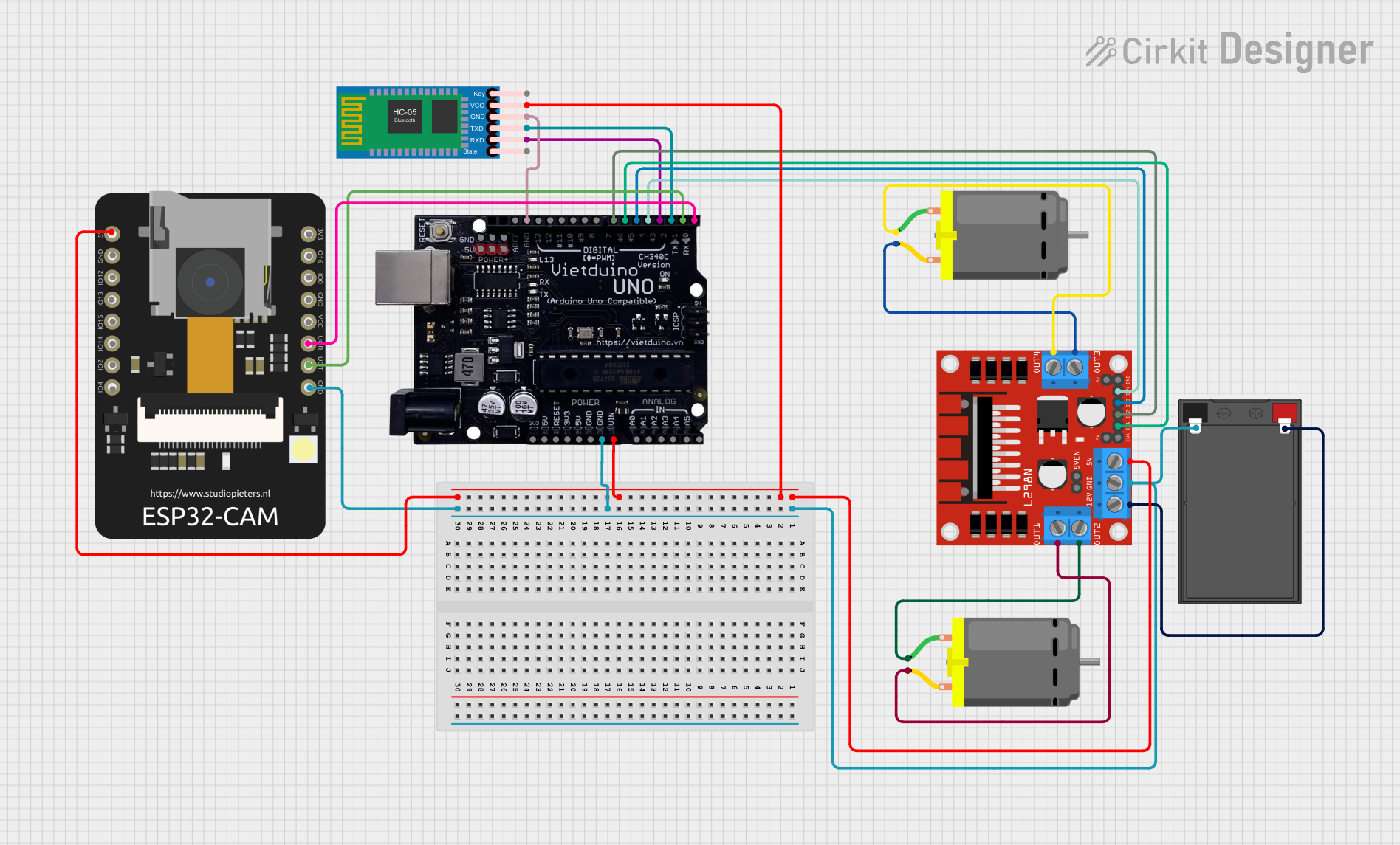 Open Project in Cirkit Designer
Explore Projects Built with TB6600 DRIVER của Sơn
Open Project in Cirkit DesignerOpen Project in Cirkit DesignerOpen Project in Cirkit DesignerOpen Project in Cirkit DesignerTechnical Specifications
The TB6600 driver is equipped with advanced features to meet the needs of precision motion control. Below are its key technical specifications:
General Specifications
- Input Voltage Range: 9V to 42V DC
- Output Current: Adjustable, up to 4.5A
- Microstepping Modes: Full step, 1/2, 1/4, 1/8, 1/16
- Control Signal Voltage: 3.3V to 5V (compatible with most microcontrollers)
- Operating Temperature: -10°C to +45°C
- Protection Features: Overcurrent, overvoltage, and thermal protection
Pin Configuration and Descriptions
The TB6600 driver has several input and output terminals for connecting to a microcontroller, power supply, and stepper motor. Below is the pin configuration:
Input Terminals
| Pin Name | Description |
|---|---|
| PUL+ | Pulse signal input (positive terminal). Used to control motor steps. |
| PUL- | Pulse signal input (negative terminal). |
| DIR+ | Direction signal input (positive terminal). Determines motor rotation direction. |
| DIR- | Direction signal input (negative terminal). |
| ENA+ | Enable signal input (positive terminal). Activates or deactivates the driver. |
| ENA- | Enable signal input (negative terminal). |
Output Terminals
| Pin Name | Description |
|---|---|
| A+ | Connects to the A+ coil of the stepper motor. |
| A- | Connects to the A- coil of the stepper motor. |
| B+ | Connects to the B+ coil of the stepper motor. |
| B- | Connects to the B- coil of the stepper motor. |
Power Terminals
| Pin Name | Description |
|---|---|
| VCC | Connects to the positive terminal of the DC power supply (9V to 42V). |
| GND | Connects to the ground terminal of the DC power supply. |
Usage Instructions
Connecting the TB6600 Driver
- Power Supply: Connect a DC power supply (9V to 42V) to the VCC and GND terminals. Ensure the power supply can provide sufficient current for your stepper motor.
- Stepper Motor: Connect the stepper motor's coils to the A+, A-, B+, and B- terminals. Refer to your motor's datasheet to identify the coil pairs.
- Microcontroller: Connect the PUL+, DIR+, and ENA+ pins to the corresponding control pins on your microcontroller. Connect the PUL-, DIR-, and ENA- pins to the microcontroller's ground (GND).
- Microstepping Settings: Use the DIP switches on the driver to configure the desired microstepping mode and current limit. Refer to the TB6600 datasheet for DIP switch settings.
Example Code for Arduino UNO
Below is an example of how to control a stepper motor using the TB6600 driver and an Arduino UNO:
// Define control pins for the TB6600 driver
#define PUL_PIN 2  // Pulse signal pin
#define DIR_PIN 3  // Direction signal pin
#define ENA_PIN 4  // Enable signal pin

void setup() {
  // Set control pins as outputs
  pinMode(PUL_PIN, OUTPUT);
  pinMode(DIR_PIN, OUTPUT);
  pinMode(ENA_PIN, OUTPUT);

  // Enable the driver
  digitalWrite(ENA_PIN, LOW); // LOW enables the driver
}

void loop() {
  // Set motor direction
  digitalWrite(DIR_PIN, HIGH); // HIGH for one direction, LOW for the other

  // Generate pulses to move the motor
  for (int i = 0; i < 200; i++) { // 200 steps for one revolution (example)
    digitalWrite(PUL_PIN, HIGH); // Pulse HIGH
    delayMicroseconds(500);      // Adjust delay for speed control
    digitalWrite(PUL_PIN, LOW);  // Pulse LOW
    delayMicroseconds(500);      // Adjust delay for speed control
  }

  delay(1000); // Wait 1 second before reversing direction

  // Reverse motor direction
  digitalWrite(DIR_PIN, LOW);
  for (int i = 0; i < 200; i++) {
    digitalWrite(PUL_PIN, HIGH);
    delayMicroseconds(500);
    digitalWrite(PUL_PIN, LOW);
    delayMicroseconds(500);
  }

  delay(1000); // Wait 1 second before repeating
}
Important Considerations
- Ensure the power supply voltage and current ratings match the requirements of your stepper motor.
- Properly configure the DIP switches for microstepping and current limit to avoid damaging the motor or driver.
- Use a heatsink or cooling fan if the driver operates at high currents for extended periods.
Troubleshooting and FAQs
Common Issues and Solutions
Motor Not Moving:
- Check all wiring connections, especially the motor coils and control signals.
- Verify that the power supply is providing the correct voltage and current.
- Ensure the ENA pin is set to LOW to enable the driver.
Motor Vibrates but Does Not Rotate:
- Verify the correct wiring of the motor coils (A+, A-, B+, B-).
- Check the microstepping settings on the DIP switches.
Driver Overheating:
- Ensure adequate cooling with a heatsink or fan.
- Reduce the current limit using the DIP switches.
Inconsistent Motor Movement:
- Check for noise or interference in the control signal lines.
- Use shielded cables for long connections.
FAQs
Can the TB6600 work with 3.3V logic microcontrollers?
Yes, the TB6600 is compatible with both 3.3V and 5V logic levels.What is the maximum step frequency supported?
The TB6600 supports a maximum pulse frequency of 200 kHz.Can I use the TB6600 with a unipolar stepper motor?
No, the TB6600 is designed for bipolar stepper motors only.
By following this documentation, you can effectively use the TB6600 driver for precise stepper motor control in your projects.