
How to Use Grove MP3 V4: Examples, Pinouts, and Specs
 Design with Grove MP3 V4 in Cirkit Designer
Introduction
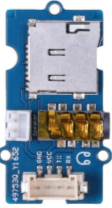
The Grove MP3 V4 (Manufacturer Part ID: 107020129) is a compact and versatile audio player module designed for seamless integration into electronic projects. It supports playback of MP3 files and other audio formats, making it an excellent choice for applications requiring sound output. With its simple interface and Grove connector, it is easy to use with microcontrollers such as Arduino, Raspberry Pi, and other development boards.
Explore Projects Built with Grove MP3 V4
 Open Project in Cirkit Designer
 Open Project in Cirkit Designer
 Open Project in Cirkit Designer
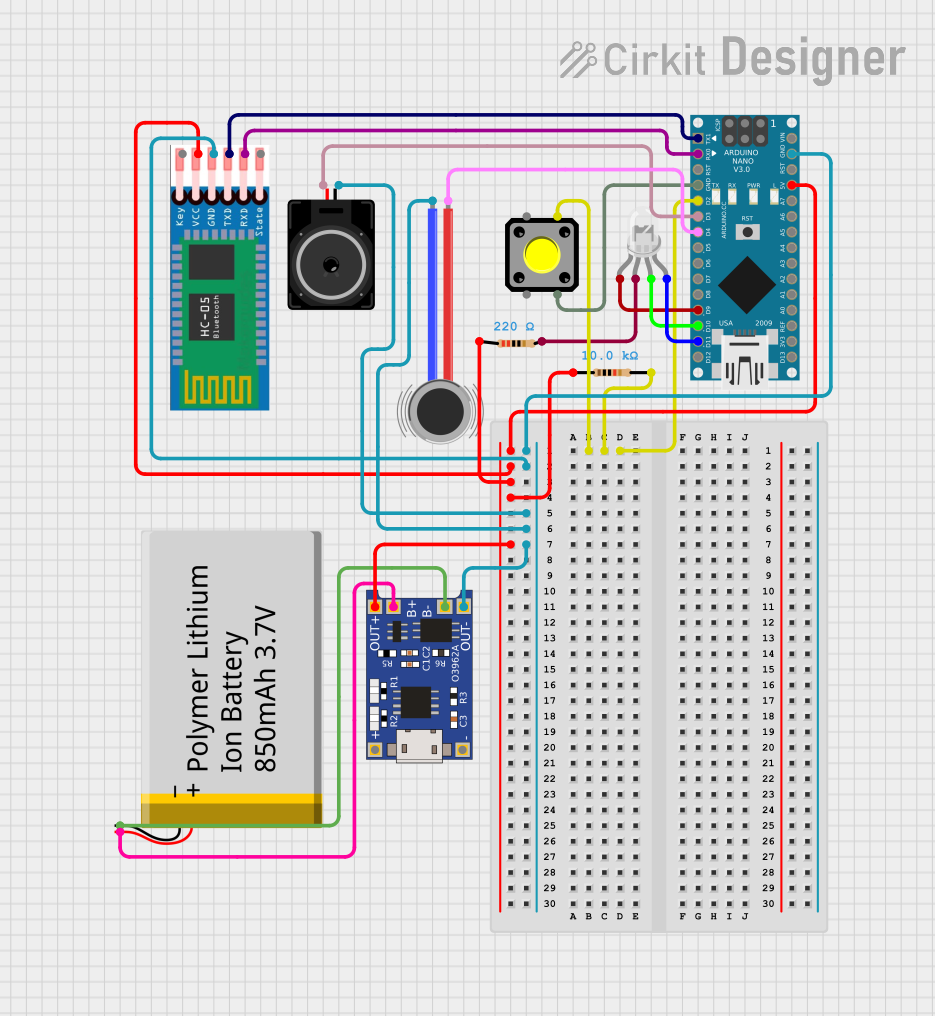 Open Project in Cirkit Designer
Explore Projects Built with Grove MP3 V4
Open Project in Cirkit DesignerOpen Project in Cirkit DesignerOpen Project in Cirkit DesignerOpen Project in Cirkit DesignerCommon Applications and Use Cases
- Audio feedback in IoT devices
- Interactive art installations
- Voice prompts in automation systems
- Educational projects and DIY electronics
- Portable audio playback systems
Technical Specifications
The following table outlines the key technical details of the Grove MP3 V4 module:
| Parameter | Specification |
|---|---|
| Operating Voltage | 3.3V to 5V |
| Operating Current | < 20mA (idle), up to 200mA (playback) |
| Audio Formats Supported | MP3, WAV, WMA |
| Storage Medium | MicroSD card (up to 32GB, FAT32 format) |
| Communication Interface | UART (default baud rate: 9600 bps) |
| Audio Output | 3.5mm headphone jack or speaker output |
| Dimensions | 40mm x 20mm |
Pin Configuration and Descriptions
The Grove MP3 V4 module features a 4-pin Grove connector for easy interfacing. The pin configuration is as follows:
| Pin | Name | Description |
|---|---|---|
| 1 | VCC | Power supply input (3.3V to 5V) |
| 2 | GND | Ground |
| 3 | RX | UART Receive pin (connect to TX of MCU) |
| 4 | TX | UART Transmit pin (connect to RX of MCU) |
Usage Instructions
How to Use the Grove MP3 V4 in a Circuit
Connect the Module:
- Use a Grove cable to connect the module to a Grove Base Shield attached to your microcontroller (e.g., Arduino UNO).
- Alternatively, connect the pins manually:
- VCC to 5V or 3.3V on the microcontroller.
- GND to GND on the microcontroller.
- RX to the TX pin of the microcontroller.
- TX to the RX pin of the microcontroller.
Prepare the MicroSD Card:
- Format the MicroSD card to FAT32.
- Copy MP3 files to the root directory of the card.
- Insert the MicroSD card into the module.
Write the Code:
- Use the provided UART commands to control playback (e.g., play, pause, stop).
- Below is an example Arduino sketch to play an MP3 file:
#include <SoftwareSerial.h>

// Define RX and TX pins for SoftwareSerial
SoftwareSerial mp3Serial(2, 3); // RX = Pin 2, TX = Pin 3

void setup() {
  Serial.begin(9600); // Initialize Serial Monitor
  mp3Serial.begin(9600); // Initialize communication with MP3 module

  delay(1000); // Wait for the module to initialize

  // Send command to play the first track
  playTrack(1);
}

void loop() {
  // Add your logic here (e.g., play next track, pause, etc.)
}

// Function to send a play command to the MP3 module
void playTrack(uint8_t trackNumber) {
  uint8_t command[] = {0x7E, 0x03, 0xA2, trackNumber, 0x7E};
  mp3Serial.write(command, sizeof(command));
  Serial.println("Playing track...");
}
Important Considerations and Best Practices
- Ensure the MicroSD card is properly formatted and securely inserted.
- Use a stable power supply to avoid noise or interruptions during playback.
- Avoid connecting both the headphone jack and speaker output simultaneously.
- If using an external speaker, ensure it matches the module's output specifications.
Troubleshooting and FAQs
Common Issues and Solutions
No Sound Output:
- Verify the MicroSD card is formatted to FAT32 and contains valid MP3 files.
- Check the connections, especially the RX and TX pins.
- Ensure the volume is not set to zero (use UART commands to adjust volume).
Module Not Responding:
- Confirm the baud rate is set to 9600 bps in your code.
- Check for loose connections or incorrect wiring.
- Reset the module by disconnecting and reconnecting the power supply.
Distorted Audio:
- Ensure the power supply is stable and within the specified voltage range.
- Use high-quality audio files and compatible speakers/headphones.
FAQs
Q: Can I use the Grove MP3 V4 with a Raspberry Pi?
A: Yes, the module can be connected to a Raspberry Pi using the UART interface. Use the GPIO pins for RX and TX communication.
Q: What is the maximum storage capacity supported?
A: The module supports MicroSD cards up to 32GB formatted in FAT32.
Q: Can I control the module without a microcontroller?
A: No, the module requires UART commands to control playback, which must be sent by a microcontroller or similar device.
Q: How do I adjust the volume?
A: Use UART commands to increase or decrease the volume. Refer to the module's datasheet for the specific command format.
By following this documentation, you can effectively integrate the Grove MP3 V4 into your projects and enjoy high-quality audio playback with ease!