The Electronic Overcurrent Relay (EOCR), manufactured by Cirkit (Part ID: EOCR), is a protective device designed to monitor and safeguard electrical circuits from overcurrent conditions. By detecting abnormal current levels, the EOCR disconnects the circuit to prevent damage to equipment, reduce downtime, and enhance operational safety. This device is widely used in industrial and commercial applications where reliable circuit protection is critical.
Explore Projects Built with EOCR
Use Cirkit Designer to design, explore, and prototype these projects online. Some projects support real-time simulation. Click "Open Project" to start designing instantly!
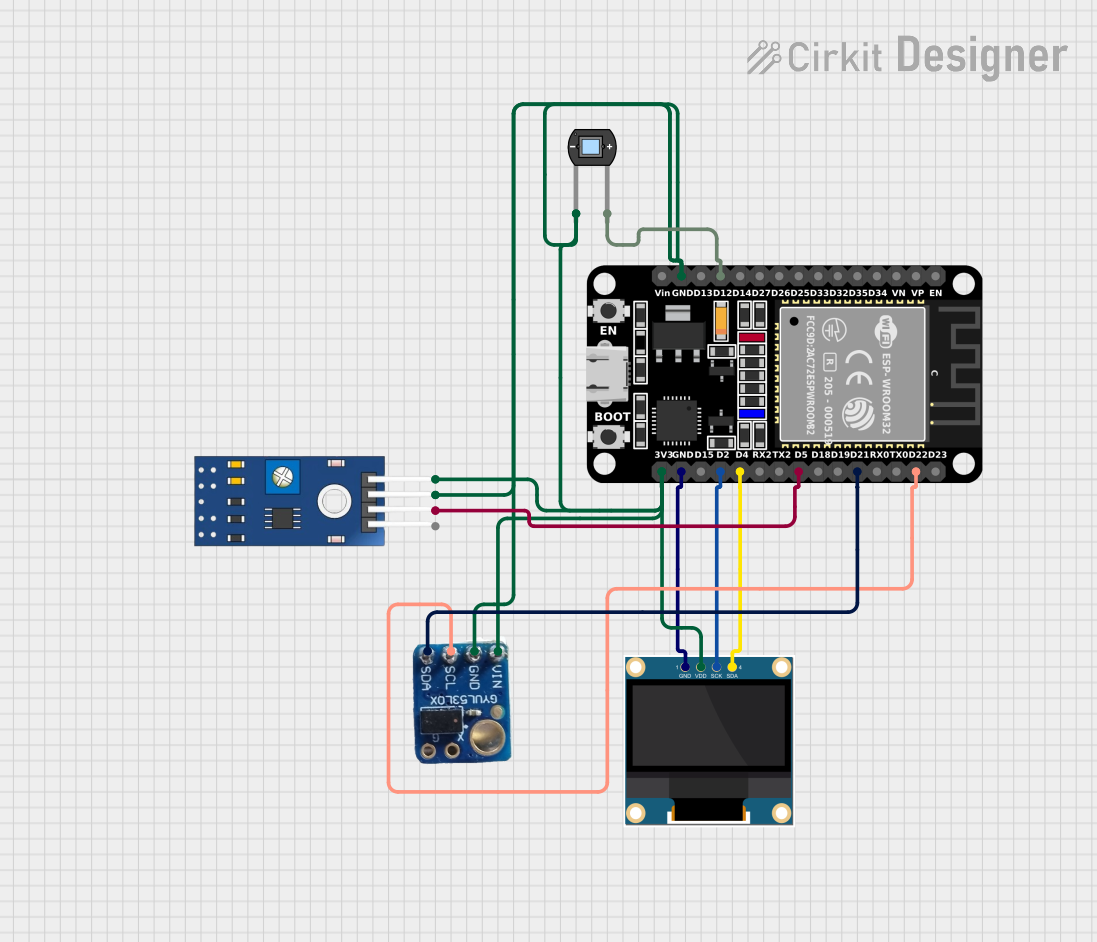
This circuit is designed to monitor eye pressure and deformation using a photodiode, a TCRT 5000 IR sensor, and a VL53L0X time-of-flight distance sensor. The ESP32 microcontroller reads sensor data, processes it to determine eye pressure status, and displays the results on a 0.96" OLED screen. It includes safety features, sensor calibration, and the ability to display sensor values and eye pressure status in real-time.
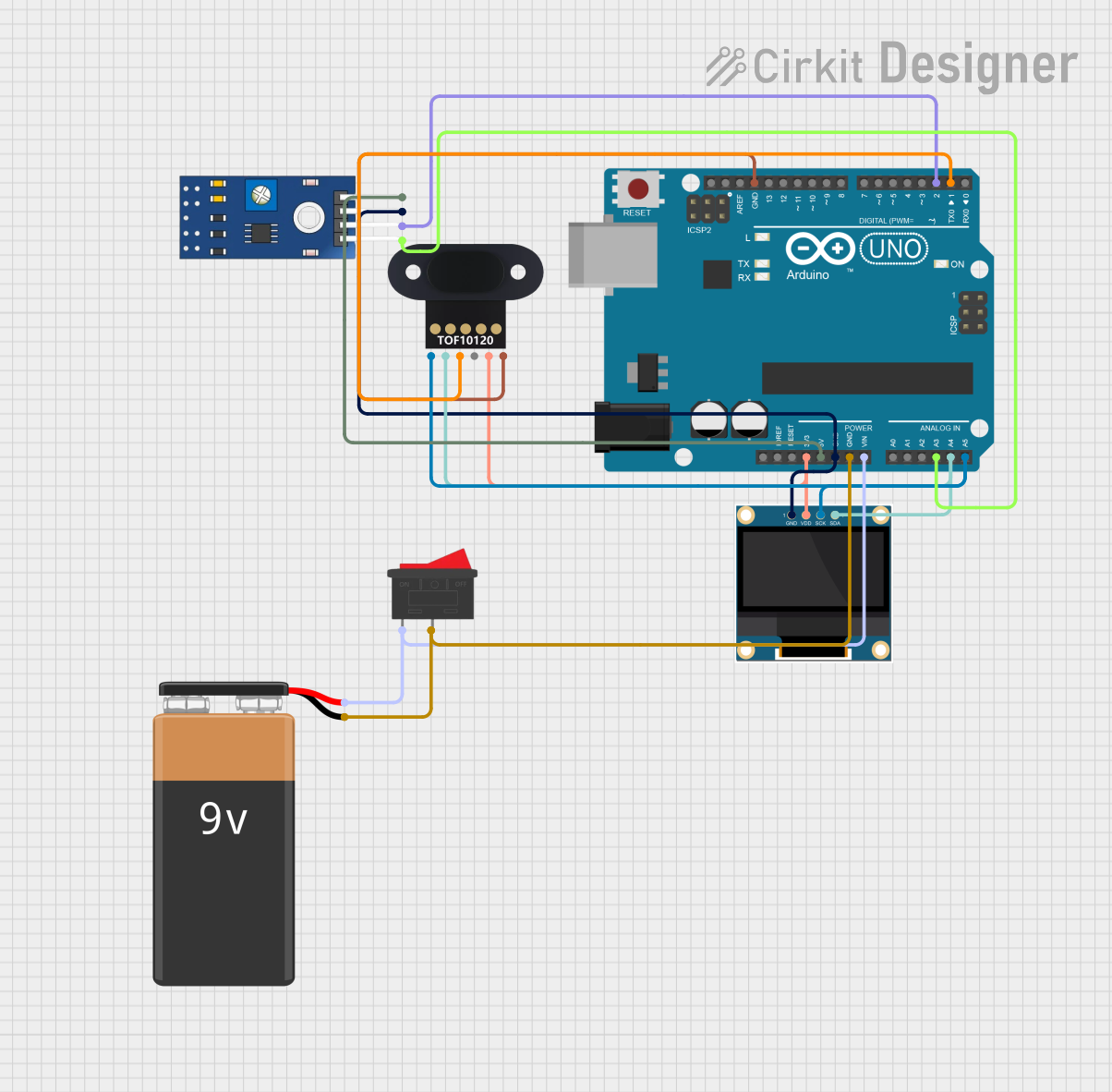
This circuit is designed to measure eye pressure and display the status on a 0.96" OLED screen, using an Arduino UNO as the central processing unit. It includes a TOF10120 sensor for distance measurement and a TCRT 5000 IR sensor for detecting surface changes, both interfacing with the Arduino. A 9V battery powers the system, with a rocker switch to control power flow, and the Arduino manages sensor data processing and OLED display output to indicate eye pressure as high, normal, or low.
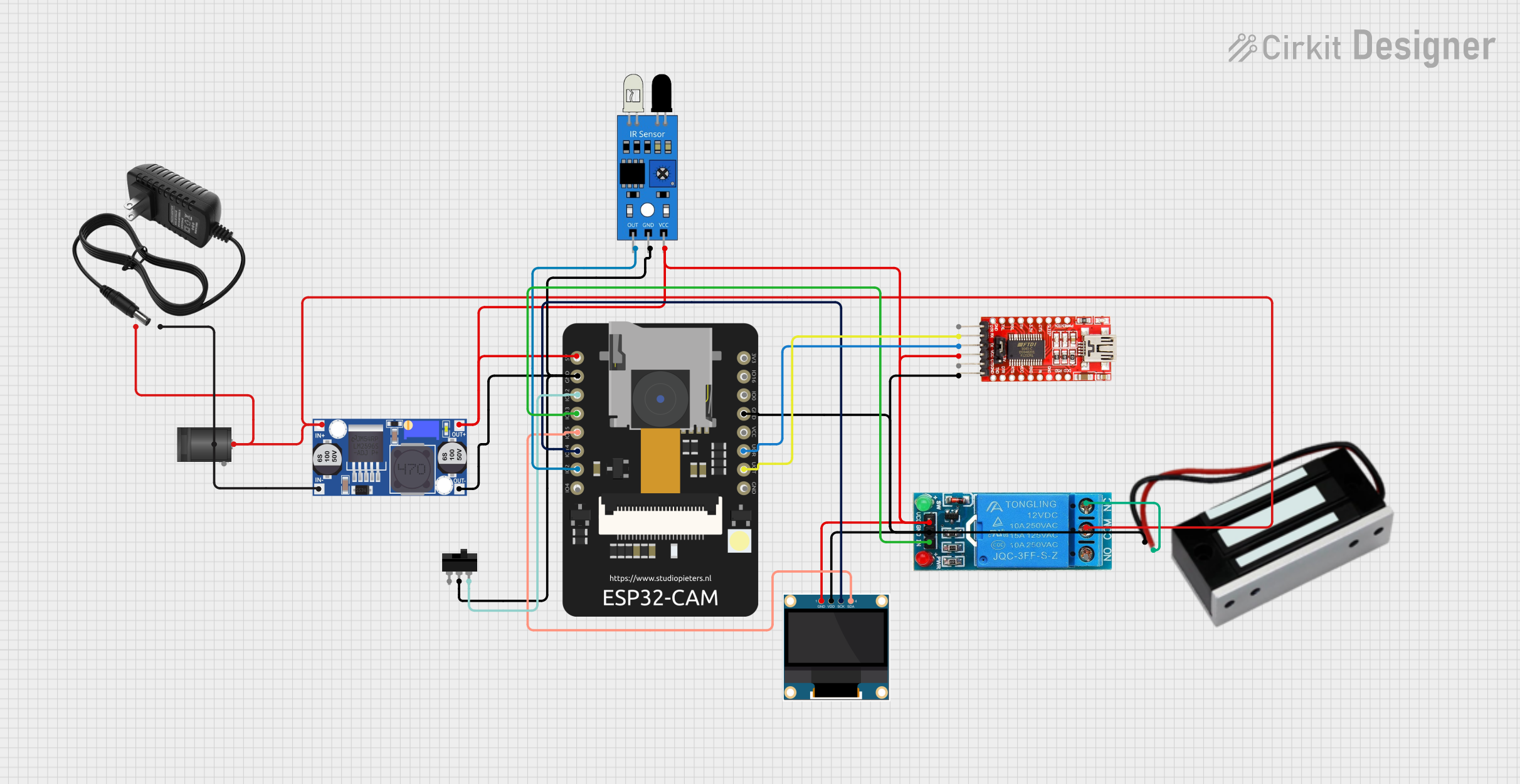
This circuit is a smart door access control system using an ESP32 CAM module for facial recognition. It includes an OLED display for status updates, an IR sensor for motion detection, and a relay to control an electromagnetic lock. The system connects to a Wi-Fi network to communicate with a server for user verification and registration.
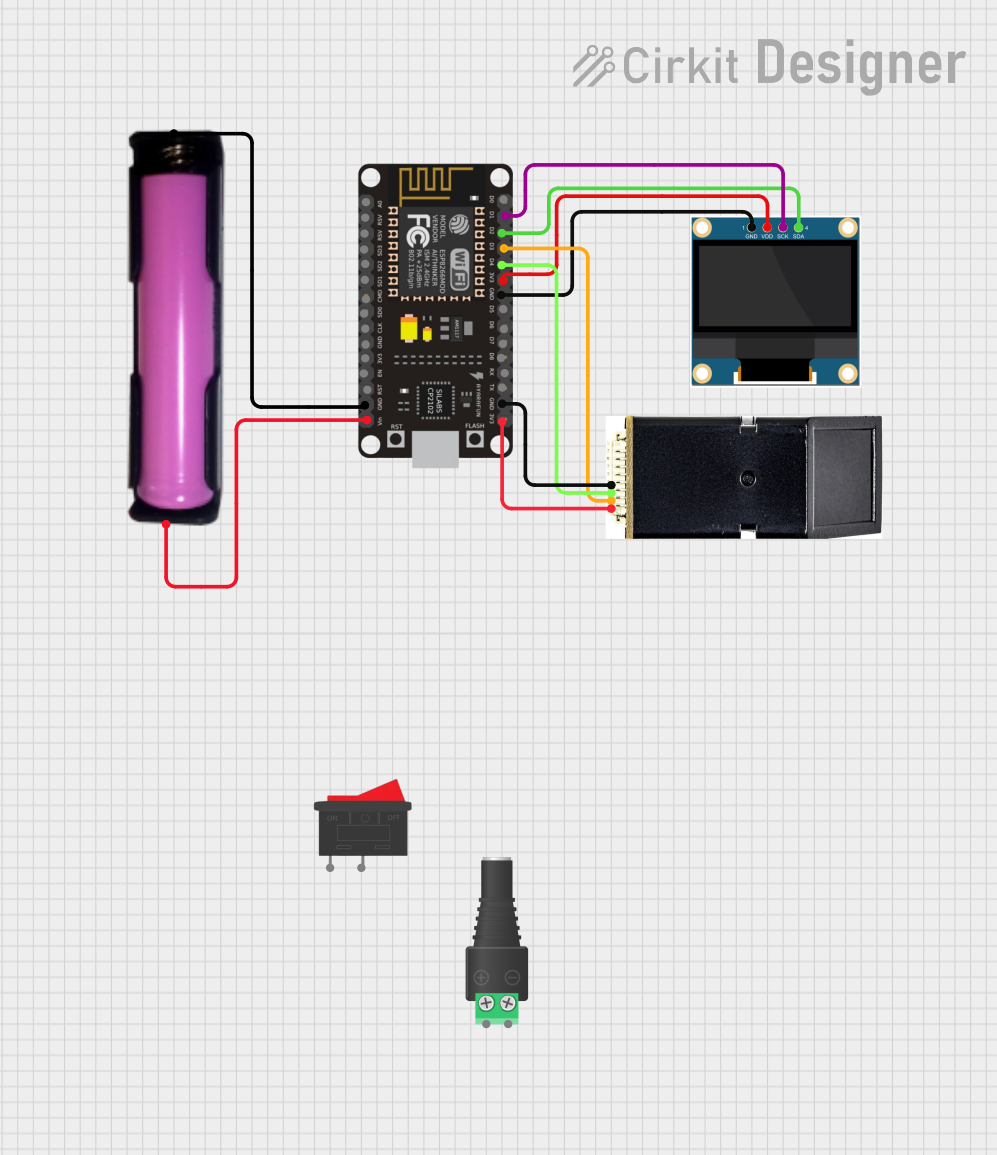
This circuit is a biometric attendance system that uses an ESP8266 NodeMCU to interface with an AS608 fingerprint sensor and a 0.96" OLED display. The system captures and verifies fingerprints, displays status messages on the OLED, and communicates with a remote server over WiFi to log attendance data.
Protection of motors and transformers from overcurrent and short circuits.
Industrial automation systems requiring precise current monitoring.
Electrical panels in commercial buildings.
Renewable energy systems, such as solar inverters, to prevent overcurrent damage.
HVAC systems and other high-power electrical equipment.
Technical Specifications
Key Technical Details
Parameter
Specification
Operating Voltage Range
24V AC/DC to 240V AC/DC
Current Range
0.5A to 60A (adjustable)
Trip Time Delay
0.1 to 30 seconds (adjustable)
Frequency Range
50Hz / 60Hz
Contact Configuration
1 NO (Normally Open) + 1 NC (Normally Closed)
Power Consumption
< 5W
Operating Temperature
-20°C to +60°C
Mounting Type
DIN Rail or Panel Mount
Dimensions
90mm x 70mm x 60mm
Certifications
CE, UL, RoHS
Pin Configuration and Descriptions
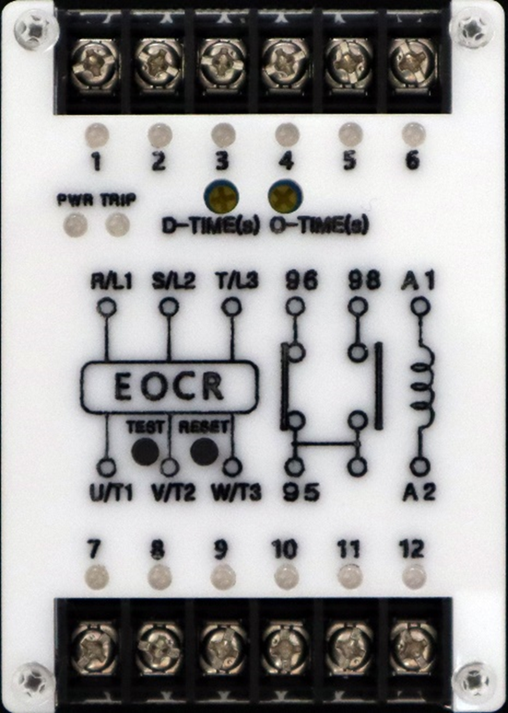
The EOCR has a terminal block for wiring connections. Below is the pin configuration:
Pin Number
Label
Description
1
L1
Line input (Phase 1)
2
L2
Line input (Phase 2)
3
L3
Line input (Phase 3)
4
T1
Load output (Phase 1)
5
T2
Load output (Phase 2)
6
T3
Load output (Phase 3)
7
NC
Normally Closed contact for alarm circuit
8
NO
Normally Open contact for alarm circuit
9
COM
Common terminal for alarm circuit
10
GND
Ground connection
Usage Instructions
How to Use the EOCR in a Circuit
Wiring the EOCR:
Connect the three-phase input lines (L1, L2, L3) to pins 1, 2, and 3, respectively.
Connect the load (e.g., motor) to the output terminals (T1, T2, T3) on pins 4, 5, and 6.
For alarm or control circuits, use the NC, NO, and COM terminals (pins 7, 8, and 9) as required.
Ensure the ground (GND) is properly connected to pin 10.
Adjusting Settings:
Use the rotary dials or digital interface (depending on the model) to set the desired current range and trip time delay.
Verify the settings match the load requirements to avoid nuisance tripping.
Testing the EOCR:
After installation, simulate an overcurrent condition to ensure the relay trips and disconnects the circuit as expected.
Check the alarm circuit functionality by monitoring the NC and NO contacts.
Integration with Microcontrollers:
The EOCR can be connected to a microcontroller (e.g., Arduino UNO) for monitoring and control.
Use the NO or NC contact to send a digital signal to the microcontroller when an overcurrent condition is detected.
Arduino UNO Example Code
Below is an example of how to interface the EOCR with an Arduino UNO to monitor overcurrent conditions:
// Define the pin connected to the EOCR NO (Normally Open) contact
const int eocrPin = 2;  // Digital pin 2 on Arduino UNO

void setup() {
  pinMode(eocrPin, INPUT_PULLUP);  // Set the pin as input with pull-up resistor
  Serial.begin(9600);             // Initialize serial communication
}

void loop() {
  int eocrState = digitalRead(eocrPin);  // Read the state of the EOCR contact

  if (eocrState == LOW) {
    // EOCR has detected an overcurrent condition
    Serial.println("Overcurrent detected! Circuit disconnected.");
  } else {
    // Normal operation
    Serial.println("Circuit operating normally.");
  }

  delay(1000);  // Wait for 1 second before checking again
}
Important Considerations and Best Practices
Ensure the EOCR's current range and trip time delay are properly configured for the specific application.
Regularly inspect the wiring and connections to prevent loose contacts or corrosion.
Avoid exposing the EOCR to extreme temperatures or moisture to maintain reliability.
Use appropriate fuses or circuit breakers in conjunction with the EOCR for added protection.
Troubleshooting and FAQs
Common Issues and Solutions
EOCR Does Not Trip During Overcurrent:
Cause: Incorrect current range or trip time delay settings.
Solution: Verify and adjust the settings to match the load requirements.
Frequent Nuisance Tripping:
Cause: Trip time delay set too low or load inrush current exceeding the set range.
Solution: Increase the trip time delay or adjust the current range to accommodate inrush current.
Alarm Circuit Not Functioning:
Cause: Incorrect wiring of NC, NO, or COM terminals.
Solution: Check the wiring and ensure proper connections to the alarm circuit.
No Power to the EOCR:
Cause: Faulty power supply or loose connections.
Solution: Verify the power supply voltage and inspect the wiring for loose or damaged connections.
FAQs
Q1: Can the EOCR be used with single-phase systems?
A1: Yes, the EOCR can be used with single-phase systems by connecting only one phase (L1 and T1) and leaving the other terminals unconnected.
Q2: What happens if the EOCR detects an overcurrent condition?
A2: The EOCR will trip and disconnect the load from the power supply. Additionally, the alarm circuit will activate to indicate the fault.
Q3: Is the EOCR compatible with renewable energy systems?
A3: Yes, the EOCR can be used in renewable energy systems, such as solar inverters, to protect against overcurrent conditions.
Q4: How often should the EOCR be tested?
A4: It is recommended to test the EOCR at least once every six months to ensure proper functionality.

 Open Project in Cirkit Designer