
Cirkit Designer
Your all-in-one circuit design IDE
Home /
Component Documentation
How to Use ct close: Examples, Pinouts, and Specs

 Design with ct close in Cirkit Designer
Introduction
The ESP32 Current Transformer (CT) Close Circuit, part ID 32, is a crucial component in electrical systems for accurate current measurement and protection. A 'CT close' refers to a current transformer secondary circuit that is closed, meaning it is connected in a way that allows current to flow through the secondary winding. This ensures precise current measurement and protection in various electrical applications.
Explore Projects Built with ct close
Dual RTC DS3231 Synchronization with Glyph C3 Microcontroller
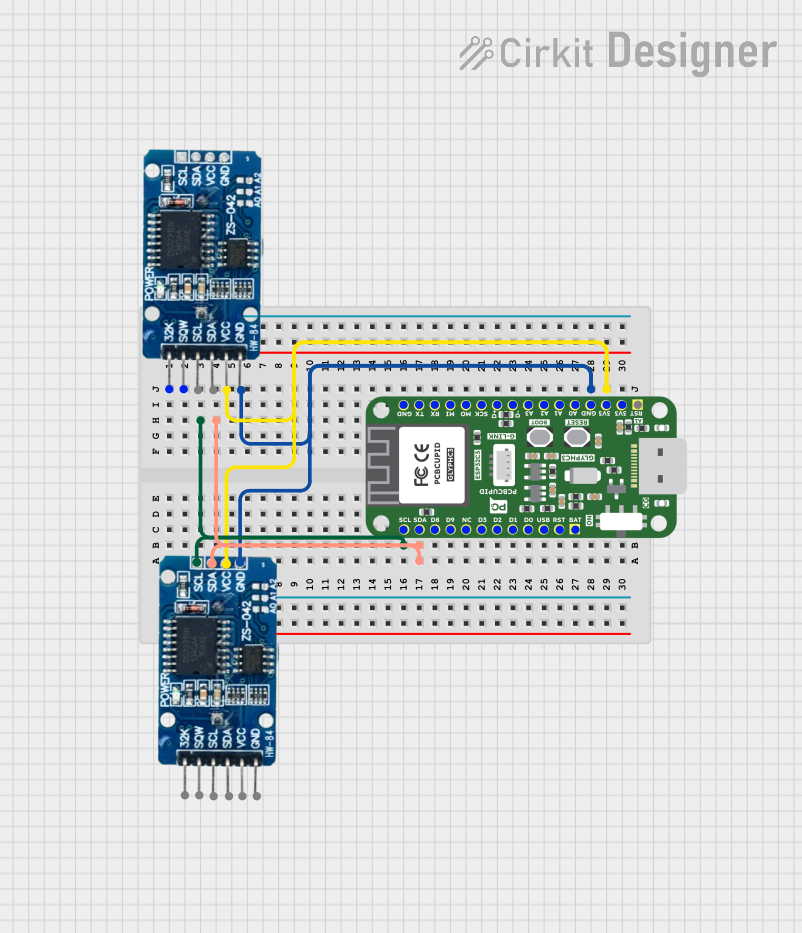
This circuit integrates two RTC DS3231 real-time clock modules with a Glyph C3 microcontroller. The RTC modules are connected to the microcontroller via I2C communication protocol, using the SCL and SDA lines for clock and data respectively. Both RTC modules and the microcontroller share a common power supply (3V3) and ground (GND), indicating that they operate at the same voltage level.
Open Project in Cirkit DesignerESP32-Based Smart Environment Controller with Relay and Sensor Integration
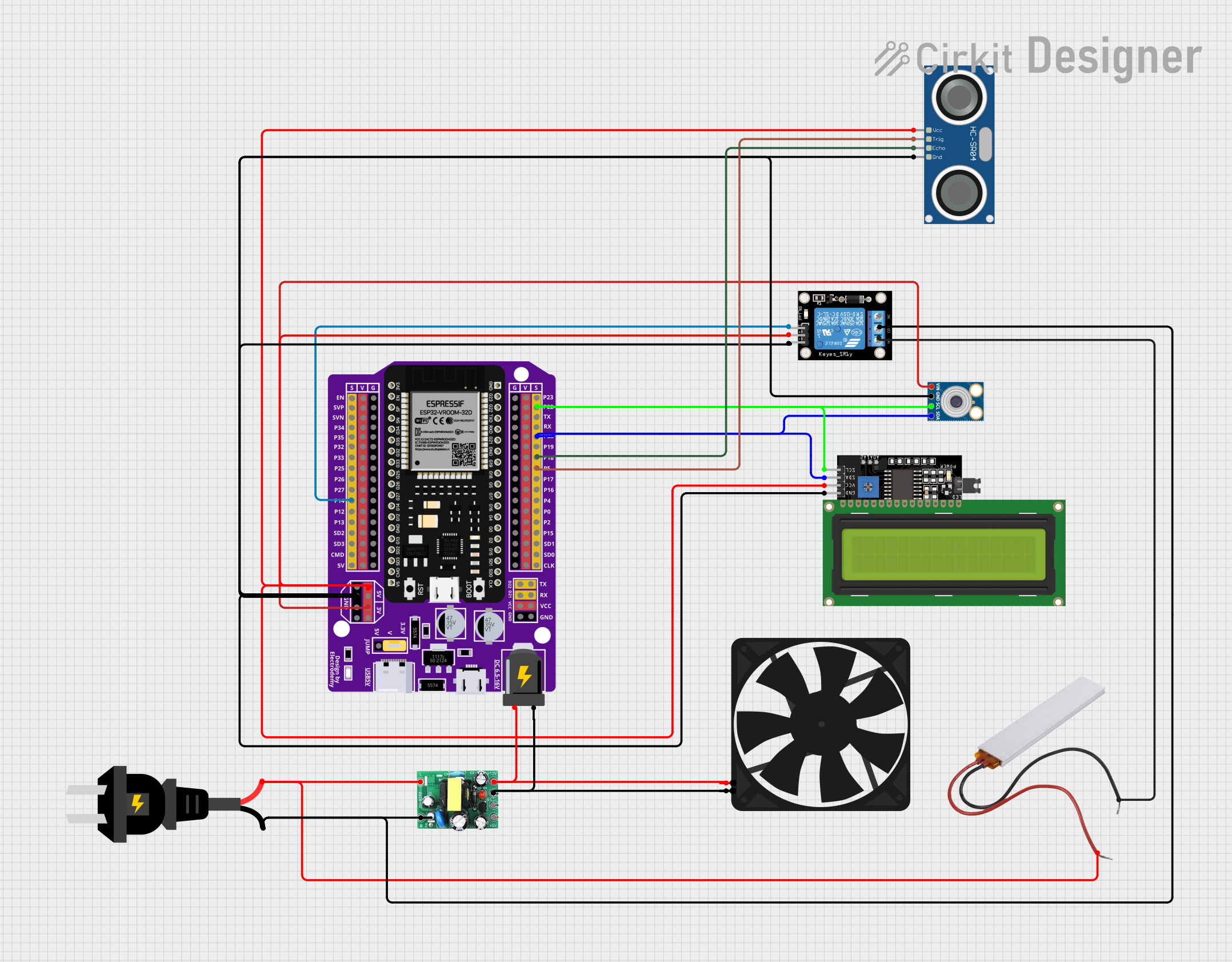
This circuit features an ESP32 microcontroller interfaced with various sensors and modules, including an MLX90614 infrared temperature sensor, an HC-SR04 ultrasonic distance sensor, and an LCD display for output. A KY-019 relay module is controlled by the ESP32 to switch an AC source, with a PTC for circuit protection. Additionally, an AC-to-DC converter powers the ESP32 and a fan, indicating the circuit may be used for temperature-based control applications with visual feedback and actuation capabilities.
Open Project in Cirkit DesignerESP32-Based Automatic Passenger Counter and Temperature Sensor with Wi-Fi Connectivity
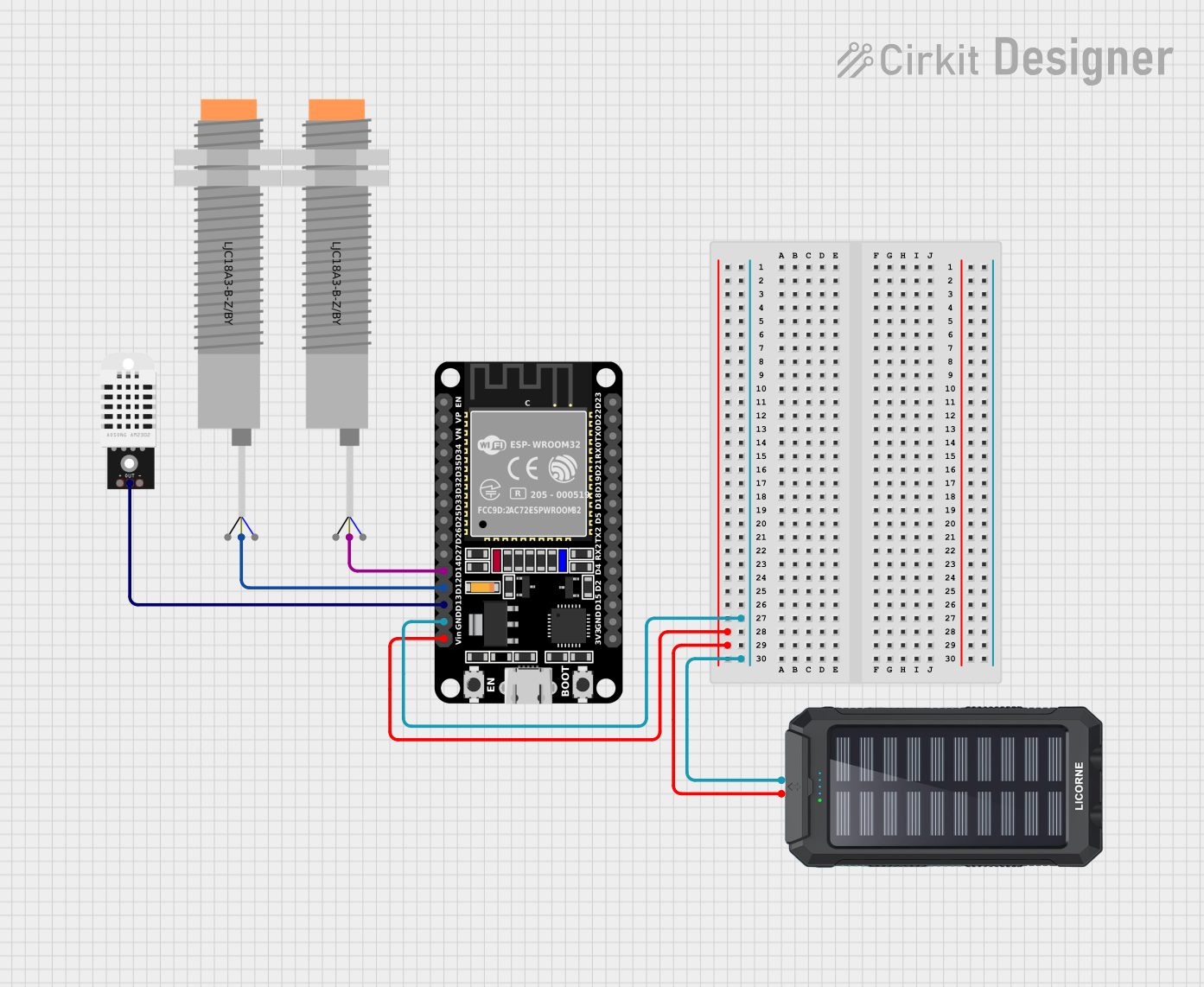
This circuit is an automatic passenger counter and temperature sensor system powered by a solar charger. It uses an ESP32 microcontroller to interface with two capacitive proximity sensors for counting passengers and a DHT22 sensor for monitoring temperature and humidity, with data being sent to a Blynk mobile app and Google Sheets for real-time tracking and logging.
Open Project in Cirkit DesignerPID Temperature Control System with Thermocouple and SSR

This circuit is a temperature control system that uses a thermocouple to measure temperature and a PID controller to regulate it. The PID controller drives a solid-state relay (SSR) to control an external load, with power supplied through an AC inlet socket.
Open Project in Cirkit DesignerExplore Projects Built with ct close
Dual RTC DS3231 Synchronization with Glyph C3 Microcontroller
This circuit integrates two RTC DS3231 real-time clock modules with a Glyph C3 microcontroller. The RTC modules are connected to the microcontroller via I2C communication protocol, using the SCL and SDA lines for clock and data respectively. Both RTC modules and the microcontroller share a common power supply (3V3) and ground (GND), indicating that they operate at the same voltage level.
Open Project in Cirkit DesignerESP32-Based Smart Environment Controller with Relay and Sensor Integration
This circuit features an ESP32 microcontroller interfaced with various sensors and modules, including an MLX90614 infrared temperature sensor, an HC-SR04 ultrasonic distance sensor, and an LCD display for output. A KY-019 relay module is controlled by the ESP32 to switch an AC source, with a PTC for circuit protection. Additionally, an AC-to-DC converter powers the ESP32 and a fan, indicating the circuit may be used for temperature-based control applications with visual feedback and actuation capabilities.
Open Project in Cirkit DesignerESP32-Based Automatic Passenger Counter and Temperature Sensor with Wi-Fi Connectivity
This circuit is an automatic passenger counter and temperature sensor system powered by a solar charger. It uses an ESP32 microcontroller to interface with two capacitive proximity sensors for counting passengers and a DHT22 sensor for monitoring temperature and humidity, with data being sent to a Blynk mobile app and Google Sheets for real-time tracking and logging.
Open Project in Cirkit DesignerPID Temperature Control System with Thermocouple and SSR
This circuit is a temperature control system that uses a thermocouple to measure temperature and a PID controller to regulate it. The PID controller drives a solid-state relay (SSR) to control an external load, with power supplied through an AC inlet socket.
Open Project in Cirkit DesignerCommon Applications and Use Cases
- Power Monitoring Systems: Used to measure and monitor electrical current in power distribution systems.
- Protective Relays: Ensures accurate current measurement for protective relays in electrical systems.
- Energy Management Systems: Integral in systems that manage and optimize energy usage.
- Industrial Automation: Used in industrial settings for monitoring and controlling electrical equipment.
Technical Specifications
Key Technical Details
| Parameter | Value |
|---|---|
| Manufacturer | ESP |
| Part ID | 32 |
| Voltage Rating | 0-5V (secondary output) |
| Current Rating | 0-100A (primary input) |
| Frequency Range | 50-60Hz |
| Accuracy Class | 0.5 |
| Operating Temperature | -40°C to 85°C |
| Insulation Voltage | 3kV |
Pin Configuration and Descriptions
| Pin Number | Pin Name | Description |
|---|---|---|
| 1 | S1 | Secondary winding terminal 1 |
| 2 | S2 | Secondary winding terminal 2 |
| 3 | GND | Ground |
| 4 | VCC | Power supply (3.3V or 5V) |
| 5 | OUT | Analog output voltage proportional to current |
Usage Instructions
How to Use the Component in a Circuit
- Power Supply: Connect the VCC pin to a 3.3V or 5V power supply and the GND pin to the ground.
- Secondary Winding: Connect the S1 and S2 pins to the secondary winding of the current transformer.
- Analog Output: The OUT pin provides an analog voltage proportional to the current flowing through the primary winding. This can be connected to an ADC (Analog-to-Digital Converter) for measurement.
Important Considerations and Best Practices
- Ensure Proper Connection: Always ensure that the secondary winding is properly connected to avoid open-circuit conditions, which can lead to high voltages and potential damage.
- Calibration: Calibrate the CT close circuit to ensure accurate measurements.
- Temperature Range: Operate within the specified temperature range to maintain accuracy and longevity.
- Safety: Handle with care and follow safety guidelines to prevent electrical hazards.
Example Code for Arduino UNO
// Example code to read current using ESP32 CT Close Circuit with Arduino UNO

const int analogPin = A0; // Analog pin connected to OUT pin of CT close circuit
float voltage = 0.0;
float current = 0.0;

void setup() {
  Serial.begin(9600); // Initialize serial communication at 9600 baud rate
}

void loop() {
  int sensorValue = analogRead(analogPin); // Read the analog value from the sensor
  voltage = sensorValue * (5.0 / 1023.0); // Convert the analog value to voltage
  current = (voltage - 2.5) * 20.0; // Convert voltage to current (assuming 0-5V maps to 0-100A)

  Serial.print("Voltage: ");
  Serial.print(voltage);
  Serial.print(" V, Current: ");
  Serial.print(current);
  Serial.println(" A");

  delay(1000); // Wait for 1 second before the next reading
}
Troubleshooting and FAQs
Common Issues Users Might Face
No Output Voltage:
- Solution: Check the connections to ensure the secondary winding is properly connected. Verify the power supply to the VCC pin.
Inaccurate Measurements:
- Solution: Calibrate the CT close circuit. Ensure the component is operating within the specified temperature range.
High Voltage on Secondary Winding:
- Solution: Ensure the secondary winding is never open-circuited. Always connect a burden resistor or ensure a closed circuit.
Solutions and Tips for Troubleshooting
- Check Connections: Verify all connections are secure and correct.
- Use Proper Calibration: Regularly calibrate the CT close circuit for accurate measurements.
- Monitor Temperature: Ensure the component is within the operating temperature range to prevent inaccuracies.
- Safety Precautions: Follow safety guidelines to prevent electrical hazards and damage to the component.
By following this documentation, users can effectively utilize the ESP32 Current Transformer (CT) Close Circuit for accurate current measurement and protection in various electrical applications.