
How to Use CM108B: Examples, Pinouts, and Specs
 Design with CM108B in Cirkit Designer
Introduction
The CM108B, manufactured by C-Media, is a USB audio controller designed to deliver high-quality audio input and output capabilities. It integrates a USB interface with audio codec functionality, making it an ideal solution for computer audio applications. The CM108B supports various audio formats and features a built-in DAC (Digital-to-Analog Converter) and ADC (Analog-to-Digital Converter), ensuring excellent audio performance. Its compact design and versatile functionality make it suitable for multimedia devices, USB headsets, sound cards, and other audio peripherals.
Explore Projects Built with CM108B
 Open Project in Cirkit Designer
 Open Project in Cirkit Designer
 Open Project in Cirkit Designer
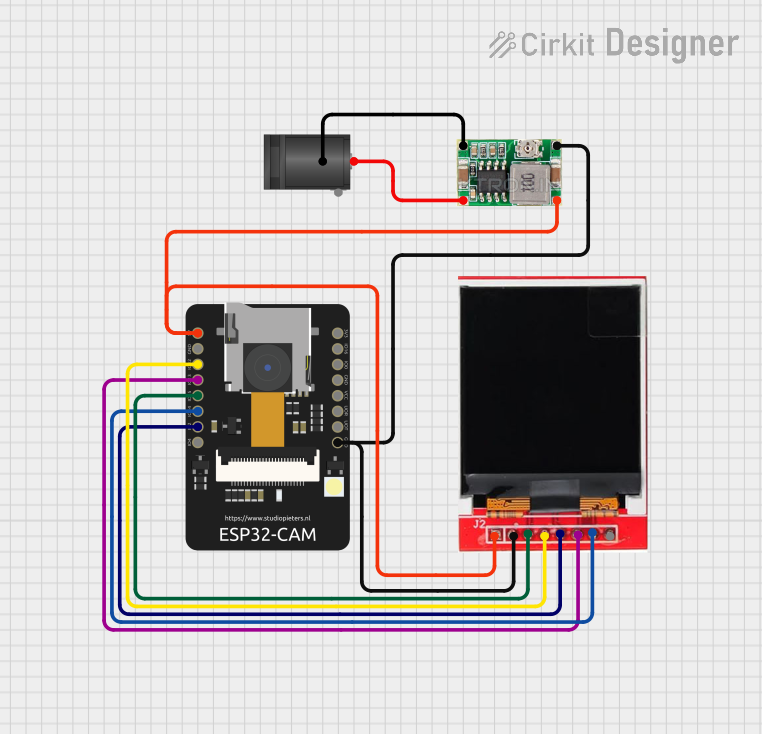 Open Project in Cirkit Designer
Explore Projects Built with CM108B
Open Project in Cirkit DesignerOpen Project in Cirkit DesignerOpen Project in Cirkit DesignerOpen Project in Cirkit DesignerCommon Applications
- USB sound cards
- USB headsets and microphones
- Multimedia devices
- Audio recording and playback systems
- Embedded audio solutions
Technical Specifications
Key Technical Details
| Parameter | Specification |
|---|---|
| USB Interface | USB 2.0 Full-Speed |
| Audio Codec | 16-bit ADC and DAC |
| Sampling Rates | 8 kHz, 11.025 kHz, 16 kHz, 22.05 kHz, |
| 32 kHz, 44.1 kHz, 48 kHz | |
| Output Channels | Stereo (2 channels) |
| Input Channels | Mono microphone input |
| Operating Voltage | 3.3V (internal LDO regulator for 5V) |
| Power Consumption | Low power consumption |
| Package Type | 48-pin LQFP |
Pin Configuration and Descriptions
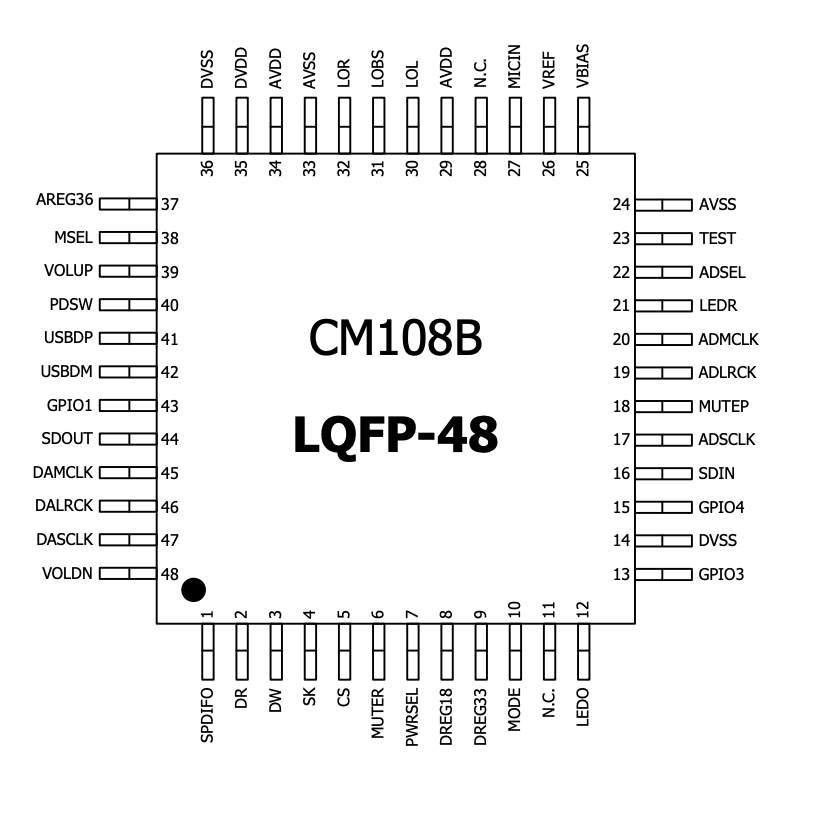
The CM108B comes in a 48-pin LQFP package. Below is a summary of key pins and their functions:
| Pin Number | Pin Name | Description |
|---|---|---|
| 1 | VDD33 | 3.3V Power Supply |
| 2 | GND | Ground |
| 10 | MIC_IN | Microphone Input |
| 15 | SPK_OUT_L | Left Speaker Output |
| 16 | SPK_OUT_R | Right Speaker Output |
| 20 | USB_DP | USB Data Positive |
| 21 | USB_DM | USB Data Negative |
| 30 | RESET_N | Active Low Reset |
| 40 | GPIO1 | General Purpose I/O Pin 1 |
| 41 | GPIO2 | General Purpose I/O Pin 2 |
For a complete pinout, refer to the CM108B datasheet provided by C-Media.
Usage Instructions
How to Use the CM108B in a Circuit
- Power Supply: Connect the CM108B to a 5V power source. The internal LDO regulator will step down the voltage to 3.3V for internal operation.
- USB Connection: Connect the USB_DP and USB_DM pins to the USB data lines of your host device (e.g., a computer or microcontroller).
- Audio Input/Output:
- Connect a microphone to the MIC_IN pin for audio input.
- Connect speakers or headphones to the SPK_OUT_L and SPK_OUT_R pins for audio output.
- Reset: Use the RESET_N pin to initialize the chip. Pull this pin low momentarily to reset the device.
- GPIO Pins: Configure GPIO1 and GPIO2 for additional functionality, such as LED indicators or custom controls.
Important Considerations
- Decoupling Capacitors: Place decoupling capacitors close to the power supply pins to reduce noise and ensure stable operation.
- USB Compliance: Ensure proper USB signal integrity by using appropriate trace routing and impedance matching for USB_DP and USB_DM lines.
- Audio Quality: Use high-quality components for audio input/output paths to minimize distortion and noise.
- Firmware: The CM108B may require firmware or driver installation on the host device for proper operation.
Example: Connecting CM108B to an Arduino UNO
While the CM108B is primarily a USB audio controller, it can be interfaced with an Arduino UNO for GPIO control or other custom applications. Below is an example code snippet for toggling GPIO1:
// Example code for controlling GPIO1 on the CM108B using Arduino UNO

const int gpio1Pin = 7; // Connect GPIO1 of CM108B to Arduino pin 7

void setup() {
  pinMode(gpio1Pin, OUTPUT); // Set GPIO1 as an output
}

void loop() {
  digitalWrite(gpio1Pin, HIGH); // Turn GPIO1 ON
  delay(1000);                  // Wait for 1 second
  digitalWrite(gpio1Pin, LOW);  // Turn GPIO1 OFF
  delay(1000);                  // Wait for 1 second
}
Note: Ensure proper level shifting if the GPIO pins of the CM108B operate at 3.3V while the Arduino operates at 5V.
Troubleshooting and FAQs
Common Issues and Solutions
No Audio Output:
- Verify that the SPK_OUT_L and SPK_OUT_R pins are properly connected to the speakers or headphones.
- Check the USB connection and ensure the host device recognizes the CM108B.
- Confirm that the correct audio drivers are installed on the host device.
Microphone Not Working:
- Ensure the microphone is connected to the MIC_IN pin.
- Check the microphone's compatibility and ensure it is powered correctly.
- Verify the host device's audio input settings.
Device Not Recognized by USB Host:
- Check the USB_DP and USB_DM connections for proper routing and soldering.
- Ensure the USB cable is functional and compliant with USB 2.0 standards.
- Reset the CM108B using the RESET_N pin.
Distorted Audio:
- Use high-quality capacitors and resistors in the audio signal path.
- Verify that the power supply is stable and free from noise.
- Check the sampling rate and ensure it matches the host device's settings.
FAQs
Q: Does the CM108B support stereo microphone input?
A: No, the CM108B supports mono microphone input only.
Q: Can the CM108B be used without additional firmware?
A: Yes, the CM108B is designed to work as a plug-and-play USB audio device on most operating systems. However, custom firmware may be required for advanced features.
Q: What is the maximum sampling rate supported by the CM108B?
A: The CM108B supports a maximum sampling rate of 48 kHz.
Q: Is the CM108B compatible with Linux?
A: Yes, the CM108B is compatible with Linux, as well as Windows and macOS, without requiring additional drivers in most cases.
Q: Can the GPIO pins be used for custom applications?
A: Yes, the GPIO pins can be configured for various purposes, such as controlling LEDs or interfacing with other peripherals.