
How to Use ADXL345: Examples, Pinouts, and Specs
 Design with ADXL345 in Cirkit Designer
Introduction
The ADXL345 is a small, thin, low-power, 3-axis accelerometer manufactured by Arduino (Part ID: UNO). It offers high-resolution (13-bit) measurements of acceleration up to ±16g. This versatile sensor is designed for applications requiring motion sensing, tilt detection, and gesture recognition. Its ability to communicate via I2C or SPI makes it suitable for integration into a wide range of electronic projects, including robotics, wearable devices, and gaming systems.
Explore Projects Built with ADXL345
 Open Project in Cirkit Designer
 Open Project in Cirkit Designer
 Open Project in Cirkit Designer
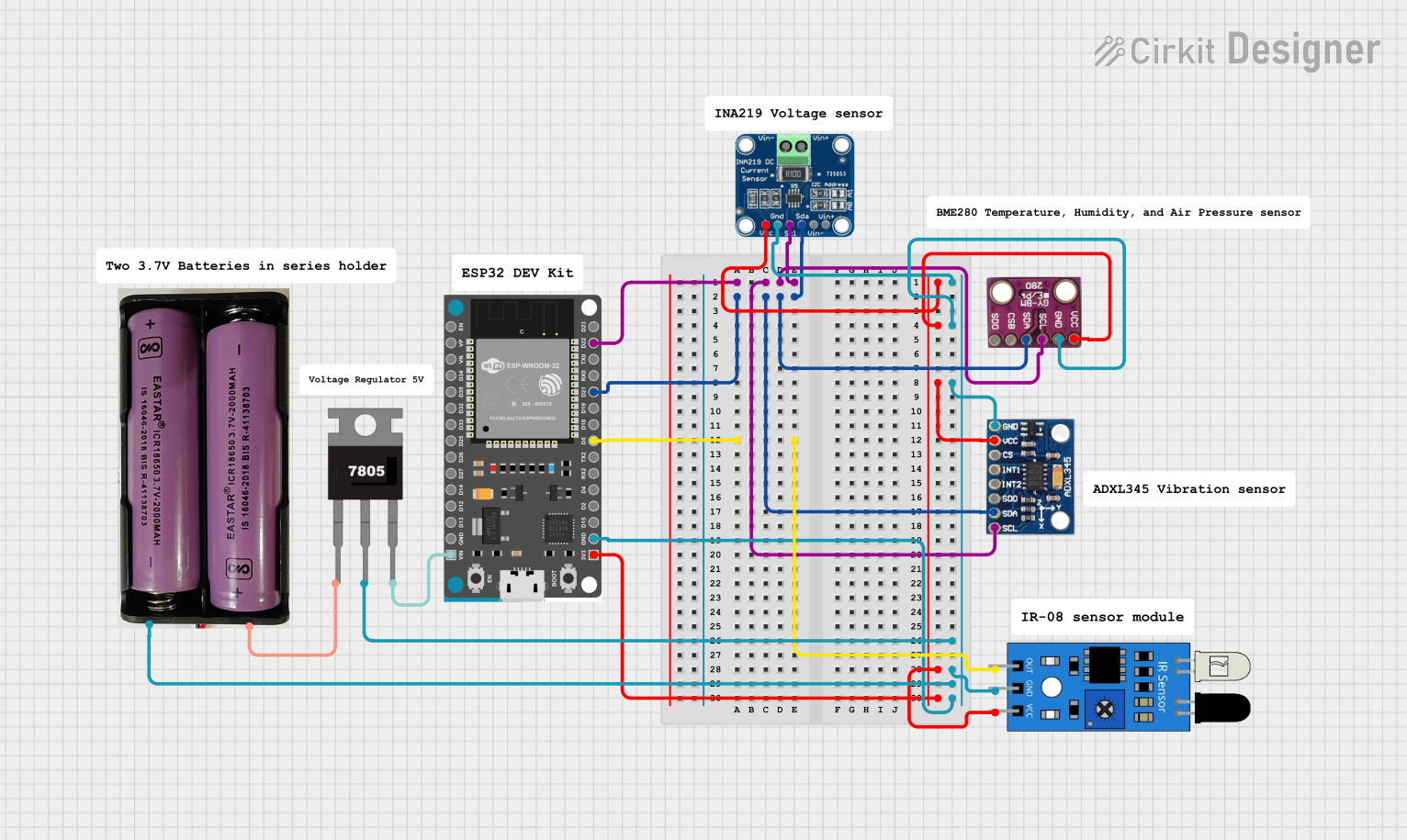 Open Project in Cirkit Designer
Explore Projects Built with ADXL345
Open Project in Cirkit DesignerOpen Project in Cirkit DesignerOpen Project in Cirkit DesignerOpen Project in Cirkit DesignerCommon Applications:
- Motion sensing in robotics and drones
- Tilt detection in portable devices
- Gesture recognition in gaming controllers
- Vibration monitoring in industrial systems
- Step counting and activity tracking in fitness devices
Technical Specifications
The ADXL345 is packed with features that make it a popular choice for motion sensing applications. Below are its key technical specifications:
| Parameter | Value |
|---|---|
| Operating Voltage | 2.0V to 3.6V |
| Communication Interface | I2C or SPI |
| Measurement Range | ±2g, ±4g, ±8g, ±16g |
| Resolution | 13-bit |
| Output Data Rate (ODR) | 0.1 Hz to 3200 Hz |
| Power Consumption | 40 µA in measurement mode |
| Operating Temperature | -40°C to +85°C |
| Dimensions | 3 mm × 5 mm × 1 mm |
Pin Configuration and Descriptions
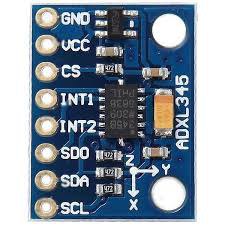
The ADXL345 has the following pin configuration:
| Pin Name | Pin Number | Description |
|---|---|---|
| VCC | 1 | Power supply input (2.0V to 3.6V). Connect to the 3.3V pin of the Arduino UNO. |
| GND | 2 | Ground. Connect to the GND pin of the Arduino UNO. |
| CS | 3 | Chip Select. Used for SPI communication. Connect to GND for I2C mode. |
| SDO/ALT ADDRESS | 4 | I2C address selection or SPI data output. Connect to GND for default I2C address. |
| SDA | 5 | I2C data line. Connect to the SDA pin of the Arduino UNO. |
| SCL | 6 | I2C clock line. Connect to the SCL pin of the Arduino UNO. |
| INT1 | 7 | Interrupt 1 output. Configurable for motion detection or other events. |
| INT2 | 8 | Interrupt 2 output. Configurable for motion detection or other events. |
Usage Instructions
Connecting the ADXL345 to an Arduino UNO
To use the ADXL345 with an Arduino UNO, follow these steps:
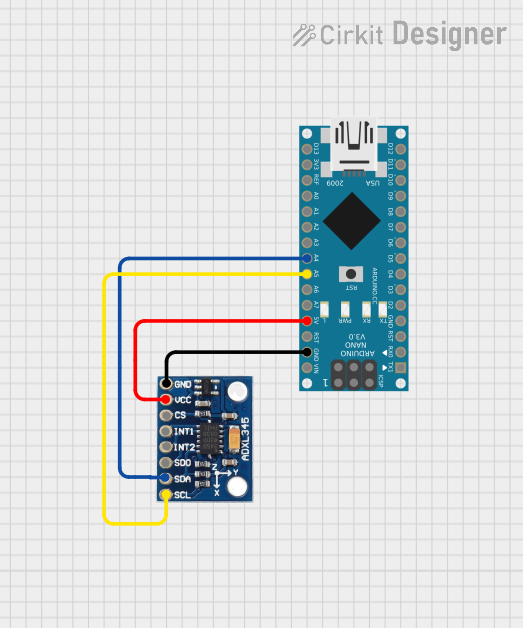
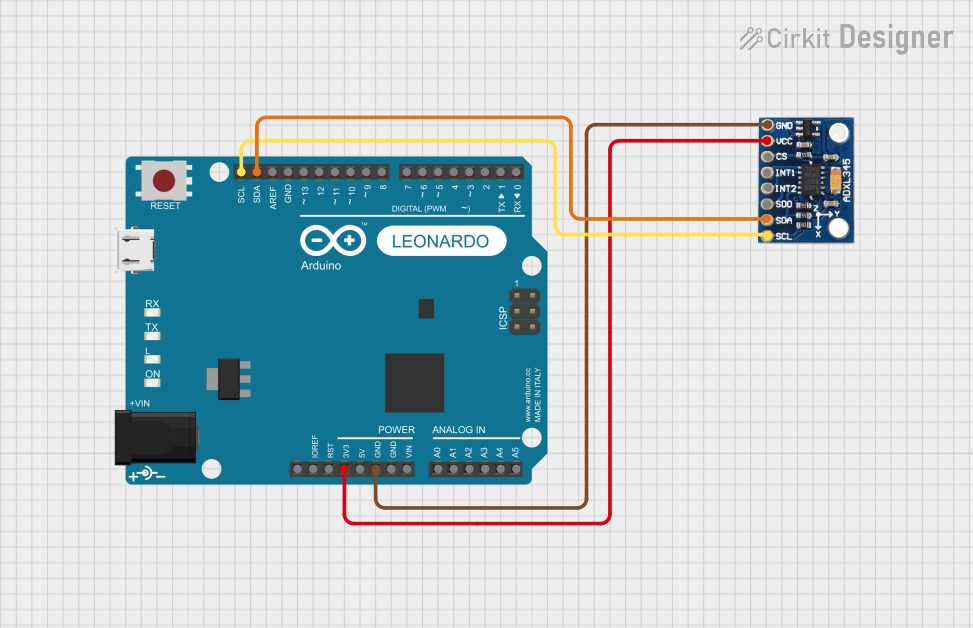
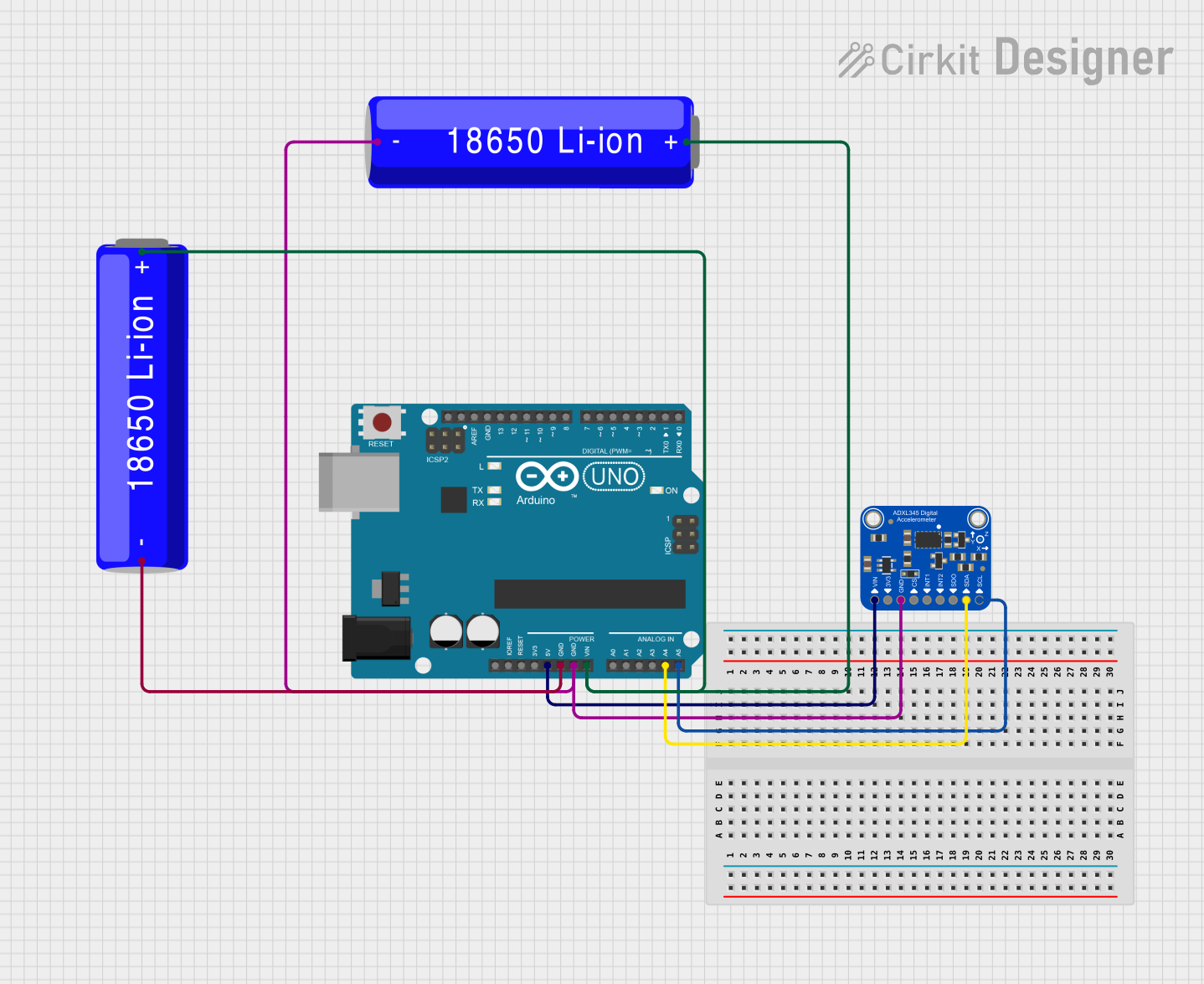
Wiring: Connect the ADXL345 to the Arduino UNO as shown below:
- VCC → 3.3V
- GND → GND
- SDA → A4 (on older Arduino boards) or SDA pin
- SCL → A5 (on older Arduino boards) or SCL pin
- CS → GND (for I2C mode)
- SDO → GND (for default I2C address)
Install Libraries: Install the
Adafruit_ADXL345library from the Arduino Library Manager for easy interfacing.Upload Code: Use the following example code to read acceleration data from the ADXL345:
#include <Wire.h>
#include <Adafruit_Sensor.h>
#include <Adafruit_ADXL345_U.h>

// Create an ADXL345 object
Adafruit_ADXL345_Unified accel = Adafruit_ADXL345_Unified(12345);

void setup() {
  Serial.begin(9600);
  // Initialize the ADXL345
  if (!accel.begin()) {
    Serial.println("Failed to find ADXL345 chip. Check connections.");
    while (1);
  }
  Serial.println("ADXL345 initialized successfully!");

  // Set range to ±16g for maximum sensitivity
  accel.setRange(ADXL345_RANGE_16_G);
}

void loop() {
  sensors_event_t event;
  accel.getEvent(&event);

  // Print acceleration data
  Serial.print("X: "); Serial.print(event.acceleration.x); Serial.print(" m/s^2 ");
  Serial.print("Y: "); Serial.print(event.acceleration.y); Serial.print(" m/s^2 ");
  Serial.print("Z: "); Serial.print(event.acceleration.z); Serial.println(" m/s^2");

  delay(500); // Delay for readability
}
Important Considerations:
- Power Supply: Ensure the ADXL345 is powered with 3.3V. Using 5V may damage the sensor.
- Pull-Up Resistors: If your Arduino board does not have built-in pull-up resistors on the I2C lines, add external 4.7kΩ resistors between SDA/SCL and VCC.
- Range Configuration: Adjust the measurement range (±2g, ±4g, ±8g, or ±16g) based on your application using the
setRange()function.
Troubleshooting and FAQs
Common Issues:
No Data Output:
- Cause: Incorrect wiring or loose connections.
- Solution: Double-check all connections and ensure SDA/SCL are connected to the correct pins.
Initialization Fails:
- Cause: Incorrect I2C address or damaged sensor.
- Solution: Verify the I2C address (default is 0x53). Replace the sensor if damaged.
Inconsistent Readings:
- Cause: Electrical noise or improper grounding.
- Solution: Ensure proper grounding and use decoupling capacitors if necessary.
FAQs:
Q1: Can the ADXL345 be used with 5V logic?
A1: No, the ADXL345 operates at 3.3V. Use a logic level shifter if interfacing with a 5V system.
Q2: How do I switch to SPI communication?
A2: Connect the CS pin to a digital pin on the Arduino and configure the library for SPI mode.
Q3: What is the maximum sampling rate of the ADXL345?
A3: The ADXL345 supports output data rates up to 3200 Hz.
By following this documentation, you can successfully integrate the ADXL345 into your projects for reliable motion sensing and acceleration measurements.