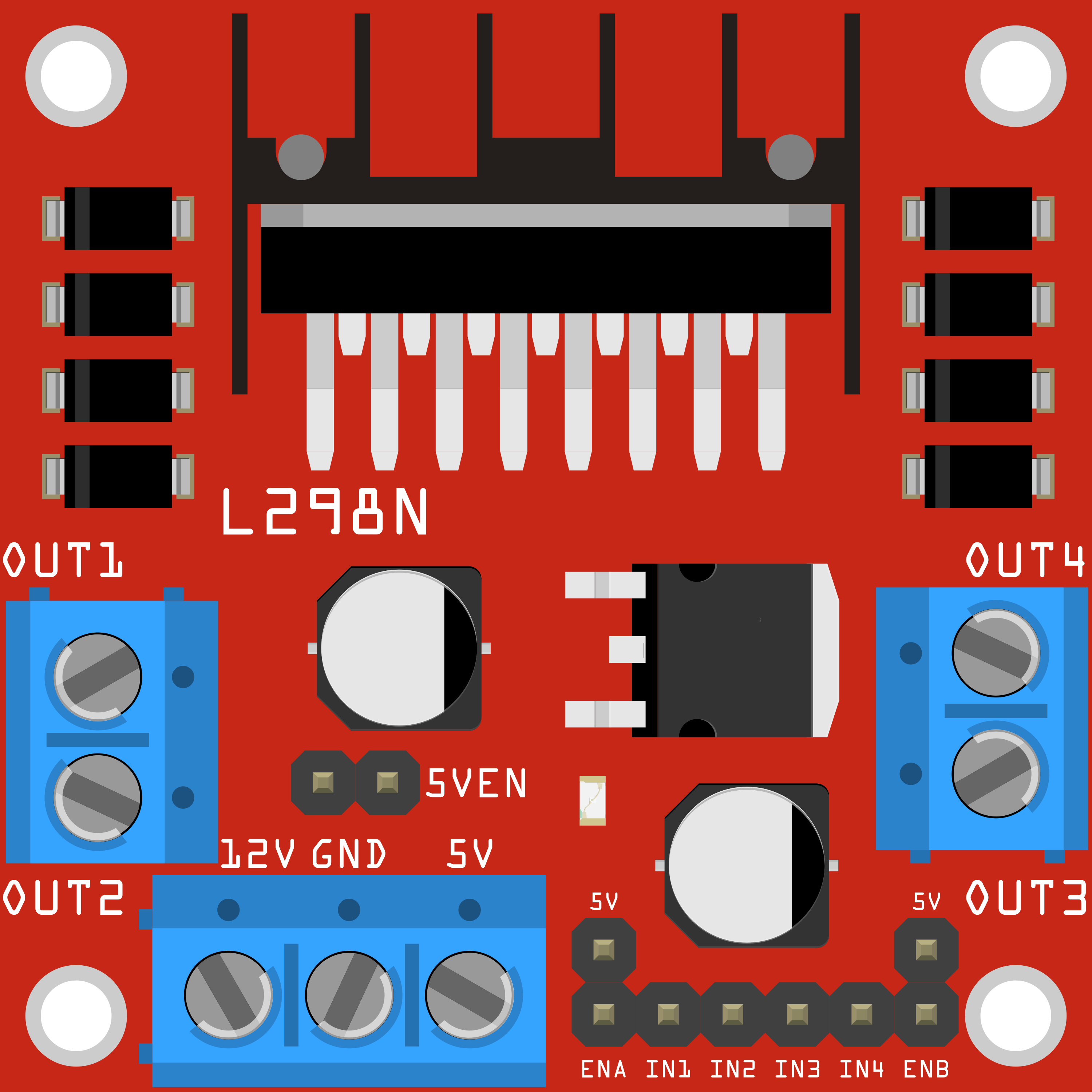
The LN298, manufactured by QWER (Part ID: QWD), is a dual H-bridge motor driver IC designed for controlling two DC motors or a single stepper motor. It enables bidirectional control of motors, making it an essential component in robotics, automation, and motor control applications. The LN298 is widely used due to its ability to handle high currents and voltages, as well as its compatibility with microcontrollers like Arduino.
Explore Projects Built with ln298
Use Cirkit Designer to design, explore, and prototype these projects online. Some projects support real-time simulation. Click "Open Project" to start designing instantly!
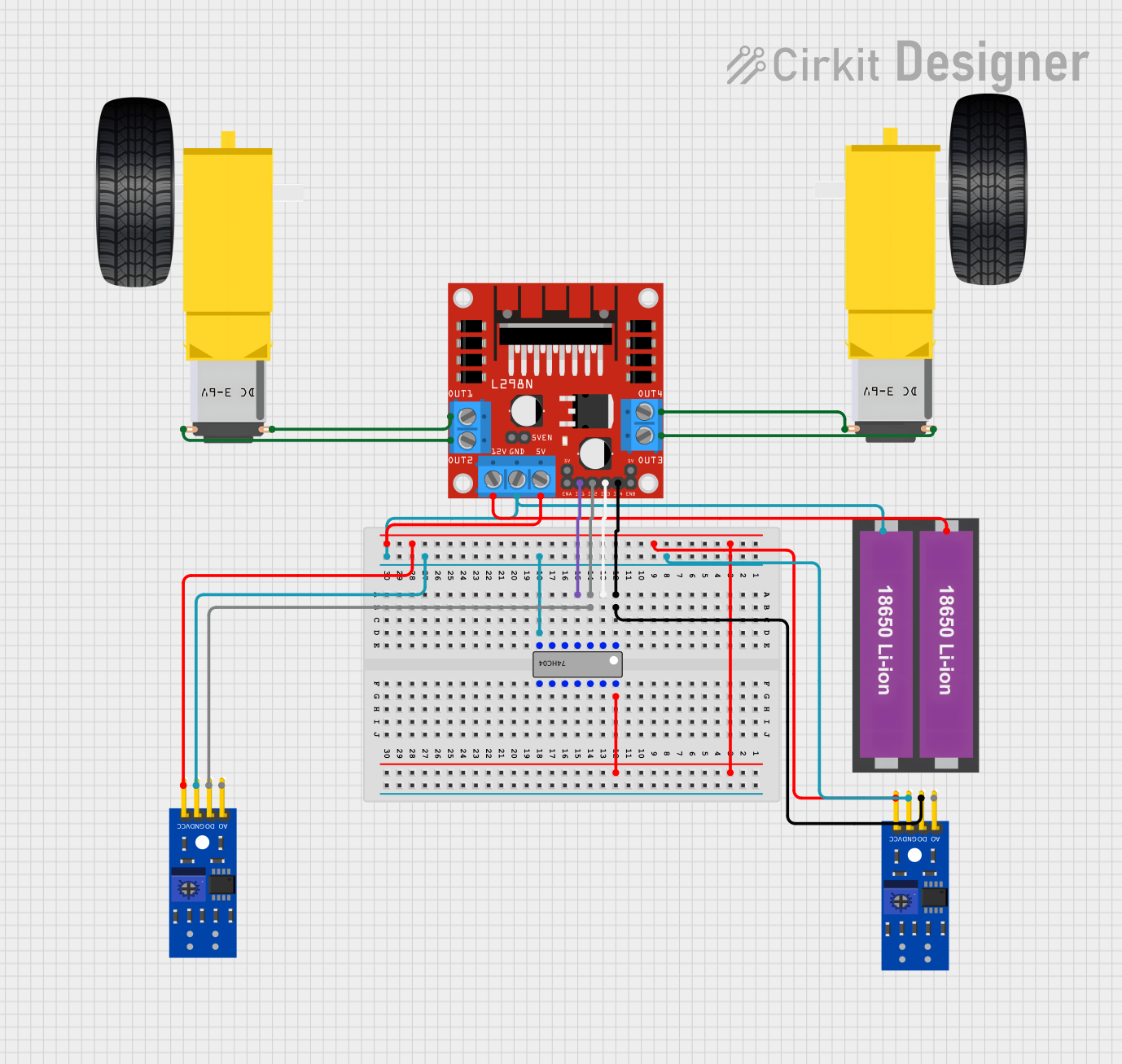
This circuit is designed to control a two-wheeled robot using an L298N motor driver, powered by two 18650 Li-ion batteries. It includes two KY-033 line tracking sensors for navigation and a 74HC04 inverter to process sensor signals and control the motor driver inputs.
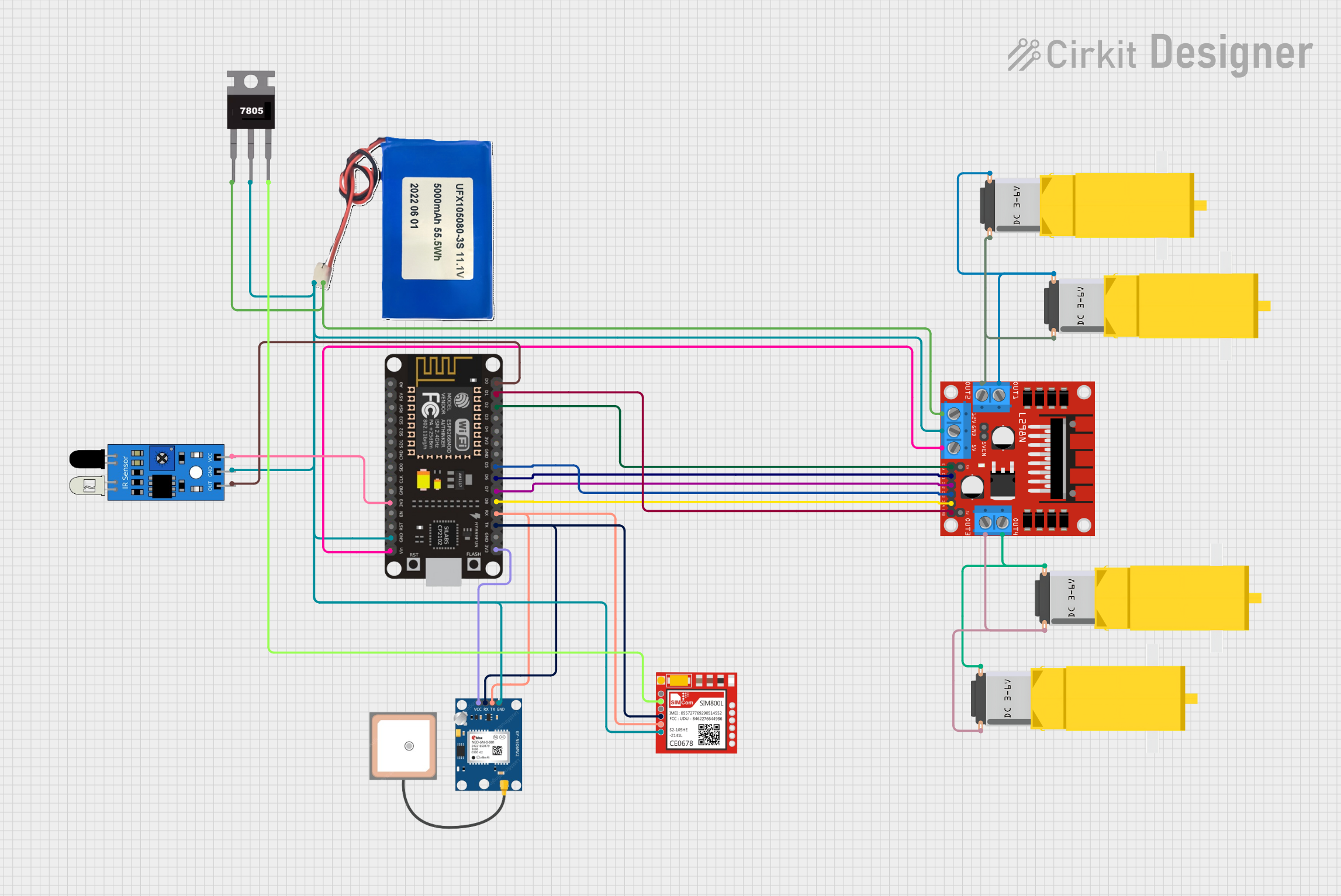
This circuit is designed for a 4-wheeled WiFi-controlled car with a basket, which uses an ESP8266 NodeMCU microcontroller for logic control. It features an IR sensor for basket full detection, a GPS module for location tracking, and a GSM module (Sim800l) for sending SMS notifications. The L298N motor driver controls four DC gearmotors for movement, and the system is powered by a Li-ion battery with a 7805 voltage regulator providing stable power to the GSM module.
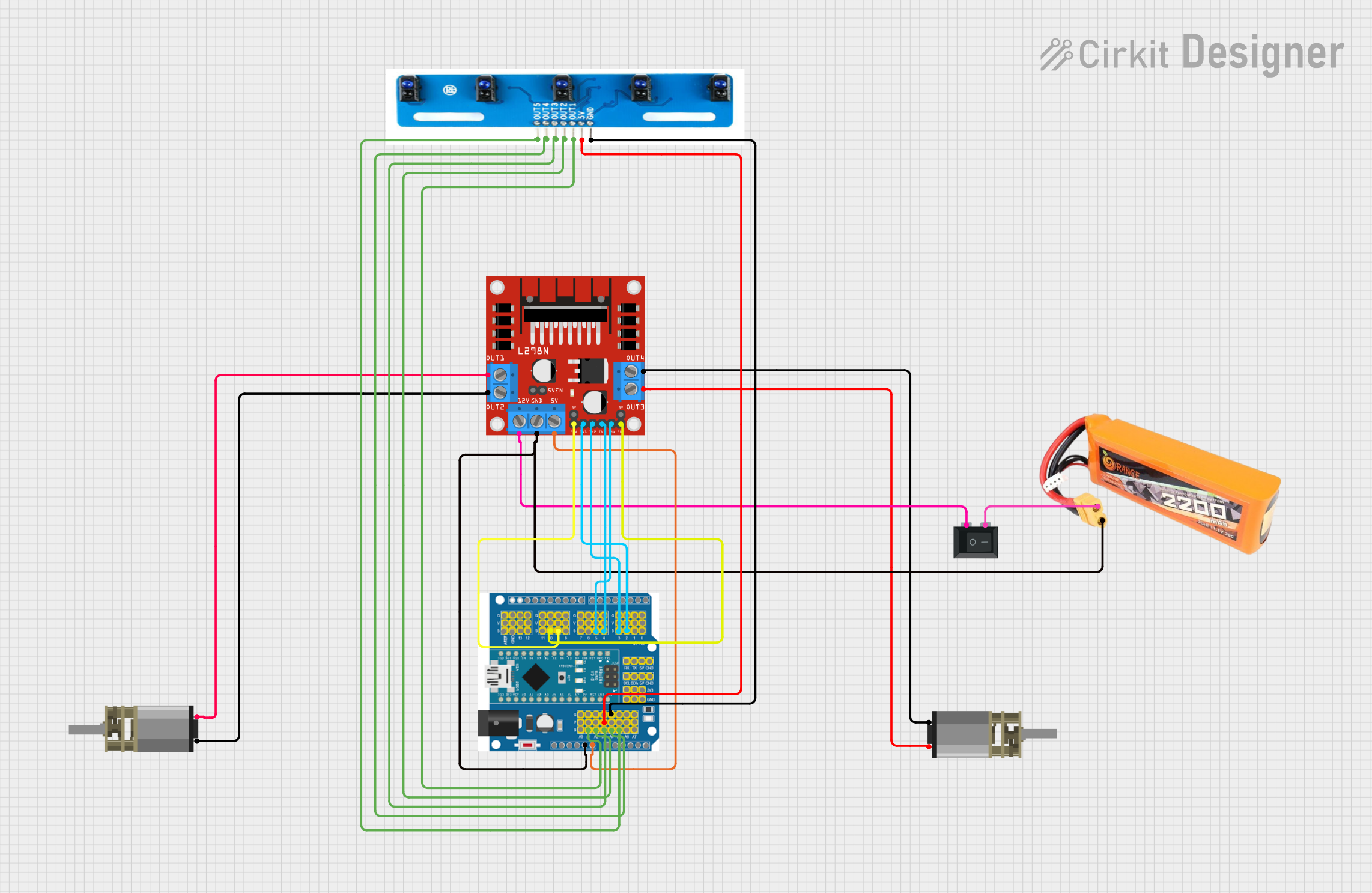
This circuit is a line-following robot that uses an Arduino Expansion Board to control two DC motors via an L298N motor driver. The robot uses a 5-channel IR sensor array to detect the line and adjust the motor speeds accordingly, powered by a 2200mAH LiPo battery and controlled through a PID algorithm implemented in the Arduino code.
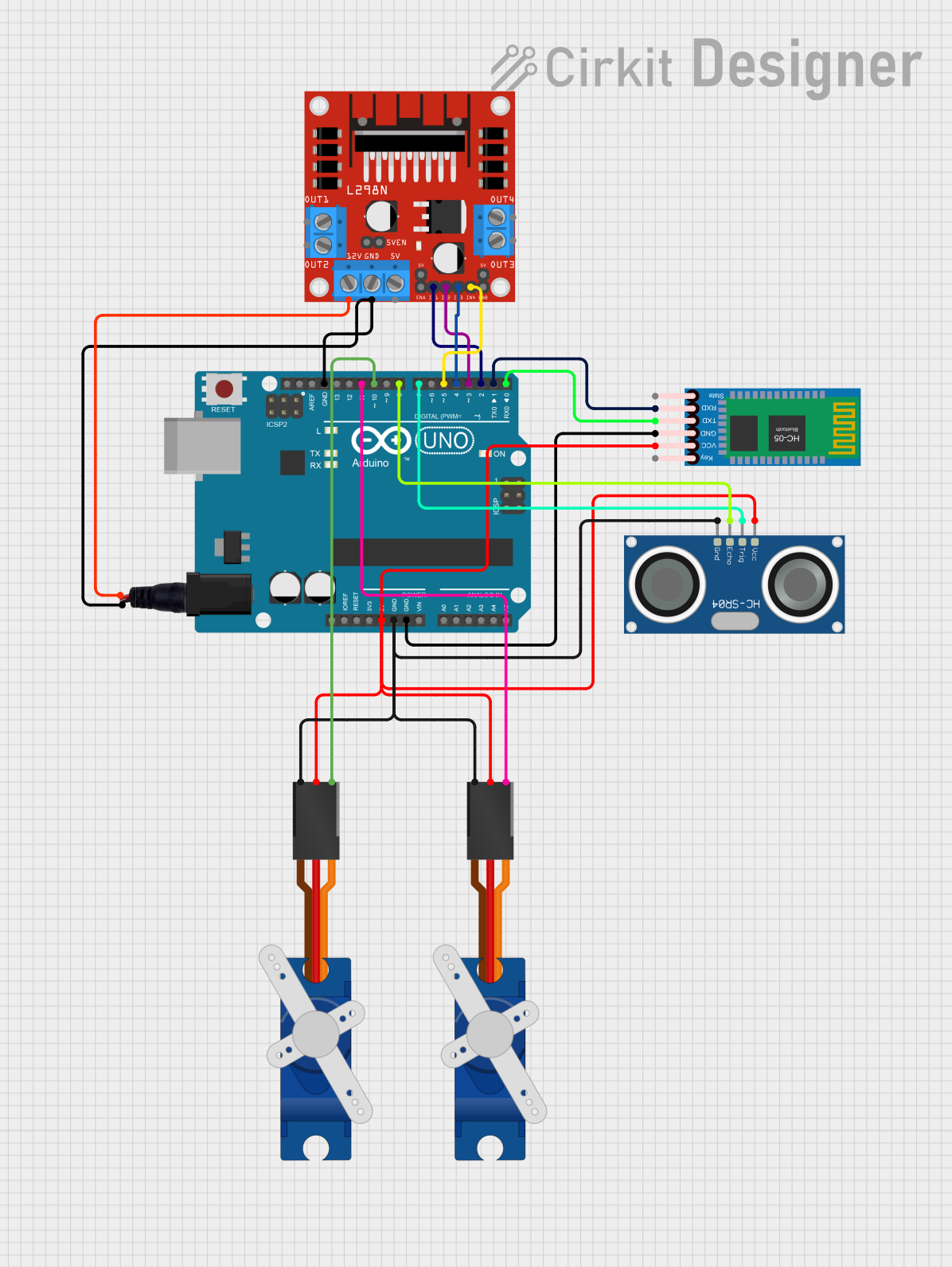
This is a robotic control circuit featuring an Arduino UNO microcontroller that interfaces with two SG90 servo motors for movement, an HC-SR04 ultrasonic sensor for distance measurement, and an HC-05 Bluetooth module for wireless communication. The L298N motor driver is incorporated for potential motor control, and the system is powered through a standard power jack.
Stepper motor control in CNC machines and 3D printers
Technical Specifications
The LN298 is a robust motor driver IC with the following key specifications:
Parameter
Value
Supply Voltage (Vcc)
4.5V to 46V
Logic Voltage (Vss)
4.5V to 7V
Output Current (per channel)
Up to 2A
Peak Output Current
3A (non-repetitive, per channel)
Power Dissipation
25W (with proper heat sinking)
Control Logic Levels
High: 2.3V to Vss, Low: 0V to 1.5V
Operating Temperature
-25°C to +130°C
Pin Configuration and Descriptions
The LN298 comes in a 15-pin package. Below is the pinout and description:
Pin Number
Pin Name
Description
1
Enable A
Enables H-bridge A (High = Enabled, Low = Disabled)
2
Input 1
Logic input for H-bridge A (controls motor direction)
3
Input 2
Logic input for H-bridge A (controls motor direction)
4
Output 1
Output for H-bridge A (connect to motor terminal)
5
Output 2
Output for H-bridge A (connect to motor terminal)
6
Ground
Ground connection
7
Vss
Logic voltage supply (4.5V to 7V)
8
Vcc
Motor voltage supply (4.5V to 46V)
9
Ground
Ground connection
10
Output 3
Output for H-bridge B (connect to motor terminal)
11
Output 4
Output for H-bridge B (connect to motor terminal)
12
Input 3
Logic input for H-bridge B (controls motor direction)
13
Input 4
Logic input for H-bridge B (controls motor direction)
14
Enable B
Enables H-bridge B (High = Enabled, Low = Disabled)
15
Heat Sink
Connect to ground or leave floating (improves heat dissipation)
Usage Instructions
How to Use the LN298 in a Circuit
Power Supply: Connect the motor power supply to the Vcc pin (Pin 8) and the logic power supply to the Vss pin (Pin 7). Ensure the ground pins (Pins 6 and 9) are connected to the common ground of the circuit.
Motor Connections: Connect the motor terminals to the output pins (Pins 4 and 5 for Motor A, Pins 10 and 11 for Motor B).
Control Logic: Use the input pins (Pins 2, 3 for Motor A; Pins 12, 13 for Motor B) to control the direction of the motors. Apply a HIGH or LOW signal to these pins based on the desired direction.
Enable Pins: Set the Enable pins (Pin 1 for Motor A, Pin 14 for Motor B) HIGH to activate the corresponding H-bridge.
Heat Dissipation: Attach a heat sink to the heat sink pin (Pin 15) if the IC is expected to operate at high currents for extended periods.
Important Considerations
Current Limitation: Ensure the motor current does not exceed 2A per channel to avoid damaging the IC.
Heat Management: Use a heat sink or active cooling if the IC becomes excessively hot during operation.
Flyback Diodes: Although the LN298 has internal diodes, external flyback diodes can be added for additional protection when driving inductive loads.
Logic Voltage: Ensure the logic voltage (Vss) is compatible with the control signals from your microcontroller.
Example: Controlling a DC Motor with Arduino UNO
Below is an example of how to control a single DC motor using the LN298 and an Arduino UNO:
// Define motor control pins
const int enableA = 9;  // Enable pin for Motor A
const int input1 = 8;   // Input 1 for Motor A
const int input2 = 7;   // Input 2 for Motor A

void setup() {
  // Set motor control pins as outputs
  pinMode(enableA, OUTPUT);
  pinMode(input1, OUTPUT);
  pinMode(input2, OUTPUT);

  // Initialize motor in stopped state
  digitalWrite(enableA, LOW);  // Disable motor
  digitalWrite(input1, LOW);   // Set direction to neutral
  digitalWrite(input2, LOW);   // Set direction to neutral
}

void loop() {
  // Example: Rotate motor forward
  digitalWrite(enableA, HIGH);  // Enable motor
  digitalWrite(input1, HIGH);   // Set direction forward
  digitalWrite(input2, LOW);    // Set direction forward
  delay(2000);                  // Run motor for 2 seconds

  // Example: Rotate motor backward
  digitalWrite(input1, LOW);    // Set direction backward
  digitalWrite(input2, HIGH);   // Set direction backward
  delay(2000);                  // Run motor for 2 seconds

  // Stop motor
  digitalWrite(enableA, LOW);   // Disable motor
  delay(2000);                  // Wait for 2 seconds
}
Troubleshooting and FAQs
Common Issues and Solutions
Motor Not Spinning
Cause: Enable pin is not set HIGH.
Solution: Ensure the Enable pin (Pin 1 or Pin 14) is set HIGH to activate the H-bridge.
Motor Spins in the Wrong Direction
Cause: Incorrect logic signals on the input pins.
Solution: Swap the HIGH and LOW signals on the input pins to reverse the motor direction.
IC Overheating
Cause: Excessive current draw or insufficient heat dissipation.
Solution: Add a heat sink to Pin 15 and ensure the motor current is within the specified limit.
No Output Voltage
Cause: Missing or incorrect power supply connections.
Solution: Verify that Vcc and Vss are connected to appropriate power sources and that the ground is common.
FAQs
Q: Can the LN298 drive stepper motors?
A: Yes, the LN298 can drive a single stepper motor by using both H-bridges. You will need to sequence the input signals appropriately to control the stepper motor.
Q: Is the LN298 compatible with 3.3V logic?
A: No, the LN298 requires a minimum logic voltage of 4.5V. Use a level shifter if interfacing with a 3.3V microcontroller.
Q: Do I need external diodes for motor protection?
A: The LN298 has internal diodes for flyback protection, but external diodes can be added for additional safety when driving high-inductance motors.

 Open Project in Cirkit Designer