
How to Use 3 phase AC SSR: Examples, Pinouts, and Specs
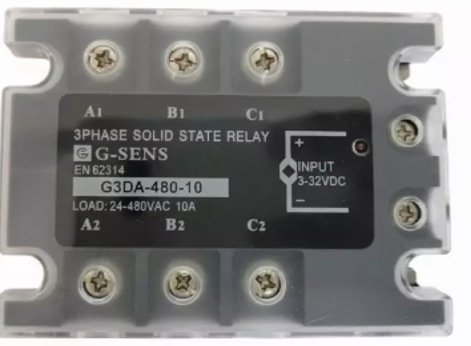
 Design with 3 phase AC SSR in Cirkit Designer
Introduction
The 3 Phase AC Solid State Relay (SSR), manufactured by Koushik with part ID SSR 3 Phase, is an electronic switching device designed to control power in AC circuits. Unlike traditional mechanical relays, this SSR operates without moving parts, enabling faster switching, higher reliability, and longer operational life. It is ideal for applications requiring precise and silent switching of AC loads.
Explore Projects Built with 3 phase AC SSR
 Open Project in Cirkit Designer
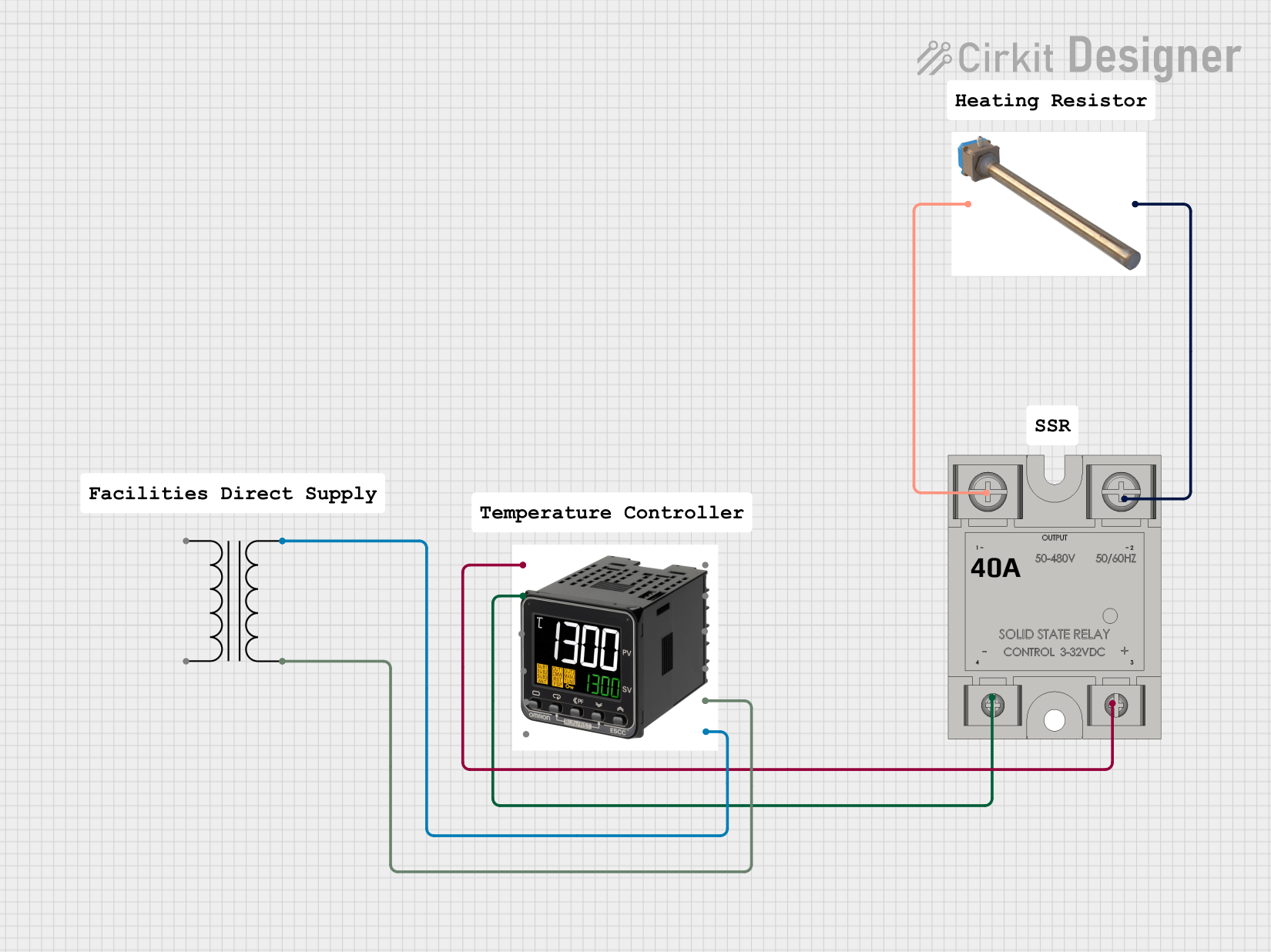 Open Project in Cirkit Designer
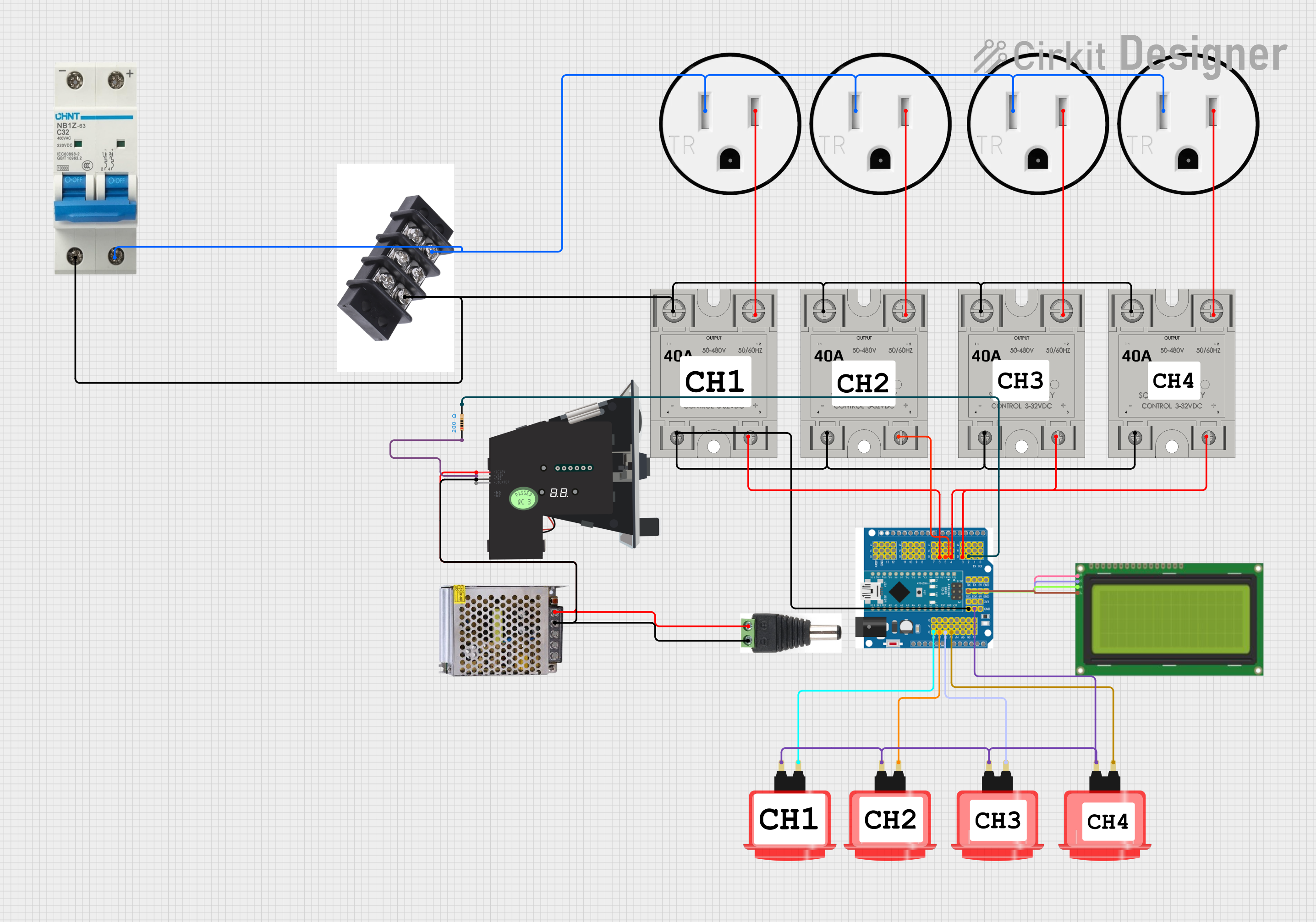 Open Project in Cirkit Designer
 Open Project in Cirkit Designer
Explore Projects Built with 3 phase AC SSR
Open Project in Cirkit DesignerOpen Project in Cirkit DesignerOpen Project in Cirkit DesignerOpen Project in Cirkit DesignerCommon Applications and Use Cases
- Industrial motor control
- HVAC systems
- Heating elements and ovens
- Lighting control systems
- Conveyor belt systems
- Renewable energy systems (e.g., solar inverters)
Technical Specifications
Below are the key technical details for the SSR 3 Phase:
| Parameter | Value |
|---|---|
| Operating Voltage Range | 24V AC to 480V AC |
| Control Voltage Range | 3V DC to 32V DC |
| Maximum Load Current | 25A, 40A, or 60A (model-specific) |
| Switching Type | Zero-crossing |
| Isolation Voltage | 2500V AC |
| Operating Temperature | -30°C to +80°C |
| Mounting Type | Panel-mounted |
| Input-Output Isolation | Optocoupler-based |
| Response Time | <10ms |
Pin Configuration and Descriptions
The SSR 3 Phase has the following pin configuration:
Input Side (Control Signal)
| Pin | Name | Description |
|---|---|---|
| 1 | DC+ | Positive terminal for the control signal (3V-32V DC) |
| 2 | DC- | Negative terminal for the control signal (GND) |
Output Side (Load Terminals)
| Pin | Name | Description |
|---|---|---|
| L1 | Load Phase 1 | Connect to Phase 1 of the AC load |
| L2 | Load Phase 2 | Connect to Phase 2 of the AC load |
| L3 | Load Phase 3 | Connect to Phase 3 of the AC load |
| T1 | AC Input Phase 1 | Connect to Phase 1 of the AC power supply |
| T2 | AC Input Phase 2 | Connect to Phase 2 of the AC power supply |
| T3 | AC Input Phase 3 | Connect to Phase 3 of the AC power supply |
Usage Instructions
How to Use the Component in a Circuit
- Mounting: Secure the SSR to a heat sink or panel to ensure proper heat dissipation.
- Input Connection:
- Connect the control signal (e.g., from a microcontroller or PLC) to the DC+ and DC- pins.
- Ensure the control voltage is within the specified range (3V-32V DC).
- Output Connection:
- Connect the AC power supply phases (T1, T2, T3) to the input terminals of the SSR.
- Connect the load phases (L1, L2, L3) to the output terminals of the SSR.
- Power On:
- Apply the control signal to activate the SSR and switch the AC load.
- The SSR will switch the load on or off based on the presence or absence of the control signal.
Important Considerations and Best Practices
- Heat Dissipation: Always use a heat sink or cooling fan to prevent overheating during operation.
- Load Type: Ensure the load is within the SSR's current and voltage ratings.
- Zero-Crossing Switching: This SSR uses zero-crossing technology, which minimizes electrical noise and extends the life of connected devices.
- Isolation: The optocoupler-based isolation ensures safety between the control and load sides.
- Fusing: Use appropriate fuses or circuit breakers to protect the SSR and connected equipment.
Example: Controlling a 3-Phase Motor with Arduino UNO
Below is an example of how to control the SSR using an Arduino UNO:
// Define the control pin for the SSR
const int ssrControlPin = 9;

void setup() {
  // Set the SSR control pin as an output
  pinMode(ssrControlPin, OUTPUT);
}

void loop() {
  // Turn the SSR ON (activates the 3-phase load)
  digitalWrite(ssrControlPin, HIGH);
  delay(5000); // Keep the load ON for 5 seconds

  // Turn the SSR OFF (deactivates the 3-phase load)
  digitalWrite(ssrControlPin, LOW);
  delay(5000); // Keep the load OFF for 5 seconds
}
Note: Ensure the Arduino's output voltage (5V) is compatible with the SSR's control voltage range. If necessary, use a transistor or MOSFET to amplify the control signal.
Troubleshooting and FAQs
Common Issues and Solutions
SSR Not Switching the Load:
- Verify that the control voltage is within the specified range (3V-32V DC).
- Check the wiring of the control and load terminals.
- Ensure the load current does not exceed the SSR's maximum rating.
Overheating:
- Ensure proper heat dissipation using a heat sink or cooling fan.
- Check for excessive load current or voltage.
Electrical Noise or Flickering:
- Verify that the load is compatible with zero-crossing switching.
- Use an appropriate snubber circuit if required.
No Response from SSR:
- Confirm that the input and output connections are correct.
- Test the control signal with a multimeter to ensure it is being applied.
FAQs
Q1: Can this SSR be used with inductive loads like motors?
A1: Yes, but ensure the load current and voltage are within the SSR's ratings. For highly inductive loads, consider using a snubber circuit to suppress voltage spikes.
Q2: What happens if the control voltage exceeds 32V DC?
A2: Exceeding the control voltage range can damage the SSR. Always use a regulated power source for the control signal.
Q3: Is the SSR polarity-sensitive on the control side?
A3: Yes, the DC+ and DC- terminals must be connected correctly to avoid malfunction.
Q4: Can this SSR handle single-phase loads?
A4: Yes, you can connect a single-phase load to one of the three output phases (L1, L2, or L3) and its corresponding input phase (T1, T2, or T3).
By following this documentation, users can effectively integrate the Koushik SSR 3 Phase into their projects and ensure reliable operation.