
How to Use ELRS/Crosfire Receiever Radiomaster RP1: Examples, Pinouts, and Specs
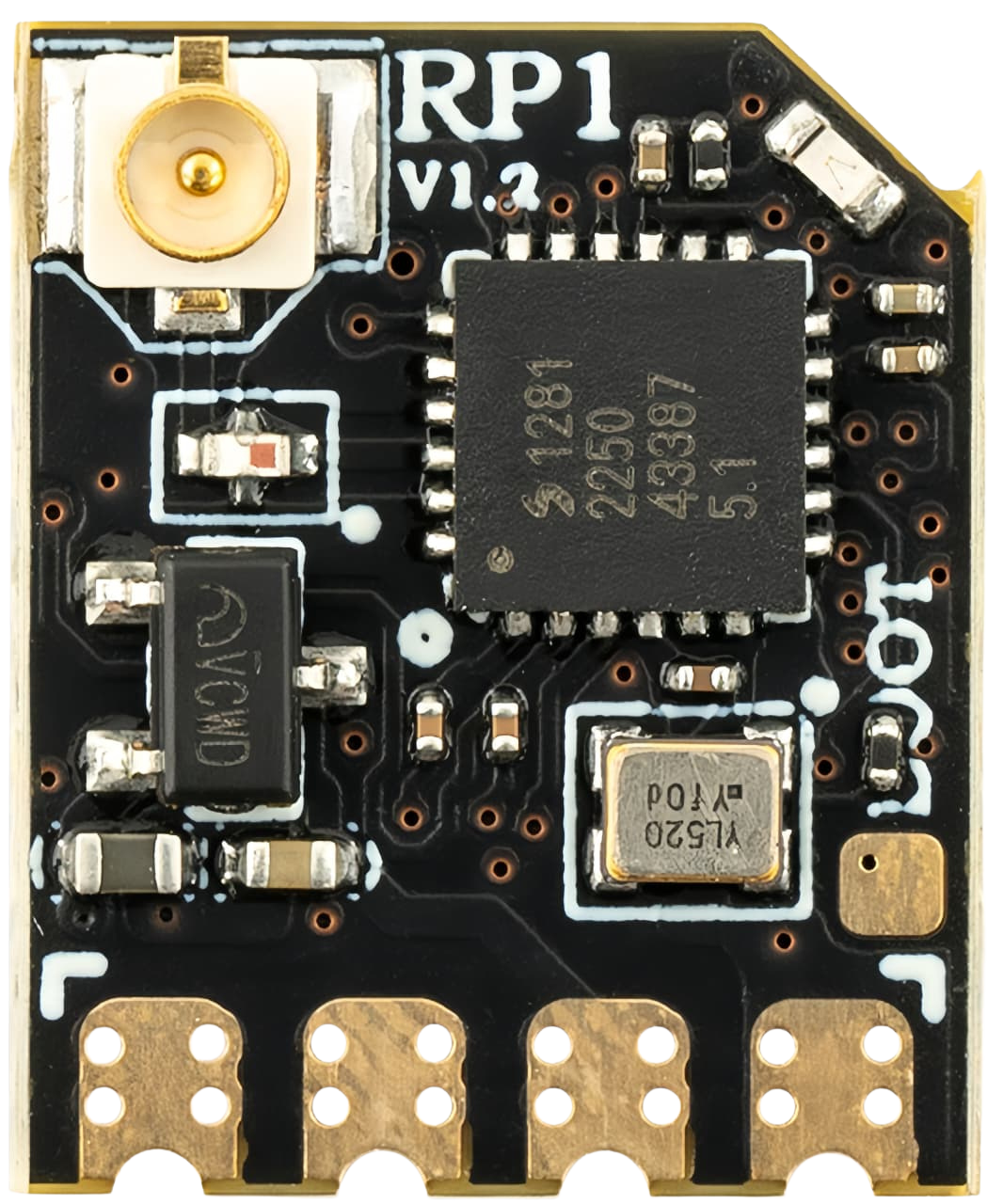
 Design with ELRS/Crosfire Receiever Radiomaster RP1 in Cirkit Designer
Introduction
The Radiomaster RP1 is a high-performance receiver designed for long-range control in RC (Radio Control) applications. It is compatible with both ELRS (ExpressLRS) and Crossfire protocols, making it a versatile choice for hobbyists and professionals alike. The RP1 offers low latency, robust signal reliability, and excellent range, making it ideal for drones, RC planes, and other remote-controlled devices.
Explore Projects Built with ELRS/Crosfire Receiever Radiomaster RP1
 Open Project in Cirkit Designer
 Open Project in Cirkit Designer
 Open Project in Cirkit Designer
 Open Project in Cirkit Designer
Explore Projects Built with ELRS/Crosfire Receiever Radiomaster RP1
Open Project in Cirkit DesignerOpen Project in Cirkit DesignerOpen Project in Cirkit DesignerOpen Project in Cirkit DesignerCommon Applications and Use Cases
- Long-range FPV (First Person View) drones
- RC planes and helicopters
- Remote-controlled cars and boats
- Robotics and automation projects requiring reliable wireless communication
Technical Specifications
The Radiomaster RP1 is engineered to deliver exceptional performance in demanding environments. Below are its key technical specifications:
| Specification | Details |
|---|---|
| Protocol Compatibility | ELRS (ExpressLRS) / Crossfire |
| Frequency Range | 2.4 GHz |
| Input Voltage Range | 5V |
| Antenna Type | External, IPEX connector |
| Latency | Ultra-low (as low as 4ms) |
| Range | Up to 15 km (depending on setup) |
| Dimensions | 10 mm x 15 mm x 3 mm |
| Weight | 1.5 g |
| Firmware Update Method | Over-the-Air (OTA) or USB |
Pin Configuration and Descriptions
The Radiomaster RP1 features a simple pinout for easy integration into your projects. Below is the pin configuration:
| Pin | Label | Description |
|---|---|---|
| 1 | GND | Ground connection |
| 2 | 5V | Power input (5V) |
| 3 | TX | UART Transmit (to flight controller RX) |
| 4 | RX | UART Receive (to flight controller TX) |
Usage Instructions
How to Use the Radiomaster RP1 in a Circuit
- Power Connection: Connect the
5Vpin to a 5V power source and theGNDpin to ground. - UART Connection: Connect the
TXpin of the RP1 to theRXpin of your flight controller, and theRXpin of the RP1 to theTXpin of your flight controller. - Antenna Installation: Attach the included antenna to the IPEX connector. Ensure the antenna is securely connected to avoid signal loss.
- Binding: Follow the binding procedure for your chosen protocol (ELRS or Crossfire). For ELRS, use the ExpressLRS Configurator to set up the receiver and transmitter.
Important Considerations and Best Practices
- Antenna Placement: Ensure the antenna is positioned away from metal components and other electronics to minimize interference.
- Firmware Updates: Keep the firmware up to date using the Over-the-Air (OTA) method or USB to ensure optimal performance and compatibility.
- Power Supply: Use a stable 5V power source to avoid damage to the receiver.
- Protocol Selection: Ensure your transmitter is set to the same protocol (ELRS or Crossfire) as the receiver.
Example Code for Arduino UNO
If you are using the Radiomaster RP1 with an Arduino UNO for a custom RC project, you can use the following example code to establish communication:
#include <SoftwareSerial.h>

// Define RX and TX pins for the Arduino
#define RX_PIN 10  // Connect to RP1 TX pin
#define TX_PIN 11  // Connect to RP1 RX pin

// Initialize SoftwareSerial for communication with the RP1
SoftwareSerial RP1Serial(RX_PIN, TX_PIN);

void setup() {
  // Start serial communication with the RP1
  RP1Serial.begin(115200); // Set baud rate to match the RP1
  Serial.begin(9600);      // For debugging via Serial Monitor

  Serial.println("Radiomaster RP1 Receiver Initialized");
}

void loop() {
  // Check if data is available from the RP1
  if (RP1Serial.available()) {
    String receivedData = RP1Serial.readString();
    Serial.print("Data from RP1: ");
    Serial.println(receivedData);
  }

  // Example: Send data to the RP1
  RP1Serial.println("Hello RP1");
  delay(1000); // Wait 1 second before sending again
}
Notes:
- Ensure the baud rate in the code matches the configuration of the RP1.
- Use appropriate level shifters if your Arduino operates at 5V logic levels, as the RP1 may use 3.3V logic.
Troubleshooting and FAQs
Common Issues and Solutions
Receiver Not Binding to Transmitter
- Ensure both the receiver and transmitter are set to the same protocol (ELRS or Crossfire).
- Check that the firmware versions of the receiver and transmitter are compatible.
- Follow the binding procedure carefully, ensuring the receiver is in binding mode.
Poor Signal Range
- Verify that the antenna is securely connected and properly positioned.
- Avoid placing the receiver near sources of interference, such as motors or ESCs.
- Check for damage to the antenna or receiver.
No Communication with Flight Controller
- Double-check the UART connections (TX to RX and RX to TX).
- Ensure the correct UART port is enabled in your flight controller's configuration software (e.g., Betaflight).
Firmware Update Fails
- Ensure the receiver is powered correctly during the update process.
- Use a stable USB connection or reliable OTA method.
- Verify that the firmware file is correct for the RP1.
FAQs
Q: Can I use the RP1 with a 3.3V power source?
A: No, the RP1 requires a 5V power source for proper operation.
Q: How do I switch between ELRS and Crossfire protocols?
A: The protocol is determined by the firmware loaded onto the receiver. Use the appropriate firmware for your desired protocol.
Q: What is the maximum range of the RP1?
A: The RP1 can achieve a range of up to 15 km, depending on environmental conditions and antenna placement.
Q: Can I use the RP1 with other transmitters besides Radiomaster?
A: Yes, as long as the transmitter supports ELRS or Crossfire protocols, it will be compatible with the RP1.