
How to Use XBee USB Mini Adapter: Examples, Pinouts, and Specs
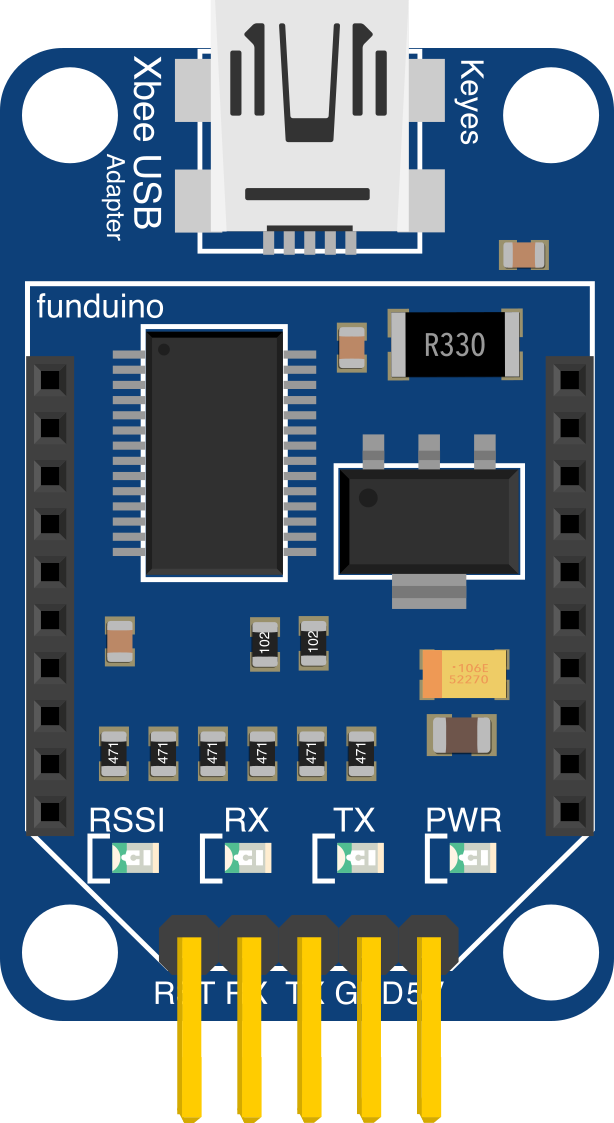
 Design with XBee USB Mini Adapter in Cirkit Designer
Introduction
The XBee USB Mini Adapter is a compact and versatile device designed to connect XBee modules to a computer via USB. It serves as a bridge for configuring and communicating with XBee modules, enabling seamless wireless data transmission. This adapter is widely used in wireless communication projects, IoT applications, and prototyping environments where XBee modules are employed.
Explore Projects Built with XBee USB Mini Adapter
 Open Project in Cirkit Designer
 Open Project in Cirkit Designer
 Open Project in Cirkit Designer
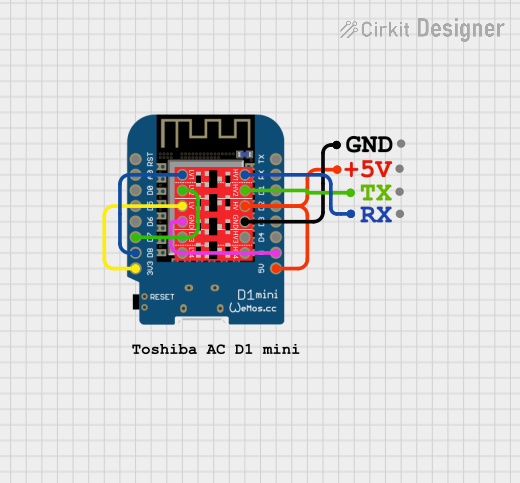 Open Project in Cirkit Designer
Explore Projects Built with XBee USB Mini Adapter
Open Project in Cirkit DesignerOpen Project in Cirkit DesignerOpen Project in Cirkit DesignerOpen Project in Cirkit DesignerCommon Applications and Use Cases
- Configuring XBee modules using software tools like XCTU.
- Wireless communication in IoT projects.
- Prototyping and testing XBee-based networks.
- Serial communication between a computer and an XBee module.
- Debugging and monitoring XBee module performance.
Technical Specifications
Key Technical Details
- Input Voltage: 5V (via USB)
- Communication Interface: USB 2.0
- Supported XBee Modules: Series 1, Series 2, Pro, and compatible modules
- LED Indicators: Power, TX (Transmit), RX (Receive)
- Dimensions: Approximately 30mm x 20mm
- Operating System Compatibility: Windows, macOS, Linux (drivers may be required)
Pin Configuration and Descriptions
The XBee USB Mini Adapter features a socket for the XBee module and a USB connector for interfacing with a computer. Below is the pin configuration for the XBee module socket:
| Pin Name | Description |
|---|---|
| VCC | Supplies 3.3V power to the XBee module. |
| GND | Ground connection. |
| DOUT | Data output from the XBee module. |
| DIN | Data input to the XBee module. |
| RTS | Request to Send (flow control). |
| CTS | Clear to Send (flow control). |
| RESET | Resets the XBee module. |
Usage Instructions
How to Use the XBee USB Mini Adapter in a Circuit
Insert the XBee Module:
- Align the pins of the XBee module with the socket on the adapter.
- Gently press the module into place, ensuring a secure connection.
Connect to a Computer:
- Plug the USB connector of the adapter into an available USB port on your computer.
- Ensure that the appropriate drivers are installed (if required).
Configure the XBee Module:
- Use Digi's XCTU software or a compatible terminal program to configure the XBee module.
- Select the correct COM port and baud rate (default is typically 9600 bps).
Test Communication:
- Send and receive data between the XBee module and the computer to verify functionality.
Important Considerations and Best Practices
- Ensure the XBee module is properly seated in the adapter socket to avoid connection issues.
- Use the provided LED indicators to monitor power and data transmission status.
- Avoid exceeding the voltage and current ratings of the adapter and XBee module.
- When using the adapter with an Arduino or other microcontroller, ensure proper voltage level matching (3.3V logic for XBee).
Example: Connecting to an Arduino UNO
To use the XBee USB Mini Adapter with an Arduino UNO, you can configure the XBee module using XCTU and then connect it to the Arduino for wireless communication. Below is an example Arduino sketch for sending data wirelessly:
// Example Arduino code for sending data via XBee
// Ensure the XBee module is configured for communication
// with the correct baud rate (e.g., 9600 bps).

#include <SoftwareSerial.h>

// Define RX and TX pins for SoftwareSerial
SoftwareSerial XBee(2, 3); // RX = pin 2, TX = pin 3

void setup() {
  Serial.begin(9600);       // Start Serial Monitor communication
  XBee.begin(9600);         // Start XBee communication
  Serial.println("XBee communication initialized.");
}

void loop() {
  // Send a message to the XBee module
  XBee.println("Hello, XBee!");
  Serial.println("Message sent: Hello, XBee!");

  // Check for incoming data from the XBee module
  if (XBee.available()) {
    String received = XBee.readString();
    Serial.print("Received from XBee: ");
    Serial.println(received);
  }

  delay(1000); // Wait 1 second before sending the next message
}
Troubleshooting and FAQs
Common Issues and Solutions
XBee Module Not Detected in XCTU:
- Ensure the adapter is properly connected to the computer.
- Verify that the correct drivers are installed.
- Check the COM port settings in XCTU.
No Data Transmission:
- Confirm that the XBee module is configured with the correct baud rate.
- Ensure the XBee module is securely seated in the adapter socket.
- Verify that the TX and RX LEDs blink during data transmission.
Adapter Not Recognized by the Computer:
- Try a different USB cable or port.
- Install or update the USB-to-serial drivers (e.g., FTDI or CP2102 drivers).
LED Indicators Not Lit:
- Check the USB connection and ensure the computer is supplying power.
- Inspect the adapter and XBee module for physical damage.
FAQs
Q: Can I use the XBee USB Mini Adapter with macOS or Linux?
A: Yes, the adapter is compatible with macOS and Linux. However, you may need to install the appropriate drivers for your operating system.
Q: What software can I use to configure the XBee module?
A: Digi's XCTU software is the most commonly used tool for configuring XBee modules. It is available for Windows, macOS, and Linux.
Q: Can I power the XBee module directly from the adapter?
A: Yes, the adapter provides 3.3V power to the XBee module through the VCC pin.
Q: Is the adapter compatible with all XBee modules?
A: The adapter supports most XBee modules, including Series 1, Series 2, and Pro versions. Always check the module's specifications for compatibility.