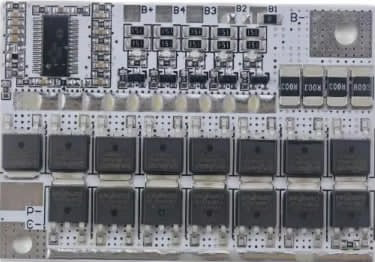
The 4S 100A LiFePO4 Battery Balance Charging Protection BMS Module is a critical component for managing 4-series lithium iron phosphate (LiFePO4) battery packs. It ensures safe and efficient operation by providing balance charging, overcharge protection, over-discharge protection, and short-circuit protection. This module is designed to maintain the health and longevity of LiFePO4 batteries, making it an essential part of battery-powered systems.
Explore Projects Built with 4S 100A LiFePO4 Battery Balance Charging Protection BMS Module
Use Cirkit Designer to design, explore, and prototype these projects online. Some projects support real-time simulation. Click "Open Project" to start designing instantly!
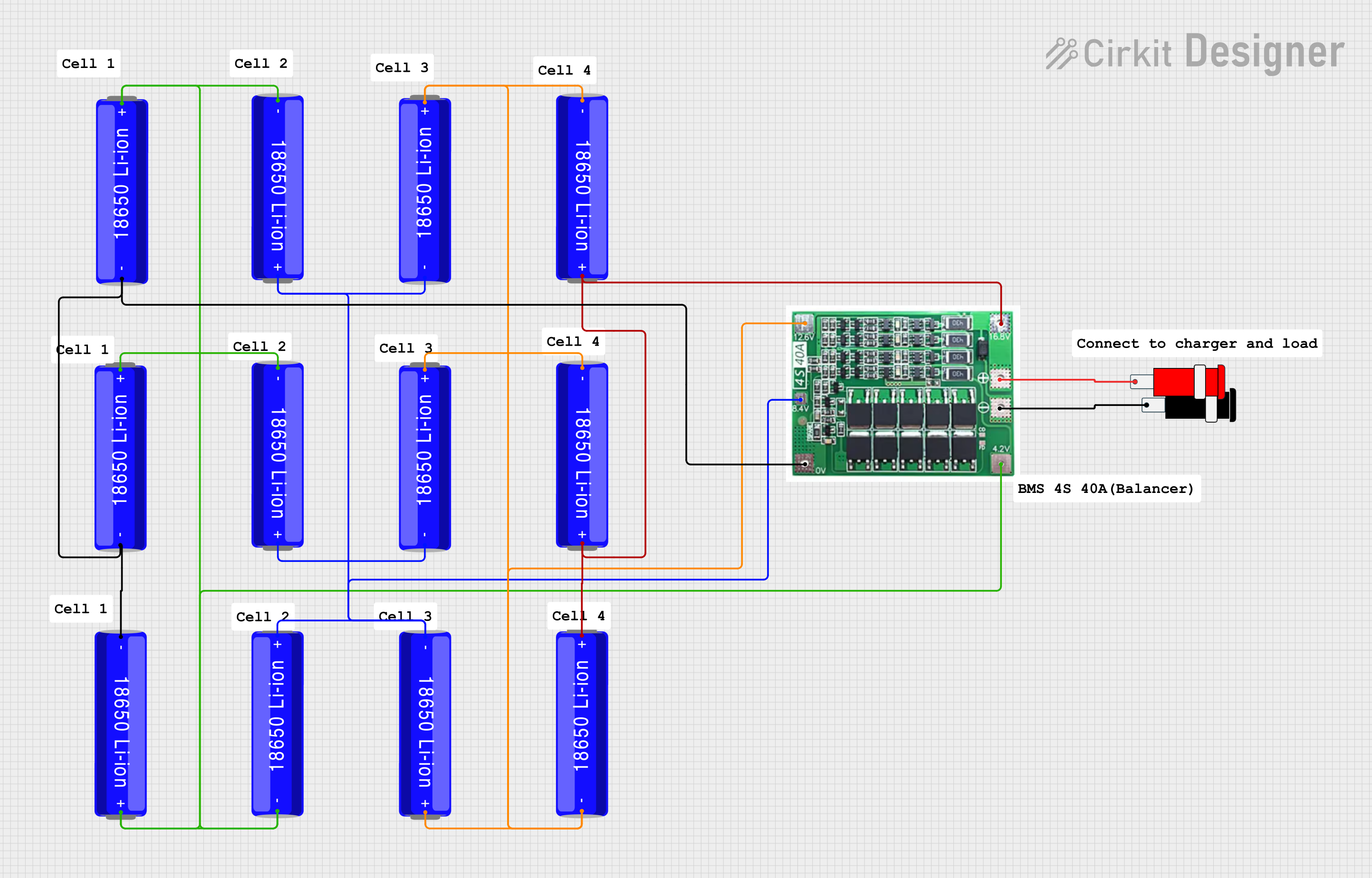
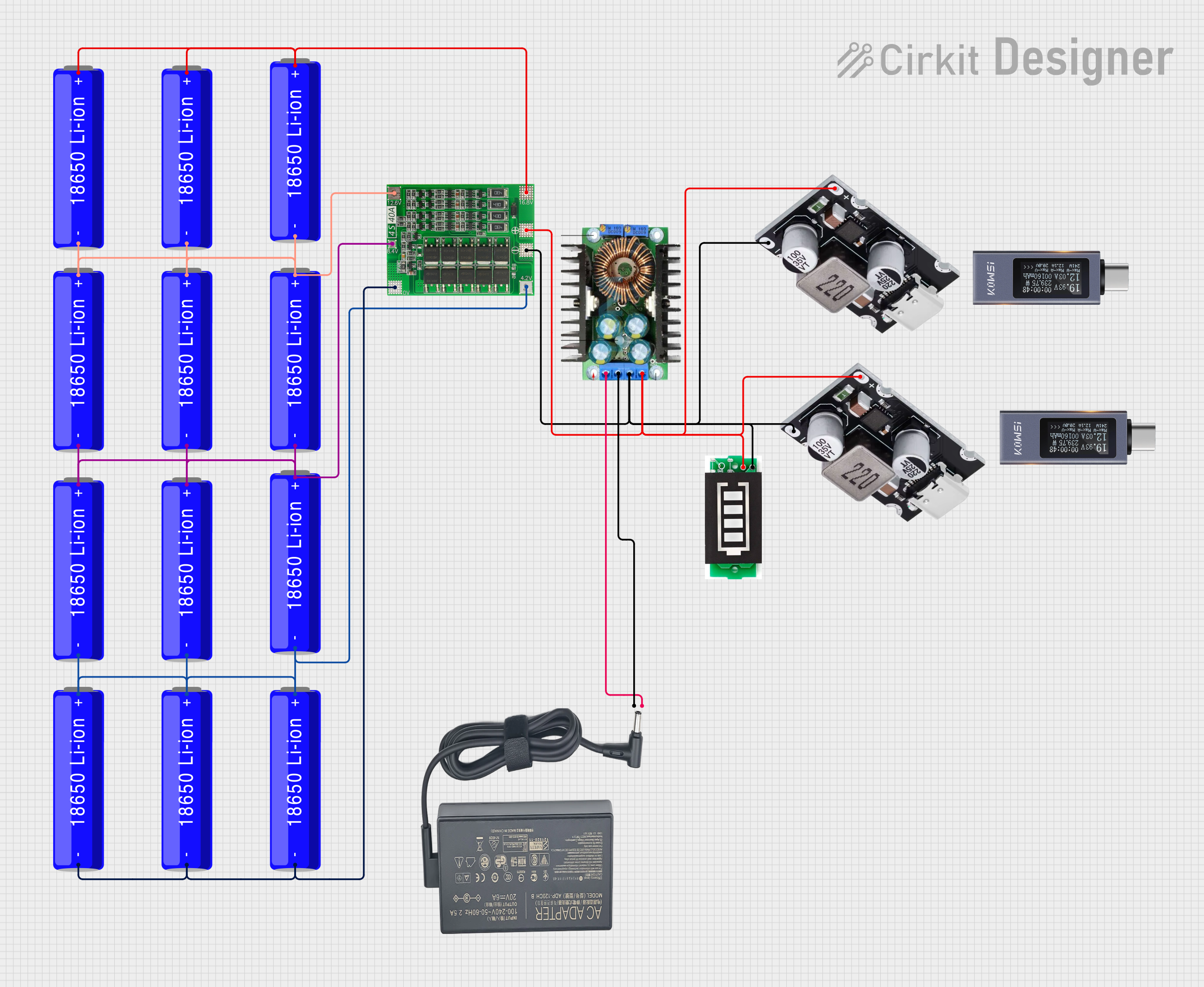
This circuit is a battery management and charging system for a 4S Li-ion battery pack. It includes multiple 18650 Li-ion batteries connected to a 4S40A BMS for balancing and protection, a battery indicator for monitoring charge status, and an XL4016 module for voltage regulation. The system is designed to be charged via a 20V input from a charger.
This circuit consists of a battery management system (BMS) connected to a series of 18650 Li-ion batteries arranged in a 4S configuration to provide a regulated output voltage. The BMS ensures safe charging and discharging of the batteries, while a connector provides a 5V output for external devices.
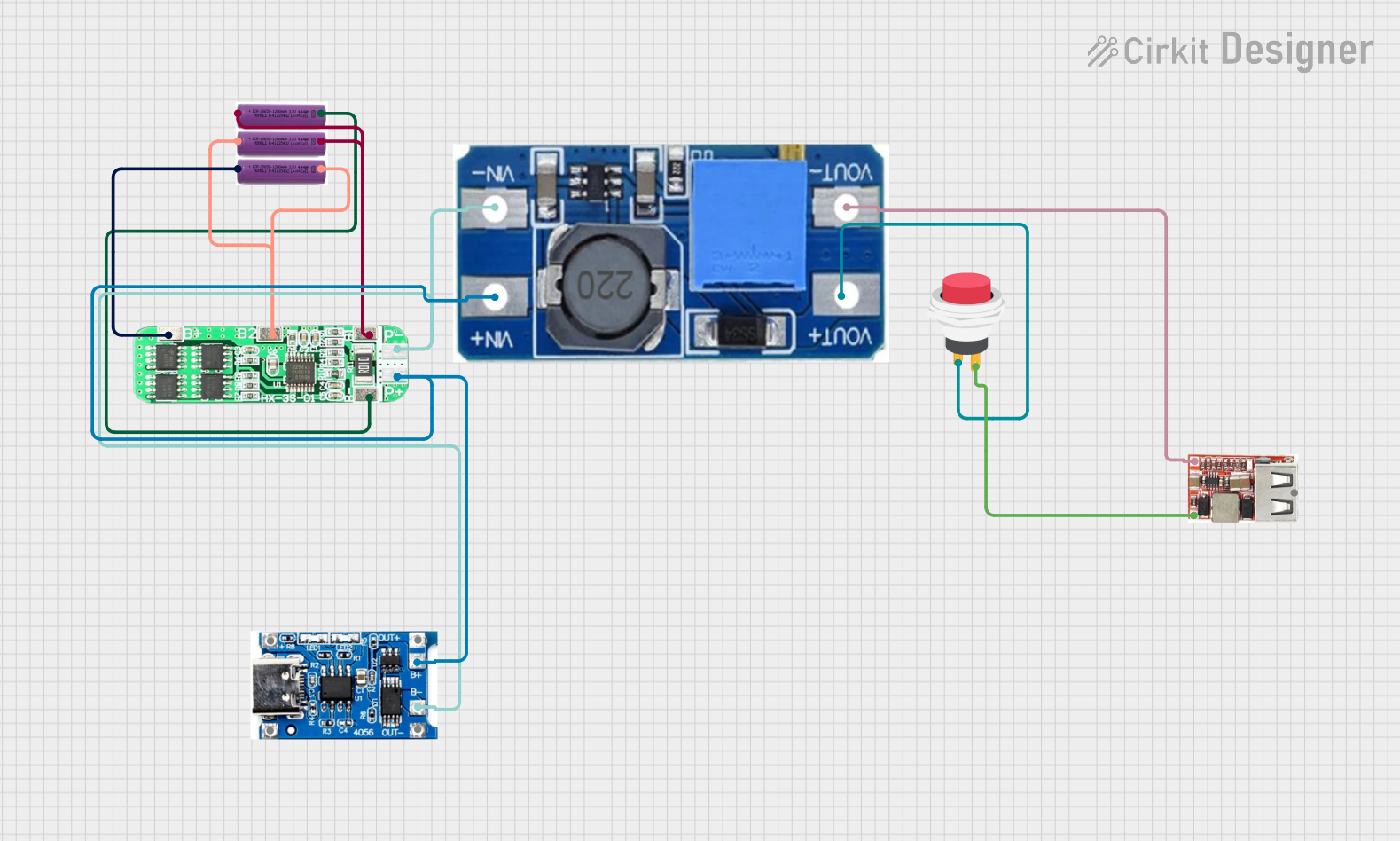
This circuit is a battery management and power supply system that uses three 3.7V batteries connected to a 3S 10A Li-ion 18650 Charger Protection Board Module for balanced charging and protection. The system includes a TP4056 Battery Charging Protection Module for additional charging safety, a Step Up Boost Power Converter to regulate and boost the voltage, and a USB regulator to provide a stable 5V output, controlled by a push switch.
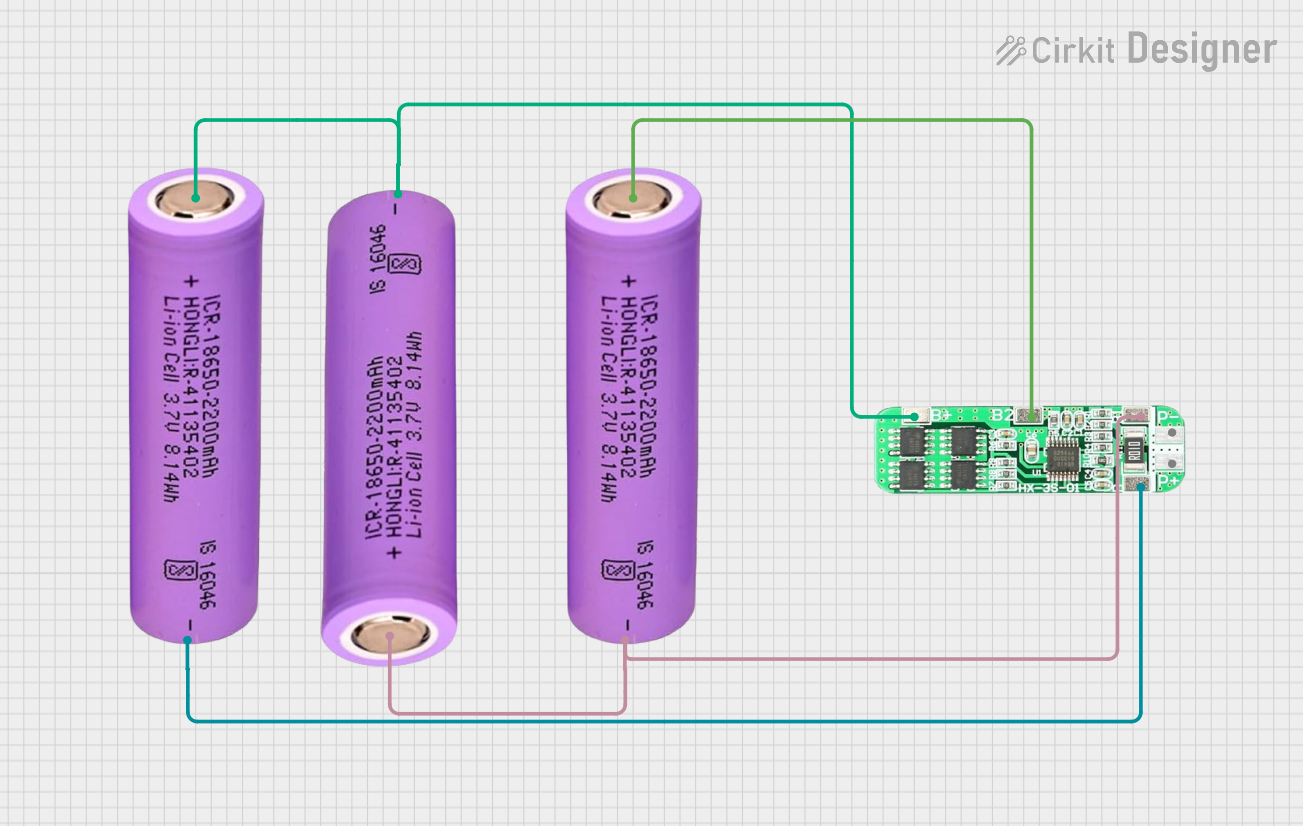
This circuit consists of three 18650 batteries connected in series to a 3S 10A Li-ion 18650 Charger Protection Board Module. The protection board manages the charging and discharging of the battery pack, ensuring safe operation by balancing the cells and providing overcharge, over-discharge, and short-circuit protection.
The following table outlines the key technical details of the 4S 100A LiFePO4 BMS module:
Parameter
Value
Battery Type
LiFePO4 (Lithium Iron Phosphate)
Number of Cells Supported
4 (4-series configuration)
Maximum Continuous Current
100A
Overcharge Protection Voltage
3.65V ± 0.05V per cell
Over-discharge Protection Voltage
2.5V ± 0.05V per cell
Balance Current
60mA
Operating Temperature Range
-20°C to 60°C
Dimensions
120mm x 60mm x 10mm
Pin Configuration and Descriptions
The module has several key connections for proper operation. The table below describes each pin:
Pin Name
Description
B-
Battery pack negative terminal connection
B1, B2, B3
Connections to the positive terminals of each cell in the 4-series configuration
B+
Battery pack positive terminal connection
P-
Negative terminal for load and charger
P+
Positive terminal for load and charger
Usage Instructions
How to Use the Component in a Circuit
Connect the Battery Pack:
Connect the B- pin to the negative terminal of the battery pack.
Connect the B1, B2, and B3 pins to the positive terminals of the first, second, and third cells, respectively.
Connect the B+ pin to the positive terminal of the battery pack.
Connect the Load and Charger:
Connect the P- pin to the negative terminal of the load and charger.
Connect the P+ pin to the positive terminal of the load and charger.
Ensure Proper Wiring:
Double-check all connections to ensure they are secure and correctly aligned with the pin configuration.
Power On:
Once all connections are made, the BMS module will automatically manage the battery pack, providing balance charging and protection.
Important Considerations and Best Practices
Cell Matching: Ensure all cells in the battery pack have similar capacities and internal resistances to avoid imbalance.
Heat Dissipation: The module may generate heat during operation. Ensure proper ventilation or heat sinking to prevent overheating.
Avoid Overloading: Do not exceed the maximum continuous current rating of 100A to prevent damage to the module.
Wiring Order: Always connect the B- pin first, followed by the B1, B2, B3, and B+ pins. Disconnect in reverse order.
Arduino UNO Integration
While the BMS module itself does not directly interface with an Arduino, you can monitor the battery pack's voltage using an Arduino UNO and a voltage divider circuit. Below is an example code snippet for monitoring the voltage of a single cell:
// Define the analog pin connected to the voltage divider
const int voltagePin = A0;

// Define the voltage divider ratio (adjust based on your resistor values)
const float voltageDividerRatio = 5.0; // Example: 100k and 20k resistors

void setup() {
  Serial.begin(9600); // Initialize serial communication
}

void loop() {
  // Read the analog value from the voltage divider
  int analogValue = analogRead(voltagePin);

  // Convert the analog value to voltage
  float voltage = (analogValue * 5.0 / 1023.0) * voltageDividerRatio;

  // Print the voltage to the Serial Monitor
  Serial.print("Cell Voltage: ");
  Serial.print(voltage);
  Serial.println(" V");

  delay(1000); // Wait for 1 second before the next reading
}
Note: Use appropriate resistor values in the voltage divider to ensure the input voltage to the Arduino does not exceed 5V.
Troubleshooting and FAQs
Common Issues and Solutions
Module Overheating:
Cause: Excessive current draw or poor ventilation.
Solution: Reduce the load current or improve heat dissipation with a heatsink or fan.
Battery Pack Not Charging:
Cause: Incorrect wiring or damaged cells.
Solution: Verify all connections and check the health of each cell in the battery pack.
Imbalanced Cells:
Cause: Cells with different capacities or internal resistances.
Solution: Replace mismatched cells or manually balance the cells before connecting to the BMS.
No Output Voltage:
Cause: Over-discharge protection triggered.
Solution: Recharge the battery pack to reset the protection circuit.
FAQs
Q: Can this BMS module be used with other battery chemistries?
A: No, this module is specifically designed for LiFePO4 batteries and should not be used with other chemistries.
Q: What happens if I exceed the 100A current limit?
A: Exceeding the current limit may damage the module or trigger the short-circuit protection.
Q: How do I know if the module is balancing the cells?
A: The module automatically balances the cells when their voltages differ. You can measure the individual cell voltages to confirm balancing.
Q: Can I use this module for a 3-series or 5-series battery pack?
A: No, this module is designed specifically for 4-series configurations. Using it with other configurations may result in improper operation or damage.

 Open Project in Cirkit Designer