
How to Use Gc9a01 display: Examples, Pinouts, and Specs
 Design with Gc9a01 display in Cirkit Designer
Introduction
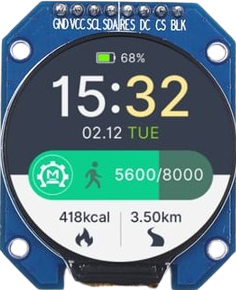
The GC9A01 display is a compact, high-resolution TFT LCD screen commonly used in embedded systems and microcontroller projects. It features a wide viewing angle, vibrant colors, and supports various graphical interfaces, making it ideal for displaying complex data and user interfaces. Its small size and versatility make it a popular choice for applications such as wearable devices, IoT dashboards, gaming consoles, and portable instrumentation.
Explore Projects Built with Gc9a01 display
 Open Project in Cirkit Designer
 Open Project in Cirkit Designer
 Open Project in Cirkit Designer
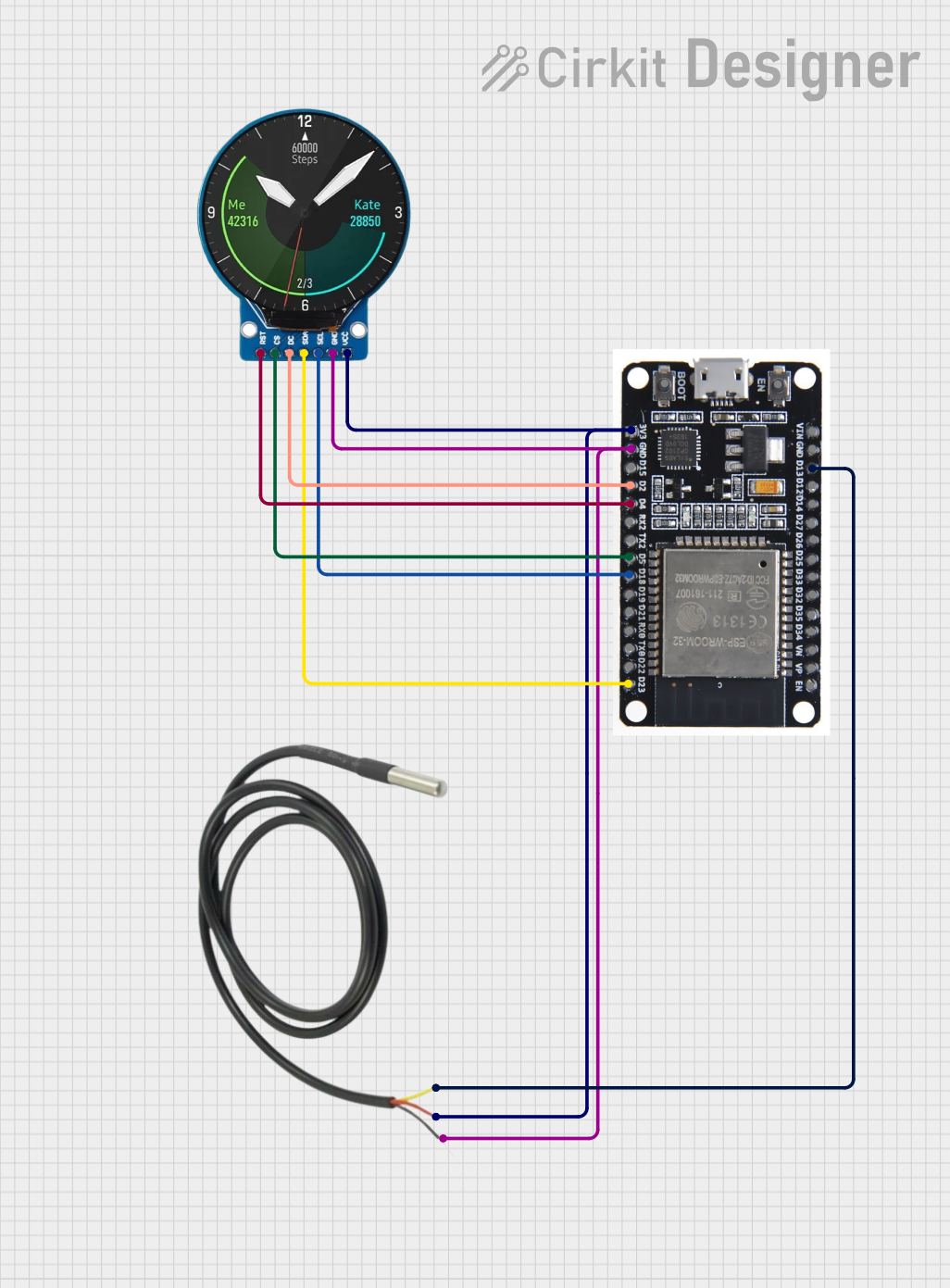 Open Project in Cirkit Designer
Explore Projects Built with Gc9a01 display
Open Project in Cirkit DesignerOpen Project in Cirkit DesignerOpen Project in Cirkit DesignerOpen Project in Cirkit DesignerCommon Applications:
- Wearable devices (e.g., smartwatches)
- IoT dashboards and control panels
- Portable gaming consoles
- Graphical user interfaces for embedded systems
- Data visualization in compact devices
Technical Specifications
The GC9A01 display is designed to provide high-quality visuals while maintaining low power consumption. Below are its key technical details:
Key Specifications:
| Parameter | Value |
|---|---|
| Display Type | TFT LCD |
| Resolution | 240 x 240 pixels |
| Screen Size | 1.28 inches (diagonal) |
| Interface | SPI (Serial Peripheral Interface) |
| Color Depth | 65K (16-bit RGB) |
| Viewing Angle | Wide (up to 178°) |
| Operating Voltage | 3.3V |
| Backlight Voltage | 3.0V to 3.3V |
| Operating Temperature | -20°C to 70°C |
Pin Configuration:
The GC9A01 display typically has an 8-pin interface. Below is the pinout description:
| Pin Number | Pin Name | Description |
|---|---|---|
| 1 | VCC | Power supply (3.3V) |
| 2 | GND | Ground |
| 3 | SCL | Serial Clock (SPI clock input) |
| 4 | SDA | Serial Data (SPI data input) |
| 5 | RES | Reset pin (active low) |
| 6 | DC | Data/Command control pin |
| 7 | CS | Chip Select (active low) |
| 8 | BLK | Backlight control (connect to 3.3V or PWM pin) |
Usage Instructions
The GC9A01 display is easy to integrate into microcontroller projects, especially with platforms like Arduino. Below are the steps to use the display in a circuit:
Connecting the GC9A01 to an Arduino UNO:
- Power Supply: Connect the
VCCpin to the 3.3V output of the Arduino and theGNDpin to the Arduino's ground. - SPI Interface: Connect the
SCLpin to Arduino'sD13(SPI clock) and theSDApin toD11(SPI MOSI). - Control Pins:
- Connect the
RESpin toD8(or any digital pin for reset control). - Connect the
DCpin toD9(or any digital pin for data/command control). - Connect the
CSpin toD10(chip select).
- Connect the
- Backlight: Connect the
BLKpin to 3.3V or a PWM-capable pin for brightness control.
Example Arduino Code:
Below is an example code snippet to initialize and display graphics on the GC9A01 using the Arduino IDE. This example uses the popular Adafruit_GFX and Adafruit_GC9A01 libraries.
#include <Adafruit_GFX.h>       // Core graphics library
#include <Adafruit_GC9A01.h>    // GC9A01 driver library
#include <SPI.h>                // SPI library

// Define pin connections
#define TFT_CS   10  // Chip Select pin
#define TFT_DC   9   // Data/Command pin
#define TFT_RST  8   // Reset pin

// Create display object
Adafruit_GC9A01 tft = Adafruit_GC9A01(TFT_CS, TFT_DC, TFT_RST);

void setup() {
  // Initialize serial communication for debugging
  Serial.begin(9600);
  Serial.println("GC9A01 Display Test");

  // Initialize the display
  tft.begin();
  tft.setRotation(0);  // Set display orientation
  tft.fillScreen(0x0000);  // Clear screen (black)

  // Display a test message
  tft.setTextColor(0xFFFF);  // Set text color to white
  tft.setTextSize(2);        // Set text size
  tft.setCursor(10, 10);     // Set text position
  tft.println("Hello, GC9A01!");
}

void loop() {
  // Add your code here to update the display
}
Important Considerations:
- Voltage Levels: Ensure the display operates at 3.3V. Using 5V logic without level shifters may damage the display.
- Backlight Control: For adjustable brightness, connect the
BLKpin to a PWM-capable pin on the microcontroller. - Library Compatibility: Use libraries like
Adafruit_GFXandAdafruit_GC9A01for easy integration and advanced graphical functions.
Troubleshooting and FAQs
Common Issues:
No Display Output:
- Cause: Incorrect wiring or power supply.
- Solution: Double-check all connections and ensure the display is powered with 3.3V.
Flickering or Dim Backlight:
- Cause: Insufficient current supply to the backlight.
- Solution: Ensure the power source can provide adequate current (typically 20-30mA for the backlight).
Distorted or Inverted Colors:
- Cause: Incorrect initialization or rotation settings.
- Solution: Verify the initialization code and ensure the
setRotation()function is used correctly.
Display Freezes or Does Not Update:
- Cause: SPI communication issues.
- Solution: Check the SPI connections and ensure the correct pins are defined in the code.
FAQs:
Q: Can I use the GC9A01 with a 5V microcontroller?
A: Yes, but you must use level shifters to convert 5V logic to 3.3V to avoid damaging the display.
Q: How do I control the brightness of the backlight?
A: Connect the BLK pin to a PWM-capable pin on your microcontroller and use PWM signals to adjust brightness.
Q: What is the maximum frame rate supported by the GC9A01?
A: The frame rate depends on the SPI clock speed. At 40MHz SPI, the display can achieve smooth animations and fast updates.
Q: Can I use the GC9A01 with platforms other than Arduino?
A: Yes, the GC9A01 is compatible with other platforms like Raspberry Pi, ESP32, and STM32, provided they support SPI communication.
By following this documentation, you can successfully integrate and use the GC9A01 display in your projects.