
Cirkit Designer
Your all-in-one circuit design IDE
Home /
Component Documentation
How to Use GND: Examples, Pinouts, and Specs

 Design with GND in Cirkit Designer
Introduction
- GND (Ground) is a fundamental concept and component in electronics. It serves as the reference point in an electrical circuit from which all voltages are measured. Additionally, it acts as the common return path for electric current, ensuring proper circuit operation.
- GND is used in virtually all electronic circuits and systems. Common applications include:
- Providing a stable reference voltage for components.
- Completing electrical circuits by serving as the return path for current.
- Ensuring safety by connecting to earth ground in certain systems to prevent electrical hazards.
Explore Projects Built with GND
12V Multi-Component Control Circuit
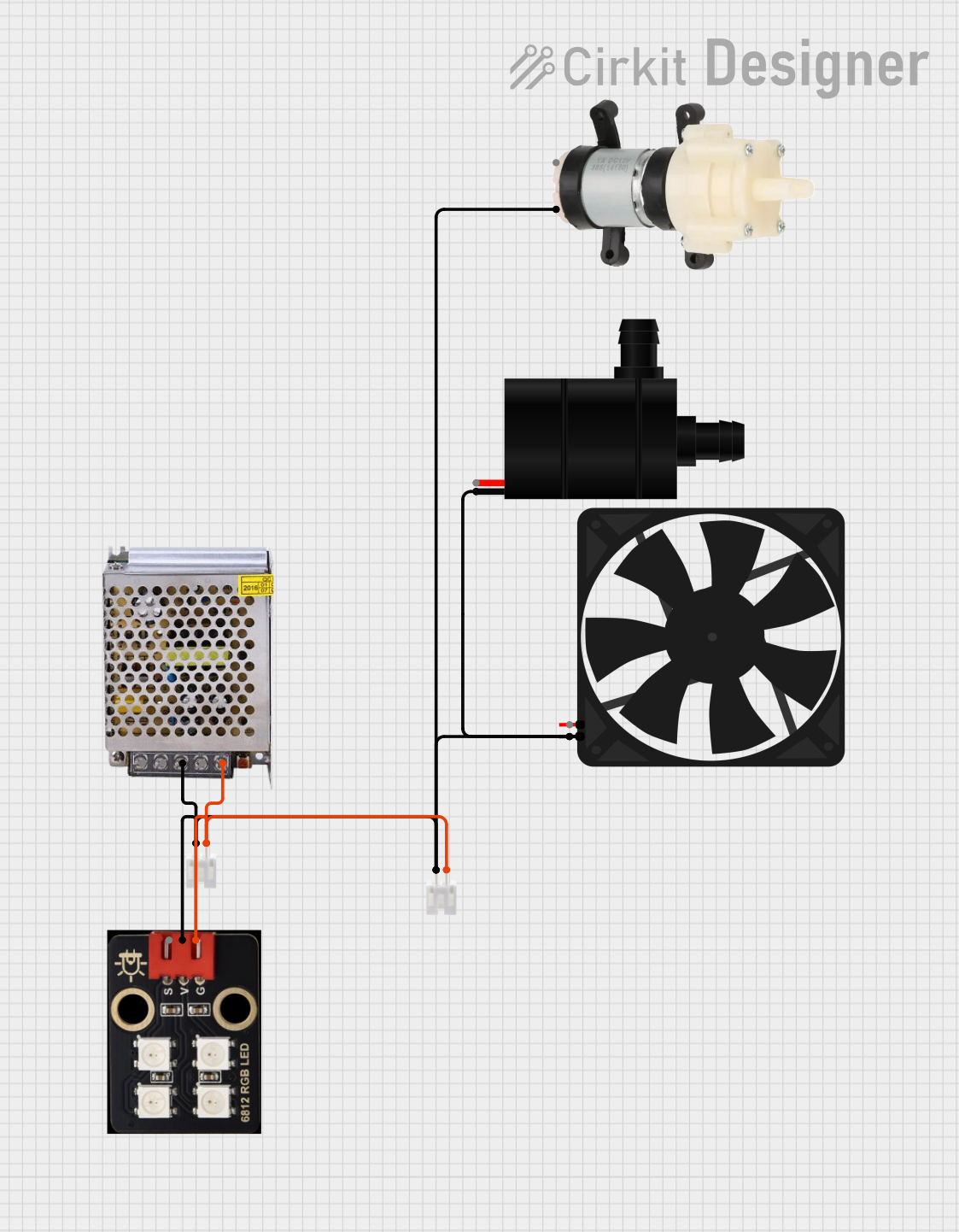
This circuit appears to be a power distribution system that supplies power to various components from a 12V 5A power supply. It connects the negative terminal of the power supply to the ground (GND) pins of a mini diaphragm water pump, an RGB LED, a fan, and a water pump, while the positive DC output is connected to the positive pins of the RGB LED and presumably to other components through JST PH 2.0 connectors. The circuit lacks a controlling element, such as a microcontroller, suggesting that the components operate continuously or are switched externally.
Open Project in Cirkit DesignerPushbutton Interface with General Purpose I/O Plug

This circuit consists of a General Purpose Input/Output (GPIO) plug connected to four pushbuttons. Each pushbutton is wired to a unique input pin on the GPIO plug, allowing the state of each button (pressed or not pressed) to be detected individually. The common terminals of the pushbuttons are interconnected and likely serve as a ground or reference voltage connection.
Open Project in Cirkit DesignerBasic Surge Protection Circuit with Benedict Switch
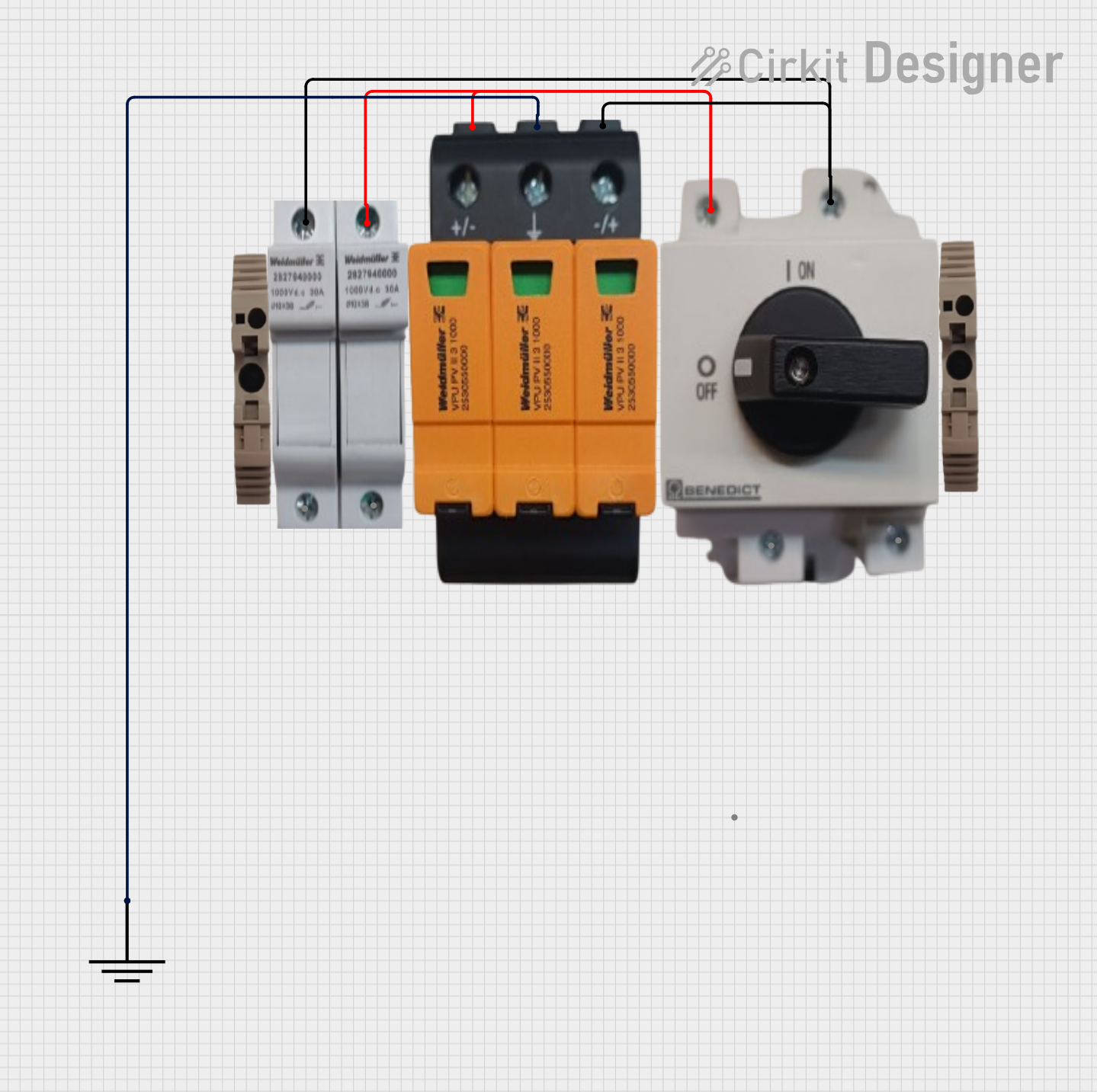
The circuit includes a Benedict Switch connected in series with a Fuse Holder and an SPD (Surge Protection Device). The SPD is also connected to a Ground reference. This configuration suggests that the circuit is designed to control power flow, protect against overcurrent with the fuse, and guard against voltage surges with the SPD, with a safe path to ground for surge dissipation.
Open Project in Cirkit DesignerArduino UNO-Based Sensor Array with Resistor Network
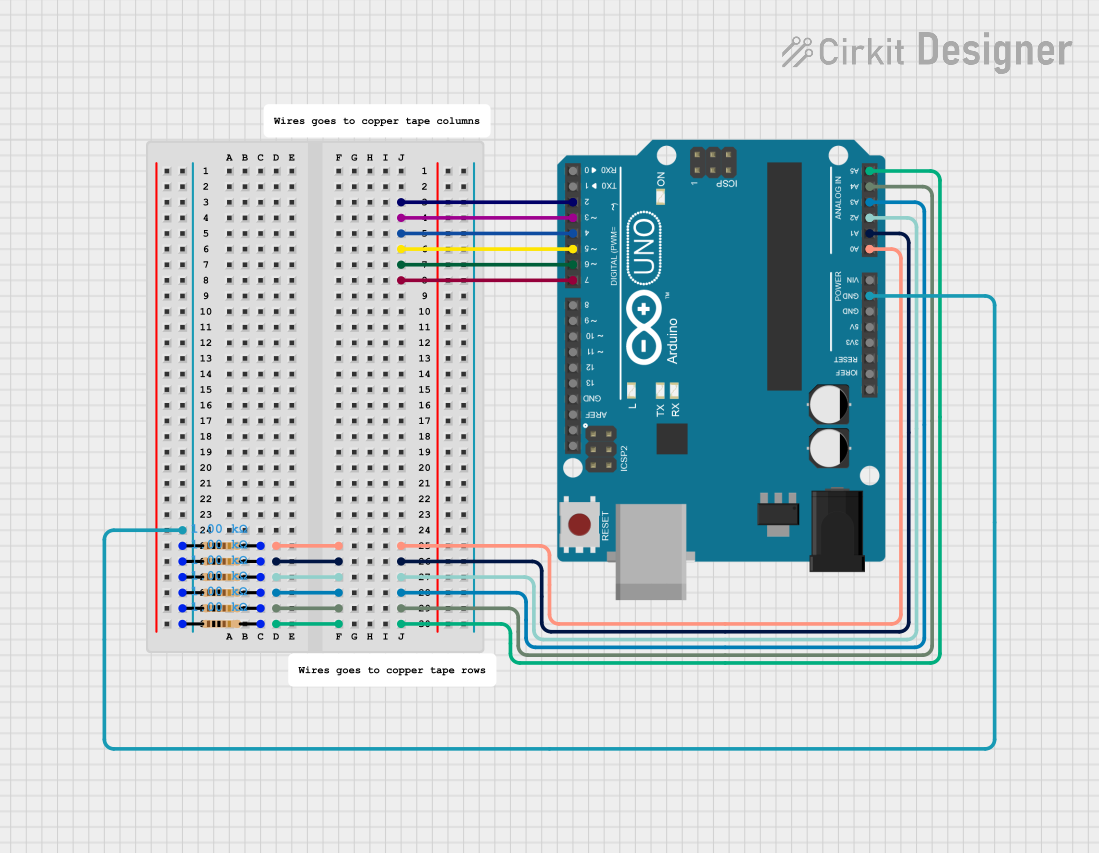
This circuit features an Arduino UNO microcontroller connected to six 1k Ohm resistors. Each resistor is connected between the ground (GND) and one of the analog input pins (A0 to A5) on the Arduino, likely for the purpose of reading analog sensor values or creating a voltage divider network.
Open Project in Cirkit DesignerExplore Projects Built with GND
12V Multi-Component Control Circuit
This circuit appears to be a power distribution system that supplies power to various components from a 12V 5A power supply. It connects the negative terminal of the power supply to the ground (GND) pins of a mini diaphragm water pump, an RGB LED, a fan, and a water pump, while the positive DC output is connected to the positive pins of the RGB LED and presumably to other components through JST PH 2.0 connectors. The circuit lacks a controlling element, such as a microcontroller, suggesting that the components operate continuously or are switched externally.
Open Project in Cirkit DesignerPushbutton Interface with General Purpose I/O Plug
This circuit consists of a General Purpose Input/Output (GPIO) plug connected to four pushbuttons. Each pushbutton is wired to a unique input pin on the GPIO plug, allowing the state of each button (pressed or not pressed) to be detected individually. The common terminals of the pushbuttons are interconnected and likely serve as a ground or reference voltage connection.
Open Project in Cirkit DesignerBasic Surge Protection Circuit with Benedict Switch
The circuit includes a Benedict Switch connected in series with a Fuse Holder and an SPD (Surge Protection Device). The SPD is also connected to a Ground reference. This configuration suggests that the circuit is designed to control power flow, protect against overcurrent with the fuse, and guard against voltage surges with the SPD, with a safe path to ground for surge dissipation.
Open Project in Cirkit DesignerArduino UNO-Based Sensor Array with Resistor Network
This circuit features an Arduino UNO microcontroller connected to six 1k Ohm resistors. Each resistor is connected between the ground (GND) and one of the analog input pins (A0 to A5) on the Arduino, likely for the purpose of reading analog sensor values or creating a voltage divider network.
Open Project in Cirkit DesignerTechnical Specifications
Key Details:
- GND does not have a specific voltage; it is defined as the 0V reference point in a circuit.
- It is typically represented by a symbol (⏚ or ⏚⏚) in circuit diagrams.
- GND can be connected to the chassis or earth ground in some systems for safety and noise reduction.
Pin Configuration and Descriptions: GND is not a standalone component with pins but is often represented in connectors or ICs. Below is an example of how GND is typically used in a pin configuration:
| Pin Name | Description |
|---|---|
| GND | Ground connection (0V reference). |
| VCC | Positive voltage supply. |
| Signal Pins | Data or control signals. |
Usage Instructions
How to Use GND in a Circuit:
- Identify the GND pin or terminal on your power supply or circuit board.
- Connect all components requiring a common reference point to the GND node.
- Ensure that the GND connection is robust and has low resistance to avoid voltage drops.
Important Considerations and Best Practices:
- Always connect GND to the negative terminal of your power supply.
- Use a ground plane in PCB designs to reduce noise and improve signal integrity.
- Avoid creating ground loops, which can cause interference and noise in sensitive circuits.
- In mixed-signal circuits (analog and digital), separate analog and digital grounds and connect them at a single point to minimize noise.
Example: Connecting GND to an Arduino UNO: When using an Arduino UNO, GND is essential for completing the circuit. Below is an example of connecting an LED to the Arduino with GND:
// Example: Blinking an LED with Arduino UNO
// Connect the LED's cathode (short leg) to GND and anode (long leg) to pin 13
// through a 220-ohm resistor.

void setup() {
  pinMode(13, OUTPUT); // Set pin 13 as an output pin
}

void loop() {
  digitalWrite(13, HIGH); // Turn the LED on
  delay(1000);            // Wait for 1 second
  digitalWrite(13, LOW);  // Turn the LED off
  delay(1000);            // Wait for 1 second
}
Troubleshooting and FAQs
Common Issues:
- No voltage reference or unstable circuit operation:
- Ensure all components share a common GND connection.
- Noise or interference in the circuit:
- Use a ground plane or star grounding to minimize noise.
- Ground loop issues:
- Avoid connecting multiple GND points to different earth grounds.
- No voltage reference or unstable circuit operation:
FAQs:
- Q: Can I connect multiple GND points in a circuit?
- A: Yes, but ensure they are connected to the same reference point to avoid ground loops.
- Q: What happens if I don't connect GND?
- A: The circuit will not function correctly, as there will be no return path for current.
- Q: Is GND always 0V?
- A: Yes, GND is defined as the 0V reference point in a circuit. However, it may not always be connected to earth ground.
- Q: Can I connect multiple GND points in a circuit?
By following these guidelines, you can effectively use GND in your electronic circuits to ensure proper operation and stability.