Cirkit Designer LogoCirkit DesignerYour all-in-one circuit design IDE Launch Cirkit Designer App

How to Use wall socket Type I: Examples, Pinouts, and Specs

Image of wall socket Type IDesign with wall socket Type I in Cirkit Designer

Introduction

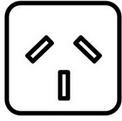
A Wall Socket Type I is an electrical outlet commonly used in Australia, New Zealand, China, and several Pacific Island nations. It features two flat pins arranged in a V-shape and a grounding pin for safety. This socket is designed to handle standard household and commercial electrical loads, making it a reliable choice for powering various appliances and devices.

Explore Projects Built with wall socket Type I

Use Cirkit Designer to design, explore, and prototype these projects online. Some projects support real-time simulation. Click "Open Project" to start designing instantly!
Image of Heater Control Circuit with Power Socket Integration: A project utilizing wall socket Type I in a practical application

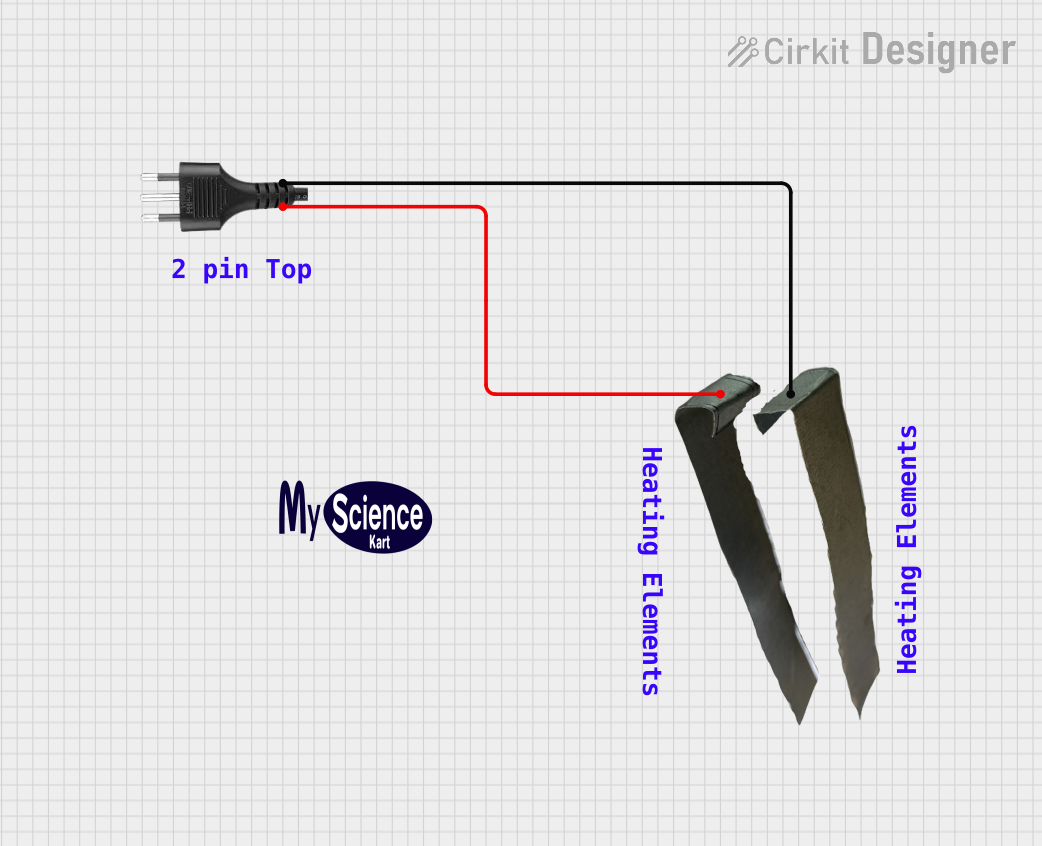
Heater Control Circuit with Power Socket Integration

The circuit connects a heater to a power source via a socket. The heater is likely to be powered directly from the socket, with the positive and negative terminals of the socket providing the necessary voltage and ground connections to the heater. There are no control elements or sensors present in the circuit, indicating that the heater operates at a constant power level when connected.

Open Project in Cirkit Designer
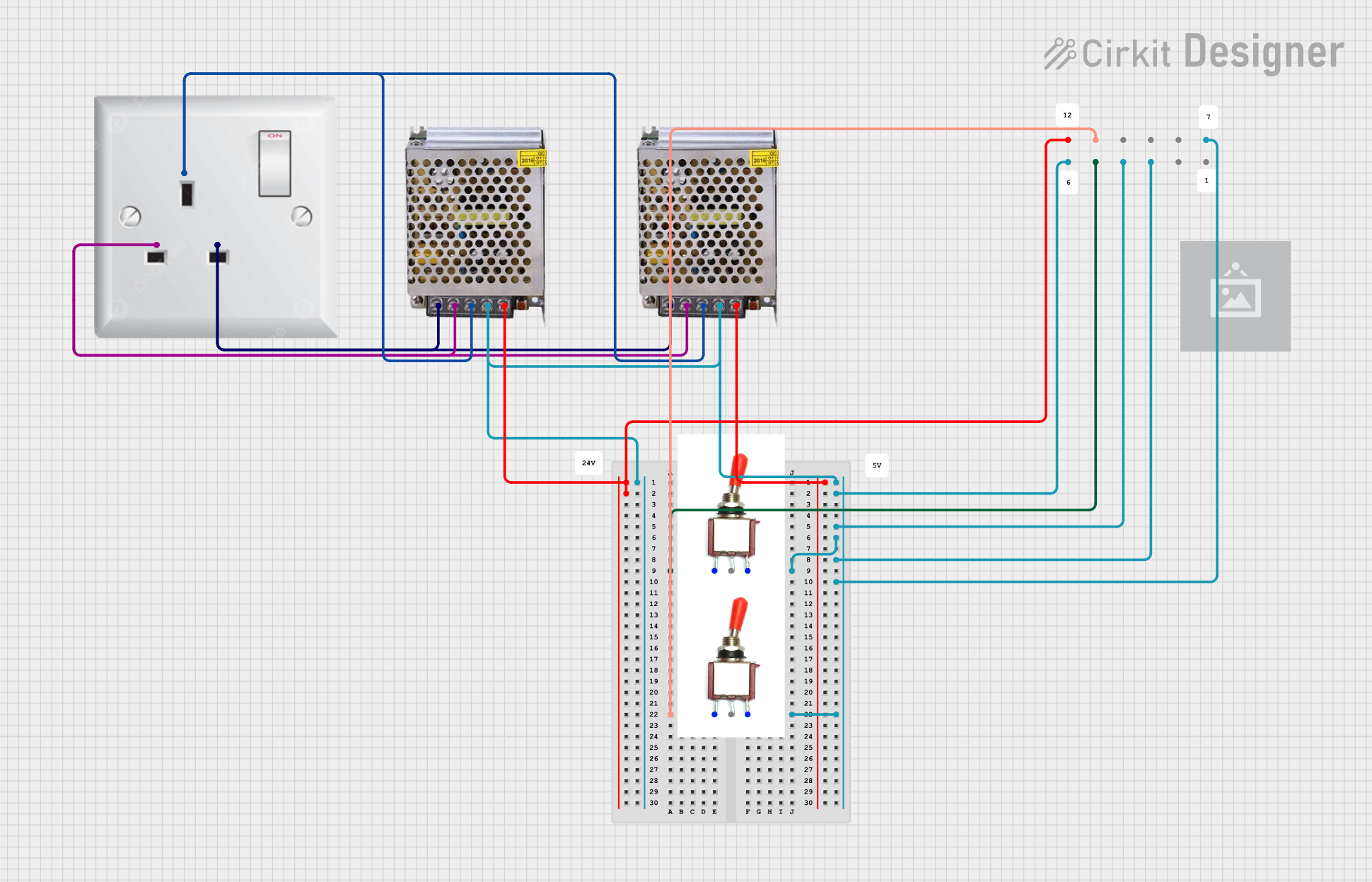
Image of Dual 5V Power Supply Distribution Circuit with Toggle Switch Control: A project utilizing wall socket Type I in a practical application
Dual 5V Power Supply Distribution Circuit with Toggle Switch Control

This circuit consists of two 5V 5A power supplies connected to an AC wall plug point, providing DC output through a 12-way connector. The ground connections from both power supplies are interconnected and also connected to the ground pins of two toggle switches. The DC outputs from the power supplies are separately connected to different pins on the 12-way connector, with each power supply output being switchable via one of the toggle switches.

Open Project in Cirkit Designer

Common Applications and Use Cases

Technical Specifications

The Wall Socket Type I is designed to meet regional electrical standards and ensure safe operation. Below are the key technical details:

General Specifications

Parameter Value
Voltage Rating 220-240V AC
Frequency 50 Hz
Maximum Current Rating 10A or 15A (depending on model)
Grounding Yes (via grounding pin)
Pin Configuration 2 flat pins + 1 grounding pin
Material Flame-retardant plastic, brass contacts

Pin Configuration and Descriptions

Pin Name Description
Active (A) Supplies the live current to the connected device.
Neutral (N) Completes the circuit by returning current to the power source.
Ground (G) Provides a safety path for fault currents to prevent electric shock.

Usage Instructions

How to Use the Component in a Circuit

  1. Installation:

    • Ensure the power supply is turned off before installation.
    • Mount the wall socket securely into a standard electrical box.
    • Connect the wires to the corresponding terminals:
      • Active (A): Connect the live wire (usually brown or red).
      • Neutral (N): Connect the neutral wire (usually blue or black).
      • Ground (G): Connect the ground wire (usually green or green-yellow).
    • Tighten the screws to secure the wires and ensure proper contact.
  2. Testing:

    • After installation, turn on the power supply.
    • Use a multimeter to verify the voltage between the active and neutral pins (should read ~220-240V).
    • Test the grounding pin for continuity to ensure safety.
  3. Usage:

    • Plug in a compatible Type I plug to power your device.
    • Avoid overloading the socket by ensuring the total current draw does not exceed the rated capacity.

Important Considerations and Best Practices

Troubleshooting and FAQs

Common Issues and Solutions

Issue Possible Cause Solution
No power to the socket Loose wiring or tripped circuit breaker Check wiring and reset the breaker.
Device not working when plugged in Faulty device or plug Test with another device or plug.
Overheating of the socket Overloaded socket or poor connections Reduce load and check wiring.
Sparks when plugging in a device Worn-out contacts or loose connections Replace the socket if necessary.

FAQs

  1. Can I use a Type I socket in other countries?

    • Type I sockets are designed for regions with 220-240V AC power. Using them in other countries may require a voltage converter and plug adapter.
  2. What is the difference between a 10A and 15A Type I socket?

    • A 10A socket is suitable for standard household appliances, while a 15A socket is designed for higher-power devices like air conditioners or industrial equipment.
  3. How do I know if the grounding pin is working?

    • Use a multimeter to test for continuity between the grounding pin and the electrical panel's ground connection.
  4. Can I install a Type I socket outdoors?

    • Yes, but ensure it is installed in a weatherproof enclosure rated for outdoor use.

By following this documentation, you can safely and effectively use a Wall Socket Type I in your electrical installations.