
How to Use HV826MG_BACKLIGHT: Examples, Pinouts, and Specs
 Design with HV826MG_BACKLIGHT in Cirkit Designer
Introduction
The HV826MG_BACKLIGHT is a high-voltage LED driver specifically designed for backlighting applications. It efficiently drives multiple LEDs with a constant current, ensuring uniform brightness and optimal performance in displays. This component is ideal for use in LCD backlighting, keypad illumination, and other applications requiring consistent LED brightness.
Explore Projects Built with HV826MG_BACKLIGHT
 Open Project in Cirkit Designer
 Open Project in Cirkit Designer
 Open Project in Cirkit Designer
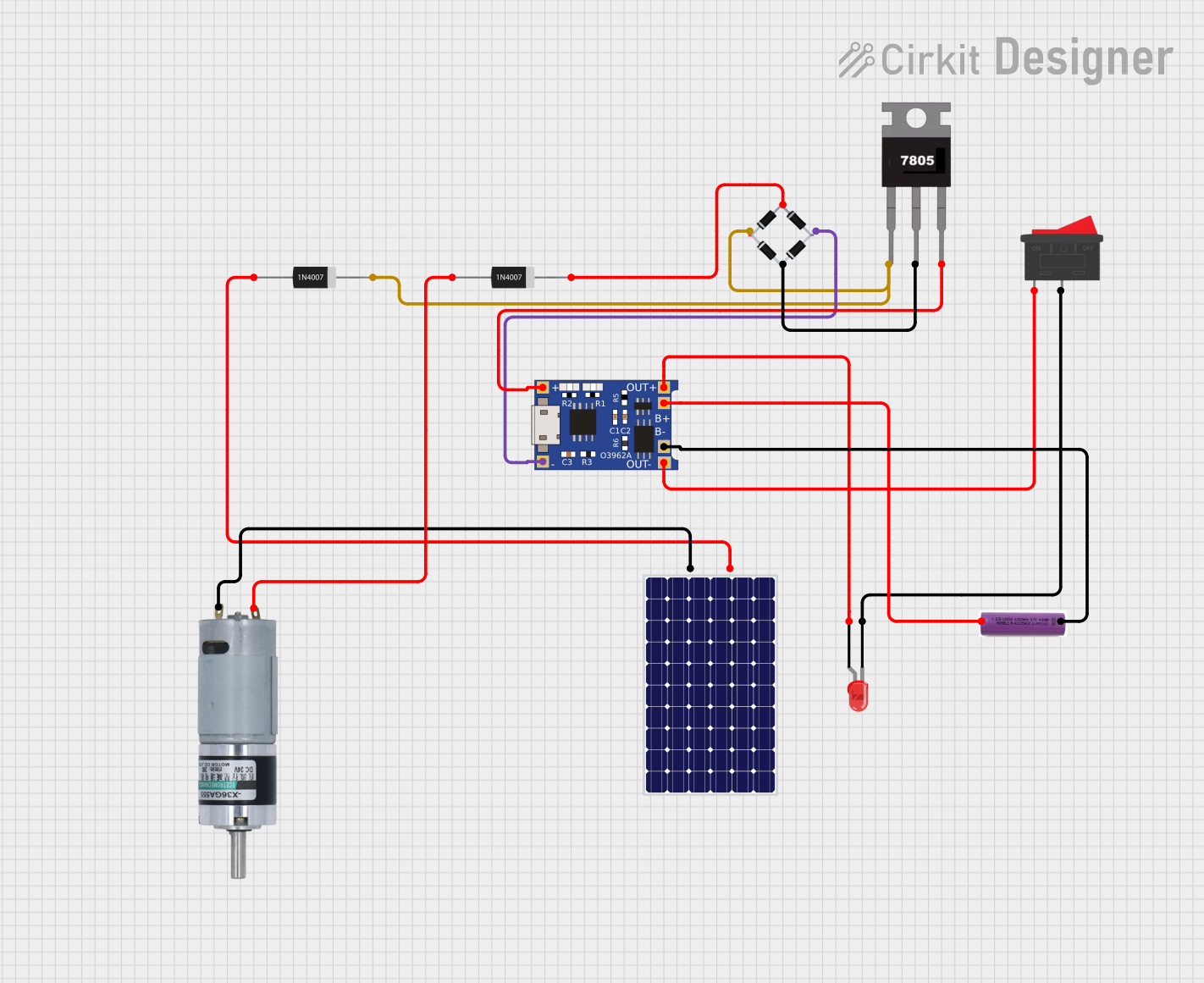 Open Project in Cirkit Designer
Explore Projects Built with HV826MG_BACKLIGHT
Open Project in Cirkit DesignerOpen Project in Cirkit DesignerOpen Project in Cirkit DesignerOpen Project in Cirkit DesignerCommon Applications
- LCD display backlighting
- Keypad and button illumination
- Automotive dashboard lighting
- Portable device displays
- Industrial control panels
Technical Specifications
Key Technical Details
- Input Voltage Range: 2.0V to 5.5V
- Output Voltage: Up to 220V
- Output Current: Configurable, up to 20mA
- Efficiency: Greater than 85% (typical)
- Operating Frequency: 50kHz to 200kHz
- Standby Current: <1µA
- Package Type: 8-pin MSOP (Micro Small Outline Package)
- Operating Temperature Range: -40°C to +85°C
Pin Configuration and Descriptions
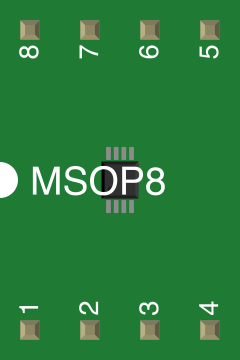
The HV826MG_BACKLIGHT comes in an 8-pin MSOP package. Below is the pin configuration:
| Pin Number | Pin Name | Description |
|---|---|---|
| 1 | VIN | Input voltage supply (2.0V to 5.5V). Connect to the power source. |
| 2 | GND | Ground pin. Connect to the circuit ground. |
| 3 | EN | Enable pin. High to enable the driver, low to disable. |
| 4 | RSET | Resistor pin to set the output current. Connect an external resistor. |
| 5 | VOUT | High-voltage output pin. Connect to the LED string's positive terminal. |
| 6 | FB | Feedback pin. Used to regulate the output current. |
| 7 | OSC | Oscillator pin. Connect a capacitor to set the operating frequency. |
| 8 | NC | No connection. Leave this pin unconnected. |
Usage Instructions
How to Use the HV826MG_BACKLIGHT in a Circuit
- Power Supply: Connect the VIN pin to a stable power source within the range of 2.0V to 5.5V. Ensure proper decoupling with a capacitor (e.g., 1µF) close to the VIN pin.
- Enable Pin: Use the EN pin to control the driver. Pull it high (logic 1) to enable the driver or low (logic 0) to disable it.
- Current Setting: Connect a resistor to the RSET pin to set the desired output current. Use the formula provided in the datasheet to calculate the resistor value.
- LED Connection: Connect the positive terminal of the LED string to the VOUT pin and the negative terminal to the FB pin.
- Oscillator Configuration: Connect a capacitor to the OSC pin to set the operating frequency. Refer to the datasheet for recommended capacitor values.
- Grounding: Ensure all ground connections are properly tied to the GND pin to avoid noise and instability.
Important Considerations
- Thermal Management: Ensure adequate heat dissipation, especially when driving high-power LEDs.
- Component Placement: Place decoupling capacitors as close as possible to the VIN and GND pins.
- Feedback Resistor: Use precision resistors for the FB pin to maintain accurate current regulation.
- High Voltage: Be cautious when handling the VOUT pin, as it can output up to 220V.
Example: Connecting to an Arduino UNO
The HV826MG_BACKLIGHT can be controlled using an Arduino UNO. Below is an example of how to enable and disable the driver using a digital pin.
Circuit Connections
- Connect the VIN pin to the Arduino's 5V output.
- Connect the GND pin to the Arduino's GND.
- Connect the EN pin to a digital pin on the Arduino (e.g., pin 7).
- Connect the LED string as described in the usage instructions.
Arduino Code
// HV826MG_BACKLIGHT Control Example
// This code demonstrates how to enable and disable the HV826MG_BACKLIGHT
// using an Arduino UNO. The EN pin is connected to digital pin 7.

#define EN_PIN 7  // Define the Arduino pin connected to the EN pin of the driver

void setup() {
  pinMode(EN_PIN, OUTPUT);  // Set the EN pin as an output
  digitalWrite(EN_PIN, LOW);  // Start with the driver disabled
}

void loop() {
  digitalWrite(EN_PIN, HIGH);  // Enable the LED driver
  delay(1000);  // Keep the driver enabled for 1 second

  digitalWrite(EN_PIN, LOW);  // Disable the LED driver
  delay(1000);  // Keep the driver disabled for 1 second
}
Troubleshooting and FAQs
Common Issues and Solutions
| Issue | Possible Cause | Solution |
|---|---|---|
| LEDs are not lighting up | - EN pin is not enabled. - Incorrect wiring. |
- Ensure the EN pin is pulled high. - Double-check all connections. |
| Uneven LED brightness | - Incorrect RSET resistor value. - Poor grounding. |
- Verify the RSET resistor value. - Ensure proper grounding. |
| Overheating of the driver | - Insufficient heat dissipation. - Overcurrent. |
- Add a heatsink or improve ventilation. - Check the current settings. |
| High-frequency noise in the circuit | - Poor decoupling. - Incorrect OSC capacitor. |
- Add decoupling capacitors near VIN and GND. - Verify the OSC capacitor. |
| Output voltage too low | - Insufficient input voltage. - Faulty components. |
- Ensure VIN is within the specified range. - Check for damaged parts. |
FAQs
Can the HV826MG_BACKLIGHT drive RGB LEDs?
- Yes, but each color channel will require a separate driver circuit.
What is the maximum number of LEDs it can drive?
- The number depends on the forward voltage of the LEDs and the total output voltage (up to 220V).
Can I use a PWM signal to dim the LEDs?
- Yes, you can use a PWM signal on the EN pin to achieve dimming.
Is the HV826MG_BACKLIGHT suitable for battery-powered devices?
- Yes, its low standby current (<1µA) makes it ideal for battery-powered applications.
What happens if the RSET resistor is not connected?
- The driver may not regulate the current properly, leading to unpredictable behavior. Always connect an appropriate resistor to the RSET pin.