Cirkit Designer Logo
Cirkit Designer
Your all-in-one circuit design IDE
Home / 
Component Documentation

How to Use Loudspeaker: Examples, Pinouts, and Specs


Image of Loudspeaker
Cirkit Designer LogoDesign with Loudspeaker in Cirkit Designer

Introduction

A loudspeaker is an electroacoustic transducer that converts electrical audio signals into corresponding sound waves. The primary components of a loudspeaker include a diaphragm (often referred to as a cone), a voice coil, a permanent magnet, and an enclosure or cabinet. Loudspeakers are ubiquitous in modern technology and are found in devices ranging from simple alarm clocks to complex sound reinforcement systems.

Explore Projects Built with Loudspeaker
Use Cirkit Designer to design, explore, and prototype these projects online. Some projects support real-time simulation. Click "Open Project" to start designing instantly!
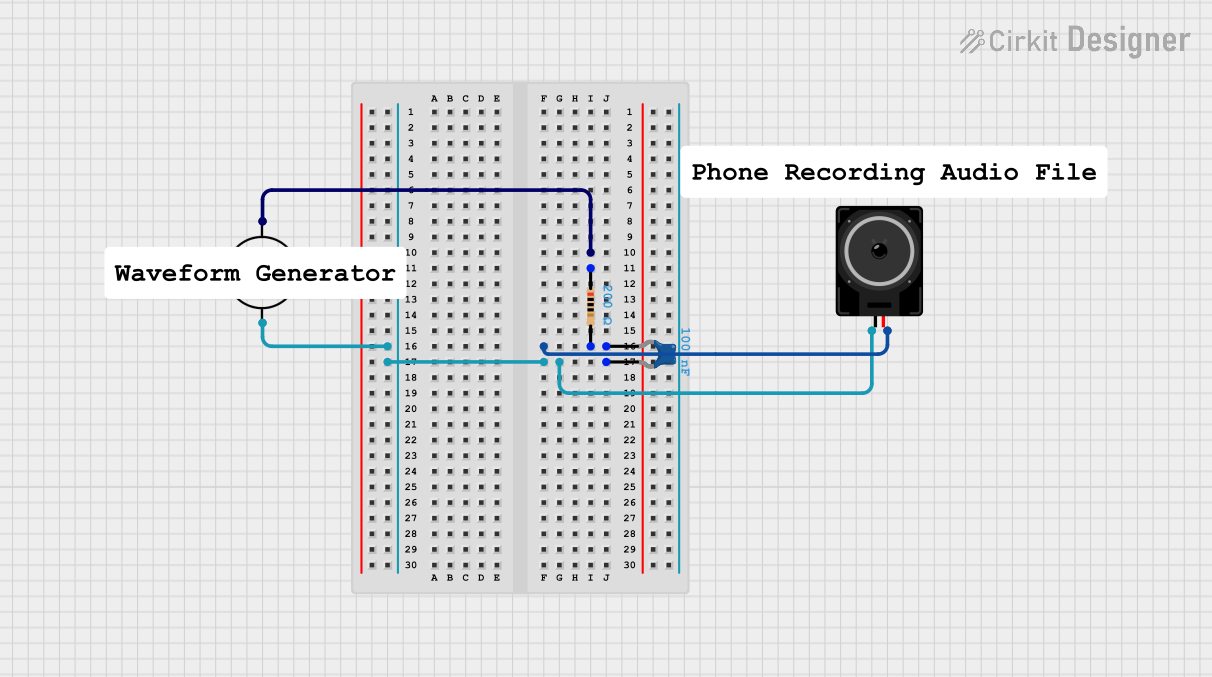
AC-Powered Loudspeaker Circuit with Capacitor and Resistor
Image of 4BL Plot 2 diagram: A project utilizing Loudspeaker in a practical application
This circuit consists of an AC supply, a ceramic capacitor, a resistor, and a loudspeaker. The AC supply powers the circuit, with the capacitor and resistor forming a filter network that drives the loudspeaker, likely to produce sound based on the AC signal.
Cirkit Designer LogoOpen Project in Cirkit Designer
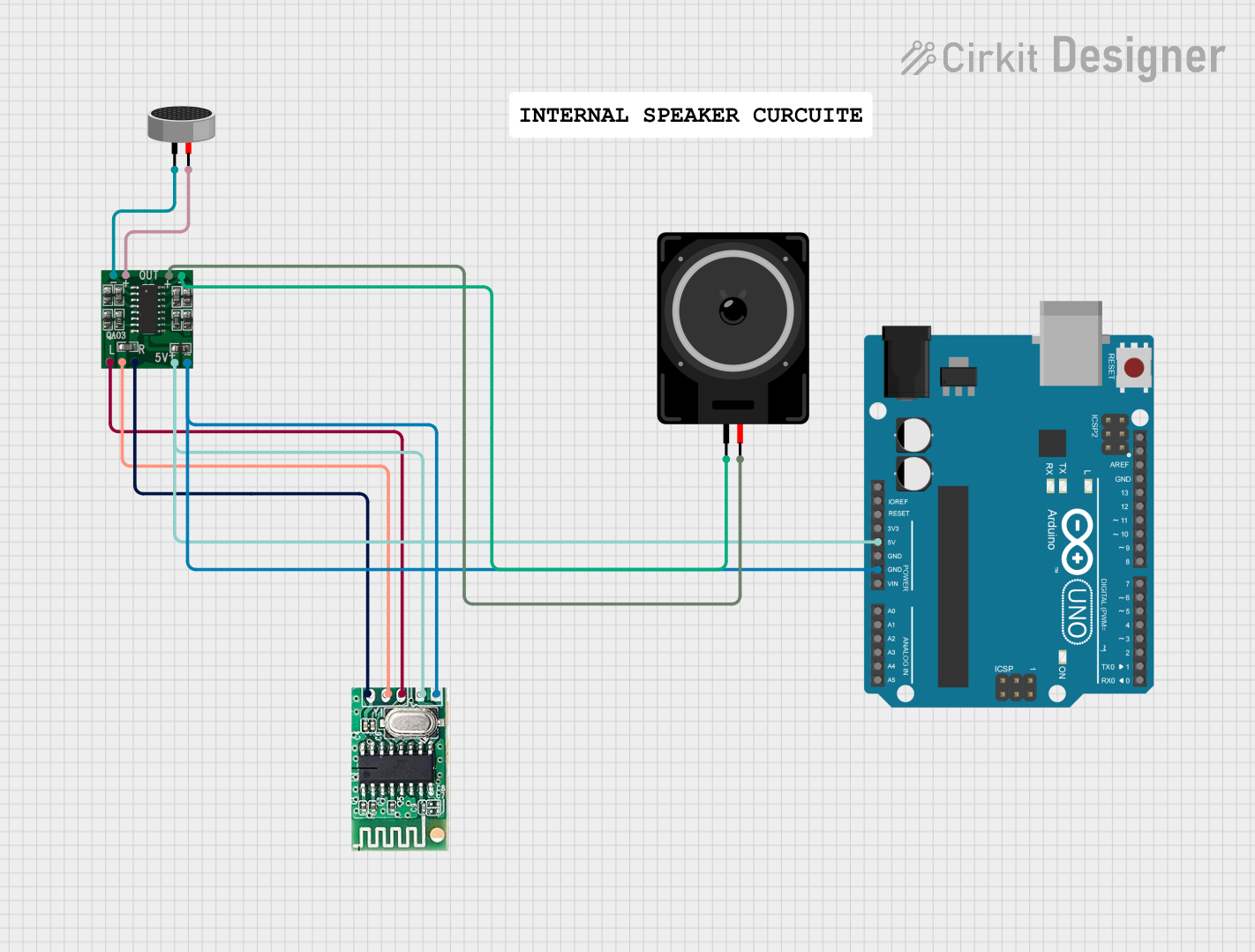
Bluetooth-Controlled Arduino Speaker with Integrated Microphone
Image of sp circuit: A project utilizing Loudspeaker in a practical application
This circuit is a Bluetooth-enabled audio system with a microphone input. It uses a 5V Bluetooth Audio Receiver to receive audio signals wirelessly, which are then amplified by a PAM8403 amplifier before being output to a loudspeaker. Additionally, a condenser microphone is connected to the amplifier, allowing for audio input, and an Arduino UNO is present for potential control or further expansion, although it currently has no active code for operation.
Cirkit Designer LogoOpen Project in Cirkit Designer
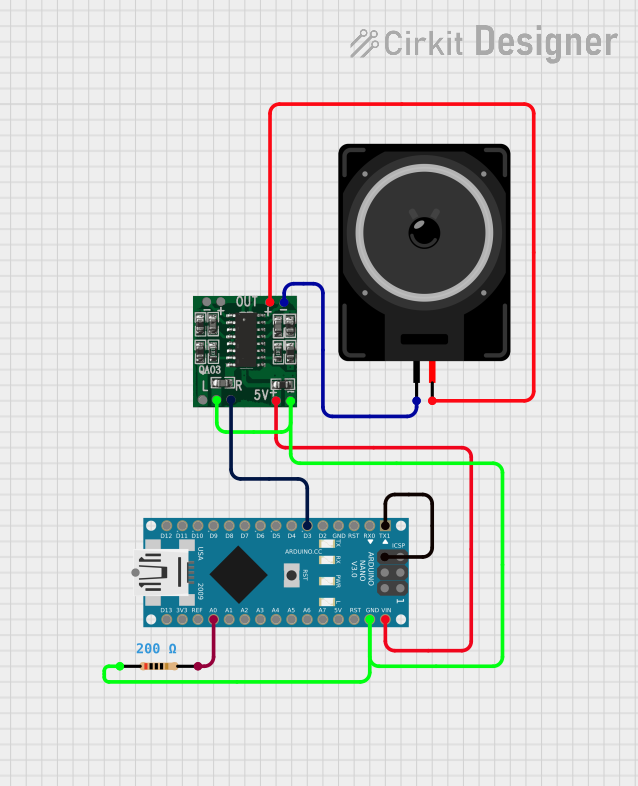
Arduino Nano Controlled PAM8403 Audio Amplifier with Voice Synthesis
Image of Talking-Volt-meter-Using-Arduino: A project utilizing Loudspeaker in a practical application
This circuit is designed to drive a loudspeaker using an Arduino Nano and a PAM8403 audio amplifier. The Arduino Nano is programmed to generate voice signals using the Talkie library, which are then fed into the PAM8403 amplifier's right channel input. A resistor is connected to the ground and input pins of the PAM8403, likely for noise reduction or signal conditioning.
Cirkit Designer LogoOpen Project in Cirkit Designer
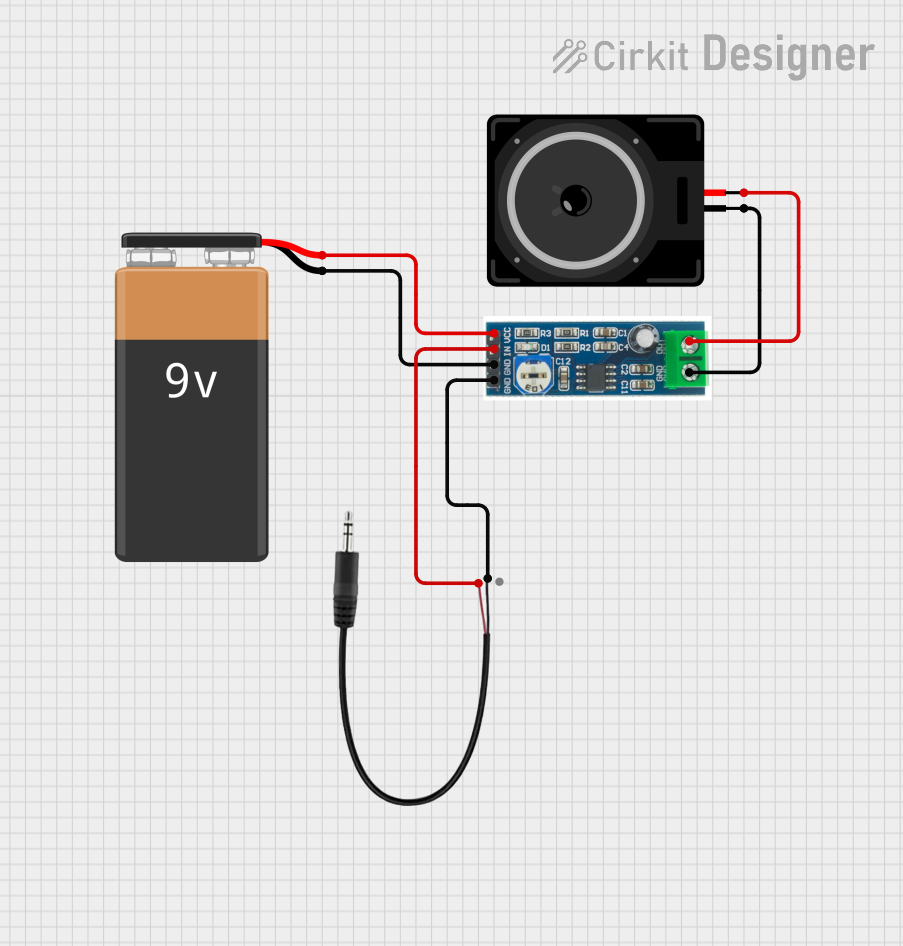
LM386 Amplifier Circuit with 3.5mm Audio Input and Loudspeaker Output
Image of DIY Speaker: A project utilizing Loudspeaker in a practical application
This circuit is an audio amplification system. It uses an LM386 audio amplifier module to amplify the audio signal from a 3.5mm audio jack input and drives a loudspeaker. The system is powered by a 9V battery, with the audio input connected to the left channel of the audio jack.
Cirkit Designer LogoOpen Project in Cirkit Designer

Explore Projects Built with Loudspeaker

Use Cirkit Designer to design, explore, and prototype these projects online. Some projects support real-time simulation. Click "Open Project" to start designing instantly!
Image of 4BL Plot 2 diagram: A project utilizing Loudspeaker in a practical application
AC-Powered Loudspeaker Circuit with Capacitor and Resistor
This circuit consists of an AC supply, a ceramic capacitor, a resistor, and a loudspeaker. The AC supply powers the circuit, with the capacitor and resistor forming a filter network that drives the loudspeaker, likely to produce sound based on the AC signal.
Cirkit Designer LogoOpen Project in Cirkit Designer
Image of sp circuit: A project utilizing Loudspeaker in a practical application
Bluetooth-Controlled Arduino Speaker with Integrated Microphone
This circuit is a Bluetooth-enabled audio system with a microphone input. It uses a 5V Bluetooth Audio Receiver to receive audio signals wirelessly, which are then amplified by a PAM8403 amplifier before being output to a loudspeaker. Additionally, a condenser microphone is connected to the amplifier, allowing for audio input, and an Arduino UNO is present for potential control or further expansion, although it currently has no active code for operation.
Cirkit Designer LogoOpen Project in Cirkit Designer
Image of Talking-Volt-meter-Using-Arduino: A project utilizing Loudspeaker in a practical application
Arduino Nano Controlled PAM8403 Audio Amplifier with Voice Synthesis
This circuit is designed to drive a loudspeaker using an Arduino Nano and a PAM8403 audio amplifier. The Arduino Nano is programmed to generate voice signals using the Talkie library, which are then fed into the PAM8403 amplifier's right channel input. A resistor is connected to the ground and input pins of the PAM8403, likely for noise reduction or signal conditioning.
Cirkit Designer LogoOpen Project in Cirkit Designer
Image of DIY Speaker: A project utilizing Loudspeaker in a practical application
LM386 Amplifier Circuit with 3.5mm Audio Input and Loudspeaker Output
This circuit is an audio amplification system. It uses an LM386 audio amplifier module to amplify the audio signal from a 3.5mm audio jack input and drives a loudspeaker. The system is powered by a 9V battery, with the audio input connected to the left channel of the audio jack.
Cirkit Designer LogoOpen Project in Cirkit Designer

Common Applications and Use Cases

  • Home and professional audio systems
  • Public address systems
  • Television and cinema sound systems
  • Personal devices such as smartphones and laptops
  • Automotive audio systems

Technical Specifications

Key Technical Details

  • Impedance: Typically 4, 8, or 16 ohms
  • Frequency Response: Varies with design, commonly 20 Hz to 20 kHz
  • Sensitivity: Expressed in dB SPL at 1W/1m
  • Power Handling: Maximum input power before damage, given in watts

Pin Configuration and Descriptions

Pin Number Description Notes
1 Positive Terminal Connects to amplifier output (+)
2 Negative Terminal Connects to amplifier output (−)

Usage Instructions

How to Use the Component in a Circuit

  1. Identify the Terminals: Locate the positive (+) and negative (−) terminals on the loudspeaker.
  2. Connect to Amplifier: Use appropriate gauge speaker wire to connect the loudspeaker to the amplifier's output terminals, matching the polarity.
  3. Secure Connections: Ensure that all connections are secure and free from short circuits.

Important Considerations and Best Practices

  • Amplifier Matching: Ensure the amplifier's output impedance matches the loudspeaker's impedance rating.
  • Power Rating: Do not exceed the loudspeaker's power handling capacity to avoid damage.
  • Enclosure: Use an appropriate enclosure to maximize sound quality and protect the loudspeaker components.
  • Ventilation: Ensure adequate ventilation around the loudspeaker to prevent overheating.

Troubleshooting and FAQs

Common Issues Users Might Face

  • Distortion: Caused by overdriving the loudspeaker or a damaged component.
  • No Sound: Check connections, ensure the amplifier is powered and functioning.
  • Low Volume: Verify that the amplifier's volume is set correctly and that the loudspeaker's sensitivity matches the application.

Solutions and Tips for Troubleshooting

  • Check Connections: Ensure all wires are properly connected and free from damage.
  • Test with Another Speaker: If possible, connect another speaker to the amplifier to rule out amplifier issues.
  • Inspect for Damage: Look for visible signs of damage to the loudspeaker components.

FAQs

  • Q: Can I connect multiple loudspeakers to one amplifier output?
    • A: Yes, but ensure the total impedance matches the amplifier's rating.
  • Q: How do I improve the sound quality of my loudspeaker?
    • A: Use a suitable enclosure, position the speaker correctly, and use high-quality audio sources.

Example Code for Arduino UNO Connection

// Example code to drive a loudspeaker using an Arduino UNO and a simple amplifier circuit

int speakerPin = 9; // PWM pin connected to the amplifier input

void setup() {
  pinMode(speakerPin, OUTPUT);
}

void loop() {
  // Generate a 1kHz tone for 1 second
  tone(speakerPin, 1000, 1000);
  delay(1500); // Wait for 1.5 seconds
}

Note: The above code assumes the use of a simple amplifier circuit connected to the Arduino. The loudspeaker must be connected to the amplifier's output, not directly to the Arduino pin. The tone() function generates a square wave, which may not be ideal for high-quality audio applications. For more complex sound, consider using a dedicated sound library or shield.