
How to Use microSD Card: Examples, Pinouts, and Specs
 Design with microSD Card in Cirkit Designer
Introduction
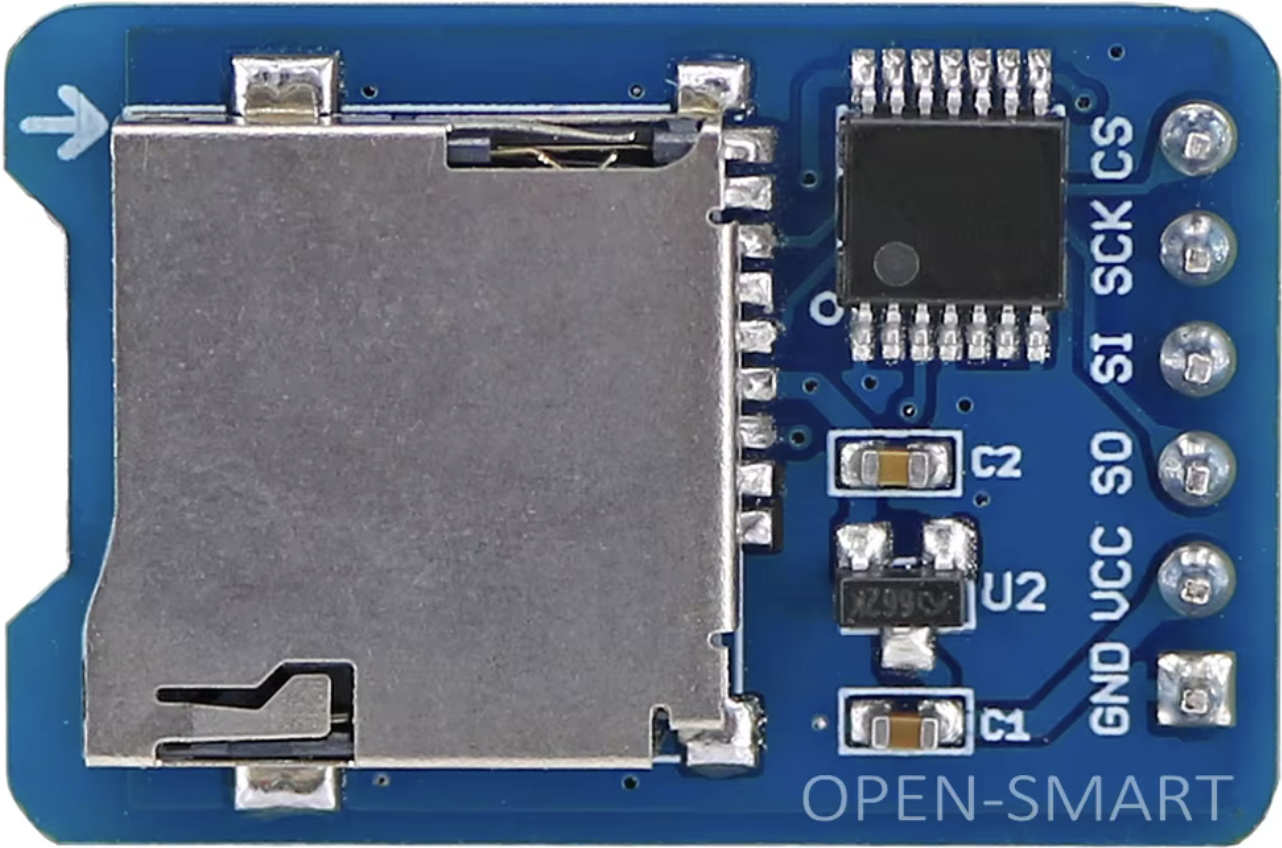
The microSD Card by OPEN-SMART is a compact, portable flash memory card designed for data storage in a wide range of electronic devices. It is widely used in smartphones, cameras, tablets, and embedded systems due to its small size, high storage capacity, and reliable performance. The microSD card is an essential component for applications requiring removable storage, such as data logging, multimedia storage, and portable file transfer.
Explore Projects Built with microSD Card
 Open Project in Cirkit Designer
 Open Project in Cirkit Designer
 Open Project in Cirkit Designer
 Open Project in Cirkit Designer
Explore Projects Built with microSD Card
Open Project in Cirkit DesignerOpen Project in Cirkit DesignerOpen Project in Cirkit DesignerOpen Project in Cirkit DesignerCommon Applications
- Data logging in IoT devices and embedded systems
- Multimedia storage for cameras, smartphones, and tablets
- Portable file transfer between devices
- Bootable storage for single-board computers (e.g., Raspberry Pi)
- Firmware updates for embedded systems
Technical Specifications
The following table outlines the key technical specifications of the OPEN-SMART microSD card:
| Specification | Details |
|---|---|
| Storage Capacity | Varies (e.g., 4GB, 8GB, 16GB, 32GB, 64GB, and higher) |
| Interface | SPI (Serial Peripheral Interface) or SDIO (Secure Digital Input Output) |
| Operating Voltage | 2.7V to 3.6V |
| Maximum Clock Frequency | 25 MHz (SPI mode) |
| File System Support | FAT16, FAT32, exFAT (depending on capacity) |
| Operating Temperature | -25°C to 85°C |
| Dimensions | 15mm × 11mm × 1mm |
Pin Configuration
The microSD card has 8 pins, which are used for communication and power. The table below describes each pin:
| Pin Number | Name | Description |
|---|---|---|
| 1 | DAT2 | Data Line 2 (Not used in SPI mode) |
| 2 | CD/DAT3 | Card Detect/Data Line 3 (Used as Chip Select in SPI mode) |
| 3 | CMD/DI | Command Line (Data Input in SPI mode) |
| 4 | VDD | Power Supply (2.7V to 3.6V) |
| 5 | CLK/SCLK | Clock Signal |
| 6 | VSS | Ground |
| 7 | DAT0/DO | Data Line 0 (Data Output in SPI mode) |
| 8 | DAT1 | Data Line 1 (Not used in SPI mode) |
Usage Instructions
Using the microSD Card in a Circuit
To use the OPEN-SMART microSD card in a circuit, follow these steps:
- Power Supply: Ensure the microSD card is powered with a voltage between 2.7V and 3.6V. Use a voltage regulator if necessary.
- Communication Mode: Decide whether to use SPI or SDIO mode. SPI mode is commonly used with microcontrollers like Arduino.
- Connections: Connect the microSD card pins to the microcontroller as follows:
- Connect
VDDto a 3.3V power source. - Connect
VSSto ground. - Connect
CLK/SCLK,CMD/DI, andDAT0/DOto the corresponding SPI pins on the microcontroller. - Use a pull-up resistor (typically 10kΩ) on the
CMD/DIandDAT0/DOlines for reliable communication.
- Connect
Example: Connecting to an Arduino UNO
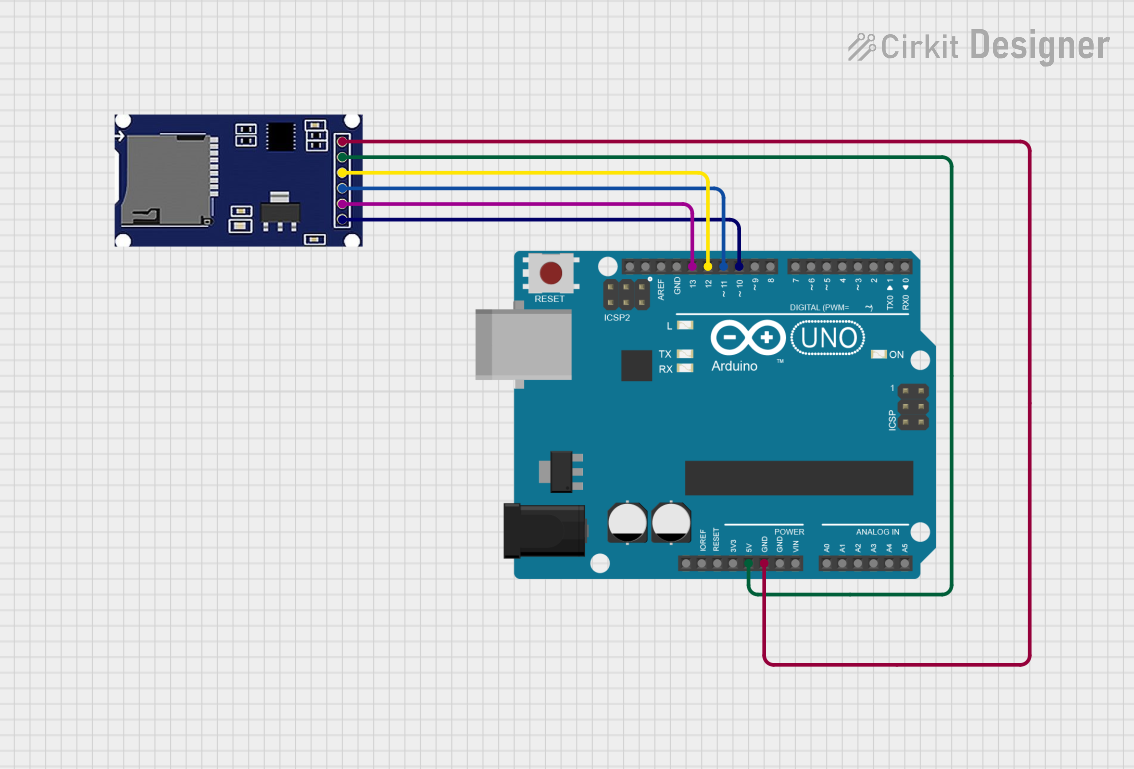
Below is an example of how to connect the microSD card to an Arduino UNO:
VDD→ 3.3VVSS→ GNDCLK/SCLK→ Pin 13CMD/DI→ Pin 11DAT0/DO→ Pin 12CD/DAT3→ Pin 10 (Chip Select)
Arduino Code Example
The following Arduino sketch demonstrates how to initialize and write data to the microSD card using the SD library:
#include <SPI.h>
#include <SD.h>

// Define the chip select pin for the microSD card
const int chipSelect = 10;

void setup() {
  // Initialize serial communication for debugging
  Serial.begin(9600);
  while (!Serial) {
    ; // Wait for the serial port to connect (for native USB boards)
  }

  Serial.println("Initializing microSD card...");

  // Initialize the SD card
  if (!SD.begin(chipSelect)) {
    Serial.println("Card initialization failed!");
    return;
  }
  Serial.println("Card initialized successfully.");

  // Create or open a file on the microSD card
  File dataFile = SD.open("data.txt", FILE_WRITE);

  // Check if the file opened successfully
  if (dataFile) {
    dataFile.println("Hello, microSD card!"); // Write data to the file
    dataFile.close(); // Close the file
    Serial.println("Data written to file.");
  } else {
    Serial.println("Error opening file.");
  }
}

void loop() {
  // Nothing to do here
}
Important Considerations
- Voltage Levels: Ensure the microSD card operates at 3.3V. If using a 5V microcontroller, use a level shifter or voltage divider for the SPI lines.
- File System: Format the microSD card with FAT16 or FAT32 before use. Most cards come pre-formatted.
- Pull-Up Resistors: Use pull-up resistors on the SPI lines for stable communication.
- Card Size: Ensure your microcontroller's SD library supports the card's capacity.
Troubleshooting and FAQs
Common Issues
Card Initialization Fails
- Cause: Incorrect wiring or voltage mismatch.
- Solution: Double-check the connections and ensure the card is powered at 3.3V.
File Not Found or Cannot Open File
- Cause: Incorrect file path or file system format.
- Solution: Verify the file path and format the card with FAT16 or FAT32.
Data Corruption
- Cause: Improper removal of the card or power loss during write operations.
- Solution: Always close files after writing and safely remove the card.
Slow Performance
- Cause: Using a low-speed card or improper SPI clock settings.
- Solution: Use a high-speed microSD card and optimize SPI clock settings.
FAQs
Q: Can I use a microSD card larger than 32GB with an Arduino?
A: Yes, but you must use a library that supports the exFAT file system, as FAT32 is limited to 32GB.
Q: How do I format the microSD card?
A: Use a computer to format the card with FAT16 or FAT32. For cards larger than 32GB, use exFAT.
Q: Why is my microSD card not detected?
A: Check the wiring, ensure the card is properly inserted, and verify the power supply voltage.
Q: Can I use the microSD card with other microcontrollers?
A: Yes, the microSD card can be used with any microcontroller that supports SPI or SDIO communication.
By following this documentation, you can effectively integrate the OPEN-SMART microSD card into your projects for reliable data storage and retrieval.