
How to Use Modulino Buzzer: Examples, Pinouts, and Specs
 Design with Modulino Buzzer in Cirkit Designer
Introduction
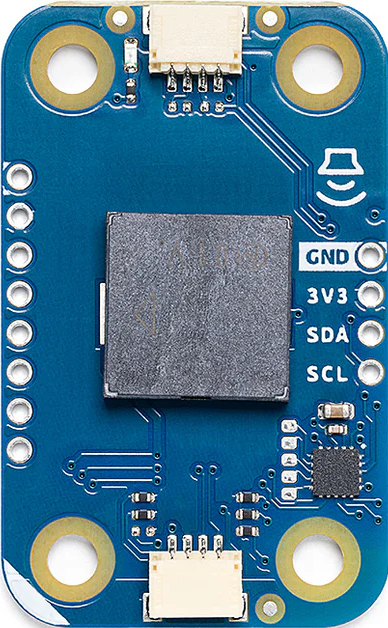
The Modulino Buzzer is a small electronic device designed to produce sound when an electrical signal is applied. It is commonly used in alarms, notifications, and sound effects for various electronic projects. This versatile component is ideal for hobbyists, students, and professionals working on Arduino-based projects, embedded systems, or other electronic circuits requiring audio feedback.
Explore Projects Built with Modulino Buzzer
 Open Project in Cirkit Designer
 Open Project in Cirkit Designer
 Open Project in Cirkit Designer
 Open Project in Cirkit Designer
Explore Projects Built with Modulino Buzzer
Open Project in Cirkit DesignerOpen Project in Cirkit DesignerOpen Project in Cirkit DesignerOpen Project in Cirkit DesignerTechnical Specifications
- Type: Active Buzzer
- Operating Voltage: 3.3V to 5V DC
- Current Consumption: ≤ 30mA
- Sound Frequency: ~2 kHz
- Sound Pressure Level: ≥ 85 dB at 10 cm
- Dimensions: 12mm diameter, 8mm height
- Operating Temperature: -20°C to 70°C
Pin Configuration and Descriptions
The Modulino Buzzer typically has two pins for connection:
| Pin Name | Description | Notes |
|---|---|---|
| VCC | Positive power supply input | Connect to 3.3V or 5V DC |
| GND | Ground connection | Connect to circuit ground |
Usage Instructions
How to Use the Modulino Buzzer in a Circuit
- Power Connection: Connect the
VCCpin of the buzzer to a 3.3V or 5V power source, depending on your circuit's voltage level. Connect theGNDpin to the ground of your circuit. - Control Signal: For an active buzzer, simply apply a HIGH signal to the
VCCpin to produce sound. No additional circuitry is required to generate the tone. - Placement: Ensure the buzzer is securely mounted on your PCB or breadboard. Avoid placing it near sensitive components to minimize interference.
Important Considerations and Best Practices
- Voltage Compatibility: Ensure the operating voltage of the buzzer matches your circuit's power supply to avoid damage.
- Polarity: The Modulino Buzzer is polarized. Connecting it incorrectly may prevent it from functioning or cause damage.
- Distance: For optimal sound output, place the buzzer in an open area, away from obstructions.
- Current Limiting: If your circuit's power source is limited, consider using a current-limiting resistor to protect the buzzer and other components.
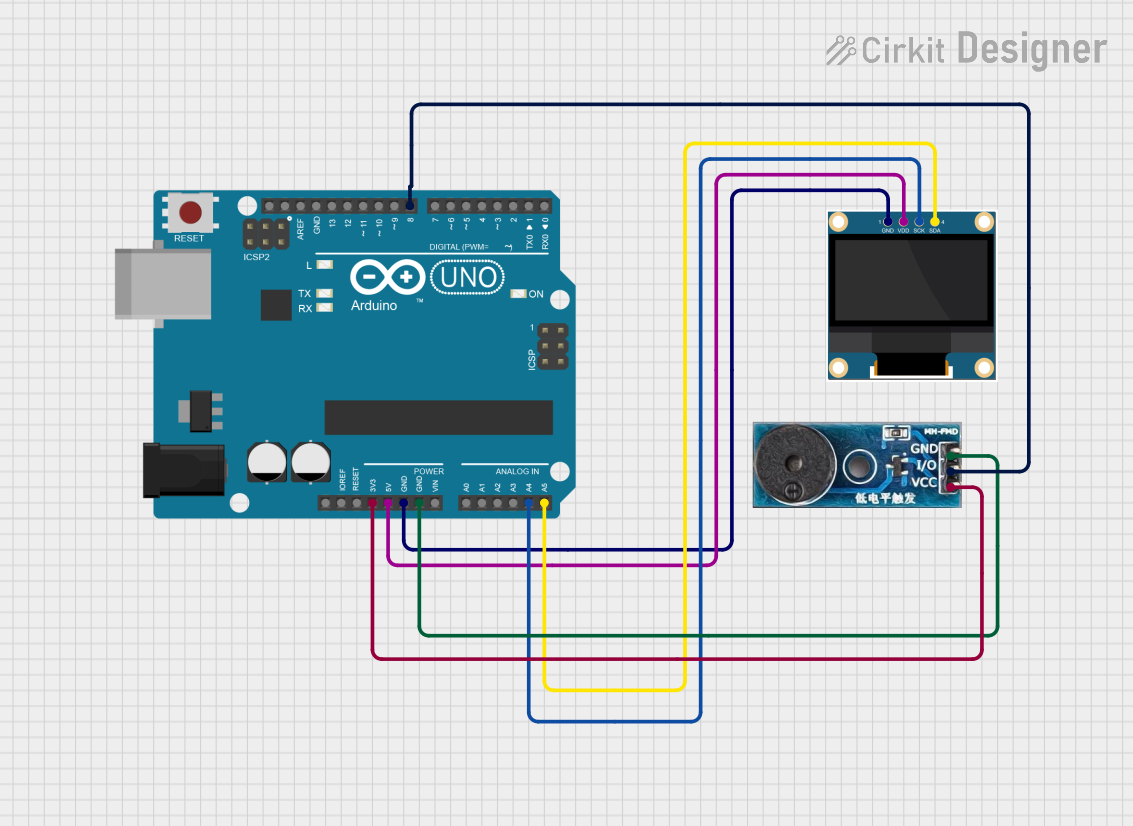
Example: Using the Modulino Buzzer with an Arduino UNO
Below is an example of how to connect and control the Modulino Buzzer using an Arduino UNO:
// Modulino Buzzer Example with Arduino UNO
// This code produces a beep sound every second using the Modulino Buzzer.

const int buzzerPin = 8; // Define the pin connected to the buzzer

void setup() {
  pinMode(buzzerPin, OUTPUT); // Set the buzzer pin as an output
}

void loop() {
  digitalWrite(buzzerPin, HIGH); // Turn the buzzer ON
  delay(500);                   // Wait for 500 milliseconds
  digitalWrite(buzzerPin, LOW);  // Turn the buzzer OFF
  delay(500);                   // Wait for 500 milliseconds
}
Note: Ensure the buzzerPin is connected to the VCC pin of the Modulino Buzzer, and the GND pin is connected to the Arduino's ground.
Troubleshooting and FAQs
Common Issues Users Might Face
No Sound Output:
- Cause: Incorrect wiring or reversed polarity.
- Solution: Double-check the connections and ensure the
VCCpin is connected to the positive voltage and theGNDpin to ground.
Low Sound Volume:
- Cause: Insufficient power supply or obstructions near the buzzer.
- Solution: Verify the power supply voltage and ensure the buzzer is placed in an open area.
Intermittent Sound:
- Cause: Loose connections or unstable power supply.
- Solution: Secure all connections and use a stable power source.
Buzzer Always ON:
- Cause: Continuous HIGH signal applied to the
VCCpin. - Solution: Check your control signal logic and ensure the buzzer is toggled appropriately.
- Cause: Continuous HIGH signal applied to the
FAQs
Q: Can I use the Modulino Buzzer with a 9V battery?
A: No, the Modulino Buzzer is designed for 3.3V to 5V operation. Using a 9V battery may damage the component.Q: Is the Modulino Buzzer waterproof?
A: No, the Modulino Buzzer is not waterproof. Avoid exposing it to moisture or water.Q: Can I control the sound frequency of the Modulino Buzzer?
A: No, the Modulino Buzzer is an active buzzer with a fixed frequency (~2 kHz). For variable frequencies, consider using a passive buzzer.Q: How far can the sound of the Modulino Buzzer be heard?
A: The sound pressure level is ≥ 85 dB at 10 cm. The audible range depends on environmental factors and background noise.
By following this documentation, you can effectively integrate the Modulino Buzzer into your electronic projects and troubleshoot any issues that arise.