
How to Use Sim800l: Examples, Pinouts, and Specs
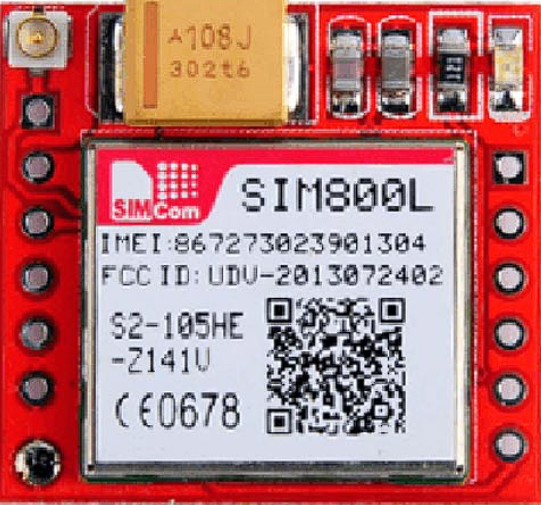
 Design with Sim800l in Cirkit Designer
Introduction
The SIM800L is a compact GSM/GPRS module that enables communication over mobile networks. It supports essential functionalities such as SMS, voice calls, and data transmission, making it a versatile choice for IoT applications, remote monitoring, and embedded systems. Its small size and low power consumption make it ideal for projects requiring wireless connectivity in constrained spaces.
Explore Projects Built with Sim800l
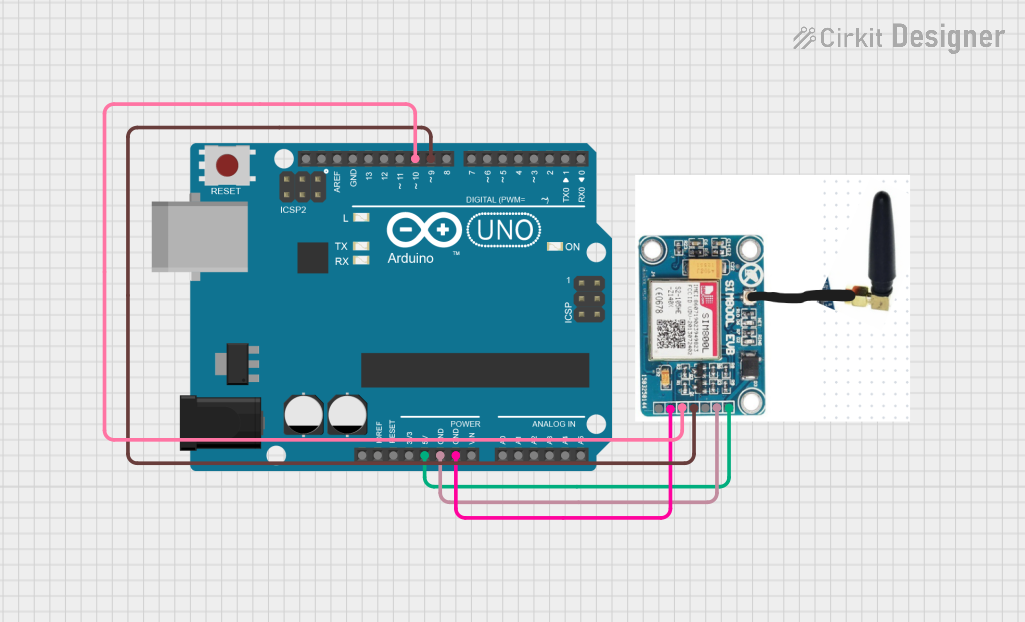 Open Project in Cirkit Designer
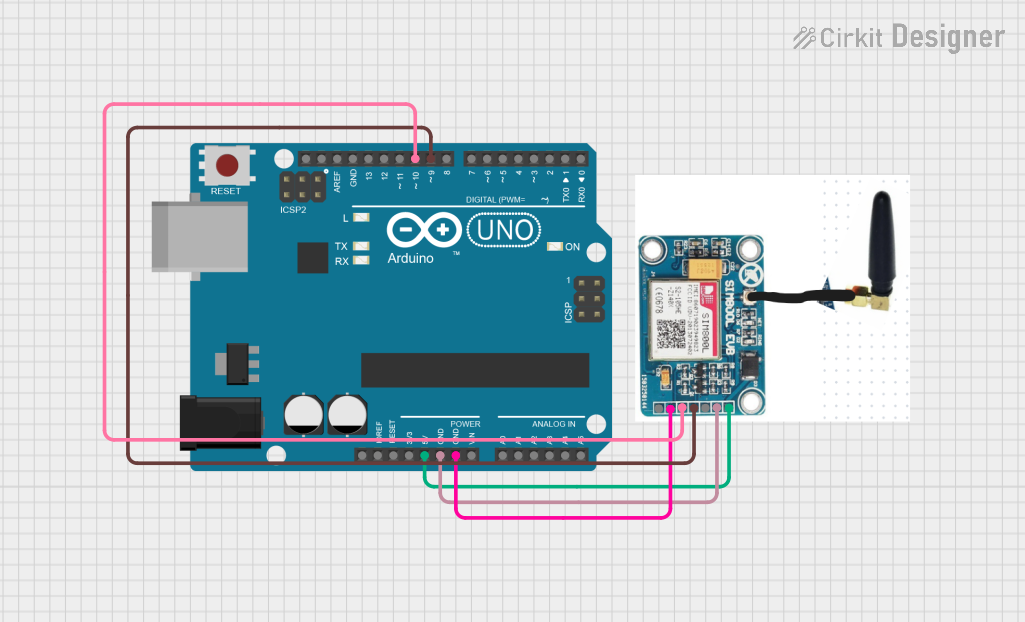 Open Project in Cirkit Designer
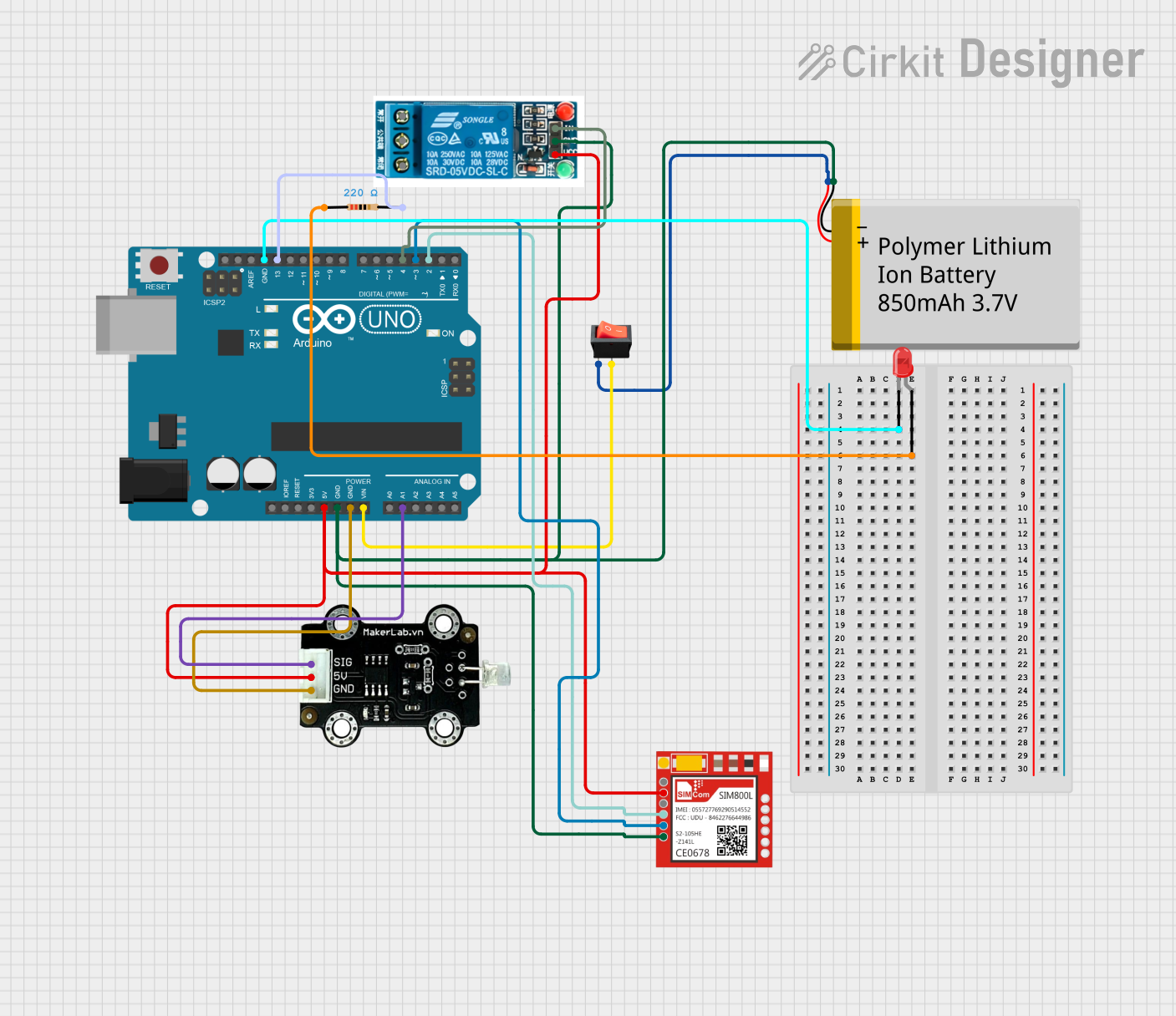 Open Project in Cirkit Designer
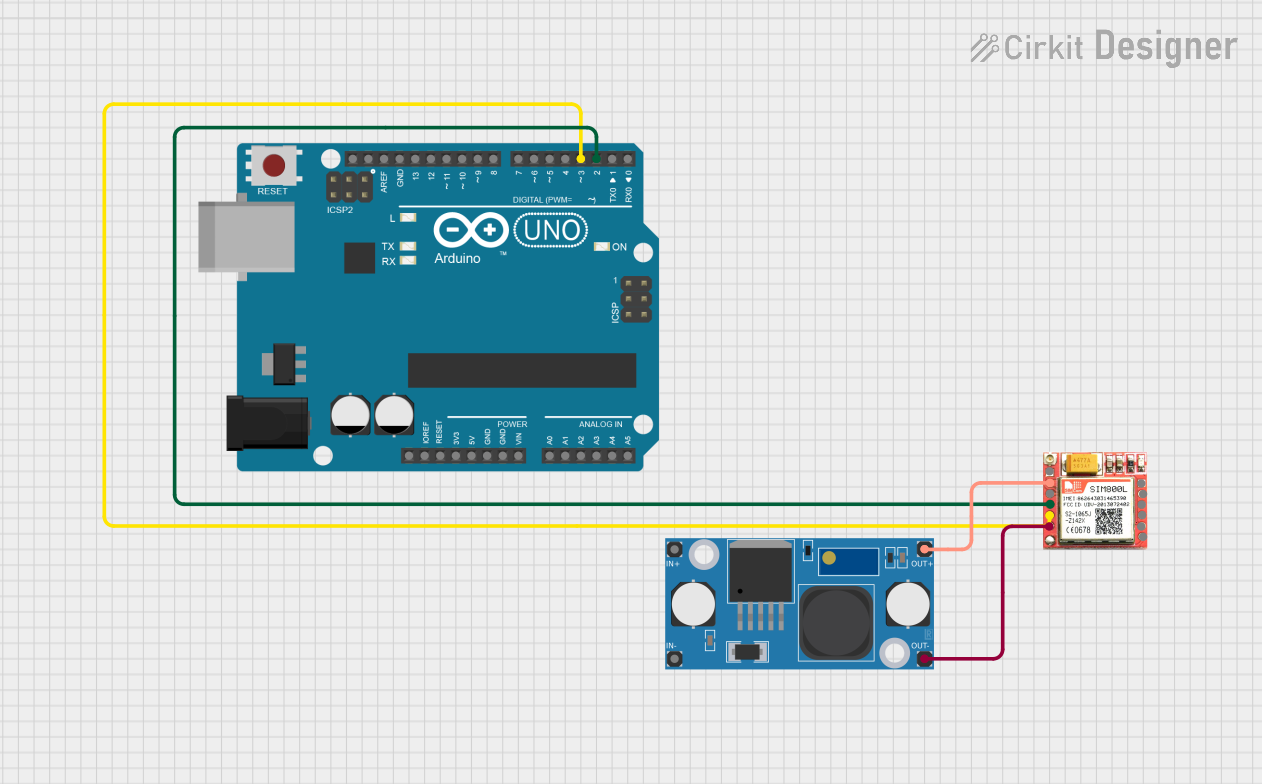 Open Project in Cirkit Designer
Explore Projects Built with Sim800l
Open Project in Cirkit DesignerOpen Project in Cirkit DesignerOpen Project in Cirkit DesignerOpen Project in Cirkit DesignerCommon Applications
- Internet of Things (IoT) devices
- Remote monitoring and control systems
- Home automation
- GPS tracking systems
- SMS-based alert systems
- Wireless data transmission for embedded projects
Technical Specifications
Key Technical Details
| Parameter | Value |
|---|---|
| Operating Voltage | 3.4V to 4.4V |
| Recommended Voltage | 4.0V |
| Power Consumption | Idle: ~1mA, Active: ~200mA, Peak: ~2A |
| Frequency Bands | GSM 850/900/1800/1900 MHz |
| Communication Protocols | GSM, GPRS (Class 12) |
| Data Rate | GPRS: Up to 85.6 kbps |
| SIM Card Support | Micro SIM |
| Dimensions | 25mm x 23mm x 3mm |
| Operating Temperature | -40°C to +85°C |
Pin Configuration and Descriptions
| Pin Name | Pin Number | Description |
|---|---|---|
| VCC | 1 | Power supply input (3.4V to 4.4V, recommended 4.0V). |
| GND | 2 | Ground connection. |
| RXD | 3 | UART Receive pin (connect to TX of microcontroller). |
| TXD | 4 | UART Transmit pin (connect to RX of microcontroller). |
| RST | 5 | Reset pin (active low, pull low for at least 100ms to reset the module). |
| NET | 6 | Network status indicator (blinks to indicate GSM network status). |
| ANT | 7 | Antenna connection (external antenna required for proper operation). |
Usage Instructions
How to Use the SIM800L in a Circuit
Power Supply:
- The SIM800L requires a stable power supply of 4.0V. Use a step-down regulator (e.g., LM2596) if your power source exceeds this voltage.
- Ensure the power supply can handle peak currents of up to 2A during transmission.
Connections:
- Connect the
VCCpin to the 4.0V power supply andGNDto ground. - Connect the
RXDpin of the SIM800L to theTXpin of your microcontroller. - Connect the
TXDpin of the SIM800L to theRXpin of your microcontroller. - Attach an external antenna to the
ANTpin for reliable network connectivity. - Optionally, connect the
RSTpin to a GPIO pin of your microcontroller for manual resets.
- Connect the
SIM Card:
- Insert a micro SIM card into the SIM800L module. Ensure the SIM card is activated and has sufficient balance for SMS, calls, or data usage.
UART Communication:
- Configure the UART interface of your microcontroller to communicate with the SIM800L at a baud rate of 9600 (default).
- Use AT commands to control the module (e.g., sending SMS, making calls, or establishing GPRS connections).
Important Considerations
- Use decoupling capacitors (e.g., 100µF and 10µF) near the power pins to stabilize the power supply.
- Avoid powering the SIM800L directly from a 5V source, as it may damage the module.
- Ensure proper grounding and shielding to minimize noise and interference.
- Place the antenna away from other components to improve signal strength.
Example: Sending an SMS with Arduino UNO
Below is an example of how to send an SMS using the SIM800L module and an Arduino UNO:
#include <SoftwareSerial.h>

// Define RX and TX pins for SoftwareSerial
SoftwareSerial sim800l(10, 11); // RX = 10, TX = 11

void setup() {
  // Initialize serial communication
  Serial.begin(9600); // For debugging
  sim800l.begin(9600); // For SIM800L communication

  // Wait for the module to initialize
  delay(1000);
  Serial.println("Initializing SIM800L...");

  // Send AT command to check communication
  sim800l.println("AT");
  delay(1000);
  while (sim800l.available()) {
    Serial.write(sim800l.read()); // Print response to Serial Monitor
  }

  // Set SMS text mode
  sim800l.println("AT+CMGF=1"); // Set SMS mode to text
  delay(1000);

  // Send SMS command
  sim800l.println("AT+CMGS=\"+1234567890\""); // Replace with recipient's phone number
  delay(1000);
  sim800l.println("Hello from SIM800L!"); // SMS content
  delay(1000);
  sim800l.write(26); // Send Ctrl+Z to indicate end of message
  delay(5000);

  Serial.println("SMS sent!");
}

void loop() {
  // Nothing to do here
}
Notes:
- Replace
+1234567890with the recipient's phone number, including the country code. - Ensure the Arduino UNO is powered by an external power source capable of supplying sufficient current for the SIM800L.
Troubleshooting and FAQs
Common Issues and Solutions
Module Not Responding to AT Commands:
- Ensure the baud rate of the microcontroller matches the SIM800L's default baud rate (9600).
- Verify the RX and TX connections are correct.
Frequent Restarts or Unstable Operation:
- Check if the power supply can handle peak currents of up to 2A.
- Add decoupling capacitors near the module's power pins.
No Network Connection:
- Ensure the SIM card is properly inserted and activated.
- Verify the antenna is securely connected and positioned for optimal signal strength.
SMS Not Sending:
- Confirm the recipient's phone number is in the correct format, including the country code.
- Check the SIM card balance and SMS service availability.
FAQs
Q: Can the SIM800L work with a 5V microcontroller like Arduino UNO?
A: Yes, but you must use a voltage divider or level shifter to step down the 5V logic level to 3.3V for the SIM800L's RX pin.
Q: What type of antenna should I use?
A: Use a GSM-compatible antenna with an IPX connector or an external antenna with an adapter.
Q: How do I change the baud rate of the SIM800L?
A: Use the AT command AT+IPR=<baud_rate> (e.g., AT+IPR=9600) to set the desired baud rate. Save the setting with AT&W.
Q: Can the SIM800L be used for GPS tracking?
A: The SIM800L does not have built-in GPS functionality, but it can be paired with a GPS module to send location data over GSM/GPRS.
By following this documentation, you can effectively integrate the SIM800L module into your projects and troubleshoot common issues.