
How to Use I2S Digital microphone: Examples, Pinouts, and Specs
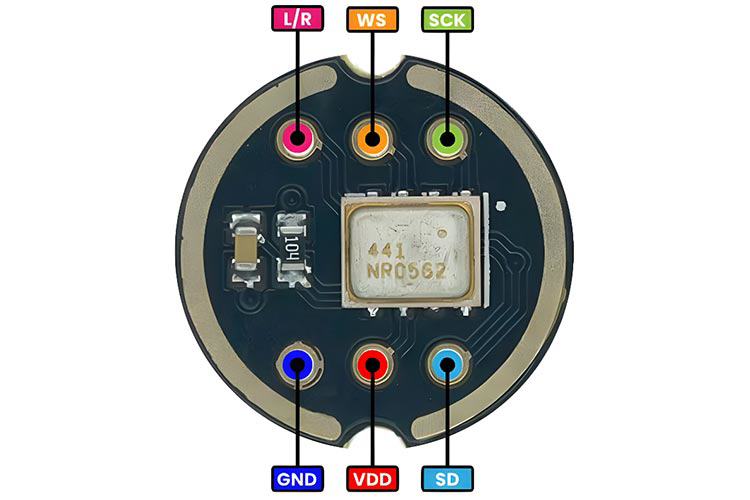
 Design with I2S Digital microphone in Cirkit Designer
Introduction
An I2S Digital Microphone is a type of digital microphone that uses the I2S (Inter-IC Sound) protocol to transmit audio data. Unlike traditional analog microphones, which output analog signals requiring additional processing, I2S microphones directly convert sound waves into digital signals. This ensures high-quality audio input with minimal noise and distortion.
Explore Projects Built with I2S Digital microphone
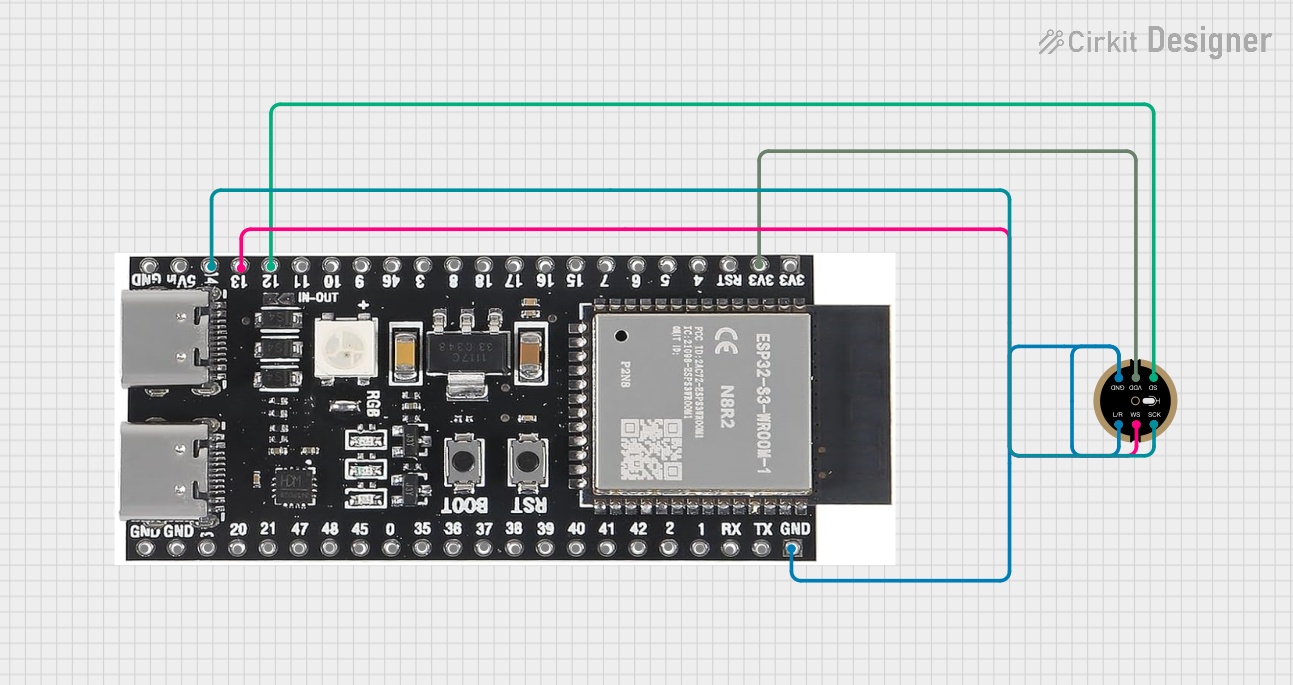 Open Project in Cirkit Designer
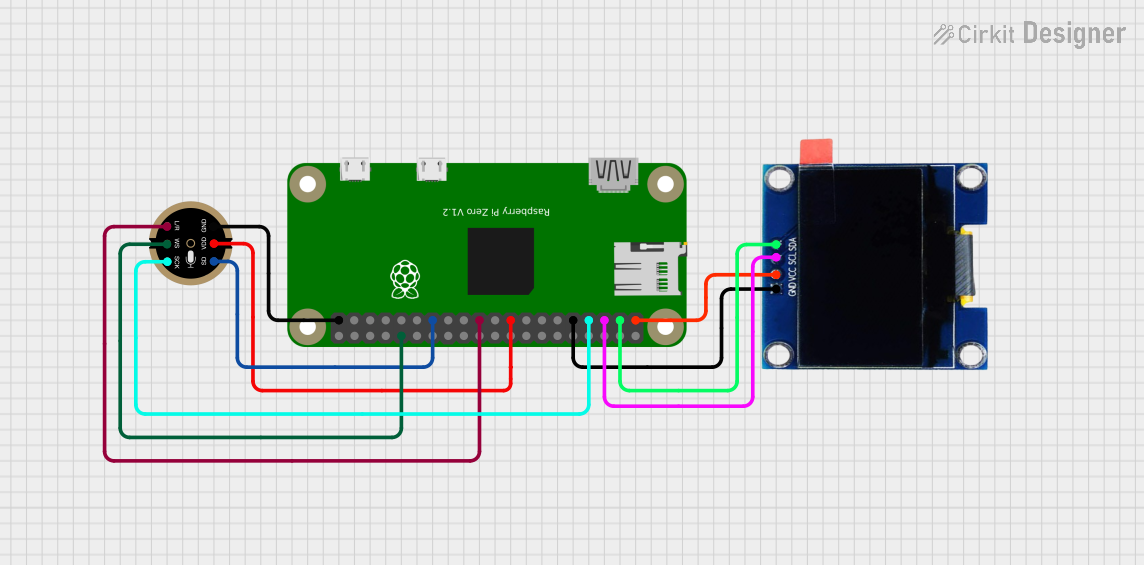 Open Project in Cirkit Designer
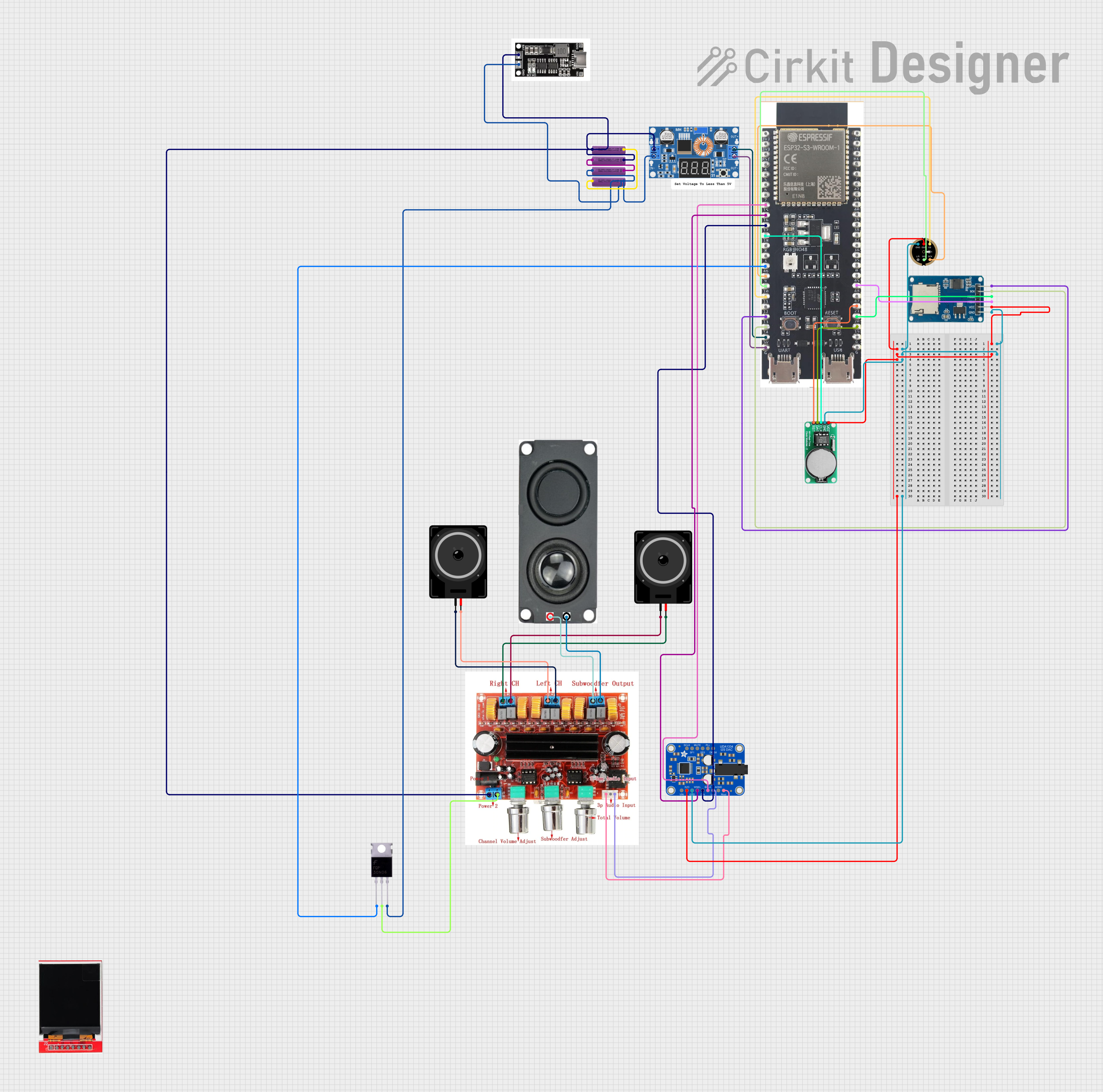 Open Project in Cirkit Designer
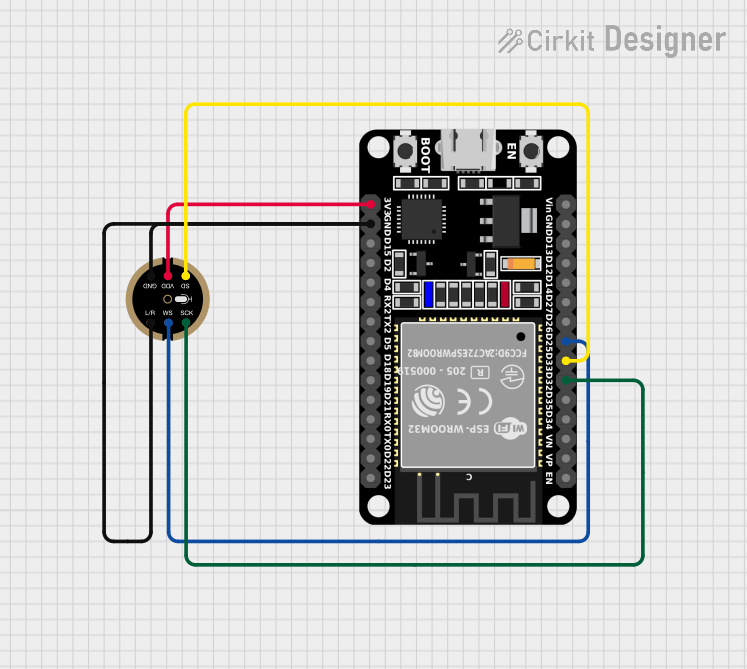 Open Project in Cirkit Designer
Explore Projects Built with I2S Digital microphone
Open Project in Cirkit DesignerOpen Project in Cirkit DesignerOpen Project in Cirkit DesignerOpen Project in Cirkit DesignerCommon Applications and Use Cases
- Voice recognition systems (e.g., smart assistants)
- Audio recording devices
- Noise-canceling systems
- IoT devices with audio input capabilities
- Sound level monitoring and analysis
Technical Specifications
Below are the key technical details for a typical I2S Digital Microphone. Note that specifications may vary slightly depending on the manufacturer.
General Specifications
- Operating Voltage: 1.8V to 3.6V
- Current Consumption: ~1 mA (active mode), ~10 µA (standby mode)
- Output Format: I2S (Inter-IC Sound) digital audio
- Sampling Rates: 8 kHz to 96 kHz (varies by model)
- Signal-to-Noise Ratio (SNR): ~60 dB to 70 dB
- Frequency Response: 50 Hz to 15 kHz
- Sensitivity: -26 dBFS ±3 dB (typical)
Pin Configuration and Descriptions
The I2S Digital Microphone typically has 4 pins. Below is a table describing each pin:
| Pin Name | Description |
|---|---|
| VDD | Power supply pin. Connect to a voltage source within the operating range (e.g., 3.3V). |
| GND | Ground pin. Connect to the ground of the circuit. |
| WS (Word Select) | I2S word select pin. Determines the left or right channel for audio data. |
| CLK | I2S clock input. Provides the clock signal for data transmission. |
| SD (Data Out) | Serial data output pin. Outputs the digital audio data in I2S format. |
Note: Some I2S microphones may have additional pins, such as a power-down or enable pin. Refer to the specific datasheet for details.
Usage Instructions
How to Use the Component in a Circuit
- Power the Microphone: Connect the VDD pin to a 3.3V power source and the GND pin to the ground.
- Connect the I2S Interface:
- Connect the
CLKpin to the I2S clock signal from your microcontroller or audio processor. - Connect the
WSpin to the word select signal (used to differentiate left and right audio channels). - Connect the
SDpin to the I2S data input pin on your microcontroller.
- Connect the
- Configure the Microcontroller: Set up the I2S peripheral on your microcontroller to match the microphone's sampling rate and data format.
- Read Audio Data: Use the microcontroller to read the digital audio data from the microphone and process it as needed.
Important Considerations and Best Practices
- Clock Signal: Ensure the I2S clock signal is stable and within the microphone's supported range.
- Power Supply: Use a low-noise power supply to avoid introducing noise into the audio signal.
- PCB Layout: Keep the microphone's signal traces short and away from high-frequency or noisy components.
- Sampling Rate: Match the sampling rate of the microcontroller's I2S interface to the microphone's capabilities.
- Left/Right Channel Selection: If using multiple microphones, configure the
WSpin to assign each microphone to the correct audio channel.
Example: Connecting to an Arduino UNO
The Arduino UNO does not have a native I2S interface, but you can use an external I2S interface module or a microcontroller like the ESP32, which supports I2S. Below is an example code snippet for an ESP32:
#include <driver/i2s.h>

// I2S configuration for the ESP32
#define I2S_WS_PIN  25  // Word Select pin
#define I2S_CLK_PIN 26  // Clock pin
#define I2S_SD_PIN  22  // Data pin

void setup() {
  // Configure the I2S driver
  i2s_config_t i2s_config = {
    .mode = (i2s_mode_t)(I2S_MODE_MASTER | I2S_MODE_RX), // Master mode, receive data
    .sample_rate = 16000,                               // Sampling rate: 16 kHz
    .bits_per_sample = I2S_BITS_PER_SAMPLE_16BIT,       // 16-bit audio data
    .channel_format = I2S_CHANNEL_FMT_ONLY_LEFT,        // Single channel (left)
    .communication_format = I2S_COMM_FORMAT_I2S,        // I2S format
    .intr_alloc_flags = 0,                              // Default interrupt allocation
    .dma_buf_count = 8,                                 // Number of DMA buffers
    .dma_buf_len = 64                                   // Length of each DMA buffer
  };

  // Configure the I2S pins
  i2s_pin_config_t pin_config = {
    .bck_io_num = I2S_CLK_PIN,  // Clock pin
    .ws_io_num = I2S_WS_PIN,    // Word Select pin
    .data_out_num = I2S_PIN_NO_CHANGE, // No data output
    .data_in_num = I2S_SD_PIN   // Data input pin
  };

  // Install and start the I2S driver
  i2s_driver_install(I2S_NUM_0, &i2s_config, 0, NULL);
  i2s_set_pin(I2S_NUM_0, &pin_config);
}

void loop() {
  // Buffer to store audio data
  uint8_t audio_data[128];
  size_t bytes_read;

  // Read audio data from the I2S microphone
  i2s_read(I2S_NUM_0, audio_data, sizeof(audio_data), &bytes_read, portMAX_DELAY);

  // Process the audio data (e.g., send it to a server or save it to storage)
}
Note: The above code is specific to the ESP32 and assumes a sampling rate of 16 kHz. Adjust the configuration as needed for your application.
Troubleshooting and FAQs
Common Issues and Solutions
No Audio Data Output:
- Verify that the I2S clock and word select signals are correctly connected and configured.
- Ensure the microphone is powered correctly and within the specified voltage range.
Distorted or Noisy Audio:
- Check for noise in the power supply. Use decoupling capacitors near the microphone.
- Ensure the sampling rate matches the microphone's capabilities.
Microphone Not Detected:
- Confirm that the I2S pins on the microcontroller are correctly assigned in the code.
- Verify the connections between the microphone and the microcontroller.
FAQs
Can I use an I2S microphone with an Arduino UNO? The Arduino UNO lacks a native I2S interface. Use a microcontroller like the ESP32 or an external I2S interface module.
What is the advantage of an I2S microphone over an analog microphone? I2S microphones provide digital output, reducing noise and eliminating the need for an ADC (Analog-to-Digital Converter).
Can I use multiple I2S microphones in a single system? Yes, you can use multiple microphones by configuring their
WSpins for different audio channels (e.g., left and right).