
How to Use WeMos D1 Mini Motor Shield: Examples, Pinouts, and Specs
 Design with WeMos D1 Mini Motor Shield in Cirkit Designer
Introduction
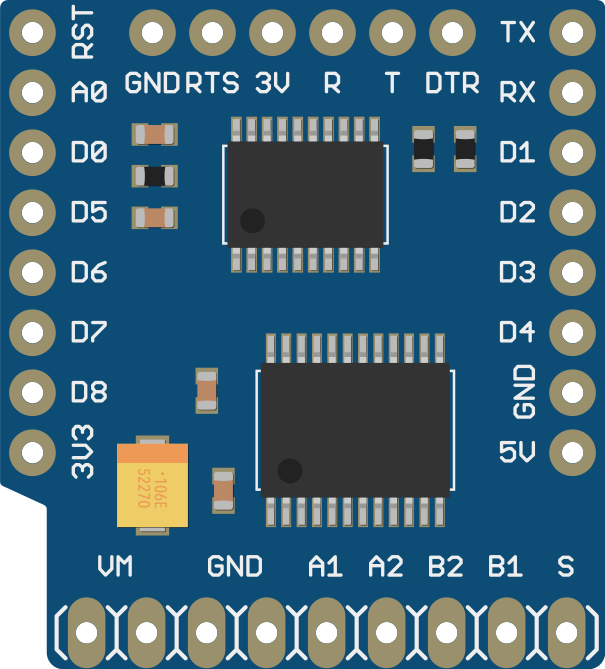
The WeMos D1 Mini Motor Shield is a compact motor driver shield designed specifically for the WeMos D1 Mini development board. It enables users to control DC motors and stepper motors with ease, making it ideal for robotics, automation, and other motor-driven projects. The shield supports PWM (Pulse Width Modulation) control for precise speed and direction management and is fully compatible with the Arduino IDE for programming.
Explore Projects Built with WeMos D1 Mini Motor Shield
 Open Project in Cirkit Designer
 Open Project in Cirkit Designer
 Open Project in Cirkit Designer
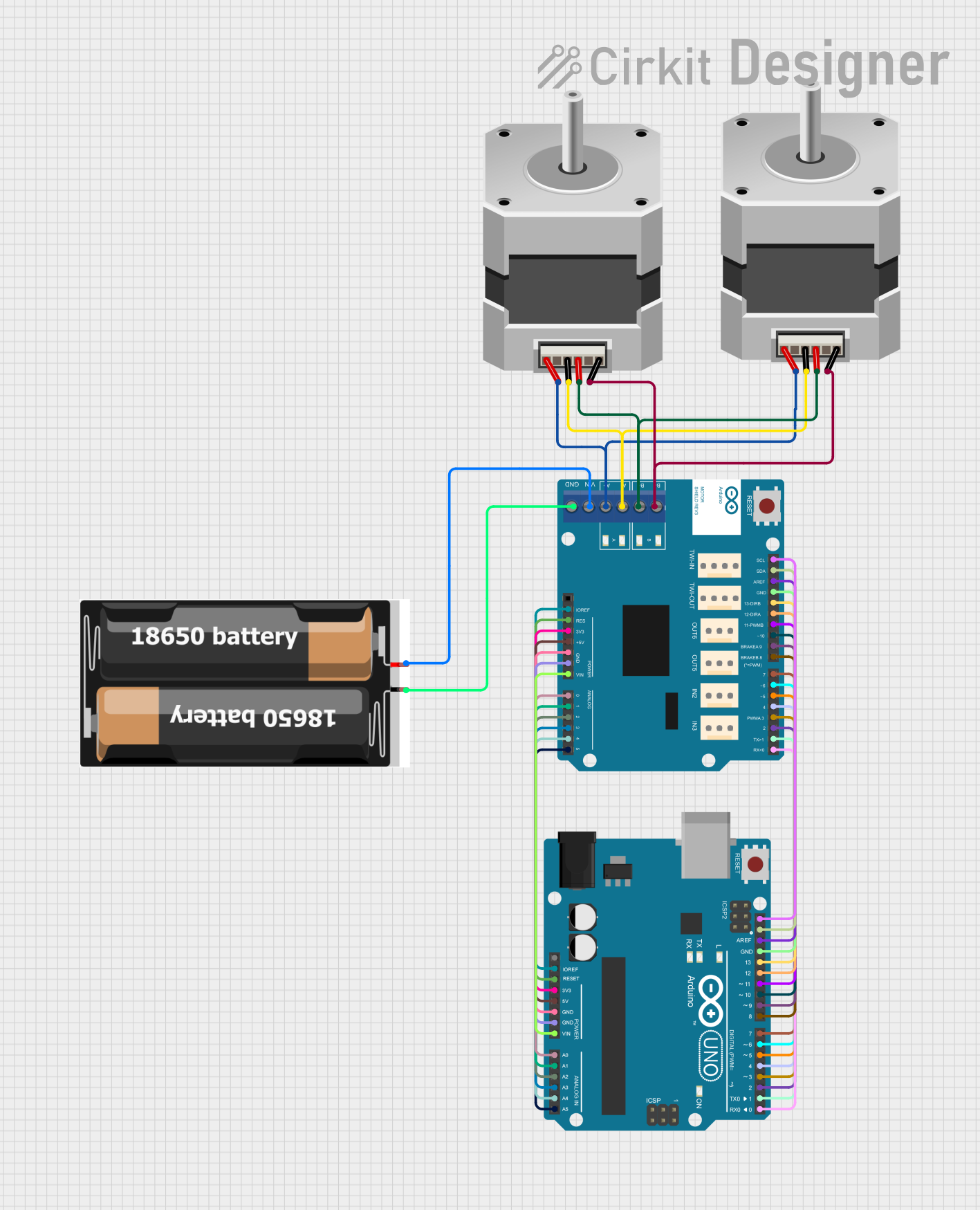 Open Project in Cirkit Designer
Explore Projects Built with WeMos D1 Mini Motor Shield
Open Project in Cirkit DesignerOpen Project in Cirkit DesignerOpen Project in Cirkit DesignerOpen Project in Cirkit DesignerCommon Applications and Use Cases
- Robotics and automation projects
- Small motorized vehicles or robots
- Stepper motor control for CNC or 3D printing applications
- DIY projects requiring motorized movement
- Educational projects for learning motor control
Technical Specifications
Key Technical Details
- Motor Driver IC: TB6612FNG
- Input Voltage: 2.5V to 12V (motor power supply)
- Logic Voltage: 3.3V (compatible with WeMos D1 Mini)
- Output Current: 1.2A per channel (continuous), 3.2A peak
- Motor Channels: 2 (can drive two DC motors or one stepper motor)
- PWM Frequency: Up to 100 kHz
- Dimensions: Matches the WeMos D1 Mini form factor
Pin Configuration and Descriptions
The WeMos D1 Mini Motor Shield connects directly to the WeMos D1 Mini board. Below is the pin configuration:
| Pin | Description |
|---|---|
| AIN1 | Input for Motor A direction control |
| AIN2 | Input for Motor A direction control |
| BIN1 | Input for Motor B direction control |
| BIN2 | Input for Motor B direction control |
| PWMA | PWM input for Motor A speed control |
| PWMB | PWM input for Motor B speed control |
| VM | Motor power supply (2.5V to 12V) |
| GND | Ground |
Usage Instructions
How to Use the Component in a Circuit
- Connect the Shield: Attach the WeMos D1 Mini Motor Shield to the WeMos D1 Mini board by aligning the pins and stacking them together.
- Power the Motors: Connect an external power supply (2.5V to 12V) to the VM and GND pins to power the motors.
- Connect Motors: Attach the DC motors or stepper motor to the motor output terminals (Motor A and Motor B).
- Program the Board: Use the Arduino IDE to upload code to the WeMos D1 Mini for motor control.
Important Considerations and Best Practices
- Ensure the motor power supply voltage matches the requirements of your motors.
- Avoid exceeding the maximum current rating (1.2A continuous, 3.2A peak) to prevent damage.
- Use appropriate heat dissipation methods if operating at high currents for extended periods.
- Double-check all connections before powering the circuit to avoid short circuits or damage.
Example Code for Arduino IDE
Below is an example code snippet to control two DC motors using the WeMos D1 Mini Motor Shield:
// Include the Arduino library for motor control
#define AIN1 D1  // Motor A direction control pin 1
#define AIN2 D2  // Motor A direction control pin 2
#define PWMA D3  // Motor A speed control (PWM) pin
#define BIN1 D4  // Motor B direction control pin 1
#define BIN2 D5  // Motor B direction control pin 2
#define PWMB D6  // Motor B speed control (PWM) pin

void setup() {
  // Set motor control pins as outputs
  pinMode(AIN1, OUTPUT);
  pinMode(AIN2, OUTPUT);
  pinMode(PWMA, OUTPUT);
  pinMode(BIN1, OUTPUT);
  pinMode(BIN2, OUTPUT);
  pinMode(PWMB, OUTPUT);
}

void loop() {
  // Motor A: Forward at 50% speed
  digitalWrite(AIN1, HIGH);
  digitalWrite(AIN2, LOW);
  analogWrite(PWMA, 128);  // PWM value (0-255)

  // Motor B: Backward at 75% speed
  digitalWrite(BIN1, LOW);
  digitalWrite(BIN2, HIGH);
  analogWrite(PWMB, 192);  // PWM value (0-255)

  delay(2000);  // Run motors for 2 seconds

  // Stop both motors
  analogWrite(PWMA, 0);
  analogWrite(PWMB, 0);

  delay(2000);  // Wait for 2 seconds
}
Troubleshooting and FAQs
Common Issues and Solutions
Motors Not Running:
- Ensure the motor power supply is connected and within the voltage range (2.5V to 12V).
- Verify that the motor connections are secure and correctly wired.
- Check the code to ensure the correct pins are defined and used.
Motors Running in the Wrong Direction:
- Swap the AIN1 and AIN2 (or BIN1 and BIN2) connections in the code or hardware.
Overheating:
- Ensure the current draw of the motors does not exceed the shield's maximum rating.
- Use motors with appropriate specifications for the shield.
PWM Control Not Working:
- Verify that the PWM pins (PWMA and PWMB) are correctly defined in the code.
- Ensure the Arduino IDE is configured for the correct board (WeMos D1 Mini).
FAQs
Q: Can I control a stepper motor with this shield?
A: Yes, the shield can control a single stepper motor by using both motor channels (Motor A and Motor B). You will need to write or use a stepper motor control library for precise control.
Q: Is the shield compatible with other boards?
A: The shield is designed for the WeMos D1 Mini but may work with other boards that have a similar pinout and logic voltage (3.3V).
Q: What is the maximum PWM frequency supported?
A: The shield supports PWM frequencies up to 100 kHz, which is sufficient for most motor control applications.