The MQ-2 is a versatile gas sensor manufactured by Arduino, designed to detect a variety of gases such as LPG, propane, methane, and smoke. It operates on the principle of resistive change, where the sensor's resistance varies in the presence of target gases. This change is converted into an analog output, making it easy to interface with microcontrollers and other electronic systems.
Explore Projects Built with MQ-2
Use Cirkit Designer to design, explore, and prototype these projects online. Some projects support real-time simulation. Click "Open Project" to start designing instantly!
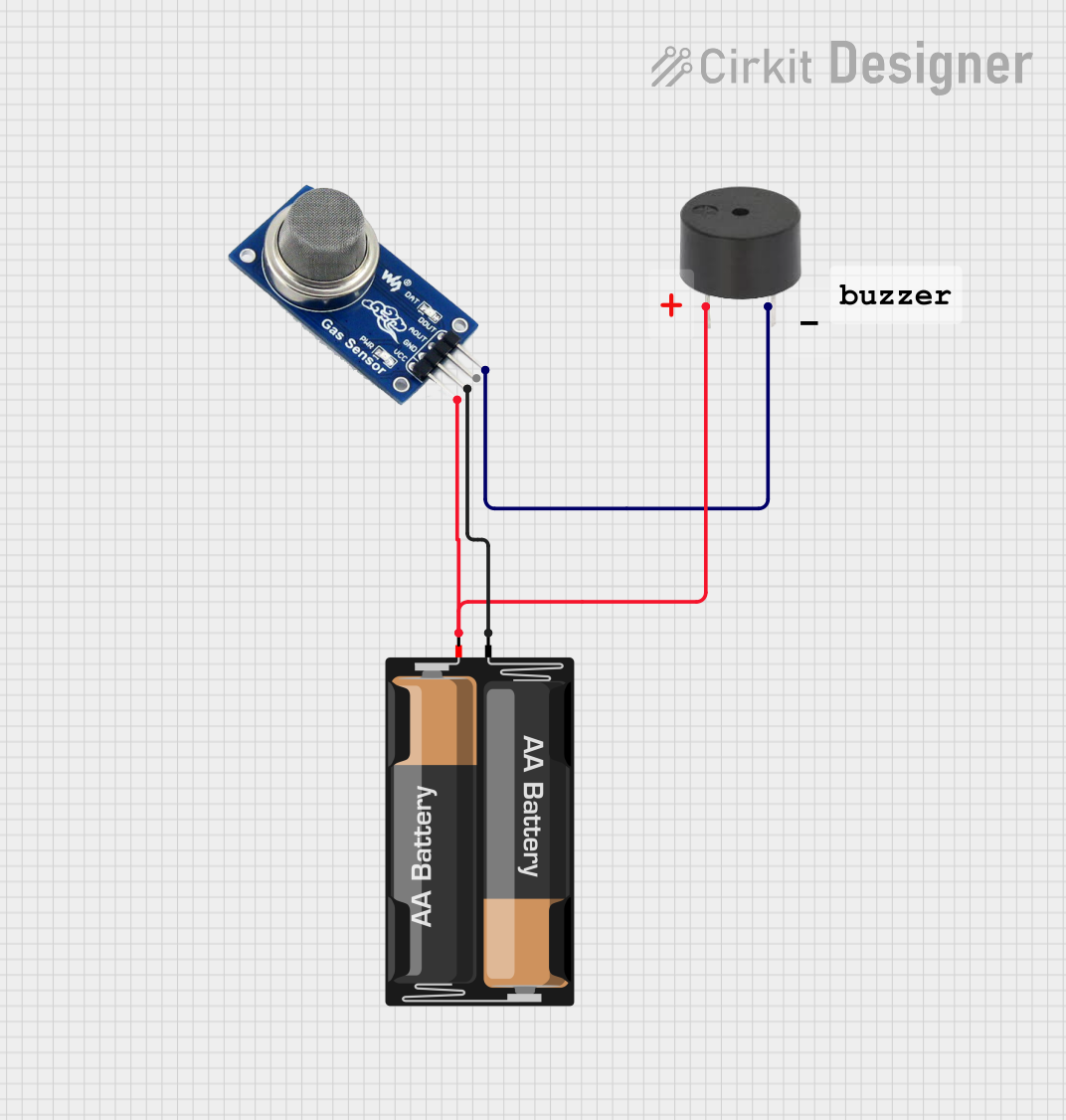
This circuit is a gas detection alarm system that uses an MQ2 gas sensor to detect gas levels. When gas is detected, the sensor outputs a signal that triggers a buzzer to sound an alarm. The circuit is powered by a 2 x AA battery mount.
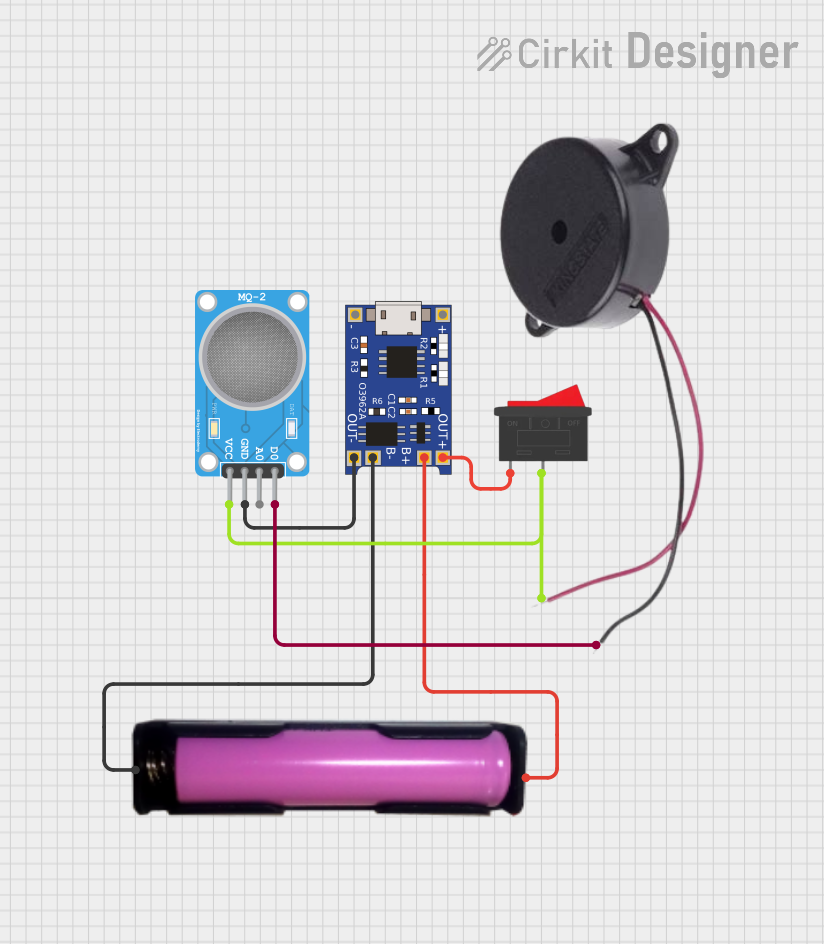
This is a simple gas detection alarm system that uses an MQ-2 sensor to detect gas presence and sound a buzzer when gas is detected. It is powered by a rechargeable 18650 battery, with a TP4056 module for battery management and charging. A rocker switch is used to control the power to the system.
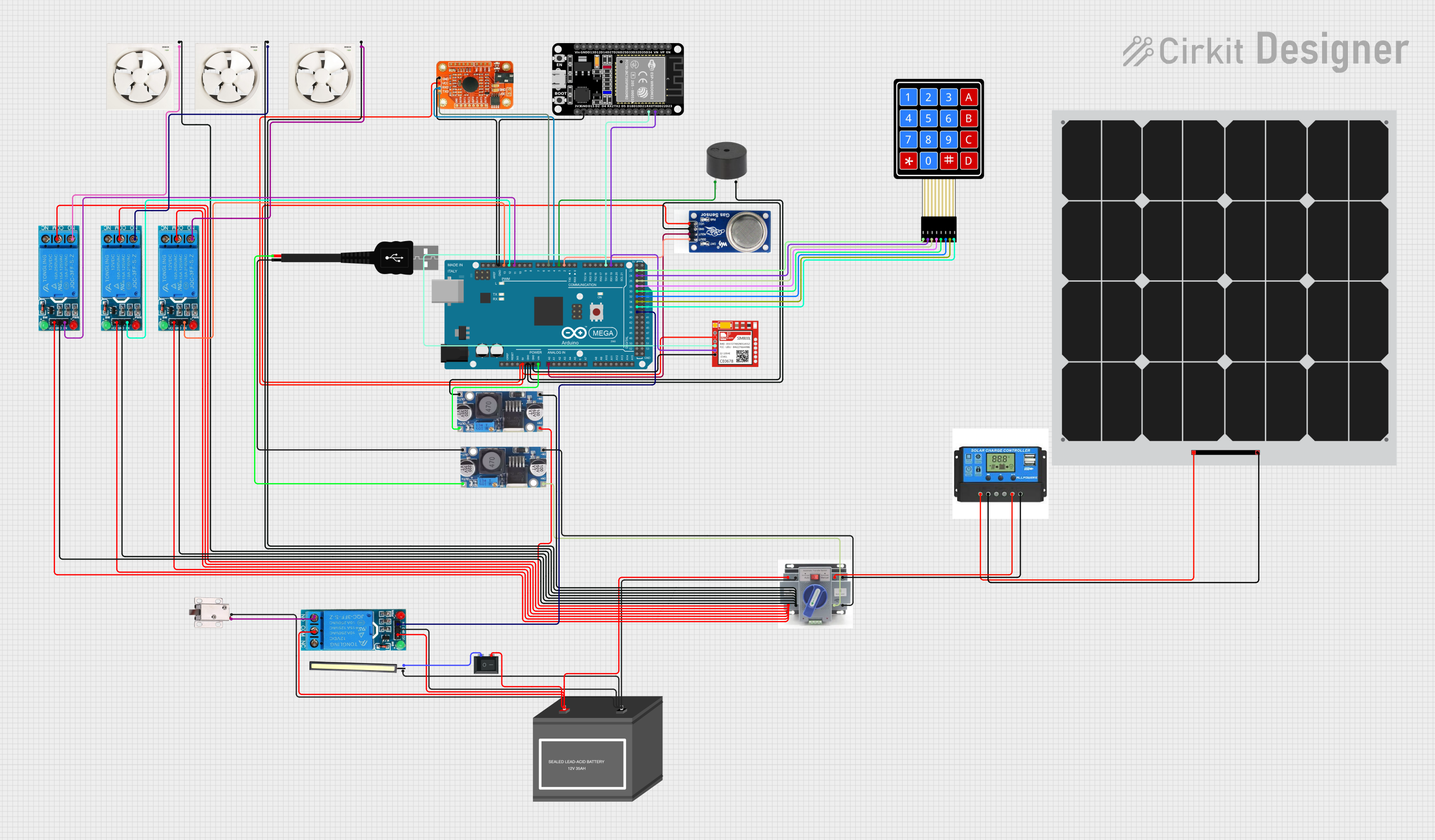
This circuit is an automated safety system that detects smoke or gas using an MQ2 sensor and activates a solenoid lock and buzzer in response. It includes a voice recognition module, an ESP32 for additional functionalities, and is powered by a 12V battery and solar panel with a charge controller. The system is controlled by an Arduino Mega 2560, which also manages multiple relays to control exhaust fans and other components.
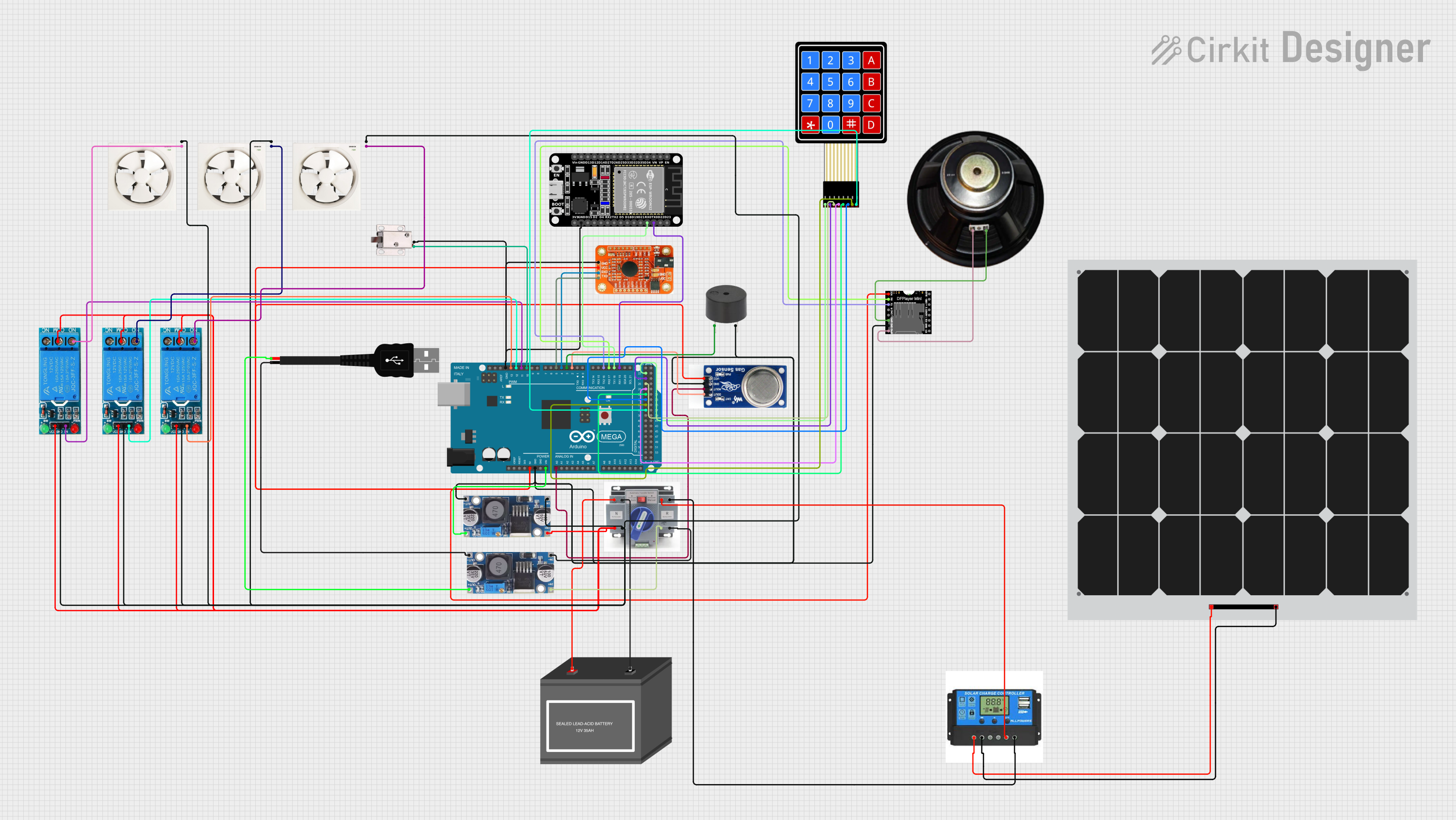
This circuit is designed for an automatic safety and alert system that detects smoke or gas using an MQ2 sensor, and in response, unlocks a solenoid lock and activates a buzzer. It features an Arduino Mega 2560 for control logic, a DFPlayer Mini for audio output, a voice recognition module for voice commands, and an ESP32 for additional functionalities. The system is powered by a 12V battery, supported by a solar panel through a charge controller, and uses relays to control exhaust fans.
Safety systems in automotive and industrial environments
Technical Specifications
The MQ-2 sensor is designed for ease of use and reliable performance. Below are its key technical details:
Parameter
Value
Manufacturer
Arduino
Part ID
MQ-2
Operating Voltage
5V DC
Load Resistance (RL)
Adjustable (typically 10 kΩ)
Heater Voltage (VH)
5V ± 0.2V
Heater Power Consumption
≤ 800 mW
Detection Range
200 ppm to 10,000 ppm (varies by gas)
Preheat Time
≥ 24 hours for optimal accuracy
Output Signal
Analog voltage (0-5V)
Operating Temperature
-20°C to 50°C
Humidity Range
35% to 95% RH
Dimensions
32mm x 20mm x 22mm
Pin Configuration and Descriptions
The MQ-2 sensor module typically has four pins. Below is the pinout and description:
Pin
Name
Description
1
VCC
Power supply pin (5V DC)
2
GND
Ground pin
3
AOUT
Analog output pin; provides a voltage proportional to the gas concentration
4
DOUT
Digital output pin; triggers HIGH when gas concentration exceeds a threshold (adjustable via onboard potentiometer)
Usage Instructions
The MQ-2 sensor is straightforward to use in a circuit. Follow the steps below to integrate it into your project:
Connecting the MQ-2 to an Arduino UNO
Power the Sensor: Connect the VCC pin to the 5V pin on the Arduino UNO and the GND pin to the Arduino's GND.
Read Analog Output: Connect the AOUT pin to an analog input pin on the Arduino (e.g., A0).
Optional Digital Output: If you want to use the digital output, connect the DOUT pin to a digital input pin on the Arduino (e.g., D2). Adjust the onboard potentiometer to set the gas concentration threshold for triggering the digital output.
Sample Arduino Code
Below is an example of how to use the MQ-2 sensor with an Arduino UNO to read analog values and detect gas concentration:
// MQ-2 Gas Sensor Example Code
// This code reads the analog output of the MQ-2 sensor and prints the value
// to the Serial Monitor. Adjust the threshold value as needed for your application.

const int analogPin = A0;  // Pin connected to AOUT of MQ-2
const int digitalPin = 2;  // Pin connected to DOUT of MQ-2 (optional)
int sensorValue = 0;       // Variable to store analog reading

void setup() {
  Serial.begin(9600);      // Initialize serial communication
  pinMode(digitalPin, INPUT); // Set digital pin as input
}

void loop() {
  // Read the analog value from the sensor
  sensorValue = analogRead(analogPin);

  // Print the analog value to the Serial Monitor
  Serial.print("Analog Value: ");
  Serial.println(sensorValue);

  // Check the digital output (optional)
  if (digitalRead(digitalPin) == HIGH) {
    Serial.println("Gas concentration exceeded threshold!");
  }

  delay(1000); // Wait for 1 second before the next reading
}
Important Considerations and Best Practices
Preheat the Sensor: Allow the sensor to preheat for at least 24 hours before taking accurate measurements.
Calibrate the Sensor: For precise gas concentration readings, calibrate the sensor in a known gas environment.
Avoid High Humidity: Prolonged exposure to high humidity can affect the sensor's performance.
Use a Load Resistor: Ensure the load resistor (RL) is properly selected based on your application. A typical value is 10 kΩ.
Ventilation: Place the sensor in a well-ventilated area for accurate readings.
Troubleshooting and FAQs
Common Issues and Solutions
No Output or Incorrect Readings
Cause: Insufficient preheating time.
Solution: Allow the sensor to preheat for at least 24 hours before use.
Fluctuating Analog Values
Cause: Electrical noise or unstable power supply.
Solution: Use a decoupling capacitor (e.g., 0.1 µF) across the power supply pins.
Digital Output Not Triggering
Cause: Incorrect threshold setting on the potentiometer.
Solution: Adjust the potentiometer to set the desired gas concentration threshold.
Sensor Not Detecting Gas
Cause: Sensor placed in an unsuitable environment.
Solution: Ensure the sensor is exposed to the target gas and is within its operating temperature and humidity range.
FAQs
Q1: Can the MQ-2 detect multiple gases simultaneously?
A1: Yes, the MQ-2 can detect multiple gases such as LPG, propane, methane, and smoke. However, it cannot differentiate between them.
Q2: How do I convert the analog output to gas concentration (ppm)?
A2: The analog output voltage can be mapped to gas concentration using the sensor's sensitivity curve provided in the datasheet. Calibration in a known gas environment is required for accurate results.
Q3: Can I use the MQ-2 with a 3.3V microcontroller?
A3: The MQ-2 is designed for 5V operation. If using a 3.3V microcontroller, you will need a level shifter or a 5V power source for the sensor.
Q4: How long does the MQ-2 last?
A4: The sensor has a typical lifespan of 2-3 years under normal operating conditions.


 Open Project in Cirkit Designer