The NPK Soil Sensor is an innovative electronic device designed to measure the levels of nitrogen (N), phosphorus (P), and potassium (K) in soil, which are vital nutrients for plant growth. By providing accurate readings of these nutrients, the sensor assists farmers, gardeners, and researchers in assessing soil fertility and making informed decisions about fertilizer application. This sensor is particularly useful in precision agriculture, horticulture, and environmental monitoring.
Explore Projects Built with NPK Soil Sensor
Use Cirkit Designer to design, explore, and prototype these projects online. Some projects support real-time simulation. Click "Open Project" to start designing instantly!
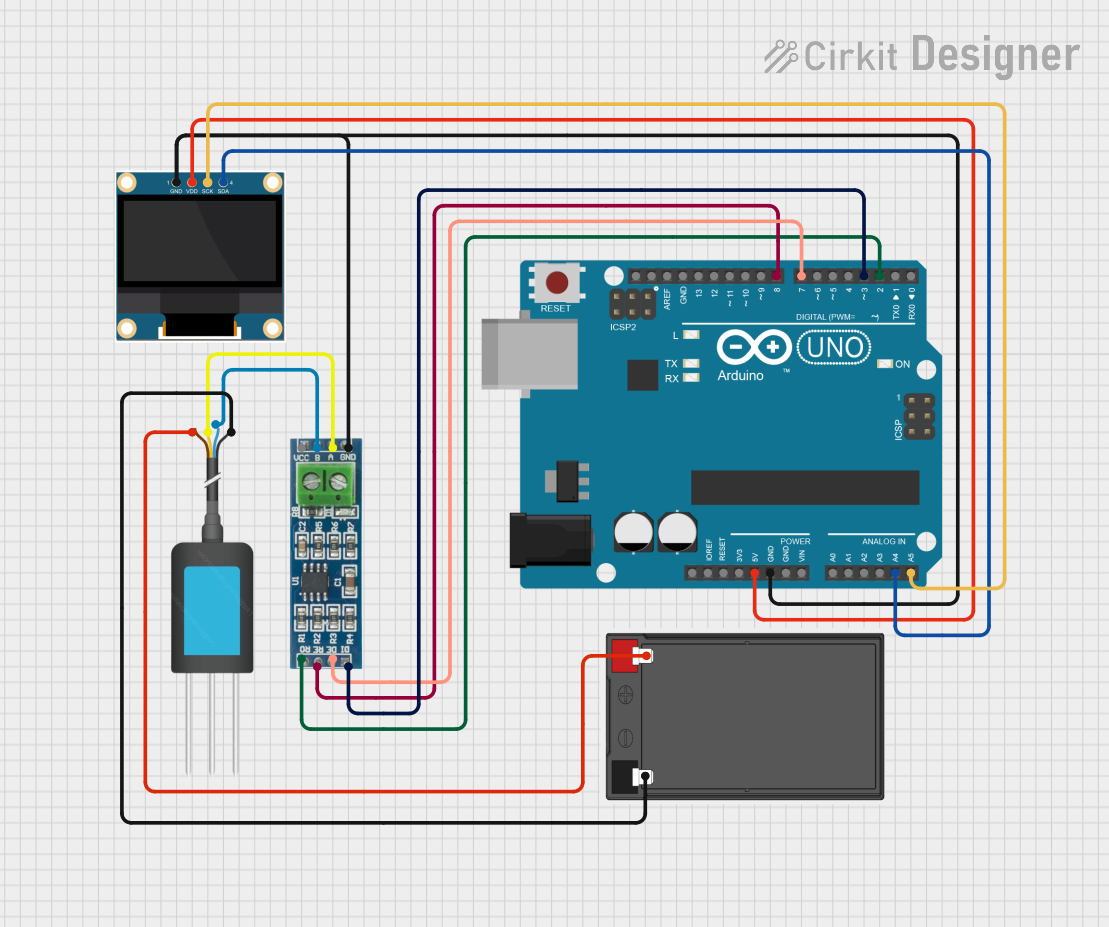
This circuit is designed to measure soil nutrient levels using an NPK soil sensor and display the results on an OLED screen. An Arduino UNO microcontroller reads data from the soil sensor via an RS-485 module and processes the information to display nitrogen, phosphorus, and potassium levels on the OLED display.
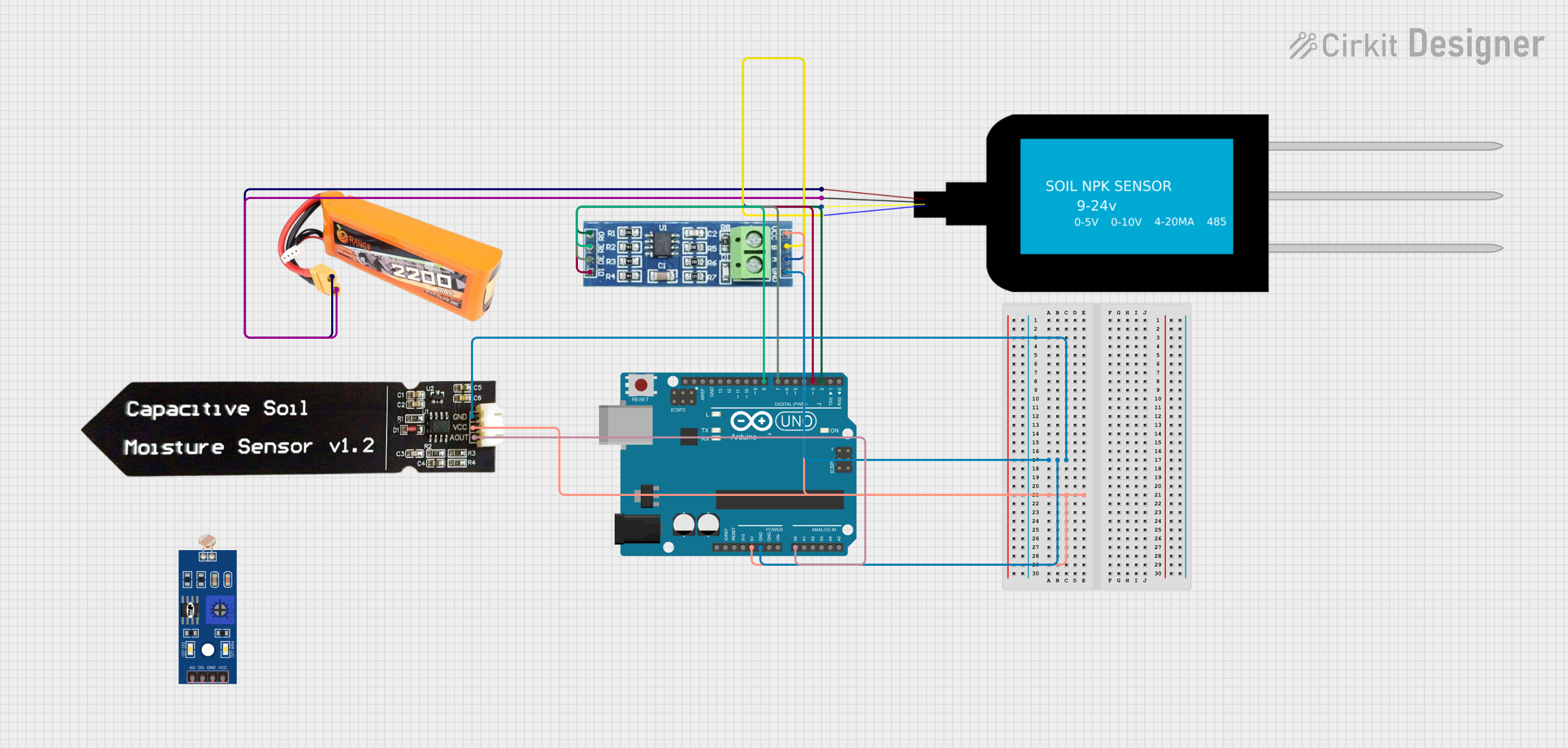
This circuit uses an Arduino UNO to read soil nutrient levels (Nitrogen, Phosphorous, and Potassium) via an NPK Soil Sensor connected through an RS485 module, and soil moisture levels via a Capacitive Soil Moisture Sensor. The data is then printed to the Serial Monitor for analysis.
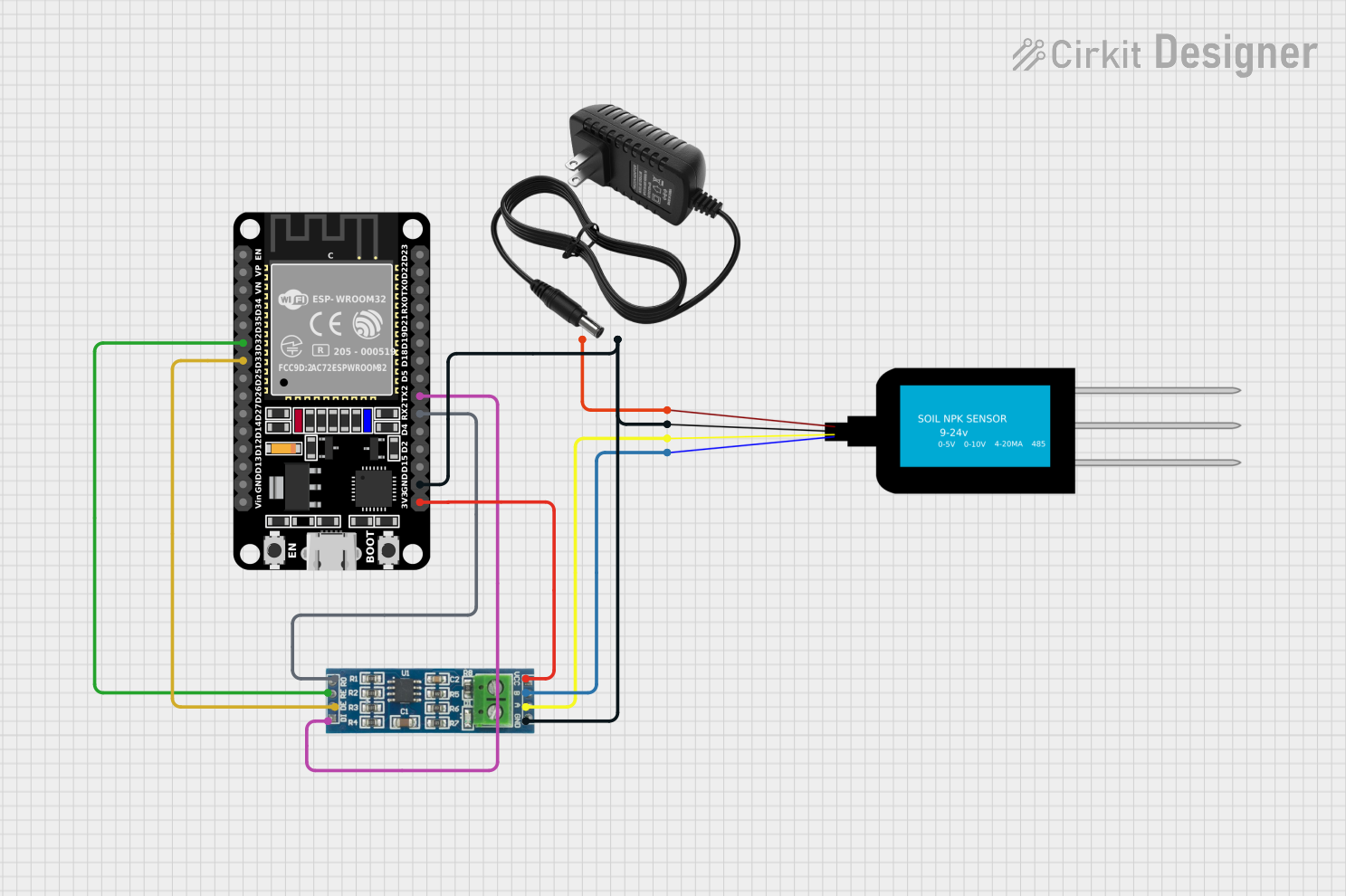
This circuit is designed to measure soil nutrient levels using an NPK Soil Sensor, with data communication facilitated by an RS-485 module. The ESP32 microcontroller is used to process the sensor data, which is likely transmitted over RS-485 for remote monitoring or control. A 12V power supply provides the necessary power to the sensor, while the ESP32 is powered by its 3.3V pin, and the common ground ensures all components share a reference potential.
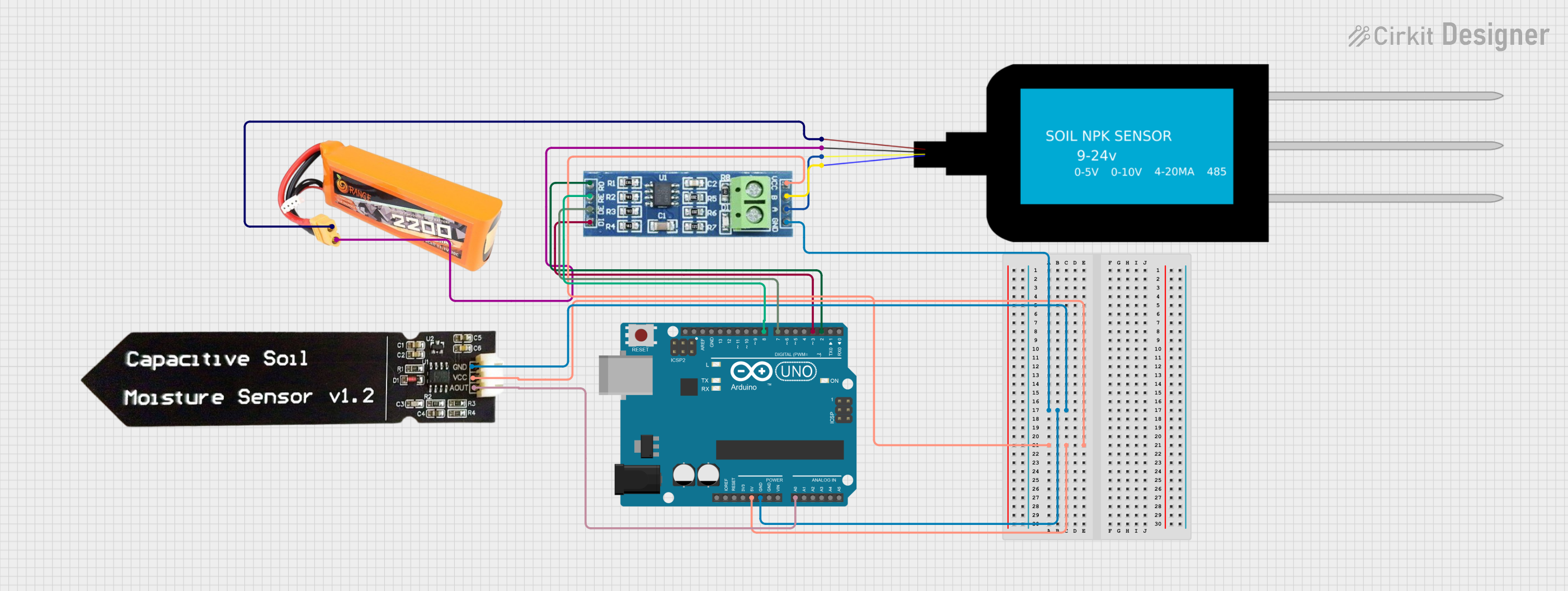
This circuit uses an Arduino UNO to read soil nutrient levels (Nitrogen, Phosphorous, and Potassium) from an NPK Soil Sensor via an RS485 module and soil moisture levels from a Capacitive Soil Moisture Sensor. The data is then printed to the Serial Monitor for monitoring purposes.
Measurement Range: 0 to 1999 mg/kg (ppm) for N, P, and K
Accuracy: ±10%
Operating Temperature: -40°C to +85°C
Interface: Analog
Pin Configuration and Descriptions
Pin Number
Name
Description
1
VCC
Power supply (3.3V to 5V)
2
GND
Ground connection
3
AO
Analog output for N concentration
4
AO
Analog output for P concentration
5
AO
Analog output for K concentration
Usage Instructions
Integration with a Circuit
To use the NPK Soil Sensor in a circuit:
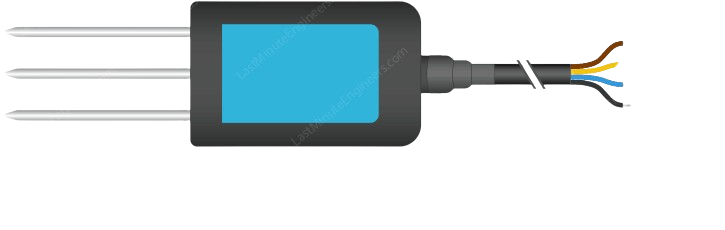
Connect the VCC pin to a 3.3V or 5V power supply.
Connect the GND pin to the ground of the power supply.
Connect the AO pins to the analog input pins of a microcontroller, such as an Arduino UNO.
Best Practices
Calibrate the sensor before use to ensure accurate readings.
Avoid exposing the sensor to liquids or corrosive chemicals.
Insert the sensor probes fully into the soil for consistent measurements.
Allow the sensor to stabilize in the soil for a few minutes before taking a reading.
Example Code for Arduino UNO
// Define the analog input pins for N, P, and K
const int N_Sensor_Pin = A0;
const int P_Sensor_Pin = A1;
const int K_Sensor_Pin = A2;

void setup() {
  // Initialize serial communication at 9600 baud rate
  Serial.begin(9600);
}

void loop() {
  // Read the analog values from the sensor
  int N_value = analogRead(N_Sensor_Pin);
  int P_value = analogRead(P_Sensor_Pin);
  int K_value = analogRead(K_Sensor_Pin);

  // Convert the analog values to nutrient concentration (example conversion)
  float N_concentration = N_value * (1999.0 / 1023.0);
  float P_concentration = P_value * (1999.0 / 1023.0);
  float K_concentration = K_value * (1999.0 / 1023.0);

  // Print the nutrient concentrations to the serial monitor
  Serial.print("Nitrogen (N): ");
  Serial.print(N_concentration);
  Serial.println(" ppm");

  Serial.print("Phosphorus (P): ");
  Serial.print(P_concentration);
  Serial.println(" ppm");

  Serial.print("Potassium (K): ");
  Serial.print(K_concentration);
  Serial.println(" ppm");

  // Wait for a second before taking the next reading
  delay(1000);
}
Troubleshooting and FAQs
Common Issues
Inaccurate Readings: Ensure the sensor is calibrated correctly and the probes are fully inserted into the soil.
No Output Signal: Check the power supply connections and ensure the sensor is not damaged.
Fluctuating Readings: Stabilize the sensor in the soil for a few minutes before taking a reading.
FAQs
Q: Can the sensor be left in the soil permanently?
A: It is not recommended to leave the sensor in the soil permanently as prolonged exposure to moisture and soil chemicals can degrade the sensor's performance.
Q: How often should the sensor be calibrated?
A: The sensor should be calibrated before the first use and periodically thereafter, especially if used in different types of soil.
Q: Is the sensor waterproof?
A: The sensor probes are typically water-resistant, but the electronic components are not waterproof. Care should be taken to avoid getting the sensor's head wet.
For further assistance, please contact the manufacturer's technical support with the part ID npk_soil_sensor.

 Open Project in Cirkit Designer